The Basics of Taking Notes in Obsidian
## Metadata
- Author: [[YouTube]]
- Full Title: The Basics of Taking Notes in Obsidian
- Category: #articles
- Document Note: ---
tags: [obsidian, note-taking, productivity]
author: Effective Remote Work
source: YouTube
reference: https://www.youtube.com/watch?v=z6F8RBIpQCE
date created: 2024-12-19 10:30
---
# 🏷️ Title: The Basics of Taking Notes in Obsidian
## 🧰 Action Inbox
- [H1] Enable fold heading/indentations in editor settings — 01:23 #setup
- [H2] Turn on tag pane, starred, and daily notes plugins — 01:49 #plugins
- [H3] Start with daily notes as landing pad — 02:33 #workflow
## 🧭 Table of Contents
- [📝 Summary](#-summary)
- [📖 Main Content](#-main-content)
- [🗒️ Notes](#️-notes)
- [📚 References](#-references)
- [🗣️ Paraphrase](#️-paraphrase)
- [📰 Newsletter](#-newsletter)
- [✅ Action Items](#-action-items)
- [🧪 Hypotheses](#-hypotheses)
- [📊 Methodology](#-methodology)
- [❓ Questions](#-questions)
- [🔮 Future Research](#-future-research)
- [💡 Implications](#-implications)
- [🧠 Learning Styles Assessment](#-learning-styles-assessment)
- [📊 Accessibility Assessment](#-accessibility-assessment)
- [🌍 DEIB Assessment](#-deib-assessment)
- [✅ Logical Validity](#-logical-validity)
- [🛡️ DARVO Analysis](#-darvo-analysis)
- [🎯 Conclusion](#-conclusion)
### 🔗 References
- [Obsidian Official Site](https://obsidian.md)
- [CGP Grey Spaceship You Video](https://www.youtube.com/watch?v=snAhsXyO3Ck)
## 📝 Summary
- Tutorial covering basic Obsidian note-taking setup and workflow for beginners
- Why it matters: Prevents common mistakes that cause users to abandon complex note-taking systems
- Key audience: First-time Obsidian users wanting practical getting-started guidance
- Risk: Over-complicating the system too early leading to abandonment
- Bottom line: Start simple with daily notes, synthesize thoughts in your own words, build iteratively
## 📖 Main Content
The video teaches a simplified approach to starting with Obsidian focused on avoiding the common pitfall of over-engineering a note-taking system before understanding how you'll actually use it. The instructor emphasizes starting with daily notes as a "landing pad" and gradually building complexity through wiki-links, tags, and the knowledge graph. Key technical setup includes enabling specific editor settings and three core plugins (tag pane, starred notes, daily notes). The methodology centers on synthesizing information into your own thoughts rather than just capturing quotes, which improves both retention and contextual meaning over time.
## 🗒️ Notes
#### ⏱️ [00:00](https://www.youtube.com/watch?v=z6F8RBIpQCE?t=0) — [H1] Introduction and Core Principle
- Key idea: Start simple with productivity software and grow iteratively
- Evidence: "It can be really tempting to try to figure out a structure and a format for everything that you need to keep in your system all up front"
#### ⏱️ [00:45](https://www.youtube.com/watch?v=z6F8RBIpQCE?t=45) — [H2] Problems with Over-Engineering Upfront
- Key idea: Complex initial setups create friction and lead to system abandonment
- Evidence: "I end up blowing things up and having to start over or I stop using the system altogether because I make it too complicated"
#### ⏱️ [01:23](https://www.youtube.com/watch?v=z6F8RBIpQCE?t=83) — [H3] Essential Editor Settings
- Key idea: Enable fold heading and fold indentations for cleaner interface
- Evidence: "It just is a nice way to clean things up if you have multiple headings inside of a single note"
#### ⏱️ [01:49](https://www.youtube.com/watch?v=z6F8RBIpQCE?t=109) — [H2] Three Essential Plugins
- Key idea: Tag pane, starred notes, and daily notes provide core functionality
- Evidence: "The three plugins that I think add some extra help to new users of obsidian"
#### ⏱️ [02:33](https://www.youtube.com/watch?v=z6F8RBIpQCE?t=153) — [H1] Daily Notes as Landing Pad
- Key idea: Use daily notes as your primary entry point and workspace
- Evidence: "The daily note is kind of your landing pad if you keep obsidian up on your screen"
#### ⏱️ [03:15](https://www.youtube.com/watch?v=z6F8RBIpQCE?t=195) — [H2] Wiki-Link Creation Process
- Key idea: Highlight text and use square brackets to create linked notes
- Evidence: "I just highlighted the words and then I pressed the left angle bracket or square bracket"
#### ⏱️ [04:20](https://www.youtube.com/watch?v=z6F8RBIpQCE?t=260) — [H3] Note Structure with Metadata
- Key idea: Include tags, links, and topics for better organization
- Evidence: "I'll usually tag it video...I'll do a link to the video and then topics"
#### ⏱️ [05:45](https://www.youtube.com/watch?v=z6F8RBIpQCE?t=345) — [H1] Synthesize Don't Just Copy
- Key idea: Write thoughts in your own words rather than just capturing quotes
- Evidence: "Instead of just grabbing quotes from videos...the better approach is to try to synthesize that information"
#### ⏱️ [06:30](https://www.youtube.com/watch?v=z6F8RBIpQCE?t=390) — [H2] Context Loss Over Time
- Key idea: Quotes without personal synthesis lose meaning and context
- Evidence: "Quotes tend to lose context over time when you come back to quotes that you've clipped"
#### ⏱️ [07:15](https://www.youtube.com/watch?v=z6F8RBIpQCE?t=435) — [H3] Better Retention Through Synthesis
- Key idea: Personal reformulation improves memory and understanding
- Evidence: "When you synthesize that information yourself you also retain it better"
#### ⏱️ [08:00](https://www.youtube.com/watch?v=z6F8RBIpQCE?t=480) — [H2] Atomic Linking Strategy
- Key idea: Link to specific pages rather than embedding everything in daily notes
- Evidence: "That allows you to more atomically link to those topics...at a later date"
#### ⏱️ [09:12](https://www.youtube.com/watch?v=z6F8RBIpQCE?t=552) — [H3] Today I Learned Pattern
- Key idea: Use TIL wiki-links to capture and aggregate learning moments
- Evidence: "You get a whole long list of today i learns right here in this backlinks pane"
#### ⏱️ [10:30](https://www.youtube.com/watch?v=z6F8RBIpQCE?t=630) — [H2] Knowledge Graph Visualization
- Key idea: Linked notes create visual relationship maps between concepts
- Evidence: "You can start to see the relationships between the different types of notes that you have"
#### ⏱️ [11:45](https://www.youtube.com/watch?v=z6F8RBIpQCE?t=705) — [H3] Starring Frequently Used Notes
- Key idea: Use starred functionality for easy access to important pages
- Evidence: "If you have notes that become more frequently referenced use the starred functionality"
## 📚 References
- [Obsidian Official Documentation](https://help.obsidian.md/)
- [Zettelkasten Method](https://zettelkasten.de/)
- [CGP Grey Spaceship You](https://www.youtube.com/watch?v=snAhsXyO3Ck)
## 🗣️ Paraphrase
- Begin with the simplest possible Obsidian setup using daily notes as your main workspace, then gradually add complexity as you understand your actual usage patterns
- Focus on writing your own thoughts and insights rather than just copying information, as personal synthesis improves both retention and long-term usefulness
- Use wiki-links strategically to create atomic notes for specific topics, enabling powerful backlink connections and knowledge graph visualization
## 📰 Newsletter
**Getting Started with Obsidian: A WordPress Developer's Note-Taking Journey**
If you're drowning in documentation, tutorials, and scattered ideas across multiple tools, Obsidian might be your next productivity game-changer. This powerful note-taking app creates connections between your thoughts, much like WordPress creates connections between content.
**Key takeaway**: Start ridiculously simple. Create a daily note, jot down thoughts in your own words, and use [[wiki-links]] to connect ideas. The magic happens gradually as your knowledge graph grows.
**Practical benefit**: Instead of losing context in endless bookmarks and code snippets, you'll build a searchable, interconnected knowledge base that actually helps you solve problems faster.
**Try this**: Set up three plugins (daily notes, tag pane, starred), then spend just 5 minutes each day capturing one learning or insight. Link related concepts and watch the connections emerge.
Resources: [Learn WordPress](https://learn.wordpress.org/), [Developer Docs](https://developer.wordpress.org/), [WP-CLI](https://wp-cli.org/)
## ✅ Action Items
#### DevRel
- Developer advocacy: Create Obsidian templates for conference talk preparation and developer feedback synthesis
- Education: Develop workshop curriculum using daily notes pattern for iterative learning
- Developer experience: Document API design decisions using wiki-linked atomic notes
- Developer marketing: Build content calendars with interconnected topic research
- Community management: Track community feedback patterns through tagged note synthesis
#### Community
- Contributors: Create onboarding templates using progressive disclosure principles
- Maintainers: Develop decision-making documentation with linked context and rationale
- Sponsors: Build transparent impact tracking through daily reflection notes
#### WordPress
- Core: Apply atomic note-taking to feature discussions and technical decision documentation
- Documentation: Create interconnected learning paths using wiki-link methodology
- Training: Develop curriculum templates based on iterative complexity building
- Community: Design meetup planning templates using daily notes as coordination hubs
## 🧪 Hypotheses
- Starting with daily notes reduces cognitive overhead and increases long-term system adoption
- Personal synthesis of information creates stronger neural pathways than passive information capture
- Wiki-link connections reveal unexpected relationships between disparate knowledge domains
- Iterative complexity building prevents system abandonment compared to upfront over-engineering
### 📊 Methodology
- A/B testing simple vs. complex initial setups measuring 30-day retention rates
- Content analysis comparing quote-heavy vs. synthesis-focused notes for information recall
- Network analysis of knowledge graphs to identify optimal linking strategies
### ❓ Questions
- What specific triggers cause users to abandon complex note-taking systems?
- How does synthesis frequency correlate with long-term knowledge retention?
- What linking patterns produce the most valuable knowledge discoveries?
### 🔮 Future Research
- Comparative analysis of different progressive disclosure patterns in knowledge management
- Investigation of optimal complexity introduction timing in productivity systems
- Study of wiki-link density effects on knowledge graph utility
### 💡 Implications
- Practice: Emphasizes process over tool complexity in knowledge management workflows
- Education: Validates scaffolded learning approaches over comprehensive upfront training
- Funding: Suggests investment in simplified onboarding experiences over feature richness
### 🧠 Learning Styles Assessment
Reading level estimate: 8th grade (Flesch-Kincaid)
#### 👀 Visual learners
- Present: Graph view visualization, interface screenshots
- Improve: Step-by-step visual workflows, before/after setup comparisons
#### 🔊 Aural learners
- Present: Clear narration with practical examples
- Improve: Audio-only version for podcast consumption
#### 🗣️ Verbal learners
- Present: Detailed explanations, analogies like "landing pad"
- Improve: More metaphors connecting to familiar concepts
#### 🧩 Kinesthetic learners
- Present: Hands-on demonstration, step-by-step setup
- Improve: Practice exercises, downloadable starter templates
#### 🧠 Logical learners
- Present: Clear problem-solution structure, systematic approach
- Improve: Decision flowcharts for when to add complexity
#### 🧑🤝🧑 Social learners
- Present: References to community examples and shared workflows
- Improve: Discussion prompts, collaborative note-taking scenarios
#### 🧘♀️ Solitary learners
- Present: Self-directed exploration emphasis, personal reflection focus
- Improve: Journaling prompts, self-assessment checklists
#### 🌿 Naturalistic learners
- Present: Organic growth metaphors, iterative development patterns
- Improve: Ecosystem analogies for knowledge connections
### 📊 Accessibility Assessment
#### Screen reader semantics
- Present: Clear heading hierarchy, descriptive language
- Improve: Alt text for interface elements, ARIA landmarks
#### Keyboard navigation
- Present: Keyboard shortcuts mentioned (Command+P)
- Improve: Complete keyboard workflow documentation
#### Contrast and readability
- Present: High contrast video interface
- Improve: Transcript formatting with proper headings
#### Media and captions
- Present: Full transcript provided
- Improve: Timestamped captions, visual descriptions
### 🌍 DEIB Assessment
#### Cultural breadth
- Present: Universal productivity challenges addressed
- Improve: Examples from diverse work contexts and cultures
#### Inclusive language
- Present: Gender-neutral examples, accessible terminology
- Improve: Multiple learning style acknowledgments
#### Neurodiversity support
- Present: Step-by-step structure, repetition of key concepts
- Improve: Alternative organization strategies, ADHD-friendly workflows
#### Representation
- Present: Inclusive approach to different thinking styles
- Improve: Varied use case examples beyond academic/professional
### ✅ Logical Validity
#### Strong reasoning
- Deductive strength: Personal experience leads to general principle about simplicity
- Inductive strength: Multiple examples support iterative complexity thesis
- Causal reasoning: Clear cause-effect between over-engineering and abandonment
#### Fallacies
- Anecdotal evidence: Heavy reliance on personal experience without broader data
- False dilemma: Presents simple vs complex as only two options
#### Tone of voice
- Overall tone: Helpful, experienced, cautionary but encouraging
### 🛡️ DARVO Analysis
- Deny: No denial patterns present
- Attack: No attacks on alternative approaches
- Reverse victim/offender: Not applicable to instructional content
- Emotional cues: Supportive and understanding of common struggles
## 🎯 Conclusion
The video successfully demonstrates that effective knowledge management starts with behavioral change, not tool mastery. By beginning with daily notes and personal synthesis, users build sustainable habits before adding system complexity. The practical approach of wiki-linking and gradual feature adoption creates a path to powerful knowledge graphs without the overwhelming complexity that causes system abandonment. This methodology applies broadly beyond Obsidian to any knowledge management system implementation.
## 🧱 Refactor Appendix
### 📚 Literature Split Pad
### [H1] Start simple but grow iteratively with productivity tools
> [!quote] [The Basics of Taking Notes in Obsidian](https://www.youtube.com/watch?v=z6F8RBIpQCE) by [[Effective Remote Work]] via [[YouTube]]. Published 2020. Accessed 2024-12-19.
> "Start simple but then grow iteratively"
Core principle preventing system abandonment through gradual complexity introduction.
[view highlight](https://www.youtube.com/watch?v=z6F8RBIpQCE#H1) #productivity #systemdesign ID:rw_001
### [H2] Daily notes serve as universal landing pad
> [!quote] [The Basics of Taking Notes in Obsidian](https://www.youtube.com/watch?v=z6F8RBIpQCE)
> "The daily note is kind of your landing pad"
Central workspace pattern for knowledge capture and initial processing.
[view highlight](https://www.youtube.com/watch?v=z6F8RBIpQCE#H
- Document Tags: [[h1]] [[setup]] [[plugins]] [[workflow]] [[productivity]]
- Summary: The Basics of Taking Notes in Obsidian
- URL: https://www.youtube.com/watch?v=z6F8RBIpQCE
hey folks this is justin with effectiveremote work hereobsidian is a powerful next generationnote-taking tool we've been doing anumber of videos on itor on the channel here in the last fewweeks and you might be wonderingokay i i've never used a tool like thisbeforehow do i get started well today's videois for youwe're going to get into the basics oftaking notes with obsidianthe number one general principle to keepin mind with any productivity software
and including taking notes like this istostart simple but then grow iterativelyit can be really tempting to try tofigure out a structure and a format foreverything that you need to keepin your system all up frontbut the problem with that is is that oneyou're probably going to introducethings that are a little bit too complexor complicatedtwo you're going to have friction inyour system that you built in by default
because you haven't actually used it yetand three as a result of those things itmay makeusing that software a little lessappealingand potentially you even stop using itall together because there's so muchfriction in iti say these things from experiencebecause i've gone way too complicatedand try to figure outthings all up front before and this hasbeen the result every single time i endup blowing things up and having to startover or i stop using the systemaltogether because i make ittoo complicated so start
simple i mean as simple as you can andtake little tiny steps to improve it andgrow itas you go so in getting started withobsidianlet's dive into the settings firstthere's a couple of placesthat we need to make some changes herethat i think are powerfulfor first time users first in the editori like to turn on the fold heading andfold indentationssettings here it just is a nice way to
clean things up if you have multipleheadingsinside of a single note and you onlywant to focus onone section next under pluginslet's turn on three plugins here that ithink are helpful the defaults arehelpfulbut the three plugins that i think areadd some extrahelp to new users of obsidian arethe tag pane starredand then daily notes we'll take a lookat each one of these but basically the
tag paneallows you to see a list of all the tagsin the right hand side bar so that youcan searchfor them easily start allows you tosurface frequently used files in theleft-hand sidebarand daily notes allows you to create anote for each dayand that's where we're going to startbecause i find the most power in using atool like obsidianis in the daily noteslet's go over here to the left hand sidebar and you can see the open today'snote buttonwe'll click that and you can see it
automatically creates a brand newnote in this empty demo vaultwith today's date this is where irecommendliving out of at least to start withwhen you're working in obsidianthe daily note is a is kind of yourlanding pad if you keep obsidian up onyour screen or have it availableon whatever device you're using you canjust quickly input stuffinto the daily note say you're watchinga video by cgp gray called spaceship u
which i think is a fantastic videoif you're trying to figure out how tolive life working from homeand you want to take some notes on itand you have some thoughts that you hadwhilewatching the video what you could do isyou can type in the name of the videohereand then that you watched itthat's cool but the power of obsidian isthat you canlink notes together and so from the
daily note what i like to dois to wrap that in wikileaks so allwhat i did here was i just highlightedthe words and then i pressed theleft angle bracket or square bracket andthen it automatically surrounded thewordswith a wiki link syntax hereso then if i want to take some notes onthisspecific video i can just hold downcommandon the mac or control on windows ibelieve click on itand it creates this brand new note file
for me so in here a few things that i'lldo to start off withis that i'll usually tag it video soi'll just say type videoand then i can put some othermetadata information in here just so ihave it for referencei'll do a link to the videoand then topicsnow you can do topics as tags but i liketo do them
as wiki links to pages because you getthe power of backlinks with thatwhereas if i just want to see a list ofall the videos that i have tags are justperfectly fine for thatso i'll put in productivityand working fromhome here as far as topics then i canstart taking notes on the video
okay you get the idea here of how youcan start to take notes take notes inwhatever way makes sense for you i liketo usebullet lists you can use headings or youcan just use plain old paragraphs inherewhatever works best for you and the waythat you think can workthat's the power of using a tool likethis is that there's lots of flexibilityon how to use itnow you can see in the left-hand sidebarhere if we click on tags you can seevideo now that we've enabled that
plug-inso then you can click on that and seeall the files that are tagged videopretty pretty nice to have that allavailable therenow on the topic of taking notesthemselvesi want to encourage you to instead ofjust grabbing quotesfrom videos or from articles bookswhatever you'reconsuming and pasting them in here andtrying to link all those things togetherthe better approach is to try tosynthesize that information into your
ownthoughts and words there's two reasonsfor thisone quotes tend to lose contextover time when you come back to quotesthat you've clipped from a bookand you just leave them there withoutany context or information fromwhat you were thinking at that point intime and why it was important to you orwhy it was standing out to youit's not going to have the same meaningas it did when you first initiallyencountered that informationso when you synthesize that information
into your own wordsit allows you to retain that contextadditionally when you synthesize thatinformationyourself you also retain it betteryou can remember those ideas becausethen you've formulated your ownthoughts as to what that idea isso when you're watching this video on uhspaceship you by cgp greymake sure that you're not just writingdown what he says but write downyour thoughts and what he says too so ifit sparks a thought to say
hey i should probably do some morepush-ups because that is one thing thati enjoydoing to help keep myself healthy writethat downthat's your thought in regards to thatvideolet's head back to the daily note pagebecause there's a couple other thingsthat i'd like toshow you so you can take notes on videosand things like thatin here now i didn't mention this
earlier but uhwith taking notes on specificpieces of content you could take thoseinside the daily notes but i like tolink them tothe pages because that allows you tomore atomically link tothose topics or those videos at a laterdate or articles whatever it is at alater date and timeit helps you build out the knowledgegraph inside of the software whereas ifit was justin your daily note you could really onlylink to the daily note
itself another cool thing you can usewiki links for in here is to say aspecifictype of information you want to denoteso sayi learned something today that i want tonote aboutwell i can put a til tag here today ilearned i could say that rubyis a pretty cool programming languageand then when you click on that it
creates thetile node you can see here in the fileexplorer that we havetil now but the power of thatbeing in your daily notes or anywhereelse withinobsidian when you use that is that underbacklinksit'll show you the paragraph wherethat page was linked fromso essentially if you keep using this ona regular basis you get a wholelong list of today i learns
right here in this backlinks pane andthen you can start toconnect those ideas together in lots ofdifferent wayssame thing here with spaceship u you cansee that youlinked this on 6 9 20 20.that you watch that video and then ifthere's something else somewhere elsewhere i reference this videoinside my database i can see that herevery helpfulbecause this generates what we call a
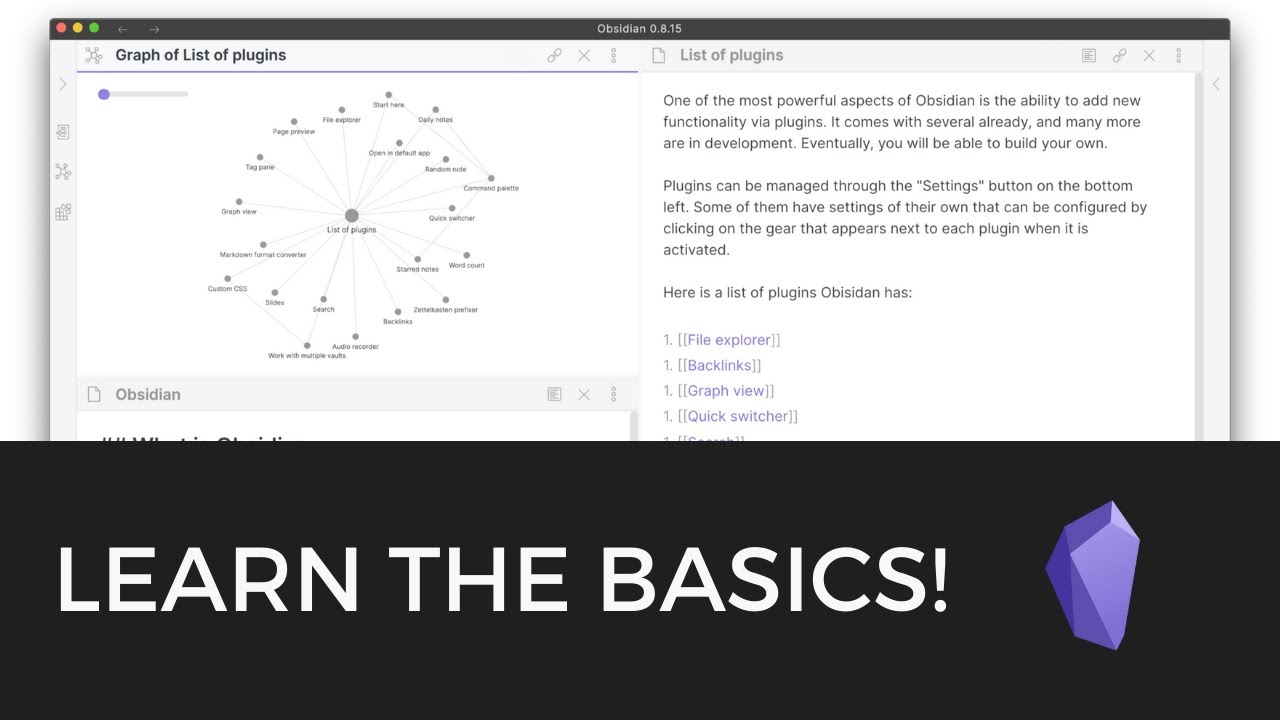
knowledge graph let's open up the graphview really quicknow this is pretty small obviouslybecause it's a brand new databasebut you can get the idea of thedifferenttypes of information and the differentpower that you get from linking conceptstogetherif you have main concepts that you'rethinking about like working from homeand productivity you can start to seethe relationships betweenthe different types of notes that youhave there so i can say oh
cgp grays spaceship u video is relatedtoboth working from home and productivityand there may be a connection betweenthose that i can make or i'm consuming alot of contentaround those topics and i'm starting tosee things clusteraround there and i can maybe dive in alittle bit deeper and synthesizethose thoughts a little bit more if i'minterested in doing sonow if you have a topic that you'restarting towrite a lot about and take a lot of
notes on one thing you can dois you can star that note if youremember at the beginning weturned on the starred notes plugin solet's go to this productivity page hereand then all we need to do to star it isgo up to moreoptions and then click staralternatively you can hit commandp and open up the command palette andtype in starand you can hit enter to star or onstarthe current filepretty cool a quick little shortcutthere then if we go over to the
left-hand paneand click on start you can seeproductivity is hereagain like i said if you have areas thatyou'refrequently referencing such as in mypersonal uhvault that i have i have a page foreffective remote work where i'm startingtotoss around ideas as far as videos forthe youtube channel here courses that iwant to buildthings like that but it's just anideation phase where i can kind of dive
into them and think through them alittle bit and tieideas together inside the knowledgegraph in my personal vaultif you have notes that become morefrequently referenceduse the starred functionalitythese are just a few basic buildingblocks to get youstarted in using obsidian to build yourown personalknowledge graph there are lots morecomplicated things that you can do ornot so complicated but more complexthings that you can start to build ontop of this as you get
more comfortable you can startimplementing more of a zettle cast andnote-taking stylein here where you focus on topics in aspecificnote and just start to refine things alittle bit more as yougo but the whole idea here is to keep itsimplestart taking notes wherever you feelcomfortableand start taking your own thoughtsinto notes that's probably the mostimportant thing don't just copy aninformation from other people
but make sure you're writing your ownthoughts down because that's what allowsyou toput it all together keep it in contextin your brainand in the software so that this staysa useful tool for you in the futurethat wraps things up for today's videoif you have more questions aboutthis topic or any topics in relation toproductivity ornote-taking or remote work please putthem below in the comments we're here tohelp yoube more successful and live an effective
lifeinside of remote working andproductivity tools and thinking and allof that fun stuffagain my name is justin this iseffective remote workand thanks for watching today, The Basics of Taking Notes in Obsidian, YouTube, 01ka7z37xmqv75w16dq62gzq9p.