The Home Server / Synology Show
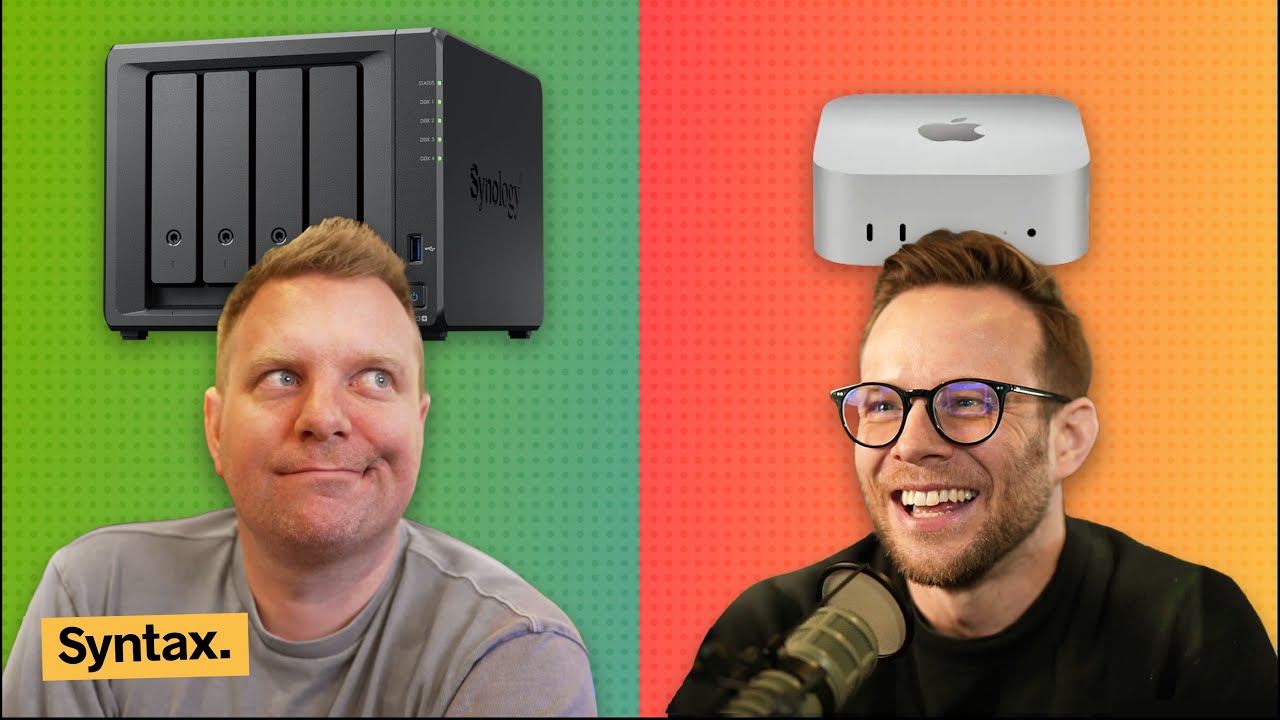
Welcome to Syntax. Today we're talking about our home server setups. What we're running, what we're running on them, why we have them, how much data we got going on, what's going on with that data, and just generally what's up with running home server stuff, what's a good process for doing that, and all kinds of stuff. My name is Scott Tolinsky. I'm a developer from Denver. With me as always is Wes Boss. What's up, Wes? >> I'm excited to talk about this. I feel like we we did a Synology home server show what probably four years ago and a
lot has changed since then and like it's I feel like we're always talking about our home servers and we're like we got to do a whole show laying it all out especially this is this is going live during the holidays. You got a little bit of time over the holidays. Why not spend it installing virtual machines and banging your head against the wall to make stuff work? >> Of course. Yes. Why [laughter] not? >> All right. So, the whole idea with this episode is we're going to first talk about like the hardware, why you might
even want a home server, do you also use it for backing up? Um, and then as well as like what what software do you run on it, what kinds of apps are you running on it? Both like handy stuff as well as like media, you know, Plex or Jellyfin and downloading things. And we'll have to have CJ on at some point because I know CJ has a pretty >> crazy downloading setup which is spans many countries. [laughter] It's pretty cool. And like also how to expose them
to the internet as well. Like how do you access to these things when you're out and about? >> So first one uses why do we use home servers and and what is the stack? So maybe let's first start with the actual hardware that we're running ourselves. Um, so I'm running a Synology DS918 Plus. This is several many years old. I probably have run it for about 6 years now. Um, I have 16 terabytes in it uh
with a RAID setup that works out to just over 10 terabytes of actual backup space. Over the years, I've upgraded it to 16 gigs of RAM. Even though it says you can't do that, it works just fine. I recently upgraded it to 2 and a half gig networking um with a simple like $20 USB dongle which is unbelievably has changed how fast transferring things to it uh is obviously like two and a half times faster. It used to be a gig wired. Um
did you end up doing that too, Scott? >> I did. I did the uh USB dongle. I dongled it and uh yeah, big improvement there. Absolutely. >> That's amazing. It's so anyone who doesn't know there's a like a real tech chip and most like USB to Ethernet adapters use this chip inside of it and you can simply just install this package on your Synology. Um and that will be the driver for it and then you simply just plug it in, hook up your your Ethernet to it. Um and then the old ones
you can keep plugged in as well should that ever fail or or get bumped. And then you just set the 2.5 gig one as the the priority. And uh and then your networking is good. I fussed around with the like dual what is it? SMB version three allows you to like parallel send. I could not get it working for the life of me. And if I would have known that just spending $25 on this dongle would have >> two and a halfxed my speed. I would have I should have known that earlier. >> Yeah. >> But I I also I slap two 256 gig SSD
drives in it. So, if you're running applications, there's a read and write that needs to happen and you have like these like actual hard disk drives that need to spin and find the files on the drive and and bring them back. And that could be very slow, especially when you're running like apps on them. I specifically noticed it when I'm using like uh jellyfin >> Mhm. >> and you have frequently accessed uh files like thumbnails and
JavaScript files and uh CSS all all of those things that when you're using an application need to be served up quickly. Um as well as there's like a write cache as well where um if you're writing data to your SSD, you can write it to an SSD much faster than you can to the hard disk drive. So it'll sort of like ingest it quickly and then just throw it over to the slower drives as it has time to do so. So that was a big upgrade um in making things feel faster as well as like the whole dashboard
feels a lot more snappy since I did that. Um and then I have it auto mirror to back blaze B2. So Back Blaze B2 is just a a spot where you can host files or upload files and I use a app on the Synology called HyperBackup. And what that does is it just basically just constantly is watching folders and and uploading the new versions of those files. So that way I have both a Synology local as well as I have a backup in the cloud. I and now that I
have fast internet at my house and decent internet at the cottage, I have been tempted to do a second Sonology >> at the cottage and then you can mirror them. >> Mirror them. Wow. But like that's a lot of money to spend on hard drives whereas like cloud hosting is very cheap. >> So I run a very similar setup to you. Obviously we have the same uh Synology that we've had for a long time. I have 16 terabytes also. The big difference
for me is that I have two terabytes of cache. So I have a big old cache. >> Man, >> running two one one terabyte cache drives. >> That's good. So that just hangs on to more stuff for longer. >> Hangs on to more stuff for longer. >> And I guess you can when you are transferring stuff to it that that right cache is a lot bigger. >> Yeah. Quite a bit bigger. Yeah. So that that's pretty much the only difference. I I you know I've been running out of space on mine because of how much video I upload. Like Yeah, it it's getting
absurd. So I've been actually going through and deleting old video project files on mine manually and finding stuff. Even like right now I just ran and we'll talk about some of the software running but I just ran like an indexing on copy party on my on my Synology and I'm just like going through and seeing like client projects that I had that had like >> 20 copies of every image or 40 copies of >> Yeah. Like I have old WordPress projects that are like probably four or five gigs and I'm like h should I really be
spending like what eight cents a month to to store this? >> Well that's what I was thinking. And I was like, "Oh, I should get another drive." And then I'm like, "You know what? How about I just go through go through it and actually delete my stuff cuz I don't need more space. I don't need more space." Yeah. >> What's interesting about the drives is that we're at a spot now where it's almost cheap enough just to slap SSDs in the NAS itself. And that would make it both quiet. Like you can't put this NAS in like your office or bedroom. It's
loud as hell because it's constant like writing files to it. But and then it's also like slow. So I'm at a point now where I was like if I built a new one, would I go for like 80 terabytes of like slower hard disk drives or would I try to go like 8 terabytes and go allin with SSDs? >> I want both for not very expensive. That's what I want. >> Yeah. Right. [laughter] Right. >> Exactly. >> Uh let's talk about like apps that we
actually run on our home servers. So, like we're talking about Synology here, but this we'll talk about running a home server on literally anything. Scott runs a Mac Mini. I run Home Assistant for all of my smart home stuff, which I'm a big fan of that. I run Jellyfin for all of my movies and TV shows. I really like that because when we go to the cottage, we have Starlink and it's very slow internet. Well, it's not very slow, but it's it's relatively slow. Um, so what
we'll do is we'll just download stuff >> at home where the internet is fiber and then we'll be able to stream it to the cottage at a lower bit rate like on demand and then it's it's much quicker to be able to to download and watch a show that way versus trying to download it right when you're at the cottage or stream it from some website. >> Yeah. Yeah. Word. >> I also have audio bookshelf I recently got which I find really helpful as well. I paid for Audible for years and years
and years and I lost all of my I was really upset that I like lost all of my things that I had paid credits for. They're like all gone. I don't I don't know if that's normal or not when you stop paying for Audible. Your credits go away and you lose all the books that you paid for over time. But I was kind of cheesed at that cuz there's a couple books I wanted to go back and relisten to. So I got audio bookshelf uh to reclaim those books as well as like the kids and and stuff. They they like listen to audiobooks. >> Yeah. And audiobookshelf is great for
podcasts, too. Um I haven't used it for that, but I know it works well for that. >> Oh yeah. The one thing I like I paid for a audiobookshelf iOS app um because you can download locally and I I did that right before I went on a flight without internet and I love that cuz then I can just listen to them >> listen to them constantly. And I'm slowly getting into Prowler, Radar, Sonar, all of those. Um, but I I don't know. It's it's a lot of work to get into that. So,
>> what are those about his setup? So, Prowler is a torrent indexing. Radar and sonar are um like auto downloaders for TV shows and movies, things like that, music. So, they're just like a whole setup to get into it. But if I am like streaming stuff, I'm I'm just using either Jellyfin and just downloading the torrent directly on on the the Naz or I'm just using something called uh
Streamo where you just you stream it directly from there and uh that's [clears throat] pretty sweet. I do occasionally use it for hosting like node applications and whatnot. I was running Koolifi as a VM. We'll talk about that in just a second, but it the it was not fast enough to host all the applications that I wanted. So, I ended up having to pause it. It was eating up all my RAM. So, I was like, I need to build I think what I'm going to do soon is just build like a dedicated local server that's not for like NAS and and
media and stuff like that, but simply just for hosting my projects because like >> interesting. Yeah, I have several I have several like WordPress projects that I'm still paying for for hosting. And I was like, I probably they don't get a lot of traffic. You could throw Cloudflare in front of it for caching. I was like, I should probably just put this on the box in my house and and serve it up from there. I probably save a couple hundred bucks a year by doing that. And then I don't use it for surveillance. I was
dipping into that at one point or like running your own surveillance software. Um, but I've been using UniFi Protect, which has a hard drive in my house and rec just records constantly. And I that that app is sick. It's so fast. It's so good. You can scrub through it. It's like so much better. If you've ever fussed with like a a ring or like I still have lots of Wise cameras, you have to look at the clips and try scrub around. >> The UniFi Protect stuff is like 4,000
times better. >> Yeah. I I haven't gotten into any of that stuff that I I'd be interested in, but I like would require so much work in my house to be able to wire those cameras up and stuff. >> Just getting the the A bunch of them are like just plug in, you know, they're Wi-Fi, but the best ones are are PoE. >> I don't even have like good locations though for plugs and stuff, right? Like >> Oh, yeah. >> Yeah. It's a pain. Uh for me, the stuff that I run, I run on my Naz. So, I have two home servers. One of which is a Mac
Mini that you can maybe see over here that's running all the time and that's connected to the NAS obviously, but it is also have uh my NAS which I run things on and I've actually been slowly moving most of my things over to the NAS or the Mac Mini. The big problem is is that I don't have a container management software solution set up yet. So I'm just kind of yolo running stuff from the term or from docker like as I go and
then therefore if things are crashing or if I need to restart I got to go manually rerun everything on my uh Synology I pretty much run audiobookshelf uh we have a lot of audiobooks for for my wife and myself. I run Qbit torrent on there. That app sucks but it's like the most reliable one. And I do have Prowler radar sonar. Is it Prowar? >> Yeah. >> Yeah, I have those installed and running, but I do I couldn't tell you if I've ever opened them up. Maybe. I think
I probably have at some point. >> Yeah, we're at we're at this weird spot where like I was like really into piracy for many years as a kid, but like the streaming services got so good that >> What are you talking about piracy? >> I stopped. Well, for Linux ISO, sorry, not piracy. >> Downloading Linux ISOs there. You could stream them very easily. So, for like many years, I just didn't fuss with any of this stuff because it was just way easier to pay for three or four apps uh a month. But it's starting to get like
it's obnoxious. Or we pay for like Apple TV and Netflix and Prime and like we pay for like four or five and often I can't get the stuff I want, which is so frustrating. >> So, if that's the case, then I I find it on a Linux website. >> Yes, possibly. Uh, you know, I I uh then pretty much run everything else on my Mac Mini for like media streaming. The problem I was having was like trying to do transcoding of like really large
Blu-ray discs that I ripped from my own personal Blu-ray collection. Trying to transcode those on the fly on my Synology would just crap out in any of them, whether that was Jelly Fin Plex or uh MB. And then you know what? After dealing with JellyFin and dealing with MB and trying to then get the bootleg install for the app on my Samsung TV for the Jelly Fin, I was just like, you know what? I'm going back to Plex. And I installed Plex on my Mac Mini and it
transcodes everything and it works. It works great. I don't fuss it. The app on the uh TV is actually very very good and everything just works and I'm very happy with that setup. So the only thing I haven't really done is configured it to run outside of my network. We're pretty much just using an internal >> talk about that. I got a solution for you. >> Well, I have I have solutions for other things. I actually run quite a bit on my stuff outside of the network. Uh one of
those things is a Minecraft server. So, one of the things I run on my Mac Mini is a Minecraft server for my my son and his friends to all join on. And it's actually cool. Minecraft has got like >> really interesting like hacking scene obviously, but like there's the Bedrock version and the Java version. The Bedrock is the one that installs on like the Nintendo Switch or iPads. And then there's the Java version which is like a completely it's a different game to some extent even though it's the same game. and somebody wrote like a translation
layer between the two. So I'm running a translation layer. So now you can join on this and have a configure and update and I'm now managing a Minecraft server for a bunch of uh >> uh second graders, third graders. He's in third grade now. Crazy. Yeah, >> that Minecraft stuff is super interesting to me. I need to try it out cuz every now and then I run upon like a somebody trying to port Minecraft server to Rust >> or you know trying to port it to Go and like that seems like a rabbit hole to go
down but it seems like a interesting compute problem and apparently the like Java version was just an absolute nightmare so it's not written very well. Yeah, I think that's since changed over time with the amount of money that is coming in and out of Minecraft. But yeah, no, I it's actually it's a lot of fun. A lot of fun to run that server. So, >> let's talk about actual hardware. So, we we talked about like what we're running, but what are your options as well? So, you're thinking about running a home
server. What do you possibly need? Right. You you need some actual physical hardware. um which could be an old PC, could be an old MacBook, um could be an old rack server. You can run Linux on these. You you don't necessarily have to worry about what OS is is running on these things, right? Like obviously a lot of them are like just custom Linux distros, but you can you can run Mac OS, you can run Windows, and a lot of the stuff, as long as you have the ability to run VMs,
>> they will run very well on these. The one thing I do want to say here is that like be careful with older tech. So >> like right beside me here, I have a 2009 Mac Pro. Like >> beefy awesome like computer still pretty good. I can install the latest OS on it. You can upgrade the graphics card. And I was like working on it a couple months ago and then I was like, you know what? This is probably too expensive to run. Um because these old Macs, especially a
lot of them that have Intel chips in them, >> draw a lot of power. >> They use a ton of energy, right? And like I looked it up. This Mac Pro at like a normal load, you know, not idle but not like full fully kicked out. It's 250 watts, which is about at at Ontario electricity prices, which is electricity is very cheap in in Ontario because we have a huge ass waterfall, is about 90 cents a day, right? >> Yeah. And if you Scott's Mac Mini uses
at medium, not at idle, it uses seven watts, right? Think about that. Like 250 versus 7. And at a normal load, it uses about 20 24 watts. So that's 10 times less energy. So at my cheap Ontario prices, that's about 300 bucks a year. And like what's what's a Mac Mini cost? Like 600 700 bucks, >> even less if you get the the the one. >> So refurbished. [music] And if you want to see all of the errors in your application, you'll want to
check out Sentry at centry.io/sintax. You don't want a production application out there that, well, you have no visibility into in case something is blowing up and you might not even know it. So, head on over to centry.io/sax. Again, we've been using this tool for a long time and it totally rules. All right, it makes sense. The math maths, folks. go out and buy yourself a Mac Mini if you're looking to do a home server because you run that thing like you have
to run these things constantly and it's it uses quite a bit of energy. Even I did the math on my Synology one at one point and it was over 150 bucks a year to keep it going which is you can pay for a lot of cloud storage or uh or uh ARM processing for that. >> Yeah. No, absolutely. Huh. Glad you did the math on that. I uh don't have the patience for that. Do you know that that's my pet peeve with people is that they don't do the math so often? Like we
have an electric vehicle. >> Yeah. >> And uh so often you come across posts being like >> cost so much to to do it or like have you noticed it in your electrical bill or like that's how everyone gauges whether the electric it's like you don't need to notice it in your bill. Literally do the math. You can figure out how much you pay per kilowatt hour. You could figure out how much these things consume, how many kilowatt hours they are using, and then you can multiply those things and figure out how much it costs to maintain it. These are
not unknowns. You don't need to hear from somebody that something is very expensive to run. You can literally figure it out. >> That's shocking. >> That's >> I [laughter] think it's going to blow people's brains. >> I'm going to I'm going to That's the hill I'm going to die on is people not doing the math on simple things like that. >> Yeah. >> The same with like leaving lights on. I leave lights on all the time. I don't give a I did the math. It's not a lot. >> LEDs. Yeah, LEDs. This isn't incandescent bulb territory anymore. >> No. >> Yeah. >> No, that's that's true. You don't need Obviously, turn them off at night, but
like I'm not one of those people being like, if you leave a room, turn the lights off. >> Yeah. >> It doesn't it doesn't matter >> for us either. Yeah, I [clears throat] agree. I'm with you on that one. >> Yeah, that's never been never been something I've been concerned with since we got these fast bulbs. [laughter] >> Software. um you need some sort of software to manage either or both virtual machines and containers. So let's talk about the difference between those two. So a VM is like running an entire computer, virtual computer on
your machine, right? It has its own hard drive system, you know, virtual hard drive system. It has its own networking. It has all of that stuff. Whereas uh a container is running on your host machine. A container is like Docker. That's the most popular one, right? It's running on your host machine. So, it's running on your laptop or whatever, but it's it's has a limited container access to things that are outside of it. So, you still have to install things to that container, and you still have to uh do that, but you're exposing things like
like folders and ports and networking from the host machine to the actual container. So, a VM is going to be more powerful uh but more resource intensive. So in my case, I was trying to run Coolifi as a VM and I was running several other VMs as well and um it was becoming a bit too much. Whereas like I can run lots and lots of Docker machines on my Synology, no problem because those are a lot less resource inensive. What would you use a VM for? The ones that
I'm using, so like Home Assistant OS. Um so many of the plugins in Home Assistant are themselves Docker containers. So you can't Docker inside of a Docker. So you need something that's going to supervise and orchestrate all of these Docker containers. Um, and it needs to be at a higher level. Same with like Koolifi. Koolifi is just you can install it to Linux, right? But you can install it as a VM. So I installed like a Abuntu or something VM. I ran it like that and
then I installed Kulifi on there. Um and then Koolifi for those who don't know is a what self-hosted kind of like run your own versell. You can deploy multiple applications to it. You can have grids of many machines. You can spin them up. You have a networking layer. >> Coolifies. I love Koolifi. >> Koolifi is fantastic. So if you want to like run like a node uh you want to run like a node app and have them build and and get integration all that stuff but you want to self-host it not necessarily
just like at your house if you want to run it on like some servers like on Hzner or something like that >> you can do that with Koolifi um and you can install Kulifi as a VM or you can install Linux as a VM install Kify on that >> and then containers just simply a Docker container right I I mean, and and so many things run inside of containers from pretty much any of these apps. But if you have something like Synology, there's container management built in. Do you do anything specifically for
container management? Like I've been looking into some systems like uh here's a Mac app called Orb Stack that is supposed to be like a nice one. I I I've heard of all these different systems, but I don't run anything for managing containers >> on Synology. There's a Docker app and I I just use the guey. So you log in >> and you click >> click go on the thing. You you map your your folders, you map your ports, um and then if the the thing reboots, it will automatically restart your containers
from their last state or it will just boot them fresh depending on on what settings you have. So that's all I have on there. And then and then on the Synology as well, they have a whole like virtual machine. So similar to if you've ever used like a virtual box on the Mac where you can install Linux ISOs and whatnot. So, as a VM, I'm running I was running Koolifi and Home Assistant OS and then all of the other apps that I was running were were running as Docker containers. >> Yeah, same. Yeah. And for me, even for
me, for Home Assistant, I have it on a little Raspberry Pi just on its own thing. >> Oh, yeah. So, it's it's it's not even virtual. It's literally its own hardware. >> Right. So other options if you've got a piece of hardware and you want to run it on there you don't want to run like obviously you can run Mac Linux Windows plus Docker and Virtual Box or some other VM software but Proxmox is a really popular one unrade hexos is another interesting one that seems to be coming up. There's a lot of these like
home server OSS that you can sort of take a look at. Some of them are more towards the NAS side of things. Like Synology is a NAS with the ability to run apps on it. And then a lot of these other ones are uh they're not a NAS at all. They're just simply a home server that you can run apps on. And it it it does a lot of nice stuff for you. There's like a guey you can log in. You know, you're not in the terminal with all of this stuff. much as I am a terminal head, >> I like being able to just log into a
guey and and click the buttons when I need. >> I kind of need that or want that in my in my life. There's so there's such a massive YouTube uh community of people sharing these tools that I it's like too overwhelming for me when I look into it and there's just like this and then this and then this and then this and then this and I'm just going I don't know what to pick. Just I want something easy. Yeah. >> Let's talk about exposing it to the internet. So, you run all these applications, but you want access to them when you're out of the house. Um,
but you also don't want random people having access to your applications if there's no off. So, what what's your move for that, Scott? My move is Cloudflare tunnels pretty much exclusively. So I have on my Synology I have Cloudflared running as a container and then I use tunnels pretty much for everything which it ends up being really nice and easy because if you have that Cloudflared installed you have it installed on your computer and it's running you're really just saying point this IP to this domain
you can put it behind a username and password if you want to have another layer of protection in front of it. So, a little Cloudflare window will pop up and make you sign in uh before you can have access to that resource. But Cloudflare tunnels are great because the alternative would be for you to go into your router and say, "All right, this port is going to be open to the internet with my IP." And
I personally am not enough of a security person to really want to manage that or think about the consequences of that. >> Forwarding ports is not the move. >> Forwarding ports is not the move. So for me, just being able to establish that tunnel and make it nice and easy. Uh static IPs for the stuff that I'm going to be uh connecting and then that's it is great. A big fan of that. >> Yeah. So I am also using Cloudflare Tunnel. So, I run Cloudflare Duh. That's
the the the Damon that runs on your computer and will proxy traffic from a domain name. So, I have a I have a domain name that every single app is a is a subdomain. So, I have like sonology. Photos. And by running that, a lot of these things like Home Assistant, whatever, they will give you the ability to install a plugin that is Cloudflare Tunnels, but I run it as a Docker container. And what that does
>> is it allows me to proxy anything on my home network. So it doesn't have to be running on the Synology. So I run other stuff that has local servers. Like I have six or seven instances of WLED that control like the Christmas lights on my house and uh the the mirror gym, all of that stuff. And I often want to be able to access the Christmas lights when I'm away, especially because if I go to the end of my driveway, I I lose Wi-Fi, so I need to be able to access it through the
LTE on my phone. >> Yeah. So, Cloudflare tunnels, you simply just go into the Cloudflare uh guey and you say, "All right, point this subdomain to this IP address and port." And it might just be localhost, which means it's running on the same machine as Cloudflare that's running on my NAS. Um, or it's going to be another IP address that exists on your your home network. Um, another one is um 3D printer. I have a what is it? Flash
Forge printer with a camera on it. Um, and I'm running like a third party firmware on it. So, I'm not using their cloud service. Interesting. >> So, and if I want to be able to monitor the print when I'm away, I simply just expose that out via my Cloudflare tunnel. >> So, did you say you have it installed on your router? >> No, I have it installed as a Docker image on my NAS. Okay. Um, and basically >> because my NAS has access to the home
network, >> it can then it can then proxy outside internet traffic to anywhere on my home network. >> You know what? I I have it running on my Mac Mini and my NAS and that's probably not required. >> Probably not. The thing is with with running it on each machine is that you don't need to make sure that your applications are exposed to your your home network. So if you're running like a V app, >> you need to explicitly use the d-host flag and then that will
give you an IP address and a port and then you can then forward that. So I do run I run Cloudflared on my Mac like my laptop here. >> Okay, you do. >> And I use that just so I can turn my local on and off because every now and then I'll want to expose something and I'll just write I'll just type cloudflared tunnel localhost whatever the port is and then it it goes to local.west westboss.com and then that's exposed to the the greater world. Um, but then things like my my jellyfin, my
WLED, all of my local apps that are running on my home server, those are just constantly running with with the Cloudflare Damon. >> Interesting. >> Now, access. So most of these apps will have their own O built in you know like uh Jellyfin will have username and password home assistant will have username and password but some of them don't like especially if you're just building an app and you're running it yourself and you don't have any O in front of your application how do you
protect that from the the wider internet so for that I use something called Cloudflare access and Cloudflare access is essentially just you just put it in front of your tunnel you have to configure some rules around it depending on like sometimes you want API endpoints to be hit without having O like for example jellyfin >> if you want like a jellyfin Android app to be able to access it you can't sign in there you know you have to give like a API token or something but you just you can set up for me I have it set up
with uh email me a token text me a token or sign in with GitHub and then you whitelist your email address your phone number and um your GitHub uh ID and it's I say if if any of these are met then allow the person to go through and it just it works beautifully. >> Yeah. That's so much nicer than exposing your your port just yolo to the internet. Yeah. >> Yeah. And hoping somebody doesn't find it. >> Yeah. [laughter] Oh my god. >> Tail scale is another one people love
tail scale. I've never used it myself, but that seems to be another super great >> I use tail scale. I used it for uh vibe coding for my phone. There's a terminal app that connects really well, but you have to have a tail scale connection there. And it worked really well. I think I prefer the Cloudflare tunnels approach rather than like being on that VPN of the tail scale. And I don't know if you need to do that. I'm not enough of a a pro at that, but like I think you
need to be on a VPN of the tail scale to be able to connect. And that was kind of cool running, you know, open code commands for my phone for a little bit, but then I um decided to touch grass and stop doing that. [laughter] >> I also use um I've got both at the cottage and at my house, I have uh UniFi like networking. So, I can use something called Teleport. They have an app called Wi-Fi man and you just turn on teleport and it installs a little VPN config on
your Mac >> and then you can you can access your whole home network uh at any time. So if for whatever reason you needed to access something >> that is on your home network that you you haven't yet forwarded, you can install that. So I used that once to access to mount my Synology because I just wanted to drag some files into it as if I were home. Yeah. Um, >> so I just turned on teleport and and a tail scale will do that as well as as far as I understand. >> So that's kind of where we're at right
now. I really want to build I have that itch like I want to build a computer, you know, >> and I'm I'm kind of curious about like what should I do? I kind of I think the Mac Mini is probably the move just given how fast those things are, but there's not a lot of expandability, you know? So maybe I don't want to spend like thousands of dollars on a home server. So I'm curious down below. >> Connect it right to your Synology. Then you got the storage. You got the speed
of the Mac Mini. >> Yeah. >> Yeah. >> But like But what's the hard drive space on your on your Mac Mini? >> I don't know. I don't use it really. >> You don't use it a ton? I'm curious if that would be the move. >> I certainly would want some sort of ARM chip running. I've thought about doing the Mac Studio thing because then you could run local LLMs on there, but that gets very expensive for sure. >> That's the other thing I'm thinking about is that should I also be get
getting something that has like a GPU in it so I can run these LLMs locally and then I realize like my LLM budget is >> like $8 a month or something. I'm really not spending all that much. So, it's not a big deal to ping the APIs. But let us know down in the comments what you are, what you have, what you've built. Send us photos on Twitter or Blue Sky because I love seeing everybody's rack. Um, if you want to see an awful rack, I will send you a picture of mine. It is very dusty. Was very haphazardly crimped
Ethernet cables. [laughter] >> This has got the dustiest rack on Earth. Yeah, it's >> just brutal., The Home Server / Synology Show, YouTube, 01kc4dvg8wqdv10704peq8y3g1.