The Web’s Next Form: MCP UI
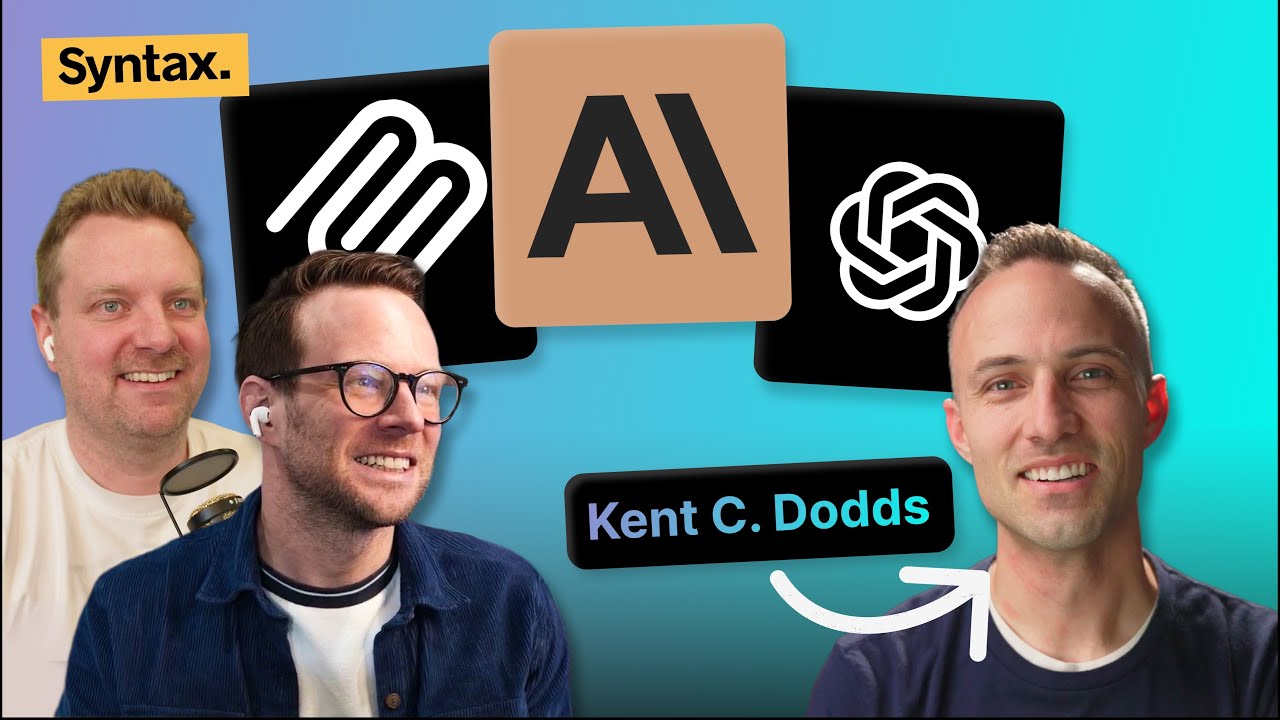
Welcome to Syntax. We got him on. Ky Dods, number one fan of the show. We've been trying to get him on forever and he's he's a busy guy and hasn't wanted to come on, but we finally nabbed him. And he's here today to talk to us about uh MCP and MCP UI. The UI stuff is is really interesting. It's kind of being worked on right now. It's it's kind of cutting edge and really exciting in my opinion. Um I'm pretty excited about it. So, welcome, Kent. Thanks for coming on. >> Yeah, man. I'm I'm thrilled to be on. Yeah, definitely number one fan. I'm I
uh I have listened to every Syntax episode since day one. Um Oh my gosh. So, I'm an OG [laughter] uh fan. >> That's That's insane. Well, we appreciate it. That's great. >> Yeah, you guys you you make a good show. So, keep it up. >> Well, thanks. >> So, for those who don't know you, give us a quick rundown of of who you are and what you do. >> Yeah. Well, I am uh Sentry's favorite Onehe owner. Uh, you probably can't see it in the video here, but I got a a One Wheel on my wall uh that has >> I'm pissed I didn't get one of those.
>> Branding on it. It's so sick. [laughter] >> I would kill myself on one of those. I absolutely would. I I could hardly walk it back and forth to my office without tripling [laughter] and buying. So [gasps] >> Oh, well, no. So, I I I enjoy that, but uh I'm a full-time educator. Uh I worked in industry for a while and then went full-time educator in 2019. took a break to uh build up Remix and we sold it to Shopify. Um and then I jumped back into full-time educating at that point. So uh yeah, Epic or my first big thing that
most people probably know me from uh Egghhead, front-end masters, then testing JavaScript, epic react.dev, uh epic web.dev, and now I'm doing epicai.pro because the dodev was taken. Uhpro [laughter] is kind of good though. I I don't know aboutpro. Yeah, >> I I actually have been thinking that uh AI is like it's applicable to way more than just developers of course, but like there are so many people in the world who could benefit so greatly from AI and they just have no idea. And so maybe
pivoting Epic AI a little bit to be bigger than just development and like start getting into I'm going to turn you into an epic AI professional. Like I'm going to [clears throat] AI your business. Uh, so anyway, just that might work out >> for anyone listening. You might be wanting to turn it off cuz you might be thinking if you don't know who Kent is, you might be being like some AI hookster they're having on Ken [laughter] is Ken is legit. Um, he knows what he's talking about. He he knows how to code and and
he is incredibly reasonable, I would say. Um, so certainly stick around. There's there's a lot of good stuff coming. [laughter] >> I do have opinions. Uh, but I I like to think that they're wellounded and if if they're not, then I'll I'll call it out. [laughter] >> All right, let's get into real quick. We're going to explain what MCP is. Um, and then I think a majority of the show we're going to dive into to MCPUI as well as like like both how to build for it. You know, like people who build websites are probably going to be building MCP servers and MCPUI widgets.
I I believe they're called. So, you're probably going to want to scale up on this. So, give us a quick rundown of like what is MCP? >> Yeah, it's uh there was a joke I think yesterday by Dax. He said that nobody wrote down what MCP stands for and now nobody can remember. >> Yeah, I [laughter] saw that and the moment I read that tweet, I was just thinking, "Yeah, that's that's right. I don't remember what it stands [laughter] for." Yeah. >> Yeah. It's a model context protocol. And so we talk a lot about context
engineering with AI and and how important it is to get the right context into the model so that it can actually do the things that you want it to do. Uh the model context protocol is all about that. Without going way too deep into all the history here, most of us remember when AI first started being a part of our workflows and a lot of that workflow was just copy pasting things into the chat and then copy pasting things back out. MCP UI is about eliminating that or not UI necessarily, but MCP uh generally is about eliminating the need to get things into
the the context window and then get things out of the context window back into the real world. So, we've had the ability to call tools from these models for a long time, but the mechanisms for doing that were not standardized. And so, what MCP does is is just standardize that. And so uh if you're a service provider, you have some context like Sentry is actually a great example of this. They have an awesome you all have an awesome uh MCP server uh and and you
have a lot of context that developers want in their uh chats. And so by building an MCP server, you can work with any agent that supports MCP. And so that's it's like the jQuery of context management uh if you want to say like it just normalizes all the differences uh across the different agents. >> Yeah. like if you if you're running like a chat or you have your own API calls or whatever, you can sort of like load it up with several MCP servers, which once those are loaded, it will it will load
all the the tools available for it. So, one silly simple example I I've built is a currency conversion MCP because if you're using like chat GPT, it like of course it knows like currency conversions and whatever because it has its own own tools baked in, right? But if you're using like a straight up API, um you're just like pinging the OpenAI API or or cloud or whatever, it doesn't necessarily have access to the internet or things like that. So if you want to give it specific tools, like for example, converting currency or another
one I've used is is doing math, you can build out these different servers where you can give it access to do things like pull in the latest rates or get your latest bugs from Sentry, etc., etc., and it can sort of do things on your behalf. >> Mhm. Yeah, another practical example um is uh I just I I've had this app for a long time. I rebuilt it recently. It's called Media RSS. It's open source. You can find it on my GitHub. Um but basically what it does is I've got a a directory of u media files, mostly audio
books and that sort of thing. And I just point my app to this directory and it turns it into an RSS feed. And uh and I can create lots of different RSS feeds and stuff. And so I've got an RSS feed for each one of my kids. And then I add the books that I think they're they're okay listening to and whatever. That's great. And uh yeah, so of course I hook up MCP to that and now I can go to chat GPT and I say, "What books is Rebecca missing that like she should probably have in her library?" Yeah, go ahead and add those. Um and it's actually like a really practical thing that I use
regularly now. It's pretty cool. >> Yeah, that's great. So, so, uh, to give some people some folks, I mean, we're talking about like context, um, in regards to, you know, giving the AI as much context as it needs to fix any problem. What happens, uh, Kent, when that context becomes bloated? Yeah, I think most people listening who've used AI like know that things tend to get kind of funny when it gets bloated and and most uh AI harnesses have mechanisms
for like dealing with that whe whether that be summarize the conversation to keep it going or whatever. It always seems to get turned sideways um in that situation. And honestly, like it's actually a lot like a human. If you approach a human developer or something, you say, "Here's like everything that you could possibly know about this codebase. now I want you to go fix this button. The might be a little confused about which button you're talking about. Um they could get confused about what it like what parts of all the things you just told them were relevant to the task
that you're giving them. And so the real challenge for um anybody working with AI is to know the right context to include and the right context to exclude um and make sure that you're only including the right stuff. So one criticism of MCP is that for the model to know um whether to call these tools, it needs to have those uh tools descriptions and uh titles and all like inputs everything. It needs to know all of that upfront to know whether those tools are appropriate to call and
uh that leads to context blow like imagine you installed uh the GitHub MCP server and you install the Playright MCP server and the Sentry one and Sentry actually does a pretty good job. Uh I I don't want to this is not a paid thing but probably [laughter] >> No, keep keep going. Yeah, let's hear about the sentry one. >> Sentry probably has one of those one available. Yeah, like you include all these MCP servers. Now what you have left in your context window is just so small and uh and then like the model thinks that those things are actually really important. overweights their
importance >> and so a lot of optimizations have been made uh just in the last few months to like dynamically determine which uh you know once I get the user prompt let's go find the appropriate uh MCP tools to include and then we'll send all just that subset over to the model and there are a whole bunch of others like you probably heard of code mode and and uh code execution and all of that stuff we're at the phase with MCP now where >> um we've made it work now are trying to
make it right and also make it fast and like we're optimizing um and so there are going to be a lot of things that are tried. Some things aren't going to work very well but like MCP now today is a lot more useful and um and valuable than it was a a year ago and it's like barely a year old. So >> yeah, right. Wow. Yeah. Feels like a lifetime. I >> I think there's still quite a bit that's still being figured out. Um, but everybody's happy that >> it's at least a standard, you know, that that can work across tools. Whether you're using in a coding, whether you're
using it in some sort of chat, whether you're making API calls, it's ideally all a standard. But one question a lot of people have is like like what is the difference if you're building out an MCP server? Um, sometimes it feels like you're just hot potatoing the requests from the MCP onto an API. like what why don't you just give the AI access to your API directly? >> Yeah. Yeah. There are a couple of reasons for that. Uh first of all, I'll say if you're just doing like a one-off
thing, you probably can just give it access to your API. [laughter] Like uh cursor especially, I just say curl this URL. Here's the stuff. And boom, it'll do it. And now I can move on with my life. >> And so like sometimes just giving it an API is the right answer. Other times um making a skill like if it needs to be a reusable thing making a skill that has like here are the specific APIs like that also can be fine uh for your specific niche use case. Uh what MCP
becomes really valuable is when you have something that you want to have a little bit more control over how this API is called. You want to make it reusable by other people and other agents uh outside of just your one specific use case. And also if you have a really really huge amount of use cases that you want to support, it's more than just like hit this one API and now we're done. One problem that uh early MCP adopters had was they had like their open a API spec
or their swagger docs or whatever. They just hand this over to some uh tool that would just do that hot potatoing and it would expose a tool for every API. And models did really poorly with that. And and if you think about a model, I want to be clear, models are not human, but if you think about them like they are, some of these things become more clear. If you were to just give Swagger docs uh for uh something the size of Jira over to a developer, that there's a pretty
good chance that they would call the right APIs, but there's a really really even better chance that they would call the wrong ones or call them in the wrong order or forget to call one or whatever. And the model's going to do the exact same thing. And so what do we do for for humans who are going to be interacting with this? Well, we build them a website and we collect all of those different API calls into different buttons and like navigations between things and you like progressively discover different capabilities as you're navigating around. And so that's sort of what MCP does as well. Right now I Wes, you're
totally right. I think we're still working through things. I think dynamic discovery of tools that's it's supported in the spec, but not a lot of people are doing that. uh and not a lot of hosts really support that very well. But uh this progressive discovery of tools I think is something that we're going to see a lot of. And I I really equate the like API and website to uh API and MCP server. U one serving an agent and one serving a user. >> Makes sense. >> It makes a lot of sense to me. >> Yeah. You you see now Anthropic came out
with skills for Claude and you're hearing the word skills pop up a lot more. I think that can get a little bit confused in terms of like what how is MCP uh differentiated from the idea of skills or or some of even things have maybe >> commands a sub agents prompts like they've like like it's probably six or seven things in uh in cloud code. I am curious about that as well. >> Yeah. Yeah. So uh to here here I um like
I said my opinions are typically wellformed and I will tell you when they're not. So I have not actually I still have not used cloud code. Um >> but I I have used like similar uh similar things and I I feel like I have a pretty good understanding of things. Skills are basically like a simple way to um to have basically a spec of how you accomplish a certain task. Okay, do this then do that and then if it's going to be this way then you need to do it that. And if it's this way, then do it this other way. And what's really cool about those is that you can share those
across teams. Like you can just, you know, copy paste this markdown file or whatever. And that's really powerful. And that some people saw that and they're like, "Oh, okay. MCP is dead. We can just use this now." And the people who feel that way don't quite capture the the scope of MCP. Um, I think we need to remember that MCP is much bigger than just like people developing software on a desktop. um MCP like I use MCP on my phone in chat GPT. Uh like I'm not running a CLI on my phone.
>> MCP enables that. And so like it's a little bit bigger. The other cool thing about skills is that you can actually use a skill to tell it to call an MCP server. And so MCP being like really uh portable and adaptable. Again, if it's a really simple thing, then uh you say, "Yeah, just call this API, you know, curl it and and bingo bango and you can move on with it." But for things that are highly reusable, um, having the protocol there is really helpful. There are, uh, a bunch of other things. I think like you got your cursor rules and everything else that we we've talked
about. There's a lot of overlap on what these different features are capable of doing. And that's mostly because we don't know what we're doing. We're all just kind of figuring out the best way to do this. For a while, we had like 300 different files. Now, it's agents MD, but there are problems with that, too. So, like, we're all just trying to figure out the best way to do this. But uh none of these things uh eliminate um the really the reason I'm excited about MCP uh and most of them just complement MCP anyway. >> I'm I'm pretty sure it was I think it
was open code I was reading their docs where they only load the description of the skill up top and then once it's [clears throat] actually needed then they'll load the entire thing so they're not muddying the >> um the entire context window. But I think like that's something similar we're going to get. >> Yeah. Yeah. optimizations like that are exactly what we need. Um, last year when people started talking, well, actually when I first got into MCP, I I saw this as a problem right from the start and I was like, how would you solve this problem? Is this an unsolvable problem? Because I made a really big bet like
going into, you know, as much into MCP as I did. And so I was really careful thinking about it. Uh, you don't want to jump into something that has unsolvable problems. And it was really obvious to me like as let's assume again that the agent is a human. If I had a human assistant and I asked them to do something they've never done before, they're going to go over to Google and figure out how to do it. Like they'll just do how do I send money to this person to pay them for pizza or whatever. And Google will give them some results and and they'll say, "Hey, uh they'll come back to me and say, I've got PayPal and I've got Cash App and
I've got like these others. Which one do you want to use?" I I'd like to use PayPal for this, please. Okay, great. And then the next time they'll remember, oh yeah, you used PayPal last time. I'm going to just assume that you're good with that this time. And I don't see any reason why the agent couldn't do something similar. They'll have some sort of search mechanism, find the thing you like and then save that in your memory and and now it's really your assistant. >> All right, so that's MCP. There's a couple other pieces of MCP, but probably tool calling is is the biggest one. But like one thing that is is currently
being worked on is this idea of MCP UI because MCP will simply just return data, right? And then you just you give that data to the AI and then it can it can [snorts] parse through that and then figure out how to how to respond back generally in in text, right? >> Um but if text is not the the be all end all of everything, sometimes you want to return buttons or UI or a carousel or images or or literally anything else. So um there's this idea of instead of the
MCP server returning just data, it returns HTML, CSS, JavaScript, right? So give us an explainer [clears throat] of that. >> Yeah, this was a very early on as I started getting into MCP. I thought, okay, yeah, this is really important. We need to have something like this. And and where I got this idea was I talked with Ryan Florence, a buddy of mine who um we talked a lot about the future of user interaction. Um, we'd actually just seen Evan Bacon at React Comp and he
gave this demo of using React Server components with React Native and um, it was like, of course, yeah, that's mind-blowing. How cool. But the demo [clears throat] itself, the subject matter was the thing that blew my mind. What what it was was he basically said, "Hey, here's what a chat GPT conversation looks like if I ask it about movies." And it was just a bunch of text and here's Gemini. And they had an image in there. Wow, that's great. And then he had his uh which used server components which is what he was demoing. But what was cool about it was it was like native elements and you
could actually click on different buttons in the conversation and and those would interact with the conversation. And I was like yeah we have the technology to do this now. >> And so as soon as I started getting into MCP I realized well here's a gap like we MCP is capable of of enabling this behavior. So I opened up an issue on uh the or a discussion on the protocol and that evolved into uh a project by Lead and Ido who created MCP UI which is
basically is two-part thing. It's a a part for the host or an SDK for the host and then an SDK for the server. So if you're building a host that would be like a host would be VS code or cursor or uh claw desktop or chatgpt that's that's the host or goose uh and then the server is your MCP server. So the host is needed because it needs to take the the UI that is returned and then render it properly. And then of course the server SDK um just makes it so that you can return the right shape of of that
JavaScript HTML and CSS so that the host can render that. And so uh that worked super well. lots of adoption and um I I could there's probably a lot more to say about that, but I'll just pause right there. That's that's where we were back in like June of last year. >> Okay. Because the last time I've dipped into it was probably like November >> and at that time there was kind of like like the the state of returning UI from
um MCP was like kind of in two spots, right? the MCP UI was trying to figure out what their spec was and then possibly move into the the actual MCP spec. You can tell me that. And then there was also this other thing which is OpenAI came out with their apps SDK which was a sore exp like very very crappy implementation of MCPUI being able to return HTML CSS and and render
it inside of the chat GBT um thing. So, like where are we at right now with all of this stuff? >> Yeah. Yeah. So, um dude, I'll never forget when ChatGpt came out with that. It was like such a so much validation for what's going on because let's keep in mind that at this point, ChatGpt has 900 million users weekly. That and that's an old number. Um like just an insane number of of users. As far as the consumer side and maybe on all sides, ChatGpt is the biggest dog in this race.
if you're talking about users. Um, and so they literally could do anything they want. They could be like, "We're going to be like Apple. We're going to have our own marketplace. We're going to have a proprietary operating system. We're like do our own thing, and you all have to bow to us because this is where all the users are." But instead, they decided, you know what? We're going to just jump on board with the standards thing. Instead of a closed ecosystem, we're going to jump with this open ecosystem. And I just applaud them for that. Uh, because really there all the incentives were pointed in the other
direction. So yeah, in like September, October, um they released chat GPT apps uh the apps SDK and yeah, it was a little bit rough, but it was rough in the right ways. Like MCPUI had some security um challenges that it needed to uh to address and things and so chat GPT was very serious about that. And uh you know, security typically makes our jobs harder and so the APIs were a little bit funny. uh MCPUI very quickly built an adapter
layer and so you could continue with your MCPUI apps that you'd built uh up to that point and uh and use those in chat GPT uh with uh just a couple differences uh for security reasons and uh yeah from like the day it was announced I reached out to a contact that I have at OpenAI and I was like hey just want to like check did you look at MCPUI like where where's what's the feeling there >> and they were like yeah absolutely we we want to collaborate, we want this to be open, we want this to be a part of the
spec. Uh all of their APIs were very open AI focused. Uh and so that made me a little bit nervous, but they were like, "No, no, we did that intentionally so that it was like this is just our implementation of this. We're going to move away from that for the general thing." And so >> Okay, good. >> Yeah, I know. What a relief. [laughter] >> Okay, good. >> Yeah. So, in I think November um a little bit before the most recent MCP spec release, they uh uh announced that they are going to be working on an
extension to the spec uh which uh there may be future extensions. This will be the first official extension to the spec uh for what they call MCP apps. And what's really encouraging to me is that like all this time you've seen uh all of the right players participating in MCP. You've got Google, you've got Amazon, you got Microsoft and OpenAI and Enthropic. Like all of the right people are involved here. And then when they released the MCP apps uh blog post, it all of those companies were associated.
Well, not all of them, but yeah, you had OpenAI, Anthropic, Microsoft is involved, and then the the two guys, uh, Lead and Ido, who built MCP UI. And so, they're all participating in this open spec. And it and actually around that same time, uh, MCP was donated to the Linux Foundation. And, um, there we could probably talk about that at length, too, but um, I'm very encouraged by that as well. So, the MCP apps extension is still in development. Um,
it resembles it. It really does look like a marriage between MCP UI and uh, chat GPT apps, which I think is really encouraging. It's a really good thing. And, uh, Goose already supports MCP apps. Postman supports MCP apps. VS Code has I think it's in a branch right now like a a experimental release or something. Uh, but they have MCP app support. I'm not sure what the the process on chat GPT and claude desktop are, but yeah, they can't be too far
behind. >> Yeah. Okay. Yeah. So, when you're working on this stuff as a developer, I often found I I built an MCP server for a video we did to uh deliver me pizza to my house. And I I can only imagine this this problem I'm going to say is going to be ex uh exaggerated when you get into UI stuff, but I found me personally being ignorant to writing MCP servers, the debugging and writing process for an
MCP server felt really difficult in terms of like I just have to try this thing. It felt like going back to the old days of opening up the website and like just trying it. >> The feedback loop of >> it took a long time. so slow. Like you had to go back into settings and like refresh the connector and it would go download all the templates. >> But even writing my own MCP server, the feedback loop was slow because I would get to like the fifth or sixth step in ordering a pizza and then something would go wrong and then I'd have to start over and I was just like what's
the typical dev flow for building MCP servers that actually >> were using an inspector? Maybe I'll we'll let Ken tell us what >> Yeah, this is this is a super uh good question. Honestly, I really like the uh analogy to early web days uh because that that's actually what this feels like to me or anybody who jumped on the mobile train really early building mobile apps uh that's very familiar to them as well >> where the the DX just like very poor. So, and then like we all know that when
something gets significant adoption, more and more people are interested in it. More and more people are feeling that pain and so more and more people go in and and solve that those pain points. And so that has happened over the last year. Uh there's a really great tool specifically Wes for uh chat GPT apps because that process is the worst. Um it's like yeah not fun. Um but uh it's called MCP Jam. Uh >> that's what I've been using. Yeah. >> Yeah. It's it's fantastic. Uh I don't remember if it's a fork of the inspector or like brand new project, but uh
>> it's a pretty heavy fork of of thing. Like they they forked it like probably six months ago. It's an excellent So basically if if anyone wants to know what it is is when you fire it up, you add your MCP servers and then it it asks for all the tools, resources, templates, prompts, all of the things that an MCP server can give you. And then you're and then you can it has like a chat. You can give it like an API key, but you can also just like fire off each of the different functions and and see what the response is from each. It's it's really
good. >> Yeah, it's it's very good, but still I would say that it's nowhere near the hot modu replacement that we're used to on like front-end uh stuff and the workflow is a little slower than we'd like. Um, testing is not really something most people do uh much of. Testing MCP is actually pretty interesting too because while your code doesn't necessarily involve uh an LLM, so you don't necessarily need evals, you are writing
uh descriptions and titles and and like things that are going to be used by the LLM and those things probably need evals. And so it it's a little bit tricky and and uh right now we're pretty early in that workflow, but it is definitely improving. Let's talk about the actual flow for building out a MCP UI because like like with MCP what you do is you you register tools um you have like a schema of what what arguments it can take in and then you give it a
schema of what type of data it it can return back um but then like once you pass data what does it look like for actually registering like do you register components? How does that work? >> Yeah, good question. So, um, if we're just talking straight up MCP, um, which applies very much to MCP UI as well, there are a couple of ways that you can distribute your MCP server. How you distribute it depends on the clients or the the host applications that you want to be able to connect. So, if you're
building something for developers running in an editor, then you can actually use either one of these approaches. one is it runs as a local process on their machine and the host application just communicates over standard IO. So it spins it up as a subprocess and then talks to it over standard IO. Uh and so what distribution on that is just like publish it as an npm package and then npx yada yada and then like Bob's your uncle and it's that's pretty straightforward. Um and the SDK has it like pretty easy to to
start that server with the standard IO protocol and all that. Um, if you want it to be usable by uh like a website or even u lots of desktop applications uh as well uh or chatgpt.com or cloud.ai, then you're going to want to host this remotely on your own server because chatgpt.com is not going to be running subprocesses for you. Um and so so you do need to run this as a remote thing. In the early days of the spec, there there have been a couple of bouncing around of how this is done, but now
we're pretty much uh settled. We're still actually evolving to to make this more of a stateless protocol as well, but it's pretty much just an HTTP uh with streaming interface. Uh you make a get request. Uh you leave that open so that you can stream events back. Um and then you make post requests to make tool calls and stuff. As far as your server though, it actually resembles the standard IO server code like really closely. It's just that little bit of integration of how you're connecting to uh clients. >> Let's say I want to return some HTML,
right? like instead of returning data, you simply just return HTML and it will render it on out. But like >> do I need to have all of that HTML rendered ahead of time and like and also if it's like a React component, I got to like bundle it and then put it in like what does that workflow look like? >> Yeah. Yeah. So with the MCP app spec right now and and chat GPT uh kind of introduced this as part of the security
concerns, you do need to have that HTML upfront and it's you're going to be serving that HTML through a resource. So what happens is you have a tool that has metadata uh and actually like user specific data and stuff. So that that's going to be like your get request when your app first loads up uh is kind of how you might think about that. but it includes metadata about your app and and the initial data. And then you have the resource that's like your static assets. And so this will be the HTML. That HTML
can link out to JavaScript files and CSS files. Um, but you you're also going to include u basically CSP suggestions. So that's your content security policy suggestions like what resources or what domains can you uh can this HTML reach out to? Uh there's a a lot with security on that and that we could go deeper on that, but basically the idea is you have this resource that returns a hunk of HTML that can reference JavaScript bundles and CSS and stuff. Typically,
this is going to be like not a routed app. It's not like let's just take my app and I frame it into the the conversation. That's that's not the user experience we're going for. It's more like a widget. Uh I call it a widget. They're actually uh bike shedding what they're going to call it right now. um they they might end up calling it a component uh which I think might be a little confusing but in any case it effectively is just a a smaller thing that um accomplishes the specific task and interacts with that conversation. So
for your side of things yeah you generate the HTML and that HTML should be static. It cannot be dynamically generated uh on a per request basis or anything. uh the dynamic stuff comes from uh the tool side of things >> and and that HTML and JavaScript that is is returned it can then like make more calls on your behalf, right? Like like you might want to return their example is like a pizza place, right? You might want to click a button that says order
pizza or uh you might want to configure a pizza and then and then click submit and then that will send it back to the chat, right? So like these these are this is not just like display the weather widget and it looks [clears throat] nice, you know, or display a chart, but they're actual you can interact with them, right? >> Yeah. Yeah. Uh actually, I like to think of uh Tony Stark and how he interacts with Jarvis. Uh I can't believe that it's been this long into the podcast and I haven't said the name Jarvis yet because this is like the thing I've been harping on for the last year. Like why I
got into MCP is because we can build Jarvis now. But uh like Jarvis will create an interface for Tony and then he'll say something to Jarvis and then Jarvis will change that interface. Yeah. Sometimes completely do away with it and make a new one and sometimes just like add you know expand the thing or whatever and it's a very interactive sort of experience. And so um and then like sometimes Tony will press a button and then that changes something in the interface and then Jarvis says something as a result of that. It's like it goes both directions. >> And so, uh, yeah, it's it's very much a,
um, interactive experience, not just with the app itself, uh, in isolation, but also with that conversation that's going on. That is what gets me really excited about this is the the potential for the way that humans interact with our software. We for the last couple years, everybody's been wanting to try and put a chatbot into their application. Well, now we flipped it on its head and we want to put the application in the chatbot. And that makes it so much more powerful because
now my agent who understands not only the stuff that I do in this application for, you know, ordering pizza, but they also understand my contacts and I can say order pizza for my best friends and send them all a message that like this is happening and and the agent can kind of coordinate all of that. Uh where if if I had an agent just for contacts and another agent just for ordering pizza, I'd have to go to each one and and fill them up with the context necessary for
them to do the task. >> Is it not like a like a missed opportunity that the fact that you can't programmatically generate markup? AI is very good at generating markup. Like you give it a couple shad CN components and say I want to display a UI for doing X Y and Z with this data. you return the markup and like right now you can't do that. >> Um, is that missed or is that a security thing? >> Yeah, that's a great call out. Uh, that was part of my original discussion uh was like maybe this is just the MCP
server returns a bunch of components and then the the agent decides what to do with them. I think that's that's not a closed door that could still possibly happen. Ruben Casus who's at uh Postman, he made a demo where he effectively did that using um sampling which is your MCP server. This is another feature of MCP we didn't talk about but effectively the MCP server can can go back to the client to the host application say hey can I borrow the LLM for a second do this
thing for me that like do this completion give me back the result and then I'll do something with that and so he used it to generate uh HTML and then sent that back. So, he kind of worked around the problem. But, uh, yeah, I don't know if I'm ready to call it a missed opportunity. I think that's still a possibility, something that you could do, but it's not part of the spec yet. >> And and what about like calling the LLM from your UI as well, you know, like you click a button and it it just pings the
LLM's API and is able to like run a query for you. Is that possible? >> Yes, actually it is possible. um you can uh send a message and like have that continue the conversation. I have a fun example where um I have chat GPT pull up a calculator u and it's all Tron themed because I made this example when the new Tron movie was coming out. And if you uh made a calculation that resulted in 1982 when the original Tron movie was released, then it would send a prompt back to chat GBT to tell it to act as if
it was the master control program from the original Tron and like try to, you know, talk to you like you're a program or or like see if you're a user, whatever. It's just fun fun little thing. But yeah, so that that conversation can uh work back and forth. >> But like can you can you get the data from that? I I like I I've known that you can send a prompt back to the chat and then it will run it which in in turn may render a new embedded widget. But I'm always I'm always curious about like like what if I want to stay on that
widget and >> yeah so two two answers to the question. So first you can call tools uh from your UI. So like click a button call a tool get the result. So that's exactly what you're asking but you can also there are a couple of ways that the UI can be visualized. So you can have it be just like a little widget uh as a part of the conversation flow. Not all of the hosts really support this just yet, but um there's experiments with uh having a sidecar so it's like right next to the conversation that honest. Yeah, I'm I'm
with you, Wes. Like that is the thing that gets me really interested and excited. Another one that Chat GPT demoed was uh the Zillow app. It went full screen and then you just got this little chat input at the bottom and then you just say now filter it this way. like, you know, find me houses in this area and like only those within walking distance to a school or whatever and and it just updates that full screen UI. >> Okay. Yeah, that's sweet. >> Yeah. >> You had mentioned Goose a couple of times. Can you talk about what Goose is and how you use it?
>> Yeah, so Goose was built by Block. Most people probably familiar with Square. Um but uh yeah it's a cool company, cool people and uh they like most tech companies are always looking for ways to make their engineers more productive. So they decided to build a desktop application uh and CLI uh that is effectively an agent. They were one of the really early ones to to do that and um they jumped into MCP like really heavily. They call them extensions. Uh they also actually have a feature called
recipes which is uh an early take on skills what everybody's doing with skills now but uh yeah just cool company uh really early on both MCP and MCPUI and they actually donated that block donated goose to the Linux Foundation along with all the MCP stuff too. So it's u an open- source project. Um, yeah, definitely one to look at if you're looking for an agent and you like if you give it all the permissions then it can do all kinds of crazy things on your computer. >> I'm kind of doing that with Claudebot
right now. Yeah. Uh, and we just recorded an episode about personal software and Yeah, it is. Uh, it's crazy. That's for sure. Oh my god. [laughter] Yeah. I don't know what to say about other. Okay, so the chat UI for this is it everybody's saying like the web the browser is done, websites are over, the entire existence of interacting with anything in the world is going to be via a chat app. Um and
and we've seen some people like Airbnb say like that's not a good experience. That sucks. I'd rather people go to our own website and we have full control over it. And then other people are saying, "Yeah, absolutely. It's it's going to be it." We've seen it happen in in China, lots of the um like there's there's on WhatsApp and all these um what's what's the Chinese one that's everybody uses? Um not WhatsApp, [clears throat] it's WeChat. WeChat has this this whole idea of of like apps in WeChat. Um
they've had it for for many many years. So it's it certainly is something that is happening. But like, do you really think that this chat UI with embedded little widgets is is this is the end game? >> You know, uh I hear people talk about Facebook apps. You remember that? >> Yeah. I made some money on Facebook apps back in the day. Yeah. [laughter] >> So, like we we've been here before, like you know, um I I think that uh this is different. Chat is not necessarily always the better experience. Like text
is not always the better experience. Um, so like if I say, "Hey, I'm I'm making chicken. I need a timer." I don't want it to say, "Okay, I set a timer for 30 minutes. Uh, just go ahead and ask me anytime you want to know how much time you got left." You know, like that's not a great experience, right? I want to have like a UI that shows the countdown and and maybe a pause and a a start again button and stuff. So, like we do still need UI. Uh, sometimes we don't. Uh, and it's actually really fun to build an app. I I've got an app that I built that is only accessible through
MCP and it's a journaling app. Um and so like I just say here was my day, add that to my journal and and it was great. It it works super super well. But lots of times you do want to have a UI. So I think having a marriage between these two things is a good thing. Um is uh a chat or an like an agent-like experience the end app? I mean who knows what comes after but like is that where we're actually going? I actually think yes because the experience is so much better. Uh, and we've we've been trying
this, like I said, for the last couple years. Everybody's adding chat bots to their apps because it's really nice. I don't know if anybody listening has used Shopify's sidekick. Um, but that thing is sick. U, really, really cool. You can control the app just using natural language. People love it. It's awesome. The problem with Sidekick and things like it is that it only has context of the app, but like not the other things. So, like I've also got Kit where I'm sending email marketing things and I want those two things to integrate.
Maybe Shopify and Kit can get together and build an actual integration or I can just have an agent that inte does that integration for me automatically. And so, like I want to spend time over there in the agent that understands not just what I'm doing in this app, but also what I'm doing in these others and and has memory about the my preferences from the past. And then it can manage those integrations. But again, text isn't the the end- all beall there either. And so bringing in some UI when appropriate to that conversation makes a lot of sense.
So I do think that this is where we're going because the UX uh potential is just so much better. >> Yeah. Yeah. We were just talking about this with Home Assistant. Like I had a natural language to modify my Home Assistant and before I was editing YAML files on my phone for my phone's keyboard. It's like ah this is so much better. H So yeah, I feel that totally. Home Assistant has an incredibly powerful UI where you can do literally anything and everybody hates it because it's it's hard. It's hard to use and
that's not a that's not a knock against like the UI developers. It's just a very complex piece of software and and clicking buttons is maybe not the best way to interface with it. You know, it's a powerful piece of software and maybe the better way to interface with it is via via text, right? via natural language. >> Yeah. >> Yeah. Absolutely. And I actually um since you brought up home assistant, I have to say uh thank you for singing the praises of Cloudflare Tunnels um
recently because um I uh with that media RSS app is running on my NAS. I've got a Synology and that's where all my audio books and stuff are and uh not exposing ports is great. Um so >> Oh yeah. >> Yeah. Yeah. I I've got a an MCP server running in my closet connected to ChatgPT through a Cloudflare tunnel. It's awesome. >> Oh, that's amazing. I love it. >> Cloudflare tunnels are awesome. >> Yeah. >> One other thing unrelated to MCP I wanted to ask about is is Remix 3, right? Like I was at the announcement
and I know you obviously used to work on Remix and it's pretty exciting um space. What are your thoughts on Remix 3 which they've done away with React and and built this entirely new thing? >> Yeah, man. I am very excited about that. Um, especially their emphasis on making it really good with LLMs. Um, it like I don't think I'm alone in saying that the game actually has changed now. Um, with agents being able to write our code,
that media RSS app, I have looked at maybe 2% of that code. Um, I literally [clears throat] I have the the I I kind of >> was very hands-on with the planning and everything early on and then once I got it to a good state, then I could just send like a cursor cloud agent to go build a feature and then I would have cursor bugbot review it and and code rabbit as well and and then just like iterate iterate. Okay, you know, cursor says it's good. Let's merge it. So like having a framework that is like really
specifically tuned to be really easy to work with agents works really well. And one one thing specifically that makes Remix really good with that is um that closure that appears in the component right above where your uh JSX is. So for those who aren't familiar, a remix component is very similar to React component except that instead of returning JSX, you return a function that returns JSX. And that function is the thing that is called anytime an update needs to happen.
>> And so the the upper closure above that function uh you can do whatever you want to in it like fetch some data or you know connect to Bluetooth or whatever you need to do. >> Variables that don't go away. Yeah. >> Yeah. Yeah. Exactly. And that's how state is managed is just you make a variable and then you reassign it and say go update and boom. It's it's a really simple model. And I think because of that model, I I just have an agents MD that has maybe 200 lines of like here's how Remix is different from React and like here the different ways. This
is how context works. This is how you you get a reference to the domino. Different stuff like that. >> And uh and yeah, it's it's just like killed it. It's done so well with Remix. So very thrilled about u about that. I I it's funny. I for a while I had the biggest Remix app in the world. That was my website. And then uh with Remix v1 uh I think I now again have the biggest Remix app in the world because it's not actually released yet. Um and uh with [laughter] it's it's like a 20,000 line
of code app. It's not like a a small onepager thing. They don't even have a client side router yet. So like >> we're pretty early, but it's it's been awesome. >> That's great. I'm I'm pretty excited about that. And I I when we were trying to predict what it was in the like year leading up to the announcement that some of our predictions were way off, which it was like one of them was like it's going to be a Shopify theming system, >> you know, but one of them was that there it's going to be a clear, concise,
explicit API that leans on web standards that AI will be very good at writing. And I'm I'm glad to hear that that's that's actually the case. >> Yeah, you know, they they have a much bigger ambition as well. Uh I was talking on X with Michael about this and like they're going to build an OM like they they're going like full everything. Um they're building a component library uh which would be super nice. So like a a shad CN that's built by the framework authors like >> Yeah, I that's that's what they should all do, right? Yeah. Yeah, I agree.
>> So I'm very excited about the like u the scope of what they've taken on and they've just proven over the last decade that they can deliver. So, um I'm just looking forward to I think they said March was their plan for I and I don't think that's secret. I hope it's not secret, but but [laughter] yeah, I think they were planning on releasing something in March. >> Sick. >> Wicked. >> Let's get into sick picks and shameless plugs. Um finally, I guess we don't have to explain what a sick pick is. Uh did you come prepared [laughter] with one? I
know we caught you a little uh last minute here. >> Yeah, shoot. you know, like I for the last several years, I always thought what would I what would I pick as my sick pick? And now like I I I actually didn't think about it. Uh so, uh I'm going to I'm going to go ahead and pick a onehe if y'all haven't tried a onehe before. Yeah. Like they're dangerous, all of that. You know, living in life, you you got to live. Yeah. And so hop on a onehe sometime. Those things are a blast. My shameless plug is going to be uh epic webb.dev and epic react.dev and
epicai.pro. Pro. Um I am actively developing stuff on those uh platforms and it is uh really the best way to learn um React and full stack web development and AI with MCP specifically um that I am aware of. So go take take a look at those. It's a pretty unique take at uh retention focused learning. So that's my shameless plug. >> Yeah, you've been doing it for a long time, Kent. So uh you got the uh the
skills right there. So every yeah, a lot of positive reviews on all fronts. So thanks so much. It was really great uh to connect with you in uh Seattle this year and talk about MCP. So I'm glad we got to make this happen. >> All right. Well, thank you so much and we will catch you later. >> Thank you all. Bye. >> Peace. >> Peace., The Web’s Next Form: MCP UI, YouTube, 01kfxb884qx6jm9dhkrw15c7b2.