Track JetPack Shares in Google Analytics
## Metadata
- Author: [[Devin]]
- Full Title: Track JetPack Shares in Google Analytics
- Category: #articles
- Summary: The JetPack plugin makes it easy to add share buttons to posts in WordPress. With a little custom code it’s also possible to track how often the share buttons are clicked and which URLs are being shared. This code assumes jQuery is available.
- URL: https://wptheming.com/2015/12/track-jetpack-shares-google-analytics/
The JetPack plugin makes it easy to add share buttons to posts in WordPress. With a little custom code it’s also possible to track how often the share buttons are clicked and which URLs are being shared.
Here’s an example of the javascript needed to track shares for Twitter and Facebook:
https://gist.github.com/devinsays/e9a5a42c1416b16f8bae
This code assumes jQuery is available. The code can be added to an existing javascript file or enqueued separately.
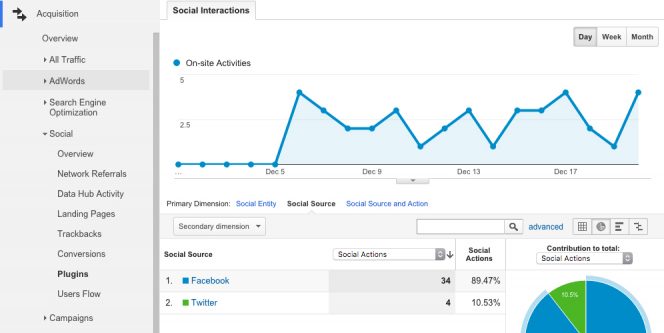
To view the data in Google Analytics, go to “Acquisition > Social > Plugins”.
You can also read more about [social interaction tracking](https://developers.google.com/analytics/devguides/collection/analyticsjs/social-interactions) in the Google Analytics documentation.
##### *Related*, Track JetPack Shares in Google Analytics, Devin, 01gnmcygga2et5wssmzy30vr76.