Unfolding the Official Penpot MCP
## Metadata
- Author: [[Penpot]]
- Full Title: Unfolding the Official Penpot MCP
- Category: #articles
- Document Note: ---
tags: [Penpot, MCP, Design-AI]
author: [MISSING]
source: [YouTube]
reference: [https://www.youtube.com/watch?v=KNsvFc4Elfs]
date created: {{date:YYYY-MM-DD}} {{time:HH:mm}}
---
# 🏷️ Title: Unfolding the official Penpot MCP
🧰 **Action Inbox**
- [H5] Pilot MCP ↔️ Penpot demo with a small file — https://github.com/montevive/penpot-mcp #articleseed
- [H6] Write a JS snippet to export styles via Penpot Plugin API — https://help.penpot.app/contribute/plugins/ #xref
- [H2] Diagram Penpot’s entity/relationship model for onboarding slides — https://help.penpot.app/learn/data/data-guides/entity-relationships/ #articleseed
- [H7] Prototype “design-to-design” automation workflow — https://help.penpot.app/contribute/plugins/ #articleseed
- [H5] Evaluate MCP support in GoDaddy tooling and guardrails — https://docs.github.com/en/copilot/how-tos/provide-context/use-mcp/use-the-github-mcp-server #xref
- [H4] Draft OSPO memo on semantic document graphs for AI — https://help.penpot.app/learn/data/data-guides/ #articleseed
- [H5] Share MCP context explainer with The WPCC fellows — https://www.theverge.com/2024/11/25/24305774/anthropic-model-context-protocol-data-sources #share
- [H6] Build a reproducible “login form from design” workshop — https://github.com/montevive/penpot-mcp #articleseed
- [H3] Map component-instance sync risks in large files — https://help.penpot.app/learn/data/data-guides/component-synchronization/ #xref
- [H5] FAIR.pm note: permissioning, audit, and MCP server boundaries — https://docs.github.com/en/copilot/how-tos/provide-context/use-mcp/use-the-github-mcp-server #addendum
## 🧭 Table of Contents
- [📝 Summary](#-summary)
- [📖 Main Content](#-main-content)
- [🗒️ Notes](#️-notes)
- [📚 References](#-references)
- [🗣️ Paraphrase](#️-paraphrase)
- [📰 Newsletter](#-newsletter)
- [✅ Action Items](#-action-items)
- [🧪 Hypotheses](#-hypotheses)
- [📊 Methodology](#-methodology)
- [❓ Questions](#-questions)
- [🔮 Future Research](#-future-research)
- [💡 Implications](#-implications)
- [🧠 Learning Styles Assessment](#-learning-styles-assessment)
- [📊 Accessibility Assessment](#-accessibility-assessment)
- [🌍 DEIB Assessment](#-deib-assessment)
- [✅ Logical Validity](#-logical-validity)
- [🛡️ DARVO Analysis](#-darvo-analysis)
- [🎯 Conclusion](#-conclusion)
### 🔗 References
- YouTube video (tool access may be throttled; link should load in browser).
- Penpot Plugin API docs. [oai_citation:0‡Penpot](https://penpot.app/integrations-api)
- Penpot Data Guide and entity relationships. [oai_citation:1‡help.penpot.app](https://help.penpot.app/technical-guide/developer/data-guide/)
- Montevive `penpot-mcp` GitHub repository and demo. [oai_citation:2‡GitHub](https://github.com/montevive/penpot-mcp)
- GitHub Docs: Using an MCP server with Copilot. [oai_citation:3‡GitHub Docs](https://docs.github.com/en/copilot/how-tos/provide-context/use-mcp/use-the-github-mcp-server?utm_source=chatgpt.com)
- The Verge: Anthropic introduces MCP overview. [oai_citation:4‡The Verge](https://www.theverge.com/2024/11/25/24305774/anthropic-model-context-protocol-data-sources?utm_source=chatgpt.com)
## 📝 Summary
- Penpot positions design as structured graphs, not only pixels. This supports AI tasks. [oai_citation:5‡help.penpot.app](https://help.penpot.app/technical-guide/developer/data-guide/)
- A Penpot MCP server lets LLM clients inspect designs through MCP. It shows design-to-code workflows. [oai_citation:6‡GitHub](https://github.com/montevive/penpot-mcp)
- MCP standardizes tool access for AI systems across apps. This reduces bespoke integrations. [oai_citation:7‡The Verge](https://www.theverge.com/2024/11/25/24305774/anthropic-model-context-protocol-data-sources?utm_source=chatgpt.com)
- The Plugin API enables JavaScript execution inside Penpot. This extracts structure and styles. [oai_citation:8‡Penpot](https://penpot.app/integrations-api)
- Bottom line: Agencies can wire designs to code reliably using MCP and Penpot’s graph. [oai_citation:9‡GitHub](https://github.com/montevive/penpot-mcp)
## 📖 Main Content
- Penpot’s model uses entities and relationships across files, pages, frames, and components. Graph thinking fits AI. [oai_citation:10‡help.penpot.app](https://help.penpot.app/technical-guide/developer/data-guide/)
- Components and instances synchronize properties through defined links. Teams need predictable overrides. [oai_citation:11‡help.penpot.app](https://help.penpot.app/technical-guide/developer/data-guide/)
- MCP allows an LLM client to connect to external “servers” that expose tools and resources. [oai_citation:12‡GitHub Docs](https://docs.github.com/en/copilot/how-tos/provide-context/use-mcp/use-the-github-mcp-server?utm_source=chatgpt.com)
- The `penpot-mcp` server demos querying a design and exporting styles to build a login UI. [oai_citation:13‡GitHub](https://github.com/montevive/penpot-mcp)
- Plugin API scripts run in the Penpot web app. They can enumerate nodes, read styles, and perform edits. [oai_citation:14‡Penpot](https://penpot.app/integrations-api)
- Industry coverage frames MCP as a common protocol for AI-tool context. This improves maintainability. [oai_citation:15‡The Verge](https://www.theverge.com/2024/11/25/24305774/anthropic-model-context-protocol-data-sources?utm_source=chatgpt.com)
- Uncertainties: “official” status of third-party servers, long-term API stability, and permissioning norms. [oai_citation:16‡GitHub](https://github.com/montevive/penpot-mcp)
### 🗒️ Notes
#### ⏱️ [00:13](https://www.youtube.com/watch?v=KNsvFc4Elfs&t=13) Framing design for AI
### [H1] Penpot frames design as graphs for AI
> “pimpot takes a very complex representation … and it funnels it into pixels”
- Pixels show output. Graphs encode structure and meaning. [oai_citation:17‡help.penpot.app](https://help.penpot.app/technical-guide/developer/data-guide/)
- AI benefits from structure, not only raster surfaces. [oai_citation:18‡The Verge](https://www.theverge.com/2024/11/25/24305774/anthropic-model-context-protocol-data-sources?utm_source=chatgpt.com)
#### ⏱️ [02:42](https://www.youtube.com/watch?v=KNsvFc4Elfs&t=162) Modeling paradigm
### [H2] Graph model represents entities and relations
> “Disks are entities. Arrows are relationships.”
- Penpot documentation mirrors this entity/relationship framing. [oai_citation:19‡help.penpot.app](https://help.penpot.app/technical-guide/developer/data-guide/)
#### ⏱️ [03:41](https://www.youtube.com/watch?v=KNsvFc4Elfs&t=221) Components and instances
### [H3] Components and instances link across frames
> “the frames that contain them are both pointing to the same component object”
- Synchronization and overrides need careful planning. [oai_citation:20‡help.penpot.app](https://help.penpot.app/technical-guide/developer/data-guide/)
#### ⏱️ [04:38](https://www.youtube.com/watch?v=KNsvFc4Elfs&t=278) Semantic operations
### [H4] Enriched graph enables semantic AI operations
> “so they can operate on the document at a semantic level”
- Graph views can guide traditional and ML pipelines. [oai_citation:21‡help.penpot.app](https://help.penpot.app/technical-guide/developer/data-guide/)
#### ⏱️ [05:34](https://www.youtube.com/watch?v=KNsvFc4Elfs&t=334) MCP server intro
### [H5] MCP server connects LLMs to Penpot
> “We present the penpot mcp server using the model context protocol MCP.”
- MCP standardizes tool access for AI clients. [oai_citation:22‡GitHub Docs](https://docs.github.com/en/copilot/how-tos/provide-context/use-mcp/use-the-github-mcp-server?utm_source=chatgpt.com)
#### ⏱️ [06:35](https://www.youtube.com/watch?v=KNsvFc4Elfs&t=395) In-app scripting
### [H6] Server executes JS in Penpot to extract styles
> “the execution of JavaScript code directly in the Penpot web app”
- Plugin API enables reading styles and structure. [oai_citation:23‡Penpot](https://penpot.app/integrations-api)
#### ⏱️ [07:39](https://www.youtube.com/watch?v=KNsvFc4Elfs&t=459) Design-to-design
### [H7] Plugin API enables design-to-design automation
> “the same penmpot API plugins have access to … allows you to actually do design to design”
- Automation can transform, not only export, designs. [oai_citation:24‡Penpot](htt
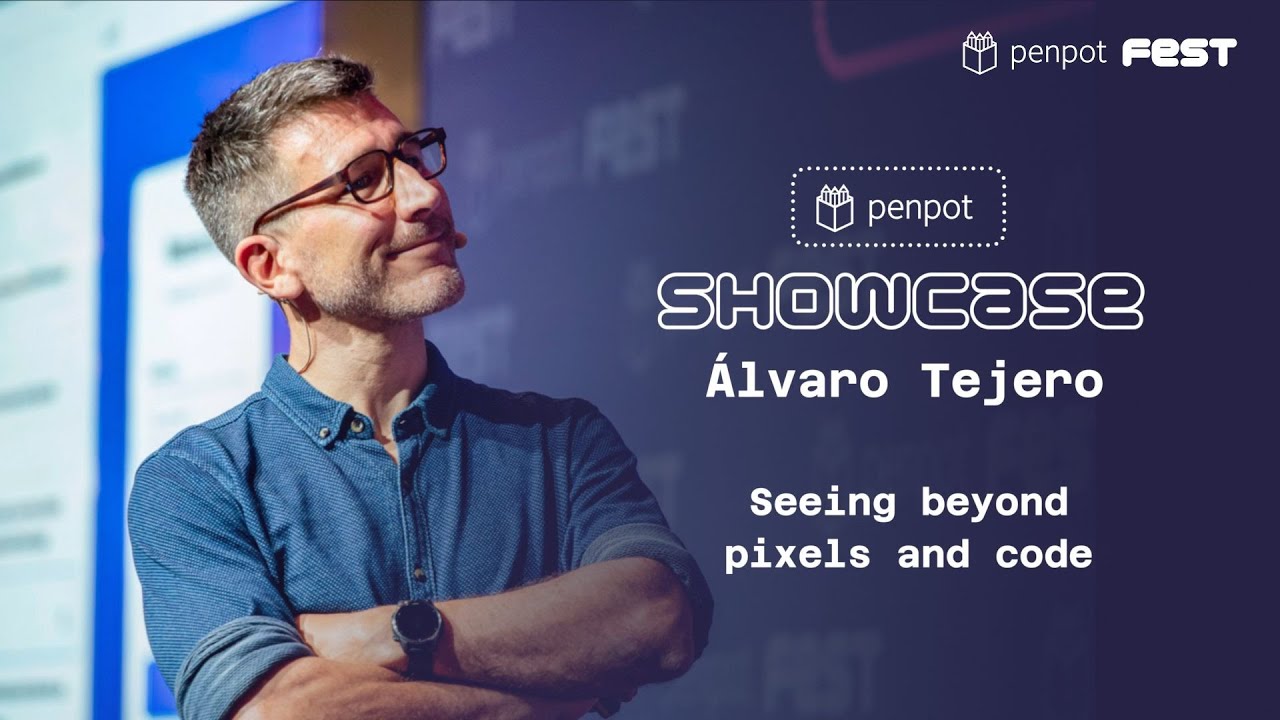
- Summary: Álvaro Tejero, AI Lead at Penpot, shared at Penpot Fest, our explorations on how design can be analyzed and explained to AI. A high-level keynote where he points out Penpot's ideas on how machine learning and LLM's can help designers and developers, unfolding the official Penpot MCP, already available at https://github.com/penpot/penpot-mcp.
Penpot Fest 2025 | Better, together: Refining the designer-developer workflow.
--
Penpot is the free open-source design tool for Design & Code collaboration.
https://design.penpot.app
Penpot is ideal for product design: UI designs, prototypes, wireframes, mockups, webs, apps, and much more.
Penpot allows a true collaboration and no handoff drama between designers and developers thanks to features like CSS Grid Layout, Flex Layout and Code Inspect.
Designers get a professional, intuitive, powerful design tool with ground-breaking responsive layouts, design systems at scale. While developers get a design tool that expresses as code and provides ready-to-use code to develop faster.
Penpot is the only one that can be web-based or self-hosted. The app works with open standards (SVG and CSS) avoiding vendor lock-in. Also, it enables teams the flexibility and control in their designs, thanks to the API and webhooks available.
Penpot Community: https://community.penpot.app
App: https://design.penpot.app
Help: https://help.penpot.app
Contribute: https://github.com/penpot
Penpot Fest: https://penpotfest.org
Follow us:
*Mastodon: https://fosstodon.org/@penpot/
*Bluesky: https://bsky.app/profile/penpot.app
*X: https://x.com/penpotapp
*LinkedIn: https://www.linkedin.com/company/penpotdesign
*Instagram: https://www.instagram.com/penpot.app/
*Github: https://github.com/penpot
Penpot: Design as code.
- URL: https://www.youtube.com/watch?v=KNsvFc4Elfs
Thank you, Elena. That was an amazing piece of work, and it took the major part of a year of very talented colleagues in the team, and so I hope that they are now free to help us in AI. So I am Alvaro, I'm working on AI for Penpot, and I want to share with you how we see AI in these times of
so much hype and sometimes so many disappointments. So design is many things to many people, and it's also different things to different programs. Penpot takes a very complex representation, code that you can download and explore as JSON, and it funnels it into pixels,
which is what bystanders may think design is about. You designers and developers working with designers know that there's much more depth to design. The design looks like pixels, but emerges in the mind as emotions and understanding after being processed by the neurobiology of the brain, by the cultural frameworks, sometimes shared, sometimes not, by your personal history, and by
the context of the moment. So the question is, what image of design are we going to deliver to AI? Because AI is, at the end of the day, nothing else than one more program. It's actually a machine-learned program, a program that we learn from data. So can we see beyond the code
representation that we have and the pixels that apparently at the surface represent design? Let's look at what a component is for Penpot. You see this box with the line, harmless as it is. It looks to Penpot, if we represent it in this graph form, as a square and a line which are linked to a container, it's actually a frame, by a child of
relationship. So that's what the disks mean. Disks are entities, arrows are relationships. This is a very powerful modeling paradigm, and in fact, it's already exposing to you that there's something invisible already to you in the canvas about this representation. It's the component object top right. By the way, this is something we can produce and store in a graph database so we can
invoke some of these representations with incantations such as you see below, which is nothing else than a query on a graph similar to what people do with relational databases when they use SQL. Let's do something more complicated. Let's look at a component, green, and a copy of a component in purple. What do we see that is new? Well, the frames that contain them are both
pointing to the same component object that lives in the same page or in another page, but what's most remarkable is that they are now linked by arrows, the horizontal arrows which represent refers to. So the line, the diagonal line is linked to the diagonal line. The square is linked to the square, even though the color is overridden, and the frames are also linked between themselves. All right. Seems easy enough. Now, let's look at the entire file for this example.
Two new objects appear, the file, the document at the top in green, and the page. Well, it looks just a little bit more complicated, except we've added a new type of link. So that's the blue link there. It actually represents something that Tempot does not explicitly record, but your brain computes. Everybody here is actually computing many things, understanding many things out of a
design like that, that are not explicitly written down in the code, and that is our approach. That's what we want to bring to machine learning, to AI programs, a similar understanding, similar enough understanding to what you have, so that they can operate on the document at the semantic level. In this case, what we've calculated here is how much of the green square covers the purple square. And that's now something we can use both in traditional programs and in machine learning
programs. Right. If you now look at the realistic design, that's a plethora of entities and relationships, and that's where it really gets exciting. A lot of data makes us machine learning people very happy. So there is this enriched representation we have shown to you as a graph, and that's something that actually we like enough to say, we'd like to give it to you through the Tempot API. That's what Pep and Pablo said. There's no second-class citizen. You will be able
to use this when and if we're added on. But also, programs can benefit from it, and notably, LLMs. LLMs are limited in many ways, but we can help them understand the structure of things. And in this particular case, we are doing that by presenting to you today the new Tempot MCP server. And I'm going to play to you a video by Dominic.
You'll find him, if you like, he's sitting there, very nice guy. And very talented, the kind you want to work with, which shows to you what will be available on GitHub in a few minutes. We present the Penpot MCP server. Using the model context protocol, MCP, it enables a client using a large language model to connect directly to a Penpot design. Let's say we have a design like
this in Penpot and want to apply it in a front-end project. As you can see, it contains various styles for buttons as well as input fields. We need only to establish a connection to the MCP server in order to allow the AI to work with the project's contents. Now let's ask Claude to create a login form for us, extracting the styles directly from the Penpot design. It will achieve this by primarily applying a single mechanism, the execution of JavaScript code directly in the
Penpot web app. In this example, it will write code to gather information about the structure of the design and to export style information. And here is the finished product, the login form that we asked for, built with HTML and CSS. You'll find it at that URL. You're welcome to
play. We wanted to share it with you as soon as possible so you can poke holes in it and also tell us how you'd like to use it. I like to stress, and that's something you'll see on the video, which is also up there on GitHub, that this is using actually the same Penpot API plugins have access to, which gives it a lot of granular control over Penpot, and in particular allows you to actually do design to design, not just design to code. And that's where we would like to head to. So we'll
have this powerful representation. We'll have machine learning programs which are not LLMs working on it. But we will also have the power of LLMs, insofar as they're helpful, operating on this representation. And we would like to give all of that to you, designers, developers, to make better designs with less effort. Thank you., Unfolding the Official Penpot MCP, Penpot, 01k88j2m5vv6bbbvwkc9e452mx.