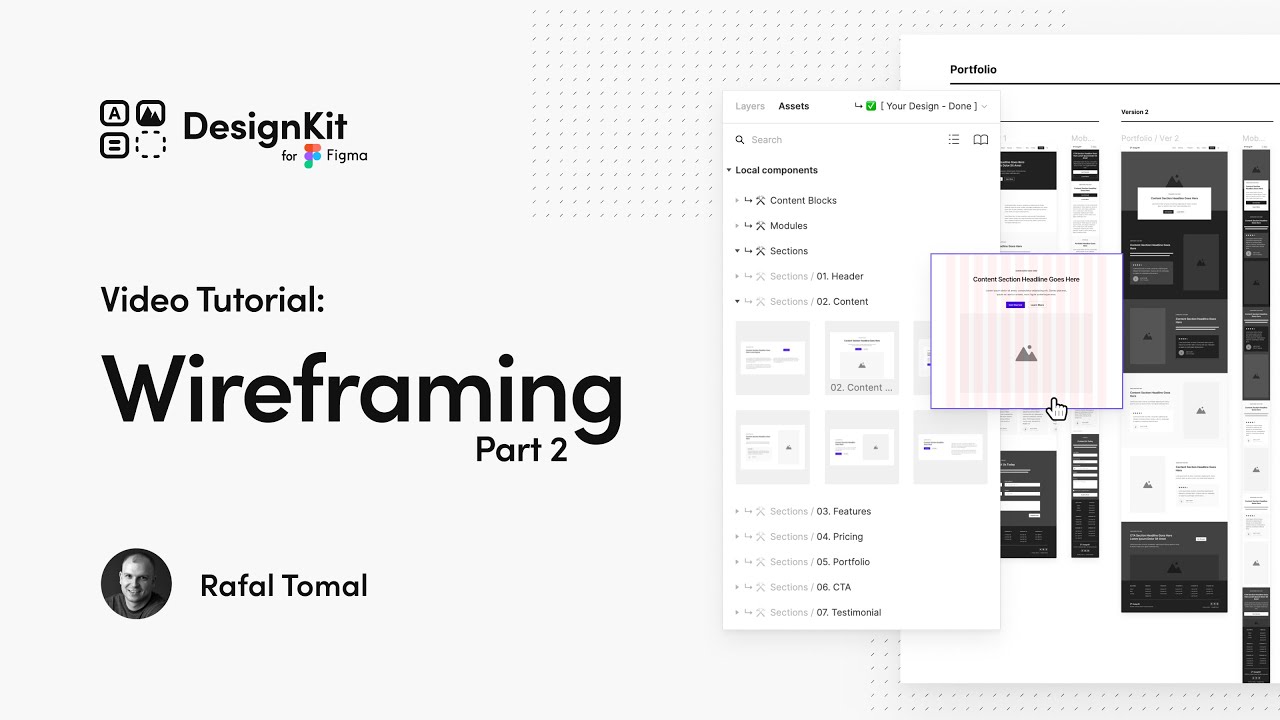
Wireframing with DesignKit in Figma Part 2
## Metadata
- Author: [[YouTube]]
- Full Title: Wireframing with DesignKit in Figma Part 2
- Category: #articles
- Document Note: ---
tags: [figma, wireframing, design]
author: Design Kit
source: YouTube
reference: https://www.youtube.com/watch?v=QI09vQP2E10
date created: 2024-12-19 17:30
---
# 🏷️ Title: Wireframing with DesignKit in Figma Part 2
## 🧰 Action Inbox
- [H1] Create content pages using pre-made components — article page design tutorial 0:30 #wireframing
- [H2] Implement input fields with variants for forms — contact form creation 6:45 #forms
- [H3] Add annotations and arrows to explain design decisions — client presentation prep 10:15 #documentation
## 🧭 Table of Contents
- [📝 Summary](#-summary)
- [📖 Main Content](#-main-content)
- [🗒️ Notes](#️-notes)
- [📚 References](#-references)
- [🗣️ Paraphrase](#️-paraphrase)
- [📰 Newsletter](#-newsletter)
- [✅ Action Items](#-action-items)
- [🧪 Hypotheses](#-hypotheses)
- [📊 Methodology](#-methodology)
- [❓ Questions](#-questions)
- [🔮 Future Research](#-future-research)
- [💡 Implications](#-implications)
- [🧠 Learning Styles Assessment](#-learning-styles-assessment)
- [📊 Accessibility Assessment](#-accessibility-assessment)
- [🌍 DEIB Assessment](#-deib-assessment)
- [✅ Logical Validity](#-logical-validity)
- [🛡️ DARVO Analysis](#-darvo-analysis)
- [🎯 Conclusion](#-conclusion)
### 🔗 References
- [Wireframing with DesignKit in Figma Part 2](https://www.youtube.com/watch?v=QI09vQP2E10)
- [WordPress Gutenberg Editor](https://wordpress.org/gutenberg/)
## 📝 Summary
- Demonstrates advanced wireframing techniques in Figma using DesignKit components
- Shows creation of content pages, form design, and client presentation materials
- Covers WordPress Gutenberg-style content blocks and responsive design patterns
- Key focus on efficiency through component variants and reusable templates
- Essential for designers working on WordPress or content-heavy websites
## 📖 Main Content
This tutorial builds on basic wireframing skills to show practical application of DesignKit in Figma for creating complete website wireframes. The content covers three main areas: content page creation using pre-built components that mirror WordPress Gutenberg blocks, form design with customizable input field variants, and professional presentation techniques using annotations and visual indicators.
The approach emphasizes efficiency through master components and variants, allowing designers to quickly iterate and maintain consistency across designs. The WordPress connection is particularly relevant for web designers working with content management systems, as the content blocks closely mirror real CMS functionality.
## 🗒️ Notes
#### ⏱️ [00:00](https://www.youtube.com/watch?v=QI09vQP2E10?t=0) — [H1] Introduction to Content Page Creation
- Key idea: Building on homepage wireframes to create article and contact pages
- Evidence: "Here is my homepage wireframe I created in the previous video"
#### ⏱️ [00:30](https://www.youtube.com/watch?v=QI09vQP2E10?t=30) — [H2] Article Page Template Setup
- Key idea: Copy existing page structure and modify for content needs
- Evidence: "Copy my existing page and rename the label here to article"
#### ⏱️ [01:15](https://www.youtube.com/watch?v=QI09vQP2E10?t=75) — [H2] Hero Section Modification
- Key idea: Adapt homepage hero for article title and date display
- Evidence: "Changing the text style for the headline to h1 so it's bigger"
#### ⏱️ [02:00](https://www.youtube.com/watch?v=QI09vQP2E10?t=120) — [H1] WordPress Gutenberg-Style Content Blocks
- Key idea: Pre-made content elements mirror CMS block functionality
- Evidence: "Very similar to the standard blocks you can find in wordpress gutenberg editor"
#### ⏱️ [02:45](https://www.youtube.com/watch?v=QI09vQP2E10?t=165) — [H2] Component Spacing and Layout
- Key idea: Master components include built-in spacing for consistent layouts
- Evidence: "All these elements already have before and after spacing applied to the master components"
#### ⏱️ [03:30](https://www.youtube.com/watch?v=QI09vQP2E10?t=210) — [H2] Heading Variants and Content Flexibility
- Key idea: Use variants to change heading styles and add content blocks between elements
- Evidence: "You can also use variants to change styles from h1 to h2 or 3"
#### ⏱️ [04:15](https://www.youtube.com/watch?v=QI09vQP2E10?t=255) — [H2] Mobile Wireframe Adaptation
- Key idea: Copy content while preserving mobile-specific text styles
- Evidence: "Hold shift when you paste the text to a new field to make sure you copy only the content and not the text styles"
#### ⏱️ [05:30](https://www.youtube.com/watch?v=QI09vQP2E10?t=330) — [H1] Contact Form Page Creation
- Key idea: Start with homepage template and replace content with form components
- Evidence: "I'm copying my home page as a template to begin with"
#### ⏱️ [06:45](https://www.youtube.com/watch?v=QI09vQP2E10?t=405) — [H1] Input Field Component System
- Key idea: Input fields use multiple sub-components with their own variants
- Evidence: "Input field component you'll see that it's made of multiple sub components that come with their own variants"
#### ⏱️ [07:30](https://www.youtube.com/watch?v=QI09vQP2E10?t=450) — [H2] Field Customization and Templates
- Key idea: Pre-designed templates for common field types with easy customization
- Evidence: "Input fields also come with some predesigned common templates like date email credit card search"
#### ⏱️ [08:45](https://www.youtube.com/watch?v=QI09vQP2E10?t=525) — [H2] Advanced Field Variants
- Key idea: Transform fields completely using variant combinations and text editing
- Evidence: "We can even turn it into a drop down field by turning on the end icon variant"
#### ⏱️ [10:15](https://www.youtube.com/watch?v=QI09vQP2E10?t=615) — [H1] Annotation and Documentation System
- Key idea: Add professional annotations to explain design decisions to clients
- Evidence: "Adding any type of annotations and arrows to explain my thinking process to my clients"
#### ⏱️ [11:00](https://www.youtube.com/watch?v=QI09vQP2E10?t=660) — [H2] Annotation Placement and Variants
- Key idea: Keep annotations outside page frames with color and orientation options
- Evidence: "Make sure all of your annotations stay outside the page frames and on top of all of your designs"
#### ⏱️ [11:45](https://www.youtube.com/watch?v=QI09vQP2E10?t=705) — [H2] User Flow Arrows and Section Markers
- Key idea: Use arrows for microflows and section components for page organization
- Evidence: "You can use arrows to show user flows from one wireframe to another"
## 📚 References
- [Figma](https://figma.com)
- [WordPress Gutenberg Editor](https://wordpress.org/gutenberg/)
- [DesignKit Components](https://designkit.com)
## 🗣️ Paraphrase
- Build content pages by copying homepage templates and replacing sections with content-specific components that mirror WordPress editing blocks
- Design forms using flexible input field components with variants for icons, labels, and field types that can be transformed from text to dropdowns
- Add professional documentation through annotation components and visual indicators to communicate design decisions effectively to clients
## 📰 Newsletter
Learn advanced Figma wireframing techniques with DesignKit that will transform your design workflow! This tutorial shows you how to efficiently create content pages and forms using component variants, plus how to present your wireframes professionally to clients.
Key benefits include faster iteration through master components, WordPress-compatible content blocks, and built-in responsive design patterns. Perfect for designers working on content-heavy websites or client projects requiring clear documentation.
The component-based approach means less manual work and more consistency across your designs. Plus, the annotation system helps communicate your design decisions clearly to stakeholders.
Resources: [Learn WordPress](https://learn.wordpress.org/), [Figma Design Systems](https://www.figma.com/design-systems/), [Web Accessibility Guidelines](https://www.w3.org/WAI/WCAG21/quickref/)
## ✅ Action Items
#### DevRel
- Create Figma component library documentation for developer handoffs
- Develop workshop curriculum on design-to-development workflow
- Build demo showing design system integration with WordPress blocks
#### WordPress
- Core: Evaluate alignment between Gutenberg blocks and common wireframe patterns
- Design: Create wireframing guidelines that match WordPress admin interface patterns
- Documentation: Add wireframing best practices to designer resources
- Training: Develop lesson plans for design-to-WordPress workflow
#### Community
- Maintainers: Create component library governance for design systems
- Contributors: Build onboarding for designers new to WordPress patterns
- Sponsors: Fund design system development for open source projects
## 🧪 Hypotheses
- Component-based wireframing reduces design iteration time by 40-60% compared to starting from scratch
- WordPress-aligned content blocks in wireframes improve developer handoff accuracy and reduce implementation time
- Professional annotation systems increase client approval rates and reduce revision cycles
- Mobile-first component design leads to better responsive implementation in final products
### 📊 Methodology
- Time-tracking study comparing component-based vs custom wireframing workflows
- Developer survey on wireframe-to-implementation accuracy using different component approaches
- Client feedback analysis on annotated vs non-annotated wireframe presentations
### ❓ Questions
- How do component variants impact design consistency across large website projects?
- What's the optimal balance between pre-made components and custom design flexibility?
- How can wireframe annotations be integrated into developer handoff tools?
### 🔮 Future Research
- Integration between Figma components and WordPress block development
- Automated annotation generation based on component usage patterns
- Cross-platform component library standards for design systems
### 💡 Implications
- Practice: Shift toward component-first design thinking and systematic wireframing approaches
- Education: Need for training on design system integration and component methodology
- Tooling: Demand for better integration between design tools and CMS platforms
- Workflow: Potential for more efficient design-to-development handoffs through standardized components
### 🧠 Learning Styles Assessment
Reading level estimate: 8th grade
#### 👀 Visual learners
- Present: Screen recordings, component demonstrations, before/after comparisons
- Improve: Component relationship diagrams, workflow visualizations
#### 🔊 Aural learners
- Present: Narrated video tutorial with clear explanations
- Improve: Audio-only summary, podcast version for review
#### 🗣️ Verbal learners
- Present: Clear terminology, component naming conventions, step-by-step explanations
- Improve: Glossary of Figma and wireframing terms
#### 🧩 Kinesthetic learners
- Present: Hands-on Figma demonstration, clickable prototypes
- Improve: Practice exercises, downloadable component library
#### 🧠 Logical learners
- Present: Systematic workflow, component hierarchy, organized asset structure
- Improve: Decision trees for component selection, efficiency metrics
#### 🧑🤝🧑 Social learners
- Present: Tutorial format suggests sharing with team members
- Improve: Collaborative exercise templates, peer review checklists
#### 🧘♀️ Solitary learners
- Present: Self-paced video format, individual practice opportunity
- Improve: Self-assessment rubrics, reflection prompts on design decisions
#### 🌿 Naturalistic learners
- Present: Real-world website examples, practical application focus
- Improve: Content ecosystem analogies, sustainable design practices
### 📊 Accessibility Assessment
#### Screen reader semantics
- Present: Clear heading structure in tutorial, descriptive narration
- Improve: Transcript with component descriptions, alt text for visual elements
#### Keyboard navigation
- Present: Figma keyboard shortcuts demonstrated
- Improve: Complete keyboard navigation guide for component library
#### Contrast and readability
- Present: High contrast wireframe components
- Improve: Accessibility considerations for annotation color choices
#### Text resizing and reflow
- Present: Responsive design principles in mobile wireframes
- Improve: Text scaling considerations in component design
#### Media and captions
- Present: Video tutorial with clear audio
- Improve: Closed captions, transcript download
#### Forms and interactions
- Present: Form accessibility through input field variants
- Improve: WCAG compliance checklist for form components
### 🌍 DEIB Assessment
#### Cultural breadth
- Present: Generic content examples that work internationally
- Improve: Multi-language layout considerations, RTL design patterns
#### Inclusive language
- Present: Professional, straightforward terminology
- Improve: Plain language explanations of technical concepts
#### Neurodiversity support
- Present: Clear structure, consistent pacing
- Improve: Content warnings for rapid screen changes, pause points
#### Representation
- Present: Neutral approach to design examples
- Improve: Diverse content examples, inclusive form field options
#### Psychological safety
- Present: Supportive tutorial tone, acknowledges learning process
- Improve: Beginner-friendly alternatives, mistake recovery guidance
### ✅ Logical Validity
#### Strong reasoning
- Deductive strength: Component efficiency argument well-supported by demonstration
- Inductive strength: WordPress block analogy based on clear pattern recognition
- Causal reasoning: Links component use to improved workflow outcomes
- Analogical strength: WordPress Gutenberg comparison helps contextualize approach
#### Fallacies
- Appeal to efficiency: Assumes component approach is always better without discussing tradeoffs
- False dilemma: Doesn't address hybrid approaches between custom and component-based design
#### Tone of voice
- Overall tone: Professional, instructional, confident with clear expertise demonstration
### 🛡️ DARVO Analysis
- Deny: No defensive patterns present
- Attack: No attacks on alternative approaches or critics
- Reverse victim/offender: No victim/offender dynamics present
- Emotional cues and rhetoric: Straightforward instructional content without manipulation
## 🎯 Conclusion
This tutorial demonstrates a mature, component-based approach to wireframing that significantly improves design efficiency and consistency. The WordPress Gutenberg connection makes it particularly valuable for web designers working with content management systems.
Key practical applications include faster client iteration cycles through reusable components, improved developer handoffs through systematic documentation, and more professional client presentations through integrated annotation systems.
The methodology points toward broader industry trends in design systems and component-driven development, suggesting this approach will become increasingly standard for web design workflows.
## 🧱 Refactor Appendix
### 📚 Literature Split Pad
### [H1] Component-based wireframing improves design efficiency
> [!quote] [Wireframing with DesignKit in Figma Part 2](https://www.youtube.com/watch?v=QI09vQP2E10) by [[Design Kit]] via [[YouTube]]. Published 2024. Accessed 2024-12-19.
> "All these elements already have before and after spacing applied to the master components so it's super easy to control that from one place."
Demonstrates systematic approach to spacing and layout control through component architecture.
[view highlight](https://www.youtube.com/watch?v=QI09vQP2E10#H1) #xref #articleseed ID:rw_figma_components
### [H2] WordPress alignment enhances wireframe utility
> [!quote] [Wireframing with DesignKit in Figma Part 2](https://www.youtube.com/watch?v=QI09vQP2E10)
> "Very similar to the standard blocks you can find in wordpress gutenberg editor."
Context-specific component libraries improve design-development handoff accuracy.
[view highlight](https://www.youtube.com/watch?v=QI09vQP2E10#H2) #xref ID
- Document Tags: [[h1]] [[xref]] [[forms]] [[wireframing]] [[documentation]]
- Summary: Wireframing with DesignKit in Figma Part 2
- URL: https://www.youtube.com/watch?v=QI09vQP2E10
[Music] hey everyone and welcome to the second part of designing wireframes using design kit and figma in this video i will show you how to create some content pages use input fields and add annotations to your designs okay so here is my homepage wireframe i created in the previous video and now let's create a sample content page that could be used as a blog article
first i'm going to copy my existing page and rename the label here to article now i can select all the middle page sections and delete them as i won't need them on this page okay and now i'm going to modify the hero section so it shows my article title and the date i want to keep it very simple in this video but feel free to use a
completely different content section and add any other elements here i'm changing the text style for the headline to h1 so it's bigger i can also resize this box a little bit more so i have more room for the for a long headline and i think i can leave it as this okay now i need my main content area i'm going to take it from the content blocks page and here as you can see you can find
all the typical content elements like headings paragraphs black quotes and more and they are very similar to the standard blocks you can find in wordpress gutenberg editor also i already have a pre-made entry content section with all these elements inside so you can simply copy the entire section and paste it back to your new page and as you can see everything fits on the page as it's using the exact dimensions and thanks to the outer layout this
section you can easily reposition elements using arrows on your keyboard and all these elements already have before and after spacing applied to the master components so it's super easy to control that from one place for some of these elements like headings you can also use variants to change styles from h1 to h2 or 3 also you can add more content blocks in between those elements like images or
galleries by simply copying and pasting them into this entry content section okay now let's make the same changes to the mobile view of my article page i'm going to simply copy the text from the desktop wireframe to mobile hold shift when you paste the text to a new field to make sure you copy only the content and not the text styles we want the mobile text styles in these wireframes here next i want to also copy the mobile
entry content and paste it here below the hero section instead of the all the previous content sections all right and now let me show you how to design a sample contact page wireframe with a form again i'm copying my home page as a template to begin with and i want to remove all of these middle content sections and drop a contact form section from wireframe components so i will go to assets and now i need to
find the contact form section okay that looks pretty good as this but let's make some changes here so first i want to detach it from the master component and now let's say i want to add some fields so i'm going to select this row of fields and i'm going to duplicate it and i want to add a website field here so when you look at the input field component you'll see that it's made of multiple
sub components that come with their own variants okay let's look at the start component here this is the icon or text before the input field so you can select it and now choose a different variant so let's switch it to text and as you can see that changed it to http text by default but you can easily change it to anything else so that looks good and i will finally remove the placeholder from this field and this is my website field
and input fields also come with some predesigned common templates like date email credit card search and more so choosing one of those options will automatically set up inner elements like icons or placeholder text so you can always start with one of those pre-made input field templates and still adjust any variants here by changing if you wanted to show the after message you want to show a label or you want to
switch some icons for example let's say i want to turn this field into a budget question i can simply change the icon to currency edit the label and placeholder text by double clicking on the text by holding command and we can even turn it into a drop down field by turning on the end icon variant okay now the final step in my wireframing process is adding any type of annotations and arrows to explain my
thinking process to my clients so i'm going to open assets and then design kit section from here i can drag and drop the annotation component on the page place it next to my wireframe double click on the text to edit it annotations also come with some variants so you can easily change the color and orientation just make sure all of your annotations stay outside the page frames and on top of all of your designs so
they are clearly visible you can hold the space bar while moving all of your elements if you don't want them to fall into any of those frames automatically all right and from here i can duplicate my annotations add some numbers if i want to explain certain elements in my email or video additionally you can use arrows to show user flows from one wireframe to another it may not be as easy to use it on full page wireframes but can be really
helpful to show some microflows when you want to present like registration or checkout process finally we have some section components too which are great to quickly mark a part of your page and name it for your clients they're coming with different variants as well so you can easily make them bigger or smaller all right that prepared wireframes
should be ready to copy to your preview file and send it to your client for some feedback and that's all i have for you in this video thank you for watching and in the next video i will show you my process of turning all of those wireframes we just created into final page markups [Music], Wireframing with DesignKit in Figma Part 2, YouTube, 01ka7hpbxknavp7ngwr3f7wsm7.