WordPress 6.9: What to Expect

WordPress 6.9 is scheduled for release on **December 2nd**, and it brings a range of improvements that make content creation, site management, and design work more intuitive. As with recent releases, WordPress continues to refine the [Site Editor](https://wordpress.org/documentation/article/site-editor/) and extend the capabilities of the [Block Editor](https://wordpress.org/documentation/article/wordpress-block-editor/), while also improving collaboration tools, editing workflows, and performance.
This release also introduces early previews of technologies that will help shape future versions of WordPress, including foundational work for AI-assisted features. Below, we take a closer look at what’s coming in **WordPress 6.9** and how the update enhances the overall experience of building and maintaining a website.
#### **New Blocks in WordPress 6.9**
WordPress 6.9 adds several new blocks that make it easier to build structured, flexible content without relying on extra plugins. These blocks work consistently across themes, although their exact appearance may vary depending on theme styling.
##### **Accordion Block**
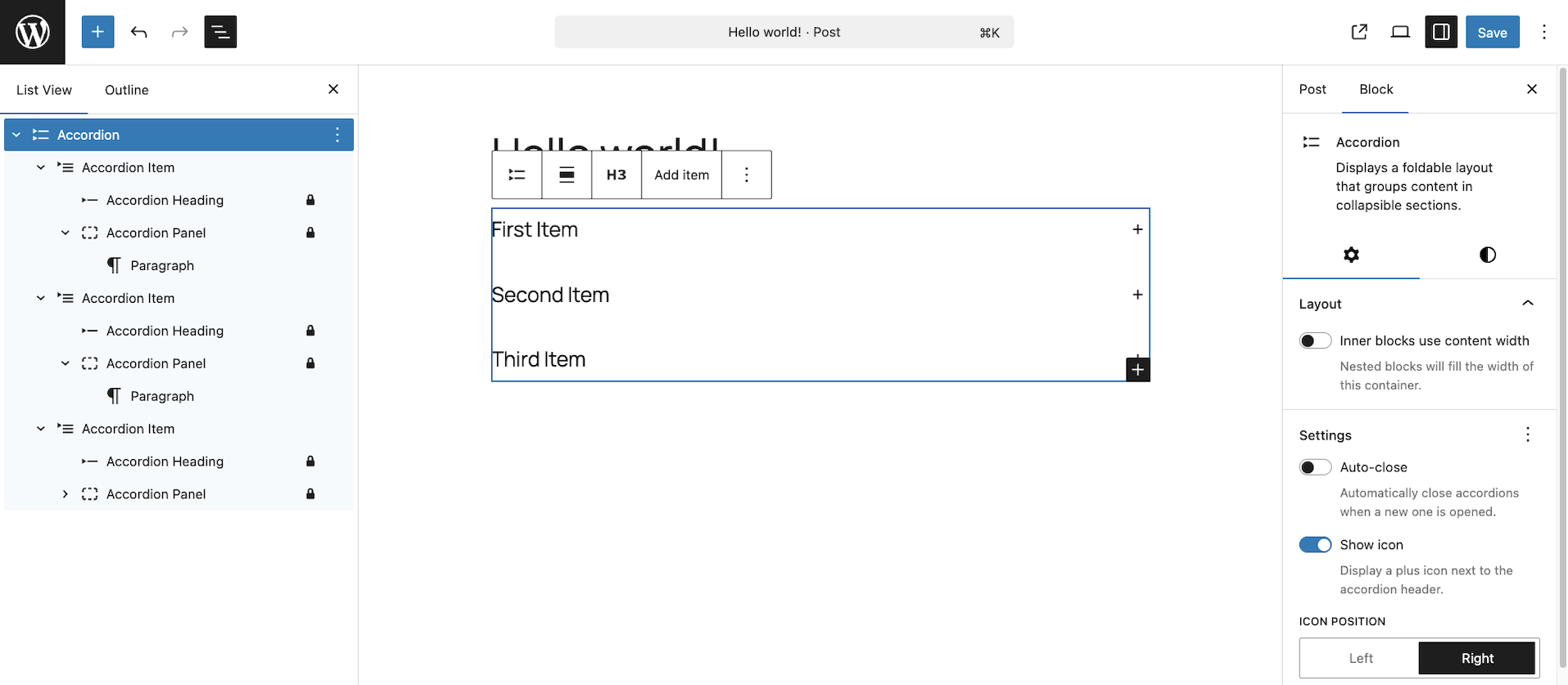Example Accordion Block
The [Accordion Block](https://github.com/WordPress/gutenberg/issues/21584) makes it simple to create collapsible sections within your content. It works well for FAQs, product details, instructional content, and any information that benefits from being grouped into expandable sections. Visitors can click to reveal or hide details, helping keep pages organised and easy to navigate.
##### **Terms Query Block**
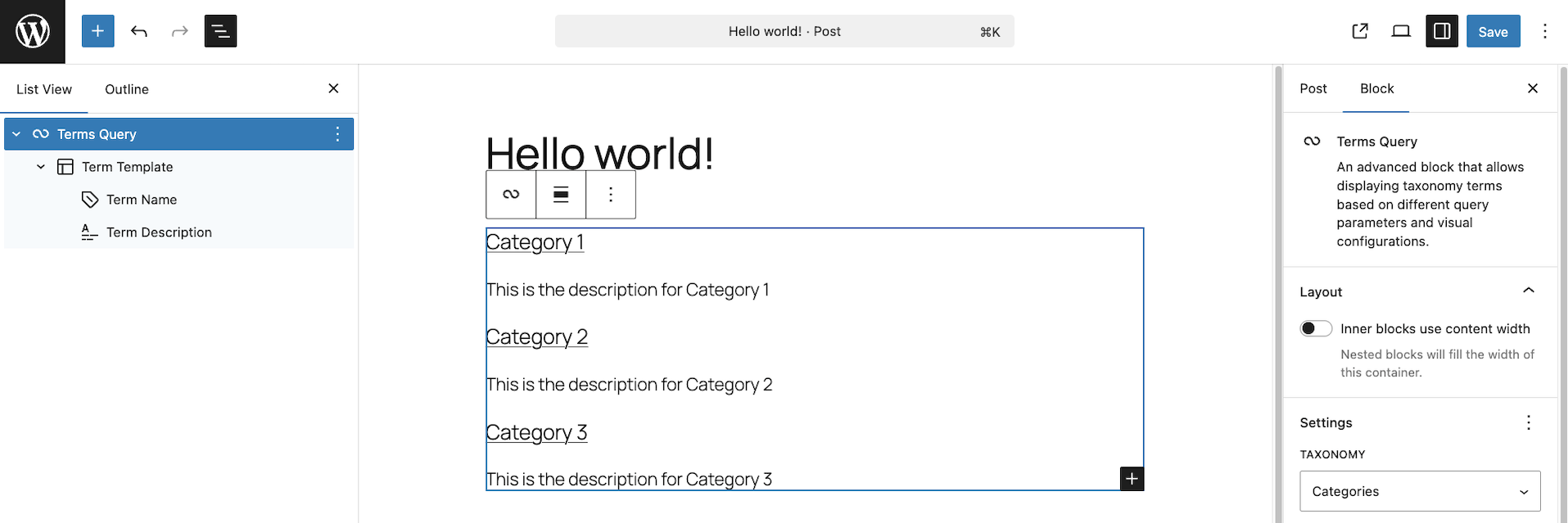Example Term Query Block
The [Terms Query Block](https://github.com/WordPress/gutenberg/issues/49094) allows you to display categories, tags, or custom taxonomy terms on a page. It functions similarly to the Query Loop Block but focuses on terms rather than posts.
Because it pulls from your taxonomy structure, it can be used for a wide range of layouts, such as listing blog categories, creating topic overviews, showcasing product types, or building directories based on custom taxonomies. The block gives you the flexibility of a Query Loop, but with an emphasis on term-based content instead of posts.
##### **Math Block**
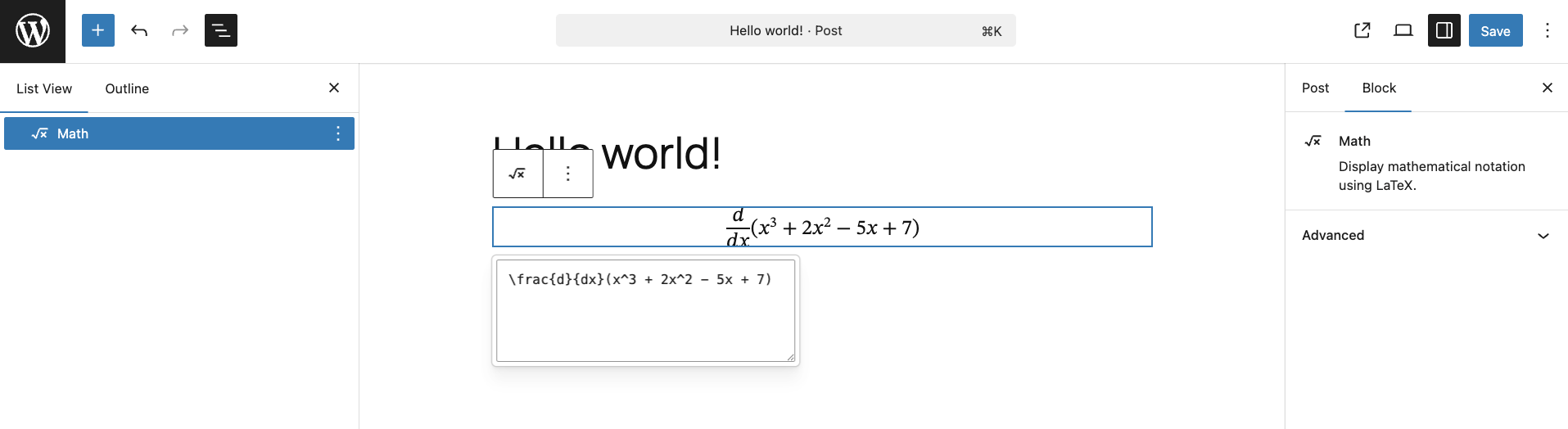Example Math Block
For sites that need to display formulas, such as educational resources, academic blogs, or learning platforms, the [Math Block](https://github.com/WordPress/gutenberg/issues/47198) adds native support for mathematical notation. This ensures formulas display clearly and consistently, without requiring a separate plugin.
##### **Time-to-Read Block**
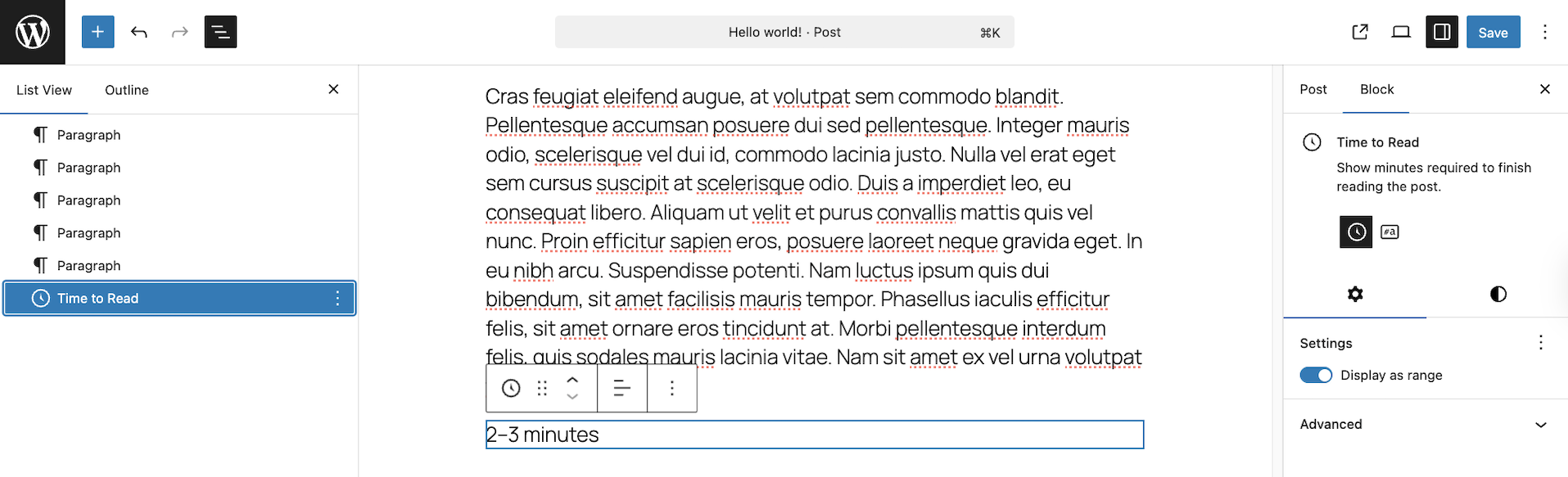Example Time to Read Block
The [Time-to-Read Block](https://github.com/WordPress/gutenberg/issues/53776) automatically estimates how long it will take visitors to read an article. This is a popular feature in blogs and long-form content, giving readers a sense of what to expect before they begin reading.
##### **Stretchy Heading and Paragraph Block Variations**
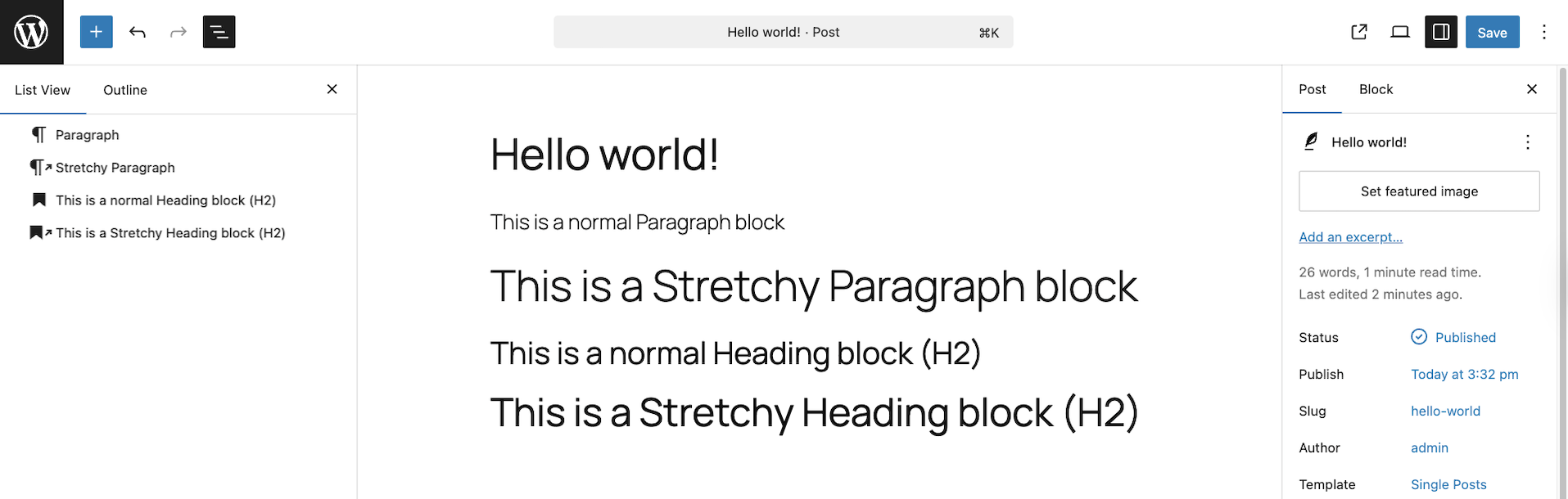Stretchy Heading and Paragraph Blocks
Furthermore**,** WordPress 6.9 introduces new “Stretchy Heading” and “Stretchy Paragraph” block variations, which automatically adjust the width of text to fill the available horizontal space. These variations provide a simple way to create bold, expressive text layouts without needing custom CSS, making them useful for hero sections, large headings, and any area where strong visual impact is important.
#### **General WordPress 6.9 Editor Improvements**
WordPress 6.9 includes a number of small but helpful refinements across the editor that make writing and editing feel smoother. Drag and drop has been improved, making it easier to reposition key blocks with clearer visual cues. Several block transforms have been expanded, giving you more flexibility when switching between block types, and keyboard navigation has been made more consistent throughout the editor. Many block settings have also been updated to use a more unified, modern interface, helping keep the editing experience clearer and less cluttered.
#### **Block-Level Commenting**
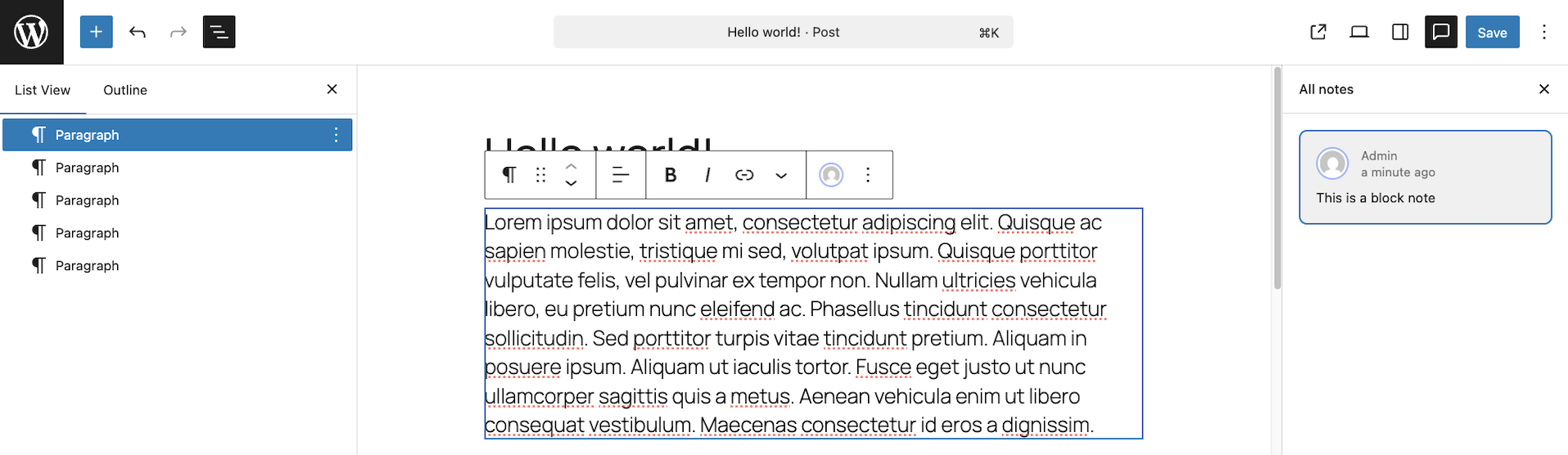Example Block Note/Comment
WordPress 6.9 introduces [block-level commenting](https://github.com/WordPress/gutenberg/issues/66377), a collaboration tool that lets editors, writers, and site managers leave comments directly on individual blocks in the editor.
This makes it easier to:
* Provide feedback exactly where it’s needed
* Review drafts inside WordPress
* Reduce back-and-forth through emails or external documents
* Keep discussions organised and tied to specific content
Block-level commenting brings WordPress closer to modern collaborative editing tools and can be especially helpful for teams working together on content.
#### **Hide Blocks Without Removing Them**
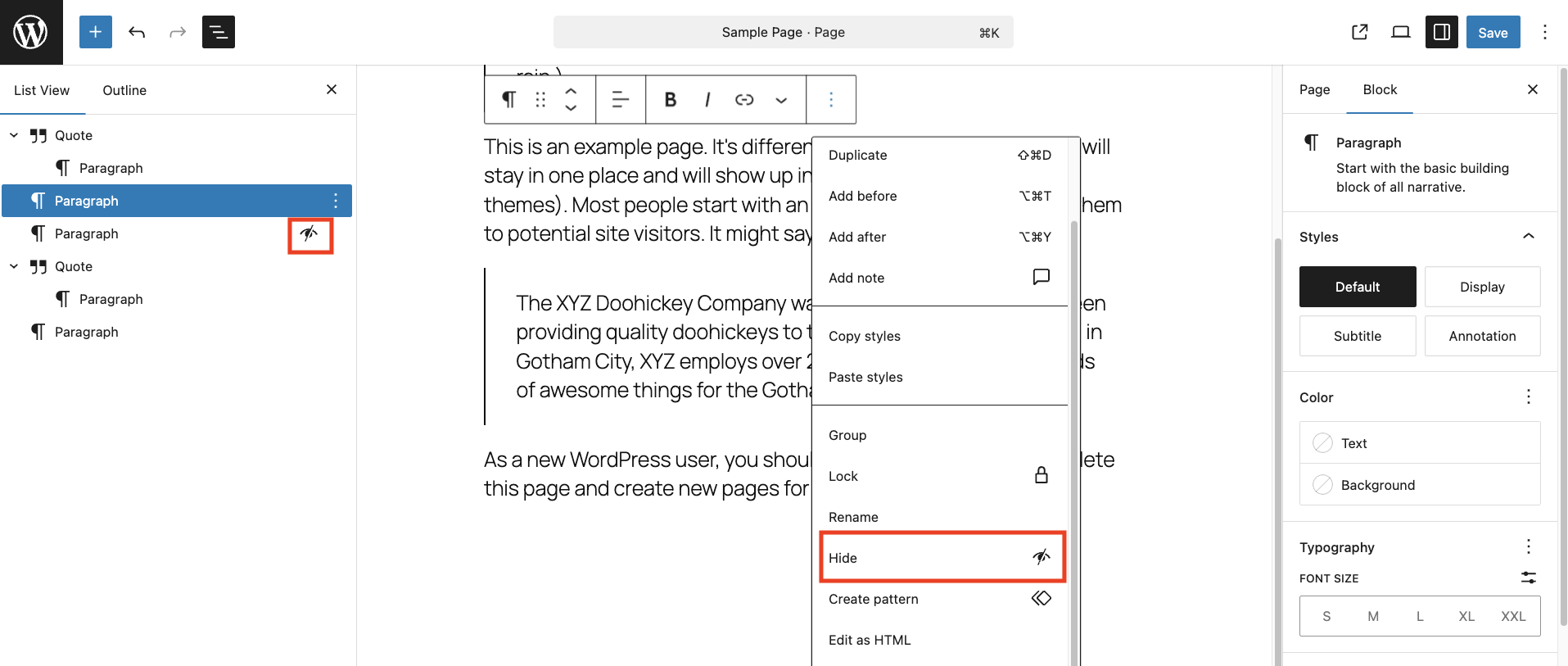Hiding a WordPress Block
Meanwhile, WordPress 6.9 adds the ability to [hide blocks](https://github.com/WordPress/gutenberg/issues/50756) without deleting them. This is useful when preparing new content, testing different layouts, or planning seasonal updates. Hidden blocks remain in the editor for later use, but do not appear on the live site.
#### **Command Palette Improvements**
Coloured Template Parts and Reusable Blocks
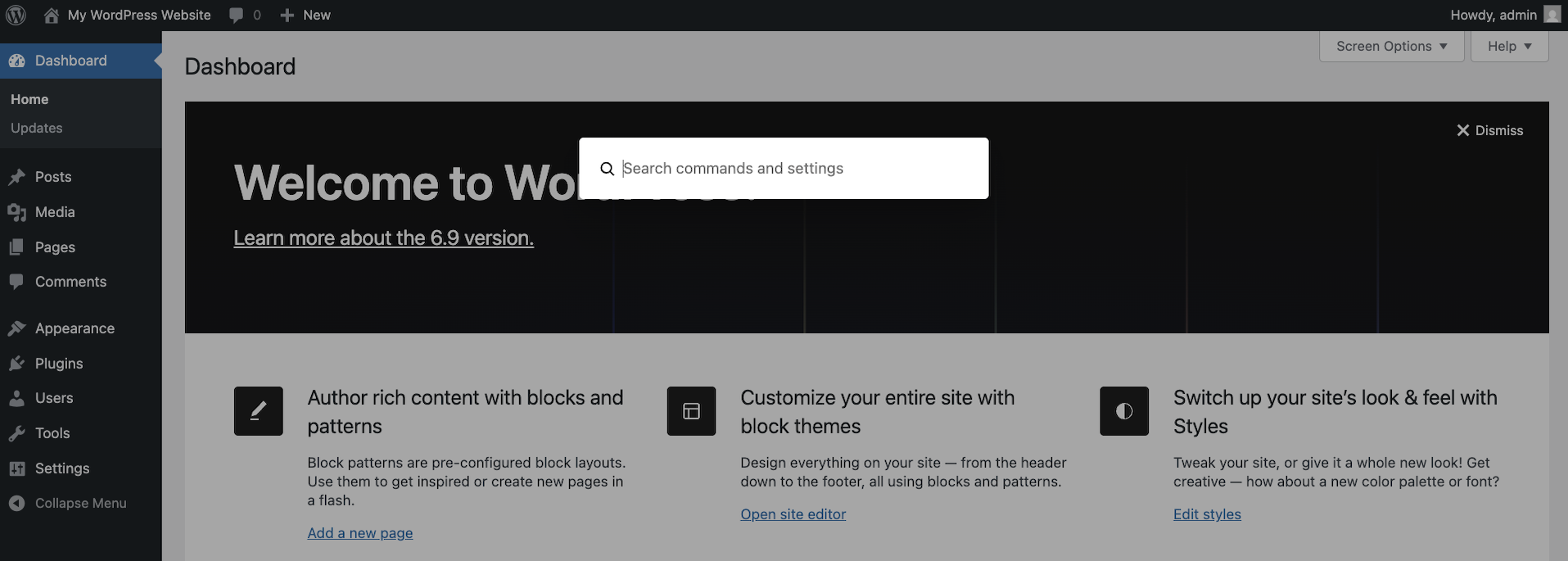
[The Command Palette](https://wordpress.org/documentation/article/site-editor-command-palette/) is now available across [all areas of the editor](https://github.com/WordPress/gutenberg/issues/58218), making it easy to search, take actions, and switch between views without leaving your keyboard. You can use it to navigate to pages, insert blocks, open settings, switch templates, or run common commands.
For users who spend a lot of time in WordPress, this can significantly speed up day-to-day tasks.
#### **WordPress 6.9 Performance Improvements**
Also, the [performance enhancements](https://www.codeable.io/blog/wordpress-speed-optimization/) in WordPress 6.9 focus on improving back-end and front-end efficiency, with several updates aimed at helping pages load and render more smoothly.
The 6.9 update improves:
* **Data Views performance**, allowing WordPress to fetch only the information needed and resolve fields more efficiently
* **Script loading**, with new support for fetchpriority in ES Modules and Import Maps
* **Output buffering**, giving developers a unified way to process final HTML before it’s sent to the browser (useful for caching, optimisation plugins, and performance tools)
* **Stylesheet handling**, including improvements to minification and CSS inlining
Together, these enhancements help create a faster, more stable experience for both site visitors and editors, especially on complex or content-rich websites.
#### **Developer Updates in WordPress 6.9**
While WordPress 6.9 is primarily a user-focused release, several updates will shape how developers build features in the future.
##### **AI Foundations in the 6.9 Update**
WordPress 6.9 introduces early previews of the [Abilities API](https://make.wordpress.org/ai/2025/07/17/abilities-api/). This is not an end-user AI feature but early building blocks that create a standard way for WordPress to communicate with external AI systems.
In the future, this groundwork could support features such as:
* AI-assisted content tools
* Automated image generation or optimisation
* Smarter design or layout suggestions
* Improved editorial workflows
For now, these systems lay the foundation for what may become a more intelligent and assistive WordPress experience in future releases. See this [GitHub issue](https://github.com/WordPress/gutenberg/issues/70710) for more details.
##### **Interactivity API Enhancements**
[The Interactivity API](https://www.codeable.io/blog/how-to-get-started-with-the-interactivity-api/) continues to evolve, making it easier to create dynamic front-end interactions without relying on large JavaScript frameworks. This helps developers build richer features that load quickly and behave consistently across themes. See this [GitHub issue](https://github.com/WordPress/gutenberg/issues/70883) for more details.
##### **Block Bindings Improvements**
Updates to the [Block Bindings API](https://developer.wordpress.org/block-editor/reference-guides/block-api/block-bindings/) make it simpler to connect block content to dynamic data sources, such as custom fields or API-driven content. This enables more advanced content workflows and supports richer custom block development. See this [GitHub issue](https://github.com/WordPress/gutenberg/issues/67520) for more details.
#### **Need help updating to WordPress 6.9?**
If you’d like help preparing your site for WordPress 6.9, or want support after the update, please feel free to [open a new project](https://app.codeable.io/tasks/new), and we would be more than happy to help., WordPress 6.9: What to Expect, James Roberts, 01kb2rqfc51a8he436w2bmmvep.