WordPress Importers: Free

## Metadata
- Author: [[Gary]]
- Full Title: WordPress Importers: Free
- Category: #articles
- Document Note: ---
tags: #WordPress #CMS #Export #Philosophy
Author: Anon
Source: A WordPress Developer
Reference: N/A
---
# Title: Addressing Lock-In Practices in CMS Services
## Table of Contents:
- Summary
- Main Content
- Notes
- References
- Paraphrase
- Hypotheses
- Methodology
- Questions
- Future Research
- Implications
- Logical validity
- Conclusion
## Index Creation:
- WordPress
- CMS
- Export
- Freedom of Choice
- Lock-In Practices
- REST APIs
- Exporter
## 📝 Summary:
The focus is on addressing practices by CMS services that restrict users from exporting their data, effectively locking them into their platform. WordPress aims to provide a solution not just for its own benefit, but for the benefit of the entire ecosystem of the web, embodying the core mission of democratizing publishing. This initiative aligns with WordPress's philosophy of freedom, reflecting the commitment to an open and free web.
## 📖 Main Content:
The article discusses the importance of combating lock-in practices by certain CMS services that hinder users from accessing and migrating their data. By offering exporters to help users obtain their content, WordPress is not only advocating for freedom of choice but also contributing to the health and openness of the web ecosystem. The technical solution involves utilizing REST APIs to access user data securely, ensuring a comprehensive export process that can be applied to various CMS platforms.
### 🗒️ Notes
- Lock-in practices restrict users from exporting their data from certain CMS services.
- Importing is not the issue; exporting is essential for users' freedom of choice.
- WordPress is focusing on providing exporters to allow users to switch platforms easily.
- The initiative aligns with WordPress's mission of democratizing publishing.
- Utilizing REST APIs enables secure and comprehensive data extraction for users.
- The goal is to offer a solution for the broader ecosystem, not just WordPress benefits.
## 📖 References:
N/A
## 🗣️ Paraphrase:
1. Some CMS services restrict users by not providing export options, inhibiting user freedom and choice. WordPress aims to counter this by offering exporters to empower users to make decisions independently.
2. Utilizing REST APIs allows WordPress to securely access user data and offer a comprehensive export solution, promoting openness and freedom across CMS platforms.
## 🧪 Hypotheses:
1. Future studies could explore the impact of exporter tools on user retention and satisfaction.
2. Investigate the role of export options in influencing user loyalty to specific CMS services.
### 📊 Methodology:
To explore exporter tools' impact, longitudinal studies tracking user behavior post-export implementation.
Analyze user feedback and testimonials to understand the significance of export features in CMS selection.
### ❓ Questions:
- How do export options affect user loyalty and satisfaction?
- What barriers do CMS platforms face in implementing export features?
- How can the export process be streamlined for user convenience?
### 🔮 Future Research:
Investigate the relationship between export tools and user retention rates across CMS platforms.
Explore users' perceptions of export features and their influence on platform migration decisions.
### 💡 Implications:
By offering exporter tools, WordPress can advocate for a more transparent and open web environment, benefiting the wider ecosystem. This initiative aligns with the core mission of democratizing publishing and promoting freedom of choice for users.
### ✅ Logical validity:
This initiative to combat lock-in practices aligns with WordPress's mission of providing a democratic platform for publishing content. By offering exporters, WordPress can empower users with the freedom to access and migrate their data easily, fostering a more open web ecosystem.
## 🎯 Conclusion:
In conclusion, addressing lock-in practices in CMS services through the implementation of exporter tools can uphold the core values of WordPress, such as freedom of choice and openness. By enabling users to access and migrate their data seamlessly, WordPress contributes to a healthier and more transparent web environment.
- Document Tags: [[data liberation]] [[wordpress]]
- Summary: The document discusses the WordPress Importers project, particularly focusing on the importance of providing users with the ability to export their content from various platforms. This initiative aligns with WordPress's mission to democratize publishing and maintain a Free and Open Web. By developing tools that utilize REST APIs instead of screen scraping, the project aims to enable users to easily export their content from platforms like Wix. The document encourages designers and developers to contribute to this effort by checking out the repository and getting involved in the project.
- URL: https://pento.net/2021/01/21/wordpress-importers-free-as-in-speech/
Back at [the start of this series](https://pento.net/2021/01/18/wordpress-importers-stating-the-problem/), I listed four problems within the scope of the WordPress Importers that we needed to address. Three of them are largely technical problems, which I covered in previous posts. In wrapping up this series, I want to focus exclusively on the fourth problem, which has a philosophical side as well as a technical one — but that does not mean we cannot tackle it!
**Some services work against their customers, and actively prevent site owners from controlling their own content.**
Some services are merely inconvenient: they provide exports, but it often involves downloading a bunch of different files. Your CMS content is in one export, your store products are in another, your orders are in another, and your mailing list is in yet another. It’s not ideal, but they at least let you get a copy of your data.
However, there’s another class of services that actively work against their customers. It’s these services I want to focus on: the services that don’t provide any ability to export your content — effectively locking people in to using their platform. We could offer these folks an escape! The aim isn’t to necessarily make them use WordPress, it’s to give them a way out, if they want it. Whether they choose to use WordPress or not after that is immaterial (though I certainly hope they would, of course). The important part is freedom of choice.
It’s worth acknowledging that this is a different approach to how WordPress has historically operated in relation to other CMSes. We provide *importers* for many CMSes, but we previously haven’t written *exporters*. However, I don’t think this is a particularly large step: for CMSes that already provide exports, we’d continue to use those export files. This is focussed on the few services that try to lock their customers in.
#### Why Should WordPress Take This On?
There are several aspects to *why* we should focus on this.
First of all, it’s the [the WordPress mission](https://wordpress.org/about/). Underpinning every part of WordPress is the simplest of statements:
**Democratise Publishing**
*The freedom to build. The freedom to change. The freedom to share.*
These freedoms are the pillars of a Free and Open Web, but they’re not invulnerable: at times, they need to be defended, and that needs people with the time and resources to offer a defence.
Which brings me to my second point: WordPress has the people who can offer that defence! The WordPress project has so many individuals working on it, from such a wide variety of backgrounds, we’re able to take on a vast array of projects that a smaller CMS just wouldn’t have the bandwidth for. That’s not to say that we can do *everything*, but when there’s a need to defend the entire ecosystem, we’re able to devote people to the cause.
Finally, it’s important to remember that WordPress doesn’t exist in a vacuum, we’re part of a broad ecosystem which can only exist through the web remaining open and free. By encouraging all CMSes to provide proper exports, and implementing them for those that don’t, we help keep our ecosystem healthy.
We have the ability to take on these challenges, but we have a responsibility that goes alongside. We can’t do it solely to benefit WordPress, we need to make that benefit available to the entire ecosystem. This is why it’s important to [define a WordPress export schema](https://pento.net/2021/01/20/wordpress-importers-defining-a-schema/), so that any CMS can make use of the export we produce, not just WordPress. If you’ll excuse the imagery for a moment, we can be the knight in shining armour that frees people — then gives them the choice of what they do with that freedom, without obligation.
#### How Can We Do It?
Moving on to the technical side of this problem, I can give you some good news: the answer is definitely *not* screen scraping. 😄 Scraping a site is fragile, impossible to transform into the full content, and provides an incomplete export of the site: anything that’s only available in the site dashboard can’t be obtained through scraping.
I’ve recently been experimenting with an alternative approach to solving this problem. Rather than trying to create something resembling a traditional exporter, it turns out that modern CMSes provide the tools we need, in the form of REST APIs. All we need to do is call the appropriate APIs, and collate the results. The fun part is that we can authenticate with these APIs as the site owner, by calling them from a browser extension! So, that’s what I’ve been experimenting with, and it’s showing a lot of promise.
If you’re interested in playing around with it, [the experimental code is living in this repository](https://github.com/pento/free-as-in-speech). It’s a simple proof of concept, capable of exporting the text content of a blog on a Wix site, showing that we can make a smooth, comprehensive, easy-to-use exporter for any Wix site owner.

Clicking the export button starts a background script, which calls Wix’s REST APIs *as the site owner*, to get the original copy of the content. It then packages it up, and presents it as a WXR file to download.
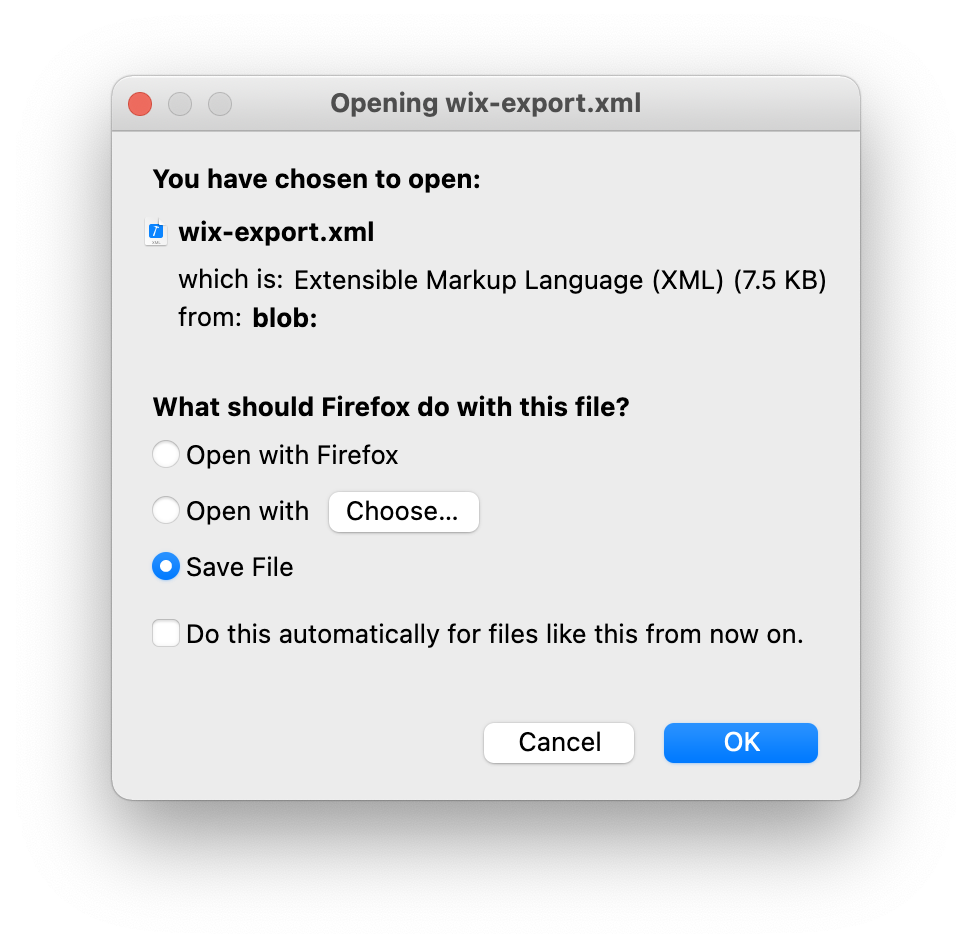
I’m really excited about how promising this experiment is. It can ultimately provide a full export of any Wix site, and we can add support for other CMS services that choose to artificially lock their customers in.
#### Where Can I Help?
If you’re a designer or developer who’s excited about working on something new, head on over to the repository and [check out the open issues](https://github.com/pento/free-as-in-speech/issues): if there’s something that isn’t already covered, feel free to open a new issue.
Since this is new ground for a WordPress project, both technically and philosophically, I’d love to hear more points of view. It’s being discussed in [the WordPress Core Dev Chat this week](https://make.wordpress.org/core/2021/01/19/dev-chat-agenda-for-january-20-2021-january-21-2021/#comment-40563), and you can also let me know what you think in the comments!, WordPress Importers: Free, Gary, 01hq0vw790nnjr8ms5yrsw5ty5.