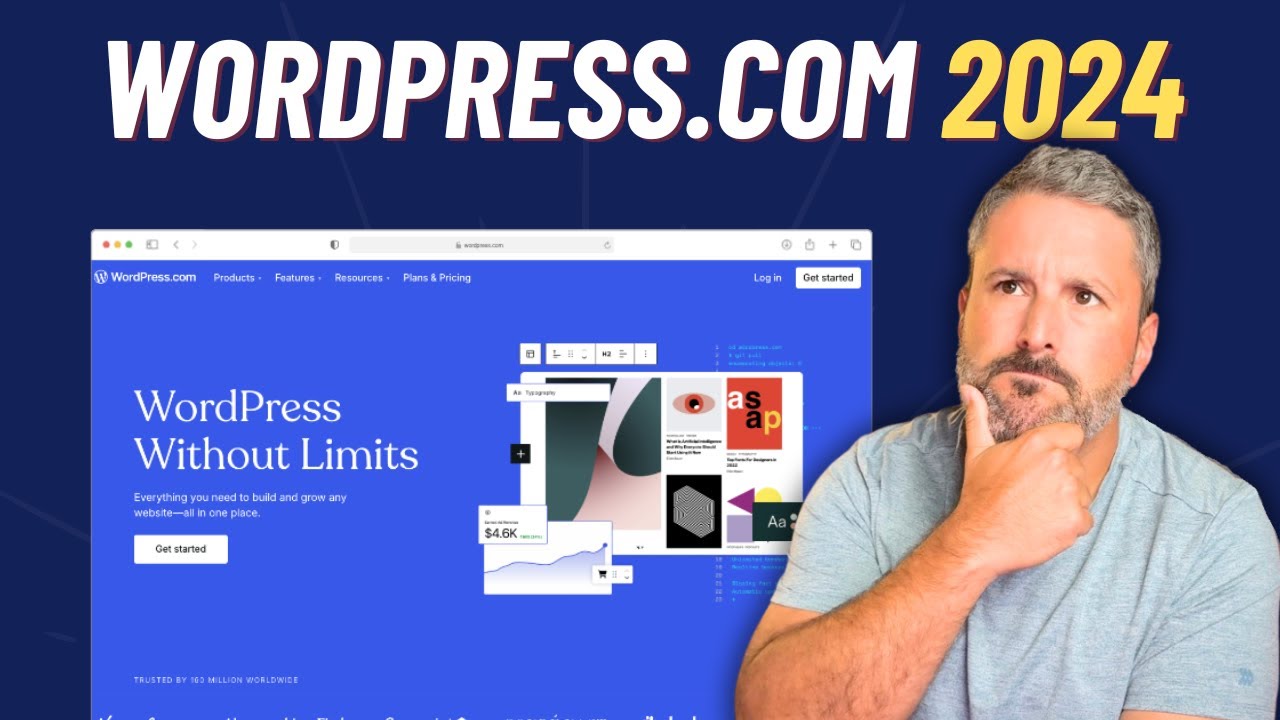
WordPress.com in 2024 🤔
## Metadata
- Author: [[WP Minute Tutorials]]
- Full Title: WordPress.com in 2024 🤔
- Category: #articles
- Document Note: ---
tags:
- #wordpress
- #hosting
- #automatic
Author: [Matt Report]
Source: [YouTube Video](https://www.youtube.com/watch?v=BVEmYV1TDNE)
Reference: [Transcript for WordPress.com in 2024 🤔](https://www.youtube.com/watch?v=BVEmYV1TDNE)
date created: 2024-10-20 16:00
---
# Title: WordPress.com in 2024: A Comprehensive Overview
## Table of Contents:
- [📝 Summary](#-summary)
- [📖 Main Content](#-main-content)
- [🗒️ Notes](#-notes)
- [📖 References](#-references)
- [🗣️ Paraphrase](#-paraphrase)
- [📰 Newsletter](#-newsletter)
- [✅ Action Items](#-action-items)
- [🧪 Hypotheses](#-hypotheses)
- [📊 Methodology](#-methodology)
- [❓ Questions](#-questions)
- [🔮 Future Research](#-future-research)
- [💡 Implications](#-implications)
- [🧠 Learning Styles Assessment](#-learning-styles-assessment)
- [📊 Accessibility Assessment](#-accessibility-assessment)
- [🌍 DEIB Assessment](#-deib-assessment)
- [✅ Logical Validity](#-logical-validity)
- [🔍 SEO Evaluation](#-seo-evaluation)
- [🎯 Conclusion](#-conclusion)
### References:
- [Matt Report - YouTube](https://www.youtube.com/watch?v=BVEmYV1TDNE)
## 📝 Summary:
This video explores the current state of hosting on WordPress.com in 2024, highlighting its unique features and how it competes with other platforms. The discussion covers tools like the command palette, Jetpack integrations, plugin and theme marketplaces, and pricing plans. The speaker provides insights into using WordPress.com for managed hosting, comparing it with self-hosted WordPress and alternatives like Ghost or Substack. The review balances the pros and cons for developers and content creators looking to manage multiple websites or scale their hosting needs.
## 📖 Main Content:
WordPress.com has evolved into a managed hosting competitor, offering a host of features previously only available on self-hosted WordPress or other platforms. The command palette is a standout feature that allows quick navigation across the WordPress.com interface, making it easier for users to perform admin tasks without leaving the page they’re on.
The integration of Jetpack adds a layer of functionality, especially for performance monitoring, backups (VaultPress), and video hosting (VideoPress). However, the speaker notes that Jetpack still lacks the front-and-center prominence necessary for publishers focused on newsletters or monetizing content.
The theme and plugin marketplaces on WordPress.com are another key selling point, offering both free and premium options. WordPress.com now supports more developer-focused features like GitHub integration for deployments and scheduled plugin updates, putting it closer to typical managed hosting environments.
Pricing-wise, the business plan at $300 per year strikes a balance between value and features, making it suitable for most publishers or businesses that need a reliable hosting solution.
### 🗒️ Notes:
- **Command Palette**: Allows users to quickly navigate different admin tasks without leaving the current page.
- **Jetpack Integration**: Provides useful tools like VaultPress, VideoPress, and AI-generated content features.
- **Themes & Plugins**: WordPress.com has expanded its marketplace to include both free and premium options, similar to traditional WordPress.org offerings.
- **Hosting Features**: Users can now access staging environments, sync between production and staging, and set scheduled updates for plugins.
- **Pricing Plans**: The business plan at $300/year offers comprehensive features for content creators and developers, striking a balance between DIY hosting and full managed services.
- **Competition with Ghost/Substack**: WordPress.com still has room to improve its offerings for newsletter-based publishers, although Jetpack provides some of the needed features.
## 📖 References:
- [Matt Report - WordPress.com in 2024](https://www.youtube.com/watch?v=BVEmYV1TDNE)
## 🗣️ Paraphrase:
1. WordPress.com has become more competitive as a managed hosting platform by incorporating tools like the command palette for easier navigation and Jetpack for added functionality. The command palette is a useful feature that allows users to quickly access different admin areas without navigating through multiple menus.
2. Jetpack's integration into WordPress.com provides critical features like VaultPress for backups and VideoPress for video hosting, which make WordPress.com more robust. However, the platform could improve its usability for content creators focused on newsletters or monetization by making key metrics and tools more accessible from the dashboard.
## 📰 Newsletter:
📢 **WordPress.com in 2024: What You Need to Know!**
In this week's edition, we're taking a closer look at WordPress.com’s evolution into a strong managed hosting competitor. Key highlights include the command palette, a tool that allows seamless navigation across your admin tasks, and Jetpack's powerful features like VaultPress for backups and VideoPress for hosting video content. You can now access premium themes and plugins, schedule plugin updates, and even integrate GitHub for streamlined deployments. While WordPress.com is stepping up its game, it still has some catching up to do when compared to platforms like Ghost and Substack for newsletter publishers. For more insights on which hosting solution is right for you, check out the full review! [Read More](#).
## ✅ Action Items:
This video offers valuable insights into WordPress.com's managed hosting evolution, aligning with your role as a Developer Advocate focused on open-source advocacy and education. The addition of developer-centric features like GitHub deployment syncs and staging environments positions WordPress.com as a potential tool for onboarding new contributors to the open-source ecosystem. Given your aspirations to direct an OSPO, promoting the ease of use and scalability that WordPress.com now offers could support more inclusive community building and sustainable funding solutions.
## 🧪 Hypotheses:
- Managed hosting solutions like WordPress.com could attract more developers and businesses by offering deeper integrations with external development tools (e.g., GitHub, CI/CD pipelines).
- The introduction of features tailored to newsletter publishers may bridge the gap between WordPress.com and other specialized platforms like Ghost and Substack.
### 📊 Methodology:
- **Surveys**: Gather feedback from WordPress developers and users on the most useful new features on WordPress.com and how it compares to traditional hosting setups.
- **Case Studies**: Compare WordPress.com user experiences in deploying complex, multi-site environments vs. using competitors like Ghost and Substack.
### ❓ Questions:
- Will WordPress.com become the go-to platform for developers who manage multiple client sites?
- How can WordPress.com better compete with specialized publishing platforms like Substack?
### 🔮 Future Research:
Further studies should focus on how managed hosting providers like WordPress.com can expand their feature set to accommodate more specialized user needs (e.g., content monetization, newsletters). Additionally, exploring the security implications of having third-party plugin and theme marketplaces integrated with hosting platforms is worth considering.
### 💡 Implications:
By addressing gaps in content monetization and better integrating with modern development workflows, WordPress.com can strengthen its position as a managed hosting leader. This could influence the way hosting platforms evolve to meet the demands of both developers and content creators.
### 🧠 Learning Styles Assessment:
1. **Visual Learners (Spatial)**:
- **Present**: Minimal visual aids in the video.
- **Improve**: Add more on-screen demonstrations of the command palette and Jetpack integrations.
2. **Aural Learners (Auditory-Musical)**:
- **Present**: The video format caters to auditory learners.
- **Improve**: Supplement the content with a downloadable audio version for easy listening on the go.
3. **Verbal Learners (Linguistic)**:
- **Present**: The speaker uses clear and precise language.
- **Improve**: Include more written content or blog posts to accompany the video.
4. **Ph
- Document Tags: [[wordpress.com]]
- Summary: I'm looking at the latest managed hosting features that WordPress.com has been introducing over the least year. Let me know what you think of WordPress.com as a more managed WordPress host alternative.
00:00 Looking at WordPress.com
00:28 Command K
01:38 Hosting Overview
04:19 Jetpack for Content Creators
07:07 Theme & Plugin Marketplace
08:58 Scheduled Updates
10:01 Jetpack AI
11:08 WordPress.com Pricing
WordPress news: https://thewpminute.com/
Subscribe to the newsletter: https://thewpminute.com/subscribe/
Donate to us or join the membership: https://thewpminute.com/support/
- URL: https://youtube.com/watch?v=BVEmYV1TDNE&si=-ogdeHWcauMUDD8u
welcome back to the channel today I want to talk about wordpress.com and what it's like to host at wordpress.com if you've never seen wordpress.com before it's quite the time to be covering wordpress.com and Automatic Products in today's climate but this is something I had on the docket for a while now and I wanted to show off some of the differences at least in the month of October in the year of 2024 of wordpress.com versus self-hosted WordPress let's Dive Right In let's dive into one of the nice little Easter eggs of wordpress.com
using a feature that I love the command pallet something I've been waiting for to uh use across selfhosted wordpress.org admin screens for a while now where is it in wordpress.org land it's here in wordpress.com you can hit command K to any point to pull up the command pallet to navigate to different areas of your WordPress website I can start to create a new post or do certain admin tasks do things in jetpack um I love the command pet it's growing on me these days and I wish I had it AC across
all of my self-hosted WordPress installs sadly not there yet but on it's here which will lead me into one of the biggest differences and one of the things you may or may not appreciate from wordpress.com hosting environment maybe you're a freelancer or an agency owner and you need things like staging um performance reporting you know Global administration of all of your sites wordpress.com has that now if we go into our um hosting overview page that'll show us all the s we have on
wordpress.com and being able to punch into each and every one of them to do some more Global administrative tasks okay here we are in the uh dashboard overview of your Hosting account now this will list all of your hosting uh accounts that are attached to your main account on wordpress.com so you can manage a bunch of client sites here on wordpress.com or a collection of your own sites that you have but if we call our attention to uh the primary screen of our hosting overview this this is
what it looks like it's going to give you your basic overview of business plan how much storage how much bandwidth you're using you know the typical stuff uh that you're going to get out of any web host really which primary domains you have and then quick jumps to some other areas things that they've really improved upon if you're a developer you can sync up GitHub for deployments to your wordpress.com account I think I covered that on the wp minute a while ago when it uh first came out uh you can monitor your site and see the performance of the server
uh the responses and a bunch of other stuff that might help you debug why things are uh going the way they are there's a logging environment you'll see I have some warnings here uh but you have your typical logs which from the word older wordpress.com days you just didn't have access to now you have that in their hosting site the staging features actually work really well um staging I'm assuming has gotten a lot better for web host these days uh but I remember back five six years ago staging
was like a selling point it was a critical feature it was a differentiator across the board for a lot of web hosts now you can spin up staging sites and you can see I have one already for this um particular website and I can uh choose to sync between staging into production so if I build some stuff out on staging I want to bring that live I can select this uh the theme the plugin the media uploads the content uh or additional web rout uh files and directories or if I'm going the other
way like I want to take just the production site and throw it over to the staging I can click the synchronize button and that'll handle it for me and lastly server settings you can set up your typical access to uh administer the server through SFTP or SSH PHP myadmin clear all caches sort of all of that administrative stuff that you're uh used to doing in many managed WordPress hosting environments all of this to say is uh I appreciate the direction wordpress.com is going in and it's starting to look more and more like a
typical manage WordPress competitor where in the past it was just like a big multi-site literally and uh you know you were just logging into WordPress and doing your thing you didn't have all of these tools and features that you get from the larger hosting ecosystem so one of the reasons why I move this site over to wordpress.com is to not only get the experience and try to understand what automatic is doing with wordpress.com as somebody who critically covers the space Cas but to also see what they're doing
to compete with sites like a ghost and a substack or any kind of like newsletter site who is you know enticing you to grow a newsletter maybe monetize your content and this is where things kind of really start to fall flat for the experience side uh of wordpress.com for that particular use case jetpack comes with uh my particular web hosting plan and a lot of the features for subscribing to a newsletter
uh stats all that fun stuff that you would get in a ghost in a substack environment they're there in Jetpack but they're just not front and center for the wordpress.com experience in fact we're just looking at a typical WordPress dashboard right here I have the little jetpack widget loading here but it's not really uh enabling me as a you know newsletter author and somebody trying to monetize uh a a Content site it's not driving home those data points for me if we go into jetpack
it's still just pretty much a standard jetpack experience we have our stats to the site we have the different features that are turned on and active and by the way some of these things are great one of the another reason why I wanted to run on wordpress.com uh was to get things like Vault press to have a little bit of safety on backing things up and video press which I plan to be using pretty soon video press is actually one of my favorite Automatic Products uh the video hosting side I think is an tapped market for automatic and wordpress.com
videopress allows you to host uh videos instead of going to YouTube and then embedding it back onto your site you can host those video files leveraging the jetpack in the in the wordpress.com automatic CDN Network that they've built for so many years um to deliver fast loading video files uh but it's not still it's still not built for that um you know publisher in mind if I go to Stats uh the overall stats it's showing
me the page views and the typical jetpack stats you're going to get uh when you go uh and run jetpack let's say on your own self-hosted site you can look at your top content and you can go to another subscriber screen that shows you the growth of your newsletter stats here still I would really like this stuff to be front and center to the immediate like login of wordpress.com maybe that's where they're uh headed with this kind of stuff I'd really like to extract these stats and show this
front and center uh for somebody who's focused on um the different verticals of running a WordPress website okay let's talk about themes and plugins on wordpress.com I'm running uh the rock based theme on this particular site right now uh it's an independent thirdparty theme download purchased it downloaded installed it myself you can do that with wordpress.com if if you didn't know that already and when we click into theme showcase this is something that is specific to wordpress.com this is
wordpress.com uh theme Marketplace if you will not to be confused with the plug-in Marketplace which we'll look at in a moment but there are specific wordpress.com themes here available for download uh for free or for paid um this is something that is another advantage to folks who want to run on wordpress.com specifically for the themes that are available uh I know it's been a selling point for years for wordpress.com so that hasn't changed but there's a lot of new themes here that that do look pretty exciting um it's not
going you're not going to build these in any different way you're still using the site editor you're still using the core features available um to many WordPress users out there in the world but the theme design color scheme typography and all that stuff would be specific to wordpress.com under the theme showcase let's take a look at plugins this is where things get a little bit different and it's been evolving over the last few months I can go to my plugins page and see my typical view of Wordpress plugins just like you do with wordpress. but
they've added something interesting here they've called now called it the marketplace and it used to just be inside the plug-in page you could get to it now it's its own Standalone screen under plugins and then Marketplace and this is where you can search for uh through wordpress.com for thirdparty plugins like gravity forms uh that I have installed and running here uh but you can buy other premium plugins if the particular plugin you're looking for is partnered with wordpress.com and speaking of themes and plugins they have a scheduled
updates initializer plug-in update manager they call it plug-in update manager I'm trying to think of a a better term for it but you know they're the ones that made it they're they're the ones that know best um you can set up times for when rollouts of updates happen for specific plugins and in this case I have it set up for Gravity forms uh and Jetpack boost these are the ones that were available so I'm assuming anything that's out of the core plugins that you're installing from wordpress.org it'll take these premium plugins and and stack them or schedule
them uh so that you're updating at a certain time your team and your company or your freelancer knows that those up those updates are only going to happen at a specific time that way you can you know make sure that they're not getting updated on peak hours of a business operating or off hours uh on like a weekend they have a test URL path where it'll test the page for errors uh and you can add those in so in the event it does find errors it would roll back the updates to the previous version that was
just trying to update from I want to bring it to the post editor experience for a moment and I just really want to focus on one area and this is one of the benefits of using jetpack and having jetpack available in a plan like this is I I actually do use some of the AI features uh which is like generating feedback or maybe improving a title for SEO I mean sometimes I click it and I don't use the title but I just wanted to see like what else uh is out there so I kind of use it as like a sounding board
um generating feedback I generally click that before I uh publish it's nice to get some feedback back even if it's AI generated and uh generating an image is actually something I use a lot now uh this is a side side side project and I guess this is where AI comes in Fairly you know handy is generating a quick featured image and every time I generate a featured image using the AI stuff it does actually a pretty good job and it saves me from having to go into my own chat gpg t account and doing that and
saving it and converting it and uploading it um so I do appreciate that I have at least that part of AI wrap it up with the price points just so you can see them there's personal plan Premium plan neither of those will get you the ability to install plugins or any of those sort of like manage hosting feel features um I'm on the business plan Square there in the middle it's 300 bucks for the year if you pay it annually and it's going to give you the tools uh from jetpacks it's going to give you the AI stuff it's going to give you the video press going to give you Vault press um and I think from a
Publisher's point of view it's a sweet spot from a pricing price point right I think it's it's giving me everything I need leveraging the large infrastructure from wordpress.com or the Dependable infrastructure from wordpress.com and it's giving me that familiar environment of you know vanilla WordPress with some bonus features there um I think if I were to you know if I was someone who didn't want to deal with WordPress at all like the complexities of the learning curve or all of the features that it has to offer all these themes
and plugins would I go ghost or substack I probably go ghost because it's open source over substack for sure um ghost does give you something that is a little bit more streamlined for that environment uh but you know if you're somebody who also doesn't want to go into the world of bigger manage hosting plans and you don't need a lot of complex features on the hosting side this is a nice hands-off um middle ground right for 300 bucks a year you know that's going to be hosted and updated and uh powered by uh the
wordpress.com uh infrastructure and again you get cool little things like the command pallet is available and maybe in the future we'll start to see uh these things hitting wordpress.com first before they hit wordpress.org I mean clearly with the command pallet we see that there we're starting to see like admin panels inside wordpress.com using things like data views which is coming to Wordpress um admin experience as a whole um so you'll start to see those things come to wordpress.com super ER so it's like a a way to get Advanced
features uh in a sense I'm just theorizing here I'm just you know just a theory craft don't Don't Kill the Messenger uh if you like today's video thumbs up subscribe to the channel if you want more let me know in the comments below what do you feel uh about wordpress.com uh have you been using it what are you using for your WordPress hosting needs chat with me uh again like the video subscribe to the channel and we'll see you in the next one, WordPress.com in 2024 🤔, WP Minute Tutorials, 01jagypz7933pknr5qnah7tvjr.