YouTube Video 17_nbdy39A4
## Metadata
- Author: [[YouTube]]
- Full Title: YouTube Video 17_nbdy39A4
- Category: #articles
- Document Tags: [[drupal]] [[frontend]] [[h1]] [[webcomponents]] [[xref]]
- Summary: YouTube Video 17_nbdy39A4
- URL: https://www.youtube.com/watch?v=17_nbdy39A4
Uh hello everyone. Uh my name is Alex Kov. I work for EP systems and I believe that not 640 kilobytes but 1 kilobyte is ought to be enough to build the decoupled block in Drupal and actually no bibles and web packs required for this and you can just write that per JavaScript. So let's do this. Let's start with creating a cool website using Drupal, of course. And here it is. Looks pretty cool, but a
bit boring, right? Let's make it uh better because there are no bells, no whistles. Let's add them. Something like this. Yeah, much better now, right? But uh my grandma said that it's not fashionable enough for those days using GS and animations. Uh modern developers use some kind of JavaScript frameworks.
You heard about it maybe angular, view, react, right? Uh but it's hard challenge to choose something because we have a lot of them. uh we can choose for example the most popular one like react or because we are building not a single page application maybe the uh smallest bundle size will be better like uh it's a pretty hard choice right uh but for this presentation let's choose
just react because it's popular and everyone probably knows about it uh and if we try to make react act and Drupal friends we have several obligatory recalls uh to make it work right so the first step is easy it's create a J6 file with a custom J component uh but this is not enough second is we should install the NodeJS npm Babel Vak
react library right then we should configure Vak because this it's not a standard uh installation but it should uh be configured to work with Drupal. Then configure Babel uh define a Drupal set library to include everything that we need. Create the JSD and this def directories to not compile it every time uh and to have uh debug information. Then we had to tell G to ignore node modules and dist files. Uh add npm
scripts to build the application on deployment. uh automatically swap asset libraries in development to make the um workflow work for local instances run and p run build on every change in any JavaScript file because if you change uh JS6 we should compile it again to JS. Yeah. And one more thing, if you want to use Drupal translations in React, I have bad news for you because you have to extract each
string from each JS6 and TS file manually because it just uh miss it. And what if I tell you that you don't need this at all? So who who can save us? I don't I think you know this abbreviation WC. It's not the water closet. It's web components. And web components is not a new framework. It's just a built-in tool
that works out of the box in any modern browser. So from oper every browser now has a built-in support for it without loading any external library. And if your grandma still use an escape navigator, there is a poly field that make it work for old browsers. And uh these web components provide all the modern tools that uh front end developers prefer like shadow dome uh support for other libraries like angular
view and react uh state management road redux all that front end stuff is available too and even server side rendering is possible here is the link to the article uh describing how to do this. It's pretty complicated but still possible. So let's try it. Uh let's start with the first step. Create a custom not react but web component.
Uh the substep A is to create a single directory component in Drupal. So we create the uh directory my component and JavaScript file. It's pretty easy. So we define the class my component extends HTML element and let's just render the the translated string hello world and then we define this component and actually that's all that we need for this. Then we should create the twig file where we just put our custom uh
HTML tag and that's it. and the component yl file where we just describe the name of the component and empty list of properties and actually that's it. Uh but uh if you want to use it in scenes and uh Drupal layouts we should define a block uh that will render the component. So we should create the my block php with a block plugin and uh in the build function just render the component
and having this uh we should make another step relax because it's obligatory step because we have a lot of other uh points to accomplish right so okay the first one is done the next one is install nodejs npm web components Right. And what if I told you that you don't need this? The next step is publish to production.
Uh having all these files published, we can go to the layout configuration, click on the add block, uh find our block, place it here, and it works. uh and actually it compiled using Drupal uh aggregation and uh in the big files we have only one file which includes our component. So it loads almost instantly without any uh additional HTTP calls.
So what we've got with this approach uh the first and the main thing is this clear JavaScript which is not a shame to push to git because it's actually a compact one compact file with JavaScript native Drupal JavaScript minifying and caching instant loading and rendering of our 200 bytes JavaScript no directories because we need only one original JavaScript file and that's it no transpiling no BEL no packs nothing
needed and even we don't need npm and package json only javascript file that you can make in not path and even nojs cannot can be not installed in the machine and we achieve uh native javascript debugging direct in the browser so we can just put any break point and debug our component and Drupal translations work out of the box so you don't need to do anything else just wrap
each string into Drupal T function and it will work and we will deploy will transfer all the translations for the current language to the front end automatically and it converts together with your legacy React and Angular components. So if you already created something with React components, you can just start creating new components using web components instead of react and they will work together and step by step replace them by only pure web components. And uh first I said that 124 bytes would
be enough for anybody and sorry I lied. uh 124 bytes is enough because we have only this uh part of um JavaScript that is needed and we can uh optimize it to one string that will be exactly 124 bytes. Yeah. Uh and here is our awesome results.
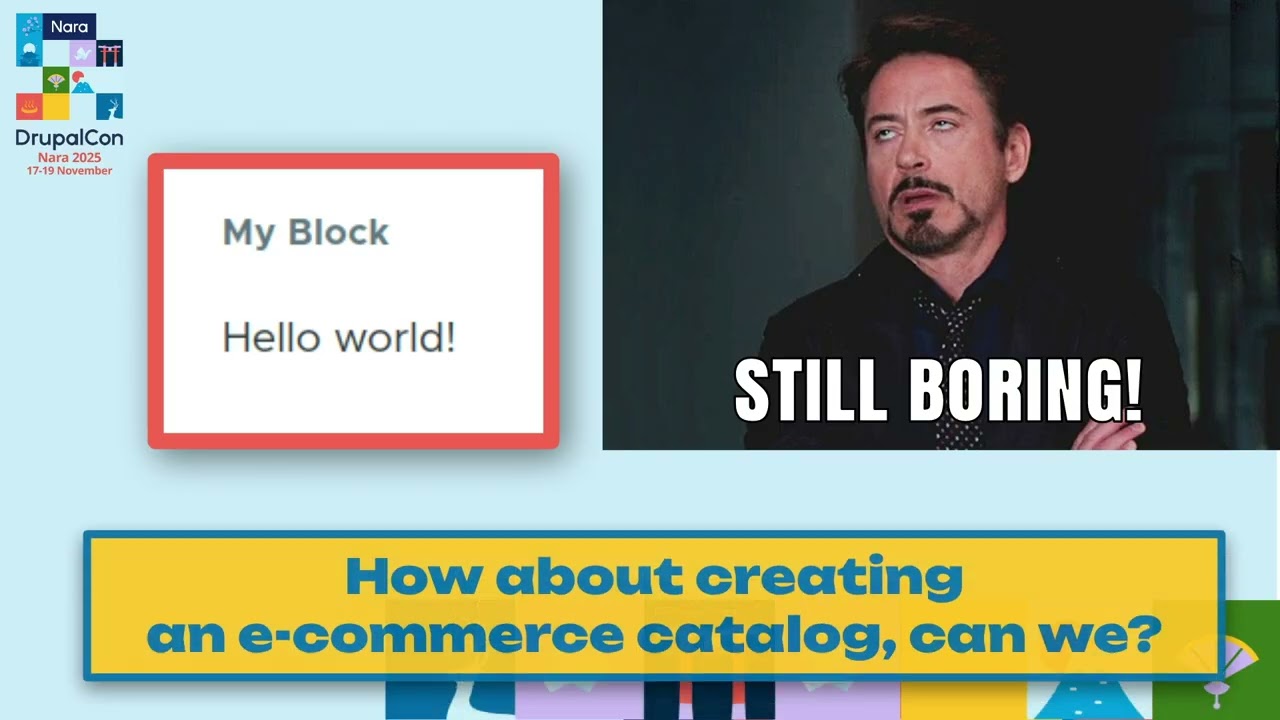
Here is our block. That looks cool, right? Uh, it's a poor JavaScript also on decoupled block. And well, that's all folks. Oh, by by the way, I think I think it's not awesome, right? No bells, no whistles. Still boring. Let's make something more interesting. How about creating a e-commerce catalog?
Can we? Uh, we have several minutes. I think it should be enough. Let's start. something like this. Uh some products with image, title and price. I think we can do this. Uh so instead of hello world, let's create a commerce web component. Uh we will start with creating the my catalog JavaScript file where we create the context back function that executes when element starts to render and there we can fetch
any data using the fetch function. Uh here we just use jam damages oncom uh and ask it to provide uh four products uh and then we receive the array and uh render the div with list of these products. So nothing complex here. I think everyone can understand this. And uh the render product function just create div and render the the image tag uh a tech and p tech with price nothing
complex and scale and then define the my catalog HTML tech. My catalog is still pretty easy compact and the component yl file is uh easy and simple too and we should add some simple CSS to make it look not bad. uh I not don't put it here but I think you can you can imagine what was there and using this we receive this
component so we already have uh a catalog of some products with uh image title and price and on the page we have only one stylesheet uh aggregated from all other CSS and while one uh JavaScript so the load time is almost instant But we miss something here, right? Uh who can guess what we miss?
Pagenation, right? We need pagionation for catalog. Uh but uh who have experience with pagenation, you probably know that it is not an easy task to make it right and we will not do it. We just use a library that already does this, right? Uh I found the VC pagionation library for the unknown mouse and we can just reuse it instead of reiniting the wheel. For this we in the catal component we should uh
add the section library overrides where we put the link to the CDN with this component and then in our catalog JavaScript we append the um generation component. Uh so this line uh executes the admin made pagenation function that provided by this library pagenation. And here we just configure the settings like current page uh number, total number of pages
and event when uh user click on the page change element. Nothing scary I suppose. And catalog twig and CSS we keep the same with no changes. And having this we have uh pagenation working out of the box with just several easy JavaScript lines. That's cool. But we still forgot something crucial, right? Uh the user can click on the
penation but they click on the card nothing happens. Right? We forgot to create the product details page and the buy button so that people can see product but can buy them. Let's fix this. Uh so uh in the pro uh in addition to the my catalog JS we should create a new component my product JS which will render the product. Uh and in the
connected call back, we render the product as image uh H3 uh P uh with price uh the buy button and the description uh of the product and actually all all that is that all what we need for this and uh in the my PHP we uh at a list on on the click uh event and uh render the My product
HTML create the my product HTML element pass the product data there and add it as a parent to the my product and we should import my product JS because it's a separate file but uh no no don't do this please let me explain uh here is the page load timeline uh when user open the page uh browser loads the page HTML file then Then it starts to parse it and see the my catalog JavaScript.
Then it spends time on the loading the catalog JS then start parse it and see the instruction include my product.js and only on that moment it starts load the my product JS and parse it. As a result we have the pretty slow load time on this page. And if you include both files using Drupal libraries they will be loaded uh at once. uh that will speed up the loading and if you use the Drupal
aggregation it will be even better because uh Drupal will uh optimize uh um and make it as one file. So this approach works much better and if you still want to use JS imports with uh many components your page load time will be infinite. So please don't do this because more imports more slowness. So uh instead of import we just open the uh company file and list
there the my product JS and my catalog JS and this it's enough. So my product JS is listed and it will be loaded automatically and the document create element will create this product without any additional external calls and making this we have already the product details page. When user click on the product, we have the buy button, description and large image. And actually
uh our e-commerce uh website is ready. Uh and still we have only one JavaScript uh that combine all the web components into one file. That is very good for performance. And we are done. Our e-commerce website now looks ready for production, right? And uh let's look on it one more time. It looks great and works. Uh but if you have fast internet,
but uh if your internet is not fast enough on each click, you see the white screen because you call the fetch function and fetch function can take several seconds when it loads the product data and it's not uh very user friendly. So we should invent something to make it more better. And here is a good time for my bonus section placeholders. Uh so what can we do with this problem?
Uh instead of white screen uh we can add some spinner. So during the load time the user will see some image like this to indicate that they should wait. Or maybe another approach put some placeholders like this. So to indicate that we are loading not the dock but uh some cards and if user switch to another page it's better to not show the gray uh
squares but uh something like graying out the previous components. This looks much better but it sounds like we have to write a lot of code to make this work and we have almost no time for this. Uh okay we started to use bootstrap uh for this design and maybe bootstrap provides something like this. So here is a standard bootstrap card and they provide the skeleton API for this and if you have the card uh to create skeleton
we should write a code like this it's even more than the original component right it's and it's a separate template so we should design the separate template just to be make a placeholder and you know what I want to say we don't need this all this at all instead of this we just uh get the original component and add the plusify uh CSS class and actually that's all that what
we need. Easy peasy, right? Uh let me show it in more details. So we have this card uh bootstrap with some content and if you add the postify uh CSS class it turns into the placeholder and using the same approach we can reloadify it. Uh if you had re realify class, it will gr out indicating that something is reloading. Uh users still see the previous content uh instead of
uh just the gray uh rectangles and it's m much more user friendly. And to do this, no JavaScript magic is uh required. You should add just a simple CSS post placeholder is three and a half kilobytes and reloadify is one just 1 kiloby and here is a github project with uh this CSS libraries you can uh use code to open it now and it includes the li
demonstrations. So we you can just uh open the lift demo and play it on the website without any actions uh on your local host. Uh so looks looks simple, right? Let's add it to our catalog. I think couple of minutes should be enough for this. Uh so uh in the uh company TML file, we just add two CSS files. Uh and in the render product, we uh had a construction uh
that checks if no product is passed, we just put some placeholder text there and a flag that it is placeholder. And if this is placeholder, we add class name placehold verify. And when the first time uh products are loaded, we should uh create four uh cards with empty placeholders. So this is code for this and uh when we switch page we should add a reloadify uh class.
This is this is done for using real reloadify to that adds to the cuts and to the pagenation because pagenation should be updated too. So actually actually we add uh place called gify to two places and realify to two places and that's that's all and then result we have already pretty user friendly a loting even for people who use very slow internet and it works like
serious e-commerce website almost Amazon. So now probably you have a question why did I do all this? Um actually I did all this to create a full featured e-commerce on Drupal having the empty database. Let's look uh what I've done uh just using that decoupled blocks. We built a full feature at e-commerce uh with product catalog with facet of filters uh
product search full feature products with discounts order creation with payments multi language multi stock and multiurrency support and Drupal database is empty because everything is decoupled. Uh nothing is stored permanently on the Drupal site. uh all product requests are cached in Drupal instead of storing the entities and product cards are synchronized with Drupal users. So if Drupal user adds some product on on the laptop and then on the whole uh computer
it will add second uh product it will be synchronized and no bibles involved on PJs is enough for uh to implement this. For now, it use the commerce tools API uh to receive all the commerce data like products, categories and uh perform search and that's it. And it looks like this. Uh here is uh LI demonstration of the capabilities of this uh approach and you can use core code and uh
uh install the lima uh even using your mobile phone and it will work using the simply test me service. So as you see uh everything works out of the box without any special configuration even filters, categories, details page adding to cut and everything else that uh usually every e-commerce website needs.
uh and this model is available on Drupal or uh Drupal or monarch tools and uh there you can find the lima link and start to use it. Here is the demo. Uh and the next min milestone for this idea is to create the commerce remote back end uh module that will support not only commerce tools but other modern uh API e-commerce back ends with API like big
commerce, CPify, Sprite, crystallize vendor and etc. So these are longstanding plans but I will try to do this. Uh and probably that's all from my presentation. So my appeal is please stop babbling, stopping, stop transpiling and start relaxing. You can get the presentation using this code. Uh if you miss something or want
to review or copy paste the code. And now uh you can ask some questions uh during questions you can scan the Q code and take part in this poll. Will you not use Babel anymore or still will still use? So if someone have questions please come here to the microphone and I will be happy to answer them. Okay.
>> Uh yeah. >> Uh thanks for the presentation. Looks pretty good. So I just have a question where you mentioned about the empty database. Uh what does that mean? >> All the data is loaded from directly from the browser. The browser generates calls to the commercial API. So on the Drupal side nothing is created. no entities nothing and Drupal used it as a
proxy to cache the graphical requests. So gra request came from the front end to Drupal uh from Drupal to the remote API for example the first page with all the products uh will be required only one from commerce tools then will be cached on the Drupal caching system and will be retrieved to the front end and the next time it will be retrieved directly from Drupal without proxying to commerce tools and if there is a login user with individual prices uh there
will be always the fresh request to the commerce tools to receive the actual data. >> Okay. >> So using this it's different uh approach for than the commerce module because with commerce module you have to configure a lot on the Drupal side and usually large business uh have the separate database where they manage the products prices customer rules and that's all and you have to synchronize a lot and this approach is just why we need to
synchronize if we can just uh using direct quotes to this. Thank you. >> Yeah. >> Yeah. And I see that uh nobody wants to use Babel again. So that's that's very good. Yeah. And uh if no questions uh there is a homework time. Uh so we can render the components actually in tweak. uh inside my component you can put some uh CSS styles
and text and they will be rendered on the terror side and on the front end side you can uh use this template and fill the slots and the task is what is HTML tag hidden here so you have time for the next to the till the next to find the answer on this yeah and if you want to tweak write in JavaScript In the browser there is another project
T named Tick JS. So we can get the T original template and render it even in JavaScript if you want to do this. And now that's really all. Yeah, thank you. I think I motivated you to use port JS instead of TypeScript and JS6 and you will be will sleep happier., YouTube Video 17_nbdy39A4, YouTube, 01kabwne4ayszwg8xdp3zd7tr4.