YouTube Video Nk5RUJE1fms
## Metadata
- Author: [[YouTube]]
- Full Title: YouTube Video Nk5RUJE1fms
- Category: #articles
- Document Tags: [[canvas]] [[drupal]] [[installer]]
- Summary: YouTube Video Nk5RUJE1fms
- URL: https://www.youtube.com/watch?v=Nk5RUJE1fms
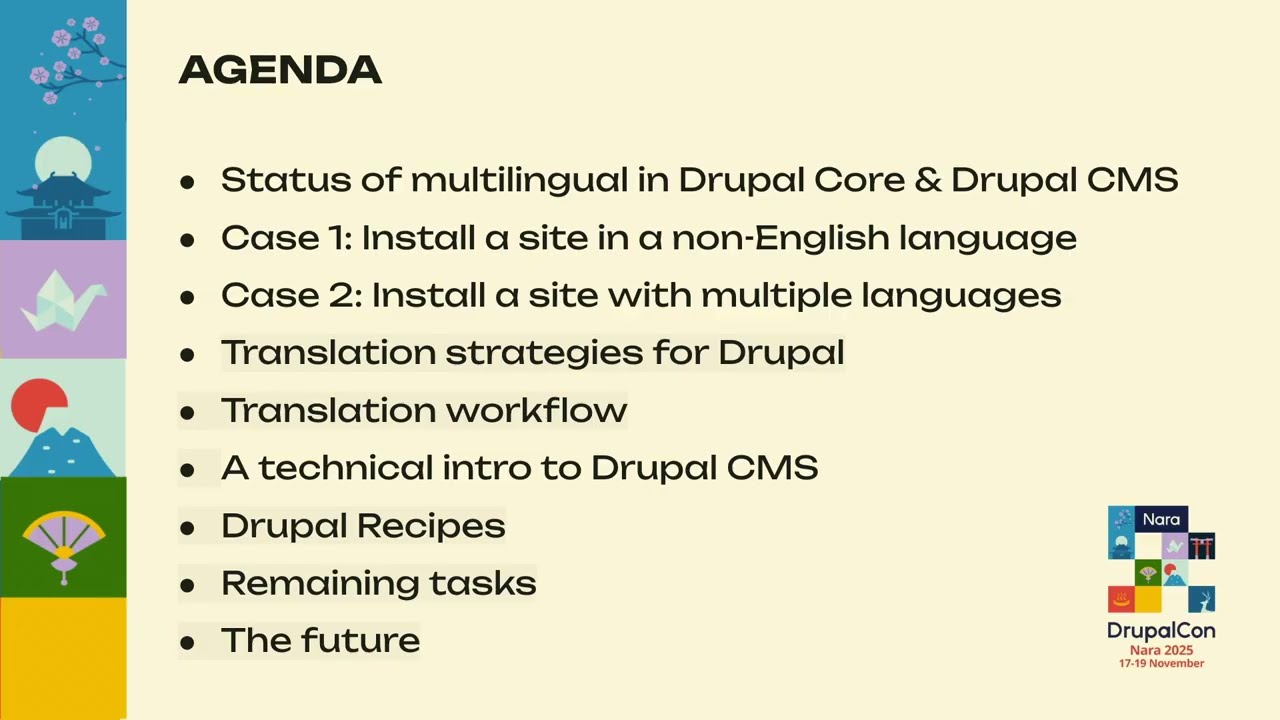
to see how are the translation strategies for Drupal and how the translation workflow we'll do a technical intro to Drupal CMS we'll see about recipes and then the remaining task and the how the future for the Drupal multilingual initiative so we're going to start reviewing the how is Drupal multilingual inco as Um we can
see that given the features that Drupal supports more than 100 uh languages how granular Drupal is because it allows to uh even control to the field even even just every field you can see if that is going to be translated or not. How you want to do the translation? If you want to take that from the URL from the browsers, how are the that allows you
for translation workflows, it allows you to integrate other translation tools. And one of the most important things is Drupal core allows you to do symmetric and asymmetric translations. And to see how h the multilingual how important the multilingual features are in Drupal. If we look at the numbers, we can see that 50% in Drupal
11, 50% of the sites are installed in a language that no is not English and also if also for Drupal 11 we can see that more than 30% are installed in more than one language. So more than 30% are multilingual sites. And considering that we think it's
important that we bring multilingual to Drupal CMS. So as you may already know uh Drupal CMS one was launched in the 15th of January 2025 and it was done not for developers. It was done for a new target audience was launched for marketers for site builders. was launched for content editors and with a very specific code
need to be easy to be used by not technical users app. It had to be very easy to be installed. But one of the things that Drupal didn't bring in the first release was the option to install in a different language other than English. So we are going to see that because the
plan was different. If we go for example to the previously released to the release candidate one, we can see that there is a language selector in that release. We can see a drop down with all the languages in the same way we have in Drupal core. So we can see here the result after installing Drupal CMS.
The result that the user was getting was that users were arriving to a dashboard in which half of the screen was in English and half of the screen was in the selected language. So uh this is not the optimal user experience that uh we wanted to release. So uh the 7th of January only a week before that dupa bongo
an issue was opened to remove the languages from the starter and the next day we look at the g repo had to be be removed and only the 14th of January few days later was when a triple one was start and be ready to be launched the next the 15th. So the plan was there but didn't work expected. So one month later the
multilingual track was created and we f we decided we wanted to focus on two main goals. The first one will be to be able to install a site in a non-English language. So for the those 50% of users we were looking at the numbers before and the case two was uh to install the site for in multiple language for those
32% of users. We define h everything on the meta issue there we have all the child issues and everything. So if you're curious about that, you can go to the notation and look at the status of the different issues. So for case one, the one we focused on installing the site on a non-English language, we have a road map in four steps. H we
decided that the first h step we had to do was put back the language selector that we had initially in the release one can build one. Then we need to download the translations for the current profile that is already completed and we have done some resyling of the installer according to the new installer that is going to be uh launched in Drupal CMS
version 2. And the one is so the styles are there we are ready to start implementing them and the one remaining task is making a resist translable. So this is the current status. We have the installer back. We have the translations for the current profile already there and we have the new design for the installer. So now we have a
design to according to the design of the the new installer. We have added a stage just to let the user know which uh language it is already installed whoever says it. But the main introduction here is the search field to make the user even easier to find their language here. So they don't have to scroll or
anything. is just if you don't see your language there in the first few rows, just go there and type your your language so it's ready to be installed. And apart from that restyling, we have another UX goal is to implement a a similar behavior to the one we have in Drupal core. When you go to Drupal core and you follow different steps, you can see that you can h choose your
language and then if you click save and continue the interface just change the language. We have we we would like to go a little bit further. H we like that. We like that when you select everything changes to your language. But now instead of se clicking on the button um that behavior change when you click is just immediately in the moment you select the language everything
changes. So one step before the the uh tropical and the remaining task is making a recipe translation and half in a different language because the part h that is depending on core
that translates immediately. But since recipes are not translatable, those part for example in the dashboard that are connected with recipes, those are the ones displaying in English. So that was the reason why we were having two different languages after the installation. So this is an issue that needs to be solved yet. And one of uh the ideas that the team is the planning to
to implement is to introduce standard channel uh language. So with the tag translate before the the strings to be translated will be done. But that is one of the ideas because there are more things that need to be connected. So in case two h we have to install the
site in multiple languages. So here the user challenge is different because h we have more than one language. So we had to go through three different phases. uh first one uh is the discovery phase. So we our aim is was to understand uh the Drupal H capabilities and then after understanding we have to pass to the definition phase. Second phase will be to take decisions what do we want to do
we have this where do we want to go and once we had like a clear picture of where we want to go start with the designs. So in the discovery faces set was fully understand what are the options that the user have to install a multilingual in a regular Drupal site in a regular Drupal core and then from there what we did was create a workflow
uh of the you the workflow that the user normally goes through in Drupal core. So as you can see there are many steps that need to be taken and the green uh shapes are the decisions that the users need to take. So it's quite a a big journey path that the users need to go to install everything in a different
language. So as you can see the first part of that workflow is that the one that has uh is connected with the installation of the different modules. So what the usersh need to do is decide which modules if they need the configuration translation if they need the content translation the interface. So they need to take all those decisions and that is what happened of the first part of the workflow and on the second
part is the configuration of those modules. So that happens also on a different screen. So they need to go through the different options select the languages h which content do you want to select do you want to translate also the interface. So it's a lot of decisions and step that the user need to take and one we wanted uh the first thing we decided is that it's like the path is too long and we need to make that much
shorter. So uh we decided to reduce the whole workflow to three steps. So the first step will be the user need to select the language the one or two or the number of languages. Then h we decided that we will offer the user to select what um translation model they want to do because it's very different if you select an asymmetric translation of a
symmetric depending on the of the goals of the project. And finally uh we will present h the user with a summary of everything all the decisions taken. So that from our perspective that will start as a recipe. H we will include a multilingual one uh recipe and when the user go to install
a new components a wizard will show because we don't want the user to go from one place installing the modules and then doing the configuration. So everything needs to happen in a in a single place. And following a little bit the previous design we had h for the installer just to give consistency we present a user with the the different languages h and
also the the filter to search the the language to be installed. So that will be the first step and then when they select they will go to the second step. In the second step at the same time that's the that the translations are being uh installed the user uh will take decision h if they want to to opt for and for a
symmetric uh translation or an asymmetric translation. Since h the users don't necessarily need to know what is a symmetric translation or an asymmetric and translation because we are in Drupal CMS and we are aiming non-technical users we'll need to make sure here that they understand what they mean for the use cases. So that's why we will add
a heading saying this is the options for more technical uses. We will add a tag. This is for symmetric or this is for asymmetric. We will show an image to show them what means asymmetric or an asymmetric translation. If they want to keep to translate all the all the content for all different language or if they want to have in each language different content. So we will make sure that on that screen
the user has very clear h what is the best option for their use case. But even if if they are also if they are a technical users uh if they will have the option here to go to advanced options and that will take us to will take the users to the more technical screen the one we see in
Drupal core. So they can go on for the fine grain and go more deeper into the technical details. Finally the last um h screen the last step will be to present the users. This is what we have installed for you. This has this are the different content types the different blogs and taxonomies. We think that
based on your previous decision are going to um be uh translated also when site templates h start working plates will also have the opportunity to say h this content from the site plates h can be translated. So this will h be uh depending on different things. But even though if those decisions taken
from the templates or by default because we are not using a site template h the the user will have the opportunity to go to the content language settings and do that by themselves. It's like it's not a closed ventil installation. They will have always the chance to go into the park to the in the same thing you can do with core. So uh finally that is if we
go to the core view and if we go to the go back to the recommended projects that will this show us like h the multilingual recipe has been installed success successfully and from here Angel will continue going deeper into the technical details. >> Thank you. So I'll be covering the
technical side of the multilingual initiative. We'll start by looking at how multilingual works uh flawlessly right now and then we'll slowly transition to Drupal CMS. We'll see what are the changes, what is new and the challenges that we are facing with this uh transition. So uh Drupal multilingual system is powered by these four uh core modules. Uh let's go through each of them. The configuration translation module works
behind the scene. It uh basically helps the site builders to translate the configuration such as view names, field labels and then we have the content translation modules that helps uh to enable translation for all the content types. Um and uh the interface translation module helps to translate the interface text uh that is visible to the user such as title, body, description and other fields. And uh finally the language module allows the
user to select the language that needs to be installed. Uh and we have a option to select from more than 100 languages. So um when we talk about the translation strategies uh these are the four key strategies that uh form the backbone of multilingual in Drupal. And um the first one is the content translation uh strategy. So the core module uh for
content translation basically helps to enable translation for all the content types and uh such as content uh tax terms uh and content blocks. And when we enable translation for them uh each of these content type gets a dedicated translate tag next to it where the user can provide the translation uh in the language that they have installed.
The second is uh code. So uh when we write code, we provide uh some strings as well and it is possible in uh PHP, JavaScript and quick template files to uh mark these strings ready for translation. So in PHP we have the translate uh function and uh we can also provide the context of the string basically whether for example here we have the month May but we can provide whether it's a verb or it's the month
basically and uh then we have the format plural function which helps in handling the singular or plural versions of translation. In JavaScript, we have drupal.t and drupal.format plural functions. And in uh template, we have the trans uh method or we have the filters, the t filter as well. So all of these translations for the strings they
basically are downloaded and uh they are present in the database in the local uh tables and they are also editable from the UI using the interface uh translation and they can also be imported and exported as the PF file. So for YAML files so all the strings uh that are present in the YAML file for the modules and themes they are basically taken care of automatically
and uh so Drupal runs them through the translate function before showing them to the user in the first place and uh we don't explicitly need to mention anything to make it uh ready for translation but we can provide the context uh for the strings over here uh configuration translation. So uh the strings that are present in the
configuration uh files uh they basically start with the configuration schema. So we have to um like we have to basically identify and make them mark them ready for translatable. So we have to provide translate tableable true in order to mark the label PHP data format that that it needs to be translated. We can again provide uh the translation context uh for it
and after marking it ready for translation that is where it gets integrated in the workflow and uh the string is picked and it gets translated. So let's walk through uh the workflow how this whole translation takes place. So it takes place basically in three uh major steps. The first is extraction of the strings. The second is translating them and third is uh uh like downloading
it in the database and displaying it in the UI. So the first one extraction of string. So all the methods that we covered to mark a string ready for translation in the board. Um once that is ready now comes in uh where the translation template extractor the cortex module uh uses uh all those functions to identify that what are strings are present in the code that needs to be translated and uh then it
generates a dot uh a portable object file of all the strings uh present and that strings get uh processed at uh the Drupal localization translation server localized.gruple.org where uh it's basically a translation repository for all the different languages and uh for all the different languages and the different uh repositories like the core the different modules that are available contract
modules. So over here the processing of the strings.po PO file is done and um then once the translation is uh done it uh it generates a translation.p file which has the key and value like the string and its translated version. This file now gets uh downloaded and all the strings are imported in the database and from there the it is being displayed the
translation version is being displayed in the UI. So we have uh know like translatable is not equals to translated. So even though if we mark a string uh within the required method so that it needs to be picked for translation it doesn't necessarily mean that the translation is available for it uh at the localiz server. So if the translation is available for it that is when uh it will get translated in the
UI. So next is we'll talk a bit about uh the template extract uh module. So this uh cortex module basically helps to extract all the strings that uh are there in the code. It scans through all the code and it uh picks all the strings and creates a PO file and uh this PO file is then
later processed at the localization server. So localize.ruple.org we can consider this as a uh like a translation repository. So over here uh there are more than 100 languages uh that are maintained for different modules. Uh the collaborators and the contributors go in and they provide their translations for the string. There
is a flow for it. If it gets approved then this is uh where the string gets added in the PO file for translation. Uh it also helps track the progress for different languages as uh you can see we have for Ukrainian, German and Dutch. So it has the whole list basically showing which language is translated how much. So um now that we've heard all about you
know Drupal and its capabilities the whole workflow of multilingual. So now comes the question that why are we even talking about translation and multilingual once again. So let's navigate through the Drupal CMS in order to understand the changes and the challenges that we are facing. Um with uh the CMS we are majorly like right now we are majorly focusing on the installer and the recipes part which you
explained earlier. So uh what was happening with the installer was that um whenever the user was switching languages currently only the Drupal core PO file was being downloaded. So all the strings that were marked ready for translation in the Drupal core repository that were being uh downloaded. But then we have Drupal CMS. So Drupal CMS is
basically built on top of Drupal Go. So it has the same architecture of Drupal goal. It has same capabilities and all the same uh modules working that we uh saw earlier but since it's uh it has some new addition of strings those strings were not being downloaded uh like the translation for those strings were not being downloaded on switching different languages. So as uh as functionality wise what we did was we extended the capabilities of the
installer so that it not just installs the core uhp file it also installs the uh p file for the CMS uh repository so that the strings under CMS for example this uh next button that we are seeing on the screen that is coming from the CMS repository. Now even though we had the translation for this next uh keyword we the translation was not being displayed upon changing the language. So
um uh when we extended this functionality so that multiple PO files are downloaded. Now we are able to see all the strings that are marked ready for translation in the CMS are translated and displayed to the user. So site templates uh so uh with with Drupal CMS we have lots of new additions and one of uh the addition is uh Drupal
site template. So site templates basically combines Drupal recipes uh theme design elements and some uh default content so that the uh Drupal website is ready and up running quick and faster out of the box and uh site templates we can consider them basically as special recipes and recipes itself needs support for translation. So against Drupal site
templates uh also require uh translation support. So what are recipes? So uh Drupal recipes are basically uh YAML file uh configurations. So um like they help uh to install and configure site as per the use case. So for example there are multiple recipes and it
automatically helps create different views. It helps download multiple modules and uh even update permissions or users if required so that the um functionality like from the users end is reduced. Now uh with this you know addition uh there came some challenges with translation because uh as we saw that the YAML files uh translation are handled automatically with Drupal. So that means that we have some limited support for the YAML file translation
but uh when it comes to recipes these are like a big version of YAML files. Now uh since these are extensive one, we currently don't support all the uh scenarios in the YAML file that might have string text and that needs translation. So um so that's the challenge that we are facing with recipe. So this is how recipe doy file looks. These are the
fields. Uh the name uh description and type. Um name is to like the name of the recipe. Description helps a small text describing what the recipe is about. And the type for example here is the group that is taxonomy. And we can also add dependent recipes uh name for example uh administrator role. And the install field helps to declare like which all modules that needs to be downloaded uh
along with the uh current recipe. And the config shows which all configuration needs to be downloaded with associated with the respective modules and one thing about recipe here is that we can provide a input. So here we uh are asking for a user's input. So recipes are dynamic and whatever input the user gives they are again stored in the configuration and they are used in
the configuration and this input happens in two places. One in the UI and other in the prompt as well. If uh for example someone is trying to enable recipe from the prompt then we have uh the prompt section where we ask and then the string that needs to be displayed and uh then we have configuration actions as well. So if there's any configuration related uh input needed and we have string for
it uh as well that is displayed upon uh the recipes installation. So uh in this recipe file we see that there are many strings for example the description and the question that we are asking in prompt and the description uh that is shown as a part of the configuration changes that are being made. So these while uh when we mention these strings in the YAML file, the
earlier that we mark it ready for translation, the then only it goes into the workflow that we saw the scanning and extraction happens, the uh processing happens and then the PO file with the translations is being installed. But uh in order to mark them ready for translation currently as we saw that only a limited some uh support is there that is even handled automatically. So the us uh sorry the developer doesn't have to explicitly mark the string for uh translation. But
now since we are extending that uh EML version we have to implement uh something that uh marks the string ready for translation. So currently we are going with the translate tag approach uh which we saw earlier and uh that is in progress and we are uh working on it and testing it in different uh use case scenarios.
So the remaining task this is just an overview. The installer is functionality wise it is completed. We are working on the sliding of it. the recipes. Uh as we saw it's in progress. We are trying to introduce the translate tag and uh uh same with the config actions. Then comes canvas. Today we heard uh brief talk that canvas is not yet multilingual and it needs support uh for multilingual.
Uh so basically uh we are going to soon collaborate and then start our work on the uh canvas UI multilingual as well. So yeah these are the links for uh the issues that we've been working on. The first one is the link for the meta issue of this whole multilingual initiative and the second one is the meta link for recipes translation because it's not uh
it's it's not a like there are multiple segments within the recipes itself and there are different problems and challenges that we are facing with all of them. So all the related issues with the recipe translation can be uh found with this recipes meta is show. So yeah a little bit about uh Drupal canvas. So the API is prepared and tested for multilingual. But since uh the canvas is all about like the user
experience and how the end user feels while editing and creating content, it is very essential to have the UI translated. But uh currently unfortunately the UI does not support translation. So that is what we will have to work on going ahead in the future to translate the UI of uh the canvas. And this is the meta issue that will be uh like a track to keep uh a record of all the issues that are there.
Yep. So that brings an end to our session. Do we have any questions? >> Sure. >> You showed um the translate tag in the recipe. >> Yeah. >> But recipe can also provide configuration through static files, >> right? >> Would a recipe author have to put the translate tag into those static files as well or is that only for the rest?
>> So, uh static files with the current static files that we have, Drupal already uh handles that internally automatically. So, all strings are passed through the translate method and then translated and displayed in the UI. But in case if there's any additional string that we are adding with the YAML files, that is when we'll have to use that type. Any other questions?
Okay, thank you so much., YouTube Video Nk5RUJE1fms, YouTube, 01kaby9h688n7q9ryre9ft7cvp.