YouTube Video Nt9MchzqDG8
## Metadata
- Author: [[YouTube]]
- Full Title: YouTube Video Nt9MchzqDG8
- Category: #articles
- Document Tags: [[containerization]] [[migration]] [[setup]]
- Summary: YouTube Video Nt9MchzqDG8
- URL: https://www.youtube.com/watch?v=Nt9MchzqDG8
Hi everybody. How's the day going so far? Good. Excellent. Please come on in. Take a seat. I see some folks flowing in. So, hey, I want to start with just saying I appreciate you all being here. Know there's a lot of choice in the tracks and AI is no doubt a big one. But, uh, you know, I'm going to let you know that we're going to have a lot of fun together for the next 45 minutes. So, I really hope to take you on a journey and you can hold uh me to that.
So, uh who's ready to have some fun and and buckle up because I want to show some demos. Everything uh I'm going to show today you can leave this room by being able to play with yourself. Okay, sound good? All right, let's go. So, if you can say the title of this talk, you're probably doing better than me. But one of the great things, how many people are skeptical of AI? No one. Great. just me. Okay, good. No, there's a few people I must say, you know, uh I'm skeptical, too. So, what I
try to do generally is make sure that I can uh see the power of AI and see the tools we can build and try and demonstrate a future that we may be able to create together. So, one of the great things about this conference specifically is everything I get to show on stage is open source and as I said, you'll be able to take it with you after this session. So, I'm going to try and keep it as interactive as possible, but also I think we can slow roll it after lunch and enjoy uh wallowing and sitting on things um and and discussing things.
So, my hope is that I can encourage you and paint a picture in your mind where you can imagine maybe how we could build some tools in the future to help uh developers be successful um on many of these platforms. So, uh sound good? Excellent. Excellent. Now, I must admit, you know, I come up from a heritage of getting overly excited about new technology. Probably everybody in this room or out in the open source sphere is probably on a similar heritage to me.
Get excited about the future and what we can build. Um, and I also like to tinker. So, I like to sit with things, see how they work, and start to build solutions. So, what I'm about to show to you is a culmination of me tinkering with a bunch of things and then coming up with some different solutions here. But really when we talk about AI agents and um talk about Kubernetes in the same sentence, you probably want to all roll your eyes and wonder how these things work together. But today we're going to actually take a look at how we can apply these tools to uh legacy applications
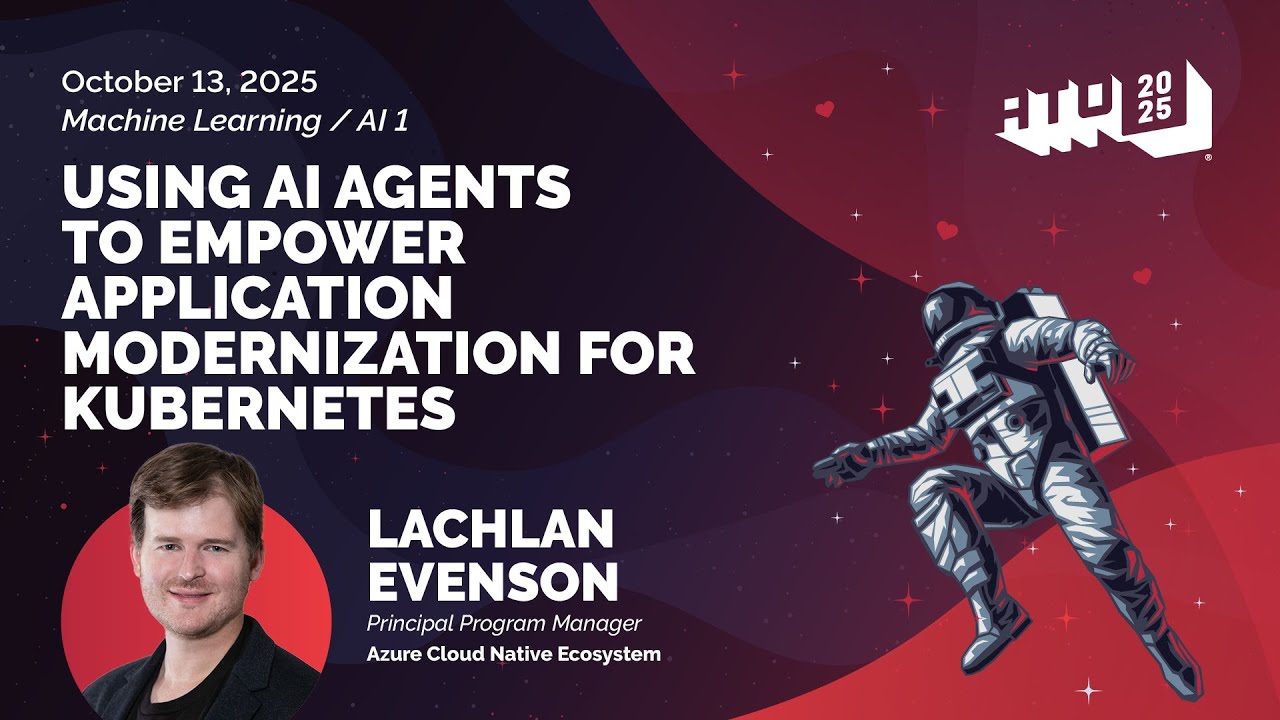
which many of you folks may be running out there in the wild. So let's uh buckle up and go on a journey. Um before I go into it, my name is Lachlan Evenson and I am a product manager on the Azure cloud native ecosystem team. I'm based in uh San Francisco, California. Despite my accent, I'm not from Northern Florida. Okay. Got a few laughs. All right. Excellent. Much further south than northern Florida. All right. So, let's get into this journey here. Cloudnative apps, right?
Everybody's running cloudnative apps. No, they're not. Um, and many people who are running cloudnative apps have had the luxury to actually build them in a silo with brand new code. uh green field applications using all the languages and suites that are built for the cloud, purpose-built for the cloud to enable them to have a successful journey. So, I think that many folks today are led to believe with events like this and things like CubeCon that everybody's already
cloudnative. But, uh is that a reality? Is that a reality for many? Probably not, right? And I would hazard a guess that most of the workloads that make companies money today are still not what we'd call cloudnative. And I think that's the reality of of several of the folks sitting in this room, if not the majority. So what about those folks? What about legacy apps? And when I say legacy, I mean that in the most respectful way because as I said, these apps are often making money for
companies are sitting in closets on servers that nobody's touched and the people that have written the code are long since left the company, but they're running happily in those uh desks under those desks and in those closets. So what do we do for the folks uh that have these legacy apps or it's their job to actually get these legacy apps to the cloud? Does anybody uh own or take care of something they'd call a legacy application? Yeah. You know, what kind of languages do we
think about when we call things legacy these days? It's kind of ironic, but um you know, when I went to college, I learned Java. I think some people would say Java is somewhat legacy, but as I said, large enterprise install base, lots of applications doing a lot of heavy lifting using Java, if not other code bases as well. So, I want to let you know that you're not alone. If this is you worried about how you're going to get your app to the cloud or if you need to get your app to the cloud, how can you make this legacy application
um cloudnative or prepare it? And what can we do in open source to make some tooling to make that easier for folks? Because I think when you are dumped with an old repository with code that you've never seen or written yourself and you're in charge of keeping that on at three in the morning, you want to make sure that thing is rock solid and you have the best chance of keeping that up and running. So when I talk about legacy, I don't talk about legacy in a condescending fashion. I talk about it as we need to help those folks running
legacy apps be successful as much as we have with the cloudnative folks and distributed system folks. Does that resonate with anybody here? All right. Well, let's, you know, two people, everybody else is cloud native. Good. All right. Anyway, no, no, no, no. I would I, you know, not even my home is cloud native yet. I still have Java apps laying around. Now, I will say there's a lot of tooling out there in the ecosystem to allow you
to do this. And this is just, as I said, I got to tinker and this is one approach. And when you actually start to use some of this tooling, there's some great tools out there, but uh usually it's templating under the hood. And once you start understanding how that tooling works, you actually need a a lot of knowledge about the tooling itself. And that may not be the journey you set out to embark on when you were asked to get that legacy Java application onto the cloud. So actually having a lower
barrier to entry is something that's crucial to making these applications successful. to get migrated to the cloud. So what I'm going to take a look at here is obviously the confluence of how we can take AI and use AI in some kind of useful way. As I said, you know, I'm a skeptic myself. So I'm always, you know, what somebody used to say to me is Missouri. And I used to say, what's Missouri? So it's a show me state. We don't want to sit here and talk about how good things are. We want you to show me how they can
actually change what we're doing. Is anybody here from Missouri? Is that the correct motto for the state? Does anybody know? Hopefully it is. It is. Okay, it is the show me state. So, I've always stuck by that moto motto of being the show me state and not just uh up and talking about these things. So, we're going to get into some demos and we're going to walk through how this tool actually functions. Now, one of the things that I think is extremely uh powerful and it was said on the keynote stage here early this morning is the fact that we can use uh
natural language as well, right? Not that English is natural. It's probably the most unnatural of all languages. I speak four languages. I want to learn seven before I die. So, if you can guess the four that I already speak. Um, I'll give you a prize. But the great thing is we can actually use terminology like this in general everyday language. Can you analyze my Java application and containerize it? Can you generate a Docker file for me? Can you generate Kubernetes manifest for me? Can you actually deploy it to a Kubernetes
cluster? And can you verify the deployment is healthy? Right. So we can start looking at this problem from a different approach and that's the analog AI gives us which I think is extremely powerful and and for those of you who've been in open source for many many years including myself right this is very different to the world we came up in what were we taught learn YAML learn JSON no comments right make sure we don't get comp compile time errors because we missed a quotation mark so
this is a really interesting way to be able to actually approach and deal with the migration problem. So, we're going to take a pivot here and you know after I stop talking here and and bring up my code editor, take a look at how uh this goes. But actually, today we're announcing and just opening up today something called containerization assistant. This is an open source tool where you'll be able to uh install it in VS Code. It's an open source VS Code extension and be able to use this
tooling to see how you can apply AI and natural language to help with your migrations. Now, um, as I said, it's going to be my job to inspire you and inspire your imagination, but also make even the skeptics curious about the power of this stuff. Before I actually pop over to my code editor where I'm going to spend most of the rest of my time because I think that that's really more interesting than slides or listening to my wonderful accent, let me just give you some of the features that we actually have inbuilt into the
containerization assistant tool. So there's Docker integration inbuilt. So you can say please put this in in a container for me. It can analyze your app, its dependencies, figure out how to put them in a container and it can also make that production ready as we'll see. Has Kubernetes support. So you can say please deploy this to a local cluster so that I can test it and please run some CI/CD health checks which it it will define as well. Um the knowledge is enhanced. So the great thing about this is if you've never actually containerized or put something on
Kubernetes before, you may not know the inherent best practices about doing that. So this tool can help you identify and actually make sure that you're using best practices, right? And then we can actually do other things like security scanning. CVES are a big thing. Who's worried about CVEEs at night? Everybody who loves CVEEs, no. Nobody. We can do things like please scan this before we deploy it or please stand it before we publish it to a container um registry.
And finally, you can get different recommendations. So, this is a really neat suite of tools and we are building this in the open. Love for you all to take a look or just give real-time feedback as we go through this. But this is basically the suite that we're opening up with as part of this open source. Now, for those folks who manage or own a set of legacy apps, this is what we've identified as being kind of a journey that you may go through. And I'm going to step through each one of these with the demonstration, hopefully live and not pre-recorded because you all came to
the Taylor Swift concert to see her live, right? Not to see a recorded version. But sometimes the demo demo gods uh would have better intentions. So we start with an analysis. What is in your code? What's in your codebase? What is its dependencies? Let's do uh an analysis and generate a report. I did fail to mention on that last slide, it's self-documenting. So we actually produce readmes for everything. So if you have an undocumented codebase, we'll actually interpret the codebase
and provide a human readable export of how it's architected and how it's designed. So we'll go through those things too. Uh generate docker files which is incredibly complex to do um securely with best uh security defaults. Um build your image, scan it. CVE folks rejoice. You will have less CVE. there are just you know there are the CVS you know about and the ones you don't yet know about there are never none um tagging generating Kubernetes
manifests preparing a cluster for deployment so we can actually create the artifacts on the cluster deploy it and then actually verify it with generated health checks that we've introspected from the code. So that's just some different ways that this tool works and as a standard um approach to uh that we're taking to helping folks migrate from legacy applications to cloud. And then finally before we go into the demo just a few things here just to give you some um ideas because I do get a lot of how do
you avoid hallucinations. So if you never heard of the term hallucinations it's when AI comes up with random crap that doesn't make sense and you believe it because you don't actually know what the right thing is. That's an hallucination. Some may say our best work is done when hallucinating, but we never use this uh in the context of AI yet. So what we do is actually do sequential execution. We come up with a plan and we follow a plan that we've actually already documented to avoid
hallucinating or coming up with a random set of things that we're going to do. And then you get real time progress. Has anybody heard of MCP? Anybody used MCP servers? Okay, cool. Well, if you haven't or that terminology is new to you, don't worry. We're going to go through it, show you how easy it is to set up an MCP server and get started on your local laptop. Um, so you get real-time progress and then you have helpers along the way giving you outputs, clearly defined next steps, and giving you the choice of what you'd like to do as you go through it.
Does that sound interesting to anyone? Exciting? This kind of piqu my interest because I, you know, I got to admit I get to stand on stage. a bunch of developers on the team had actually created this. So, thanks be to them. Um, but I get to show it. But when they showed me this, I was like, you know, it sounds too good to be true. It's like that infomercial at 11:00 um in the evening saying, you know, for 1999, you can get a year's supply of used socks. Um, so let's go ahead and get into it. What would folks prefer?
Would you prefer pre-recorded demos or you want me to try and do this live? >> Live. We'll do live. And you know what? We'll slow roll it. Okay. So, I'm going to I'm going to jump out of the presentation here just to show you that I'm in a presentation. Going to hop over to my um VS Code instance here. Sorry. So, before I jump into everything, if you haven't used VS Code before, I'll just go through the setup that I have here. On the top left there, I actually have a
Spring Boot app called Pet Clinic. And you can see all the files. Can everybody see this? Do I need to bump it? Bump it at the back. Bigger, bigger, bigger. I see signal. Light mode. Um. Yes. How do I turn it on to light mode? Because I never use it. Control shiftp. I love this. Okay. Control shift P. That's going to take me to command
pallet. Right. Light. color. See, I never I I love this because you get to see me doing it live. Did I? I didn't go into the command palette, did I? Code, settings, themes, color theme, light mode. Which one? This one. Better.
Hey, crowdsourcing the answer. Thank you. All right, that's it. Thanks for coming. All right, I showed you how to get to light mode. Is that not enough? All right. Excellent. Excellent. So, we're going to take some time and go through this because I don't want to rush it because there's a lot going on here. Right. So, on the left, I mentioned you can see we have a a Spring Boot application with all the files. I have a git checkout locally on my machine. You may see some things that are common to you like a pom.xml,
gradal.bat, that and a few other bits and pieces here. Some Kubernetes files. Um, in the center I have no files open at the moment, so you can't see that. But if I was to open a file, you could see that I have a Docker Compose file here. In the center bottom, you can actually see I'll see if I can bump this without making it overly obtuse. Here, um, you can see my um, terminal. So, you can see my name there and my computer name, which is CUDA Pierre. If anybody knows ballet, hats off to ballet. That's your ankle in French. um and spring pet
clinic. So um and then over here on the right you may see and this is where we're going to spend a lot of our time build with agent mode, right? So we have um a chat window open here. If you have a newer version of VS Code, you'll see this up here, this little um chat icon, and you can start it in very uh different ways. We can start it in agent mode, ask mode, edit mode, and you can see the model that I'm using, cloud uh I'm actually using Claude Sonnet 4.5. um for those interested. So that's kind
of my setup to get this uh going here. I think up here, if I was actually to open something up, we talked about MCP servers. So what I'm going to do here is give you just a look at an MP MCP server. Two things I'm going to do. So the way that this installs is um there's a GitHub repo and we actually use mpm under the hood to install an MCP server. So you'll find on the readme.md in this uh containerization assist app a basic
installation that creates a binary on your machine. Assuming you have node installed, it will build it. And we also have a dependency on docker desktop running locally. I can tell you why later. Right here. So this file here that I have open is called mcp.json. So after you've installed the MCP server, you need to tell VS Code to indeed use it. The way you do that is there's a file called mcp.json where you get to put as you guessed a blob of MCP. So I'm defining an MCP server here called containerization
exist. I'm giving it a command because it's running in standard IO. So it's running on my machine. It's calling that binary. I'm telling it to start. I'm giving it the uh environment of where to find the Docker socket and I'm telling it that it's standard IO and not um HTTP or other input methods. So I have this. You can actually click start. Um I already have it running. Um so I can just to click start. You can see it running. You can restart it. But basically if you've never used MCP and VS Code, you'll edit this file. There's
a visual way to edit it too. Add your MCP servers and then start there. And then if you open your command pallet, actually what I'll do is if I go down to the bottom right here, this is all set up for those folks by the way, for everybody here. Um here are all the MCP servers in this list. we actually have built. So I've actually disabled all of them except for this one called containerization assistant. Now the great thing about MCP, so MCP is model context protocol. It is a way for you to be able to get context into an LLM and
make it have uh make context aware inferences. It also allows for tool support and this is kind of the crux of containerization assist. So you'll actually see a lot of different tools here defined. You can see them in the list up there. for example example analyze repo build an image convert to Kubernetes from ACA deploy inspect generate there's a whole bunch of things that we talked about earlier that this MCP service provides and the fact that
these are checked in this list means that they're enabled on my machine okay and ready to use. So, so far I've really just talked you through the setup of my environment and not really gone into too much of a demo, but I think that that's important if you've never used MCP or the features in VS Code before to to uh use AI. Okay, so this is we're going to use agent mode here. So, I could actually ask a question. I could say uh an uh
analyze uh my Java if I can you know, a watch phone never rings. I can never type in front of people. Uh, for containerization, and I spelled that the American way, not the Australian with an S. So, I can actually go and say, please take a look at my um codebase here locally. It says, okay, hopefully you can see that on the right. I'm going to start taking a look at what you have here. Right. So, it
sees we got a pom xml. sees we have some application properties, a Docker compose file, and now it's actually going to look for some key configuration files. So, it's interpreting, it understands what Java is, what a Java Spring Boot app may look like, and it's actually running these things. I've enabled these things to run these errors, and I may not already have a token here, but that's okay. I think we'll be okay. Um, and away we go. I'm sorry.
My initial prompt was please run analyze the repo and um I can actually just press up here and see what happens. Analyze my Java app for containerization. Yes, I have some questions. I'll try and repeat them for everyone back. Yes. Yeah. Okay. So the question was do I have any other base prompts or rules in this repo? No, not right now. So um the reason that gentleman asked that question is you can create base prompts
that are reusable across a team so that they get similar output or produce similar results. Okay. So I'm just going to walk this probably pretty briefly but we can take a look. So it went ahead and did the analysis. Um it basically said hey we've got a Spring Root 3.5.6 and Java 17. Um it already has some interesting things that make it container ready. Um here are some uh containerization considerations. Hey, you may want to
actually use a hosted MySQL or Postgress um database. We can create things environment variables that you can go ahead and use. We can set up Kubernetes for you. We can create a Docker file that's ready for production including best practices. So for example here just to demonstrate hey you could use a multi-stage build which is uh best practices creating a docker file uh we can use proper security hardening we can use non-re users we can use base images that are very small in footprint and can
train less CVE so here we go hey consider using this as a base image Eclipse um here we're going to use this security of performance um and then some other considerations that we can actually do it so it also talks about a little bit why you might want to do this. So, and what things are missing. So, as I said, it gives you some general guidance um about how you could proceed here. Right, we've done the analysis at this point and I've done nothing but
just that quick prompt. Right? So, now at this point I could actually say, you know, generate docker file. You can do another cool thing. Actually, I'll just do it this way for this time. So, generate uh docker file. You can also see over here on the left that none of these files have been touched at the moment. Um actually none of them have been touched. So we'll see if this uh actually works. You can see the containerization of production ready manually based on my analysis. So probably I've exhausted my tokens today
on claude sonnet uh with GitHub copilot but this will try its best to do it without um uh being connected as well. So what it's right doing right now is you can see that two files have been created. They've actually been opened up. Uh we have the docker file here. So if you take a look at this docker file, uh you can see that um we're actually going to use this create this application, copy these pieces in, run and actually build under the hood the application,
right? And we also have a docker compose override file that's actually um overriding the base docker file that we're docker compose file that we have here. So again with very little input from myself other than just my desire of what I'd like we're actually going and creating a build script at the moment. So couple of things this has done is create a a docker file for me. Um you may notice that over here on the left we
have a development version of the docker file which may contain a different uh approach. We also have the production docker file which may contain some differences there as well. Um over here we have the output still streaming from my command and it's just asking for uh the right permissions for it to be able to create a shell script for me to be able to call. And then finally as I said it's self-documenting. So if you're paying attention down on the right, you can see that it's going to generate a readme for everything that it's done.
So while that's happening, we can take a look at the uh Docker build. So it's actually created a a shell script that we could um actually run to generate the application and associated files and get to keep over time. So while we wait for that to finish up, it's creating this Docker MD over here. You should see it. Um here we go. And we
can just open with preview. So this is one of the things that I said is really um beneficial about this tool is it's actually generating documentation. So if you have a legacy Java application, for example, that's undocumented, it's going to actually tell you how to use the scripts it built, right? Build the production image. We're going to run docker build build production uh run with an external database, right? You might have a Postgress or a MySQL database. You could actually use that
parameter um development mode with hot reload and then it actually tells you the features of how the Docker file has been uh contain uh built for example nonroot exe uh uh for security and then it tells you a little bit about the developer pieces. Um, it tells you some environmental configuration. So for those folks who uh, you know, you might have an application that depends on a database. Typically, it's going to, you could actually pass in via environment
variables. Here's my JDBC MySQL URL, and here's how I can um, actually pass in parameters via environment variables to change the way that my application runs. And then finally, if you're running this on Azure, for example, it's going to give you those commands um, also with Docker Compose. So you can run those up. Finally, here we have some health checks. So I said that it actually takes best practices and produces health checks. So this has actually found that it has an actuator/health endpoint that
we can ping on an interval and try to do some health checks. Also giving you a script to run that as well. Then finally just here are some different things that we can do on scanning building and troubleshooting specifically debugging. JVM settings. So, you know what I'd love to illustrate here is just with a single command, we've generated not only uh self-documenting output, but a complete set of build scripts for our application that we didn't once have.
And if you look over to the left here, you can see in green, if that green comes across on the projector that we've actually created all these new files as part of this process. Okay, at this point I'm just going to take are there any questions? No. Is this peing anybody's interest? Yes. A question up the front. >> Yeah. So the question was while setting
up NCP why do we use docker? Two reasons because we allow uh the tool to actually build the container and we need some place to build the container on the laptop. Doesn't need to be docker. It could be podman or any other type of platform that has a way to build a container. The other thing is there's actually a scan. So scan my container. So we actually use um trivy to do the scanning and we need to point it at a container registry. So docker desktop was just the way that I configured it and I needed to give this access to write to the docker socket. So it was
just part of my configuration specifically but you could use other things that know how to uh deploy and run a container. Does that help? Yeah. Any other questions? I appreciate the dialogue. Thank you. Yeah, the local MCP server. So, um, this tool containerization assist is an MCP server. So, and it's written in node. So, the MCP server, what it's doing is
actually looking for keywords in my output. It it publishes things called uh tools. So, I can actually do this. Um, if I was to type a pound sign and then type the tool name, I have something called analyze repo as a tool. Right? So, it's looking for keywords in my prompts to say run this tool. So, when I configure the MCP server, any prompt that I put into my agent window, uh, the agent makes a decision to route it to
that MCP server for processing. Now, typically what that's going to do is go out and call an LLM. In this case, I have um claude sonnet forward.5 and then it's also going to call any tools or endpoints on my machine that it needs to do to make a determination for the inference to provide the context aware feedback. But you know, for example, I ran analyze repo. I could just go analyze repo without typing an English prompt that I used before uh in the first part.
So I can see, you know, demo gods did get me. It's not actually able to connect to uh claude on it, but I have an LLM run locally and it's able to do the fallback. So, that's running. Um, again, does that answer your question, sir? Yeah. So, and just one thing, if you're playing around with MCP servers in general, um there's this little uh tool down at the bottom right, it'll pop open a command pallet here that actually says what MCP servers you have um deployed.
For example, I have one called GitHub. So, if I had that enabled, I could say, "Git, show, show me all my repos under my organization." I have one for Azure. I could say, "Show me all the resources I have on Azure." And it'll make a contextaware um tool call out to Azure and actually give me that feedback. Right? So, this allows me not only to interact with a LLM that's already been pre-trained, but take context from live environments and make decisions.
Yes. Yeah. Is yes. Yes. I'll repeat in a sec. So MCP is actually being so what I have is the containerization assist is an MCP server that we've configured in VS code. So VS code knows how to speak MCP to that MCP server. There are many APIs in MPCP. One is like tool discovery to say
what are your capabilities listing them out so that VS Code has action access and then the containerization assist tool actually feeds the output of that back into VS Code and then over to LLM's using GitHub um copilot. Yep. Yep. Yes. Thanks for all these questions by the way. These are great questions. Yes.
Yeah. So let me just repeat the question for everybody and then I'll answer it for you. So the question was that the gentleman has a a more complex C application. Where can we define more
parameter or more context for the prompt specifically? I'd say the best way to do that is uh you can have base prompts or base uh instructions and inside your repository. So typically what I've seen application developer teams do is put kind of their APIs, the API style guides and check it is as an instructions.mmd. VS Code is is instructed to look for an instructions.mm MD and actually feed that as base context for the uh prompt so that all your engineers don't need to
remember all the base things. So you can put coding styles, you could put um APIs that need to be used, you can put versions that are required and you have a way to define that and then standardize that and check it into source control. So maybe that's a way so that your application developers are asking more uh generic questions but then having all the knowledge that's applied. Now I've heard it said before that people say what are prompts really? I say prompts are really all your institutionalized knowledge in a
question in a question form. It's kind of like Jeopardy, right? Where you question and answer, please give me. So, um, when application teams, because as I said, I'm showing one tool, but what I wanted to do was show you how to use tools in the context of what AI might be able to do just to peak your curiosity. Um, is pass around things like instruction files. And there are actually tools out there to make sure that instructions are synced or checked into different repositories as well to make sure that all your application developers are starting with the base uh
the shared base context. All right, I'm just going to take a look at my watch here to check. I've got like 10 minutes. So I'm going to do one more thing and then I'll take your question. So just because this is great. I appreciate all the feedback. I have 10 minutes, right? 10 minutes. Okay. Um I just want to do one more thing and that was you know I'd love to deploy this and show you scanning. We can do a whole bunch of other things here as I said like for example we could run a scan of the application see if there are any CVEs in it get a CVE report and then go
and remediate those things but let's just say um generate um Kubernetes manifest just because I think this is something that's um extremely difficult for those folks who haven't had much exposure to Kubernetes and I think it's something that's extremely errorprone and I wouldn't ask people to go out there and learn how to do all these things in Kubernetes. But what we're going to see is this thing is going to take a look and generate all these different todos. As I said, it comes up
with a sequential plan and then executes on that plan. And we should see it create a whole bunch of Kubernetes manifests that it can um apply for the configuration. So we should be able to take this and apply it to a a cluster. And the great thing about that is again you're getting best practices by default. So it's going ahead right now. Now you can see it's created this directory uh called K8s which is the abbrevi abbreviation of Kubernetes. It's starting to create Kubernetes manifests with things like your spring spring boot
or other bits and pieces of information that you may need to feed into your application like your data database connectivity strings connection strings. Okay. Okay. And it's generating. You'll see it actually go through and generate all these different files that you need to get this application to production without actually needing to know each and all of them. Now, while this is happening, which is happening in the background, I'll take a moment for some more questions. I I saw a hand over there. Yes, please go loud. I can barely hear you.
Sorry. Yeah, I can. Yeah. So the question was thanks for the question. Uh libraries may have changed and we may have dependencies that are updating. How do we make sure the application still functions? Uh what this will do is generate health checks and make sure that those health checks
are still met. But that's about the extent of it at the moment. We're looking for other ways uh to do that as well. And one of the other ideas we have is an assessment tool that'll actually say here's all these libraries that have been updated. Here's the changes. Here's the risk of actually updating those libraries and what that means. So that's a good question. I think that's something that needs to be managed over time because the libraries obviously could have breaking changes in them over time. Yeah. Just just a second. Please. I love all these
questions. Thank you. Yes, please. Yeah. So the question was if you have an application that's already been containerized, can this tool to tool help with uh best practices? Yes. So you can actually have it look over um your container manifest and make recommendations based on uh security best practices and make those uh application changes as well. Um other
questions you're next. you then you does this application have any prerequisites how about I go just quickly and see if I can pull it up um just because I like as I said you know Arkansas right so show me right so here is the application that we're going to open this up today so you're seeing it here first um here is I'll I'll bump the font sorry folks so here is how you install it here are the requirements
right docker or docker desktop you could use any podman or any uh desktop based uh container packaging mechanism or tool NodeJS and then Kubernetes if you want to deploy it that's the only prerequisites uh so so applic dependencies on the build tools specifically no so under the hood this is using other tools like um things like conveyor to do pattern matching on the application then applying a a uh a set uh behaviors for
that specific language. So for example, if it's Java Maven and other packaging mechanisms for other tools as well. So um okay another question over here. Yes.
Yeah, this tool specifically was more about the migration. So the question was can you know if there's something going wrong can it fix it? Uh not this tool specifically but we have worked on other tools. For example we have um something in our CLI called uh let's say for Kubernetes we have uh Azure Kubernetes AI. So you can actually say here's my Kubernetes cluster and asked it in natural language what is wrong with my app and it will go and take a look at all the logs and say likely these things
that have happened. So take a look at that. That's also built on an open source tool called homes as in Sherlock Holmes GPT. So it's actually a tool out there that's open source. It's in the cloudnative computing foundation. You can pick it up, point it at all your logs and it'll actually do introspection uh to help with troubleshooting. I had I think I saw another hand there. Yes.
Yeah. Is is there a way to the question was is there a way to choose the identity? Not currently. So that was outside of the initial design. It was more can we give something to a developer. But I think I guess my question to you is is why do you ask? What is the use case? Okay. Okay. Because you're forced to have admin active. Yeah. So you would like some centralized way with the deployment where folks interacting with a hosted version of this and this has an identity that's separate to the
individuals using it. Yeah. Or even just on your laptop. Yeah. Yeah. So I think that's something that we could do like a hosted version of this as well that has ident, you know, different identities on the back. But you can also Yeah. You can't do that at the moment unfortunately. >> Any other questions? Yeah. Yeah. You
Yeah. So the question was will will this tool allow you to execute within the context of the um running container? Yeah, we do have some tools that'll allow you to run up the container and do some introspection of that inside this tool. Unfortunately, I don't have the time to show you right now, but you can you're going to have to take my word for it. You could. Yeah. Yeah. But really, you know, we what we saw at least from a first pass is obviously an opportunity to create a different experience to see that that that might help. So, we need
to hear feedback from everybody to see whether this is actually something that's beneficial. Okay, let me just check the time here. I have like three minutes left. I could take one more question then I'll wrap. Yes. Hand in the middle there. >> Yeah. So the the question was sim similar along the lines could we pro
deploy a hosted version of this and have it more as a platform for many end users to use as a yes you could. We don't we haven't done that today. Um and you know maybe if that's a a great use case I think right now the the the kind of idea behind this was is this actually a useful way for those folks who are left with code bases that haven't been uh containerized or deployed to uh Kubernetes or modern cloud distributed
systems. Is this actually a helpful way for them to get on on board? So if that's you and and you took anything away from this, I'd love to hear from you. But we don't know yet if this is actually a valid um pathway. I think it's a different approach which is why I'm excited about it is that I can with very little knowledge other than English. And you can argue that as an Australian I don't even know English. Um but uh you can go and ask some natural questions here and get things outputed. And we actually have the output here finished. And um we have it deploying
all these different bits and pieces. We actually have it generating all these Kubernetes things to have a production ready version of this application. Okay. Um, with that, I'm just going to pop back over to my deck and then and finish up because I do really appreciate all the questions. And in fact, um, I actually prefer that method of of talk. So, I hope you all enjoyed that as well as we went through kind of the features of VS Code, uh, deploying MCP servers, configuring them, and then actually
interacting with them. And I encourage you if it's not open up, we're opening up today, but it should be very soon. uh if you're interested and have legacy apps that you'd like to migrate, I I'd ask you to take a look at containerization exist assist because uh it's just one way to solve this problem. We're interested to hear your feedback. And then I'll just wrap up by saying thank you. You've been a really dedicated, engaged, and uh willing audience as thanks for coming on this journey. I really appreciate it. I hope you learned something. Um and I it was my pleasure just presenting some different tools out there and some different ideas. Did I spark anybody's
imagination? Yeah. Will you go build something awesome? build something better than what I just showed, right? Come back. You be on stage next year. I'll be around at the Microsoft booth. I really appreciate your time. Thank you. Enjoy the conference and we'll see you around. Thank you., YouTube Video Nt9MchzqDG8, YouTube, 01kabxdy8hkj3j5he13g7ep6hz.