YouTube Video TRpbRS3ffrE
## Metadata
- Author: [[YouTube]]
- Full Title: YouTube Video TRpbRS3ffrE
- Category: #articles
- Document Tags: [[ai]] [[drupal]] [[h1]] [[safety]]
- Summary: YouTube Video TRpbRS3ffrE
- URL: https://www.youtube.com/watch?v=TRpbRS3ffrE
and thanks for joining my session regarding Drupal and AI agents. In this session, we're going to see what agents are, how uh we can integrate them into our Drupal system using the Drupal agents module and to perform action within and outside of Drupal. But first of all, I would like to introduce myself. My name is Vinciro and I can say that in Japanese too which is I think hopefully I got it right because
I studied um Japanese from Tuling for the past two months. So I accept few words like misu go sushi coco bast and eggy and these kind of things. So when I arrive here okay let's try to get some information. So I was looking for a pass and I say I'm going to question and
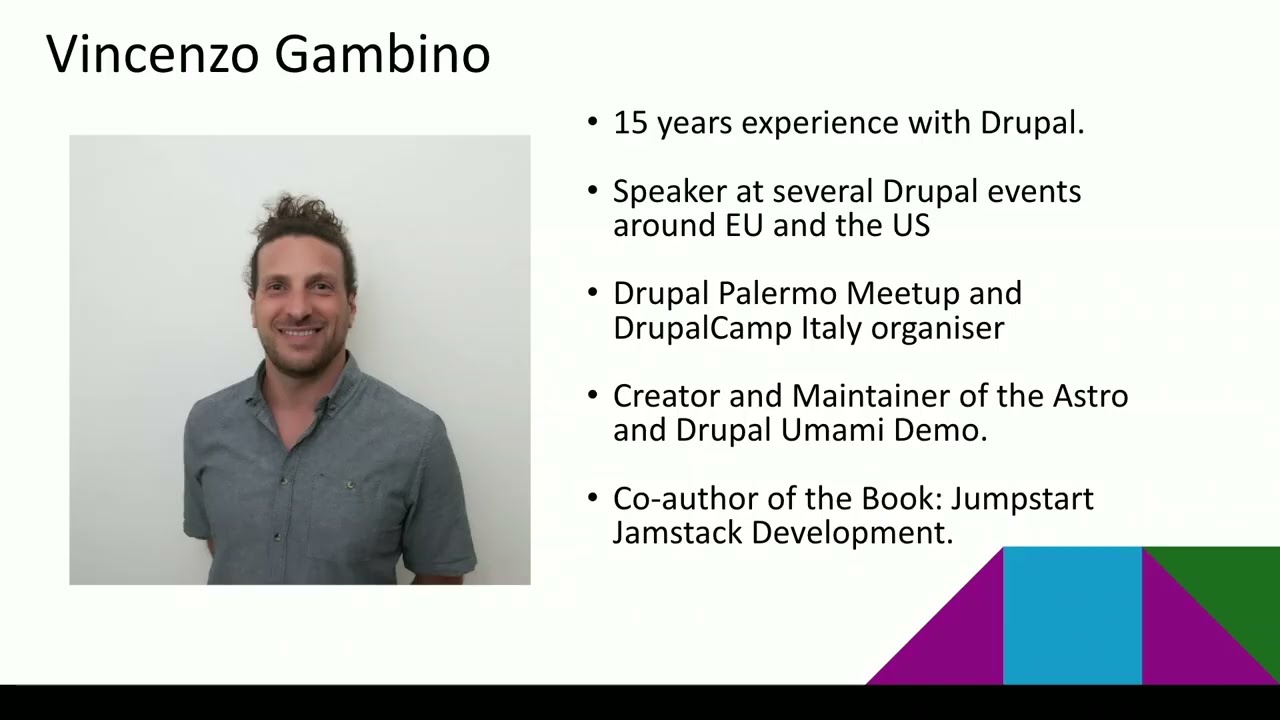
answer totally different from what during teach me and and they end up taking a cup. Anyway, I I love Drupal. I've been working with Drupal for 15 years now and uh and I love I love to contribute back uh back in 20101. I started contributing back to the rubal.org forum living out also group stack exchange on the forum and then uh welcome London I started to give uh to teach well uh for the full day and then
I also start to give sessions and I get several session in the past 10 years around Europe the US and fin as well uh I am also the organizer of meet in my hometown in CD and I'm also welcome Welcome Italy organizer that took place for the first time last week on Thursday on Friday in in Rome. I also the creator of material of the Astro mommy demo that connects to Google because when Astro
came out is a front end framework came out I went and see how to connect to Google how it's going to work and I saw that there was no documentation about Google. So what I did I just took demo replicated in Astro and then brought the documentation and now is on the Astro side. So I do on the south side just beside sanity content of contentful and WordPress and I'm also the author of the book Jamite development where I explain how to build application using Gatsby
and Sanity Gatsby Drupal and also sanity and Alexa. So today we're going to talk about pages what they are and difference between all the genetic system. We are going to talk about the Drupal AI suite of modules. We're going to talk about the IHS model as well. Then we start coding. So we see how we can build the tools in two different ways. One function all the API and then we're going to put everything together with the edges and the system
and we're going to provide also an interface through the chat port. So let's start. So let's go back to November 2023. Open AI launch chat GPT. Everyone was happy. We start using it so we can produce some good quality text. So we start writing email. We start writing LinkedIn post like I'm thrilled to announce that they represent to welcome Nara and everyone was happy even the company the company start going into
started going to the market in um with AI and like in a wide way that reminds me uh one character which is in Os and basically they started just went headlong rush on on the market and they start to build to integrate AI everywhere on the side, literally everywhere. So, and now we have the toothbrush in the eye. We're basically tracking how to clean your teeth and tracking it and give
suggestion and reports daily. And also, we have this perfume that using AI to create new fragrance. So, if you go there, you a form with all your what you like and it's going to create your perfume for you. So agents what they are they are autonomous system that uh can uh make decision uh autonomously and they can take action without human intervention and uh also
they so they uh must have an instruction and they will achieve the specific object using the tools and the memory available. So we talked to them through the product engineering the instruction for the agents must be clear uh because they are autonomous as I said and if you don't give instruction they will not perform well but let's start with what is prompt engineering prompt engineering is the is the way on of writing effective
instruction for the mod tools uh because it performs better with uh with structured instructions and the user you have a better output because even a small change in the prompt can drastically change the result that you would like from the LM. So the prompt is essentially the way you program the model the the the question you're going to ask for example to charge GBP like at least three benefits of the identification. This is a simple
prompt and it's going to create an article based on what it thinks is going to be correct. uh but then we can also have a more complex uh prompt like explaining tricky benefits of education and then we ask to give a real world example for each of them and then we ask how it improve the learning experience for students and teachers. So this more complex and more precise uh instruction we can also ask make it 500 words a paragraph and a bullet point and then
another paragraph. So we can ask or we can have better control on the output and also we uh we basically limit the the way it's going to write the this this article. This is an example of the common prompt structure. So we have um the instructions so it summarized the following article. Then we have the context. For example, you can give some background of reference. So for example, if you're working for a newspaper, you can put some summary of other articles. So it has to follow that style and um or
you can give also your summary from some other article. Then you have the input data which is actually the actual the actual um the actual article and then the output format because it will follow the format that the the style you get in the context and based on the on the data here it's going to you can also specify the format with bullet points or paragraph or whatever. So from here um we in this way we have a better control
on how the agent is going to respond because agents is going to use loads and loads of token when thinking about how to resolve the task. Token is basically a piece of text that has been passed out for further processing and uh this is the presentation of the token in Japanese and in English. So in uh for the year Roman character usually is a token is four letters uh but in the last few past few days that I saw that it's not the same for Japanese. So Java is
almost one token per country for sure and then there's also some here with with the with two and while here you see it's following uh an average of four and uh once uh this has been uh divided you can find this on tokenizer on open AI is a form that you can see there so once it's been divided it's going to be converted into numbers into numbers because the AI I does not understand
English or Japanese or Italian. It understands only number and as you can see here uh this is this character this number is the empty line that is dividing uh sorry is dividing the the two. So you can see that in Japanese you have more token than in English. So I was curious I say let's see how it compares to other language. So by the way I don't know all the tokens by heart. I just thought because when I was
filling this form, I just saw which one which was there after I put the empty line and then I know that this one is the empty line. So I did some difference. So for the same text that we saw before, we have 20 tokens for English and then in Japanese, Japanese using 40% more tokens than English. And this is important when using the because you get charged by tokens by token used. uh then Italian is 9%, French is 15%,
Spanish six is uh uh is the is Dutch. So basically it means that for the same text so if you need in English 1 million token in Japanese you need uh 1 million and 100,000 token so 40% uh more is it correct? Yes. And uh for Italian just 9,000 more and 13,000 for French, six and um Dutches uh 2% no 60,000 sorry. So
now let's talk about because back in the day when all this company were building all these AI application they were saying they were doing agents they were doing everything up building lots of product they did what uh we called throwing spaghetti on the wall. It is is comes from a theory where if you want to check if the past is ready, you get one spaghetti, you throw it to the wall. If you stick on the wall, it's ready. If he doesn't stick, it's not ready. Uh I don't know if it's true. I just the bus to see if it's ready or not. But maybe
in this case, you throw pass on the wall means that they were building application, put it online, and see which one was successful or not because even back then they didn't know uh how the air works. So they were planning that everyone was doing agent. So at some point anthropic say stop everyone let's clarify what an agent is don't claim we do agents because there are two ways uh two type of agents two type of aic system in this case one is the workflow where the system and the and
uh tools are orchestrated through predefined path it means in your code PHP javas python you make a call to the lamb comes back with an answer based on that answer you decide if you make another call or you take an action. So it's pure coding based on switch cases or if or whatever while the agents are autonomous. They are based on instructions on prompt that you gave them. So the goal and the tools which
the code that they are going to use and they will decide if they use the tools or not by producer prompt and on instructions. So this difference is really important and for the moment the most reliable are the workflow because they are more controlled but today we're going to um going to see uh the agents because agents sometimes they can just do what they think basically. So this uh example prompt chain. So again we do a
call to the lamp and we ask to write a lot of document then it comes back if it's successful we go to the to the second call. So we ask to check if the actually meets the criteria and after that we can write the document. So this call after code in between there is some code that we manage while in the agent for example you can give just instruction has to do and three tools and then you will decide when to use the first of the one of those.
Then we have also the so this for example is for an example of customer service. So you have a user that ask to the my computer does not work I got a blue screen. So it sends this prompt to the other end the other end would categorize it. So most likely it's technical and then we make a call. So once it comes back with uh for example technical we have a switch case we say it's technical. So the case technical and then we can call TM
specialized on the technical part for example and then we have the output. If you need to do uh more u more calls at the same times we have the paralization. So for example, we create an article and then we want to write an email. We want to create a little post and send a text message for example. We can do all together here and then the aggregator will return the results say successful or not. I was everything and everything went online.
The agents are a bit different. So this the workflow the agent uh is a little bit more like that. So we have the is a simple call for lamb like GPD. So we add the prompt here. The lamb process the prompt and returns the output. When we use the agent we have other three blocks. So we have the retrieval which is is a database usually a vector database but can also be a myqb like Drupal one. So if you want to pass user
data for example you can do so you can provide more information based on these and instructions. Then we have the tools which is the code where the actual logic is to perform the actual action. So create a content or call other uh services for other services and then we have the memory which is just the the the chronology the chat history that the user had with AI. So based on that then we have the life
cycle of the agent. So it starts here when the human asks something then the end will uh will check the environment. So it will check instructions the user front and the tools that has available and based on that it will start looping into this environment to do the first task. So for example create an article then it comes back and say okay I put an article let me see the instructions. Now I will go back to the environment and see if I have our tool that I need to
use. So it may for example translate the app to them and then it will go back here then okay translated let's see if I go anything else to do if there's a task it will continue otherwise it will stop and output the message and uh this uh this is the life cycle so now we can see how we can integrate AI agents into so we in my demo I'm going to use this uh electro 11 then the A
module as a provider as I'm using MSO and then of course we're going to use AI agent module but those are the version that I'm using for demo and this the all these are all the modules that I got installed so I got the core the provider the agents the tool API which is the other way of bringing the tools the assistant API then also I got the the chatbot the I explore the agent explorer to test my
tools and my agents and the Google Google calendar service. First of all, I'm going to set up my collider. It's really easy with my so you can have uh you can do the same thing have 30 days uh trial with open. So you put your email here even if you don't have an account on an AC you sign in you get the code via email you add the code here you validate and then you have the URL up and running on the
server. So here I got uh the the site name and then I also have vector database just in case I want to I want to store some embeddings on u on the on the database. Now we can start um we can start building the agent. First of all we need to understand the agent ecosystem or actually the system or uh this ecosystem and we have we start with the tools which extends the the agent capability
and is not autonomous is as I said where the code lives uh you put your logic there. Then we have the agents that are fully autonomous. It makes decision and plan based on instruction that they received and it will also decide if if use if use the tools and when using the tools. The assistant again is fully the agent but is going to call other agents rather than tools. So we have the agents that is calling other agents can call more than one and the agents can call
other agents but they also call the tools. Then we have the the chatbot which is basically the interface the chat that the user can use to talk to AI to our a to our agent and from there we can start from the tools. So tools the one that are built in on um in the agents are called function calls. They extend the function called class and it defines the tool probabilities and how
it will interact with the user and how it processes the response. And it's a plugin. So it will say src plugin a function code and then the name of your tool. The file is really simple. So it starts with an attribute. So we have the ID, we have the function name, the name, then we have the description which is really important because the agent will make the decision if it's going to use the tool or not based on this description. So we need to we need
to be really clear here on what the functionality is. Then we have the group. This is just for the UI when you are creating the the agent. So if it's going to be an information or a modification or an action. Then we have the context definition. These are all the parameters that AI has to extract from the prompt and pass into the tools. So they're going to be passed as variables. Then we have the execute function that is going to basically execute the logic.
Uh you can for example enable a module. You can create a content a content type. Uh you can for example also call other services like we're going to do with the Google calendar service. And then at the end we have the method get label output that is going to send a message back uh to the agent with the information that we want to pass back. We can pass back an ID of the node for example. We can pass a description or whatever we want, whatever it will be useful to the agent to process uh the uh request. So let's
start. So we start with a simple tool. We want to edit the site config just the start config. So we start defining the tool. So we need to context the config name and the config value. Then in the execute we are going to take the parameters. I'm going to we're going to use the config factory to update it. And then we're going to get we're going to output with a get readable output. So in our attribute we're going to have our
function call with the d function name the name the description. Uh I could have done maybe a better description here. Then the group is a modification tool. And now we can define the definition. We'll see in the next slide. So we have the context definition here. So we pass the config name is a string uh we give a label the description and it's required. So this will make sure that AI will have this information before it passes to the tool. The same
thing with the config value. We have a string uh it is is going to be a string then we have a label description and it also required. Now we go into our class and we start injection injecting our services. So we need the contact factor of course and also the current user. We need the the current user because in the execute function that we see here we need to check if the user has the permission to edit the configuration. So
we need to check that. Then we extract the the the the values from the from the context. And here as an object I always check if they are empty or not. But there's no need to do that. uh if they're empty, I'm gonna send back a response. And after that, after we did the check, the permission check and we got the values, we can actually update our um our configuration. So we have the config factory, we get the system side,
and then we pass the config name and the config value and that's it. We send the response back uh here with the site configuration with the config name as we updated with the value successfully. So after that in our get readable output we set this response and we can send it back here and it's done. The tool is ready to be used. So as you see it's just PHP in you can do whatever you want inside the exclude function and then send the response back here. Now we've done it and we can test it. To test that
we have the tool explorer uh now we're going to see here. So is a page on configuration page on the side. Uh it's interactive and you can choose which tool you want to test. It's going to load all the parameters on on the form and you can actually add the value and it will actually work. So it will edit the configuration of uh our site. So we go to the AI explorer which comes with the core and we have here lots of
explore. So we can test the chart example. We can check test the embedding the duration. We can generate images. But for now we're going to test the tools. So we're going to the tools here and here to see this form. So I select site config. I say main demo and then run function. And then it's going to take that's going to update my uh my system uh site name. You leave it here.
You can also define uh if you want to limit the value of the of the configuration or the demo of the config value we will see then in the demo. So this how we do with function call. Now let's see how we can do it with tool API. For this demo I use function call because tool API uh is going to be uh on the version two of the AA module but it's still in alpha. So I want to be sure that they never think that it's
going to stay uh for for a long time at least two releases. So the the function call is going to stay. So but let's talk about the two API which is pretty similar to the function call. So but difference is that it's more reusable. So it means that integrates with the ECK with MCP with Drupal action it means you create a tool that is done for AI but you can use it also for example use pass operation you can find there. So when we create a view, you can have your action there on on the list. So it means that
if you don't need your AI tools to be available across the site, use function call. If you want it to be available across the site, use tool API. So tool API is built in. So it starts with a plugin again. So we start with the attribute. This time is tool. And we have again the ID, the function name, the name, the description which is important for the agent to decide if you use it or not, the group and then instead of context definition, we have
input definition but inside the array of the input definition, we have the exact same thing. So we have the config name that this time is a new input definition, not context definition. Then again it's a string label, a description required, true or false. And the same thing for public value is a bit different in the class but has similar methods. So we have the create uh the create method here where just input the
config factory because the tool API is going to check automatically if the user has permission to perform the action or not. So we'll need to add to check the permission there. If you want to do uh some permissions, a custom check, you can use the method to check access and then in that case you can check the access and as it's going to return the access result uh as a result class. Um then in our instead of the execute we have the do
execute. It's the same. So we get the configuration and then we again we do the we add the set configuration and then we set the message. We don't have the get readable output method but we return the executable result with success and then the message if it fails then we use fail here. So this is the difference between the tools and the function code. So now let's carry on with our demo. So now we're going to
build an event management event. So this event management event has uh one tool to create event content, one tool to create the Google calendar event, one agent combine them all and orchestrate the workflow and uh and then the assistant that use the agent and then the chat port that will use the assistant because we're going to have an agent that based on the front is going to create an event on our side and then a matching Google calendar entry. So we
have something that talks Drupal and something that we use as an external service. So there are two different tools. Let's start with the node tool. So the node tool we need four context. We need the title, the description, the start date and the end date. Then in the in the execute we will create a node and then we'll send the message back to the to the agent. So this is our attribute. So we have the ID, the function name, the name, the descriptions, the group, and then in the
context definition, we're going to have the four contexts that we need. So we have the title that is going to be a string. The description is going to be similar to the title. And the start date is a string as well because the the date the group field date requires a string with year, month, day, and time. So we need we need to be this to be a string. Then in our uh construct we in our create sorry we have the uh the
container to be the content type that manager and then again for the current user. So the current user because in our execute we check if he has the permission or not. Then we get all the context title permission start date and end date. Then we're going to have we're going to check the or not and after that we can actually execute the code. So it is and manager get storage node to create. So we create it near the object. We save it. Uh if it fails, we set the response
with the error message with something else that we want. If not, then we send the success message back. So we set the response to the event with the title uh as we faded and uh with the date and the end date. So and then in the output we just return this response. So now we need to test it. So we go to our uh tool explorer. So we have here our form with our agent with our tool
sorry. So we have the title the title description the date in this format and then we're going to see how we can uh do it in this way because the field date wants in this way uh in this format. So we set here we run it and it has created the actual mode here as you can see. Now once this is done we can go ahead and create the tool for the calendar. So it's going to be similar to what we have
done with the uh with the event content. So it's going to have again the title, description, start and end date. And uh in the execute we're going to put the API to connect to Google calendar and they get rid of output we send a message back. So this is my attribute. So it's going to be similar to the other one. Even the context definition they are exactly the same. So I'm not going to show it. And in our create function we
have we just import the Google calendar service edit events. And uh on here in the execute I load my Google calendar. Uh here I'm using an ancoded uh value. This is just a demo just so don't judge me. And uh and then here we have the calendar ID and then here uh we set the time zone and we create the calendar entry here. Then we set the response and then we send the response back with the output. So we
test it again with tools tool explorer and then we set the data. We run the function. It's been created in my calendar. I have the entry number. So now that we created the two tools, we are ready to put it all together with uh with the agent. So the agents uh will the label uh the descriptions. This description is also important because the assistant will use the agent based on their description. if they use warm
or not because an system can have more than one agent. Then we have the type which is warm or depending on the task. Usually this warm is used for really really complex task where there are like multiple agents multiple assistant involved. So for this time we're going to use the PM project management. then the loops and the maximum loops the agents can do because when we saw the life cycle of the agent we saw that it's going to loop through the environment and sometimes and end up in an infinite loop. So we set the maximum move that he
has to do just for safety. Then we have the agent instruction which is the actual instruction and the actual goal of the agent and then the tools we provide the tools that he can use. So we go to the agent for and we start creating the the name the description and then we set the project manager and then the maximum loops and after that we can select the user details which contains the the prompt. So in here not
sure if you can read it but you are an object that creates an event I need to obtain title description and the date and should be in this format. This is important because the user is going to add the date like 20 November, 2025 or 25th uh like an word or or a number. So in this way we make sure that it takes that date and it converts it into this format. Then once it's done for the
note, it will do the same for the calendar. And then it will output a message converting again the date from the machine format the human readable uh format with day, month, uh year and time. Then we can select uh here the tools. So in the tools I selected create Google calendar event that we did before and then the create node event. You can select more tools here. So clicking on select tools it will open a popup that
will show all the types of uh of tools that you have. So you have the sub sub aent information modification with coraction and the content suggestion and and others. After that we can test it using the H explorer and this time instead of passing the actual value we can actually write the prompt uh what the user will write. So I'm asking to create a to camp event for Rome and I give and pass the date here. Uh actually
put the wrong but so that's good and and then you will use the first tool that will create the note and then the other tool to create the calendar and then it will output the response that we will see then in the demo. After that we are ready to create our system which is little bit similar. Then we we add the new assistant. We add the label. The administrative description is just for the admin to to
see what the assistant does. And then distraction. These are distraction. What the assistant should do. Then we pass the agent that are enabled. So here will be all the agents are available that's been created. And here we select the main content agent. We can select even more if we need. We don't need bra to do any search and uh and provider can select the mio uh the
provider the prov configuration then we can pass number of tokens and that configuration we will see later we say and then we can create our block with the chat. So is the chatbot. So I put the title I see I say which uh assistant we need to has to use then the bot name and other configuration there for the block and after that we are ready to go we can now create the uh we can now see
the block here the chatbot so I ask to create again the same content from the 19 this time and then he has created but we'll see now better in uh Then okay, first of all, we're going to see the key that we have installed on the site. So we have uh the opening key and the
main uh key that is going to be set automatically when we log in. This is how you set the key for AI and for authentication already connected. I can see my details here for the developers and the site. Then because we have two providers, we can actually select which provider is going to be default for which action. For example, for the embeddings, I can choose to have uh MEI or OpenAI.
Then uh for translation as well for audio to audio text to speech and uh going to be faster because the time is almost. So we have moderation uh image all these provider can be set uh all the actually can be set here and you can change the provider also the default database. Then we're going to see the uh tool explorer. So here we can have the check generation the embedding the moderation. So we can test for this functionality but we can test here the tool explorer.
So we change now the effect configuration which was MI and now we say that we want to change the name to docon. We can here allow or restrict some value. We can run the function. It work. And then if you go to the homepage now the name is robot from R. Then we can test. We can see the agents.
So we have the event agent creation agent. So here we have the label the max loops the usage detail here. So with the prompt we can also pass on the port information from other tools. If we want to structure output, if you want to for example to output JSON, we can define the JSON scheme there. Here there are all the tools. So if you click click on select tools, we have all the type of tools here.
Oh, and it can be fixed as well. Then in the detailed usage, so I can decide if it has to run correctly. So returning the message directly. If I require the user the user means that no matter what the instruction says it has to use this tool. Uh then I have also the property set up. If I want to limit the for example the the title to something else I can do it. So I can just force one value for example ID or
something similar. Then we can test it from the explorer which is not from the explorer but from the agent page. So here I have my prompt and copy. So I'm going to use a container there. I can inside the model. I can also write it with open AI if I want run the agent. And now it's going to call the tools
that we need. So we run the first tool the n event the second tool and we get a response. Those two response that's the response and that's just the final answer from the from there. Then we have the assistant is here on the page and we can select the agent is not right.
This is defining the the chart the history chart. So it has to manage uh the chart. Then we can again decide the provider. We can set the model the token the the predictability of with the temperature and the the results as well. Then in the block we can go to the chatbot. We can select the system. We can give more uh information there.
It's just simple block. Then we go to the homepage. We paste it. So we have the dup there is the one created through the agent. And now we're going to create one through the the chat boot. And now it's going to hold the assistant and it's going to hold the agent and then we'll see which tool is going to use and then it will go back with an answer.
Okay. So this is the answer. It gives it more than expected. It goes in the in the system and then say how it has to reply. Just say to create and send a message back. And here we have the Google room and we have both the entry one from the first the is from the agent explorer and the second one is from the from the chatboard. So now if we go back
here. So now the the Drupal AI modules uh are I think I'm not sure enough h this thanks to many people that have contributed they so much that the the Drupal association started the Drupal AI initiative which is a program that is is basically putting together developers company partners to create the AI models and all the activities around uh through
a defined path. So we need the need to over use just the core and uh and extend that. So we have one module that will integrate with many things and we don't have like many modules like the beginning one that does the uh the open AI one editor now everything is into one and they're flying through to that. So we have a more solid uh AI module and if you want to have more information you can go here to the initiative here.
So if you want to get the links so today bit up we saw the agented system we saw the difference between two API action call uh which is the double module and the uh agent system. Uh hopefully uh my explanation were were clear and uh I hope you go back home and you start building some agent uh some tools and experimenting with it and try to put it also online on the botto
everywhere. What basically save you is to go back program some tools and then throw your spaghetti on the board as well. Thank you. You have any question? Yes. >> Uh have a question about how to uh tell uh to analyze the results of the function call. So function call can uh
can finish with success with uh problem failed or part fail. uh how you can handle this to rerun or repeat the pre return to the previous step and repeat it and try the fixes. So basically the assistant has the check history. So for example if I try to create a an event without the dates h them will go back to it and say I need those dates. So I just can adjust the date and then we carry on
from there. So it will retain the title and description they gave at the beginning on the first message and then it will use the the date to create the content. So it's like when you chat and it retains all the history. So >> it's from the user perspective but from the edit from the how we can tell that it's with these two specific reasons. So the start date is existing the end date is not existing. ask if uh discard ask
the user and repeat uh we just put it as a response text or some more format. >> No, that's managed by me by the assistant auto. >> I don't know if >> so the assistant will understand this. >> Yes, the assistant understand that because he has the chart the history. So and then also the agent can remember that and we make sure that he has all the context before going uh further. So if for example you can use one tool because he has all information then is
another tool that is missing some information and G can can ask the user to provide some information and you will carry on from that step. So it's not going to rerun again the first step >> but how it understands that some information is missing from the function call response. So we we asked the agent our custom agent to create an event. We provide a start date but the end date is missing. >> Okay.
>> The agent should somehow tell them I can't do this because of this. This is just a text or some strict format that >> yeah in the context in context we define if it's required or not. So the agent will know if it's needed or not and it will send back the message to the to the assistant. It will send back the message to the user. >> Okay. So it will work automatically. >> Yes, it works automatically. Yes, it's because we required those. If it's not required then you can ask you can add the uh the check in your code like I did
and it will send back the response and then you will understand that it needs better. So it's okay questions. Okay. So here are my contacts. So this is my if you want to connect or if you want to ask any any question. I also I'm also on on Slack name. Here is the QR code and uh and that's it. So
this the musical name which is the Google AI the amazer of a module. Uh then is the link to the Google calendar service. This is an article on topic where it explain how to build effective agents and this YouTube channel the Dave Ear uh is really good because it's explaining
how AI works and all new technologies not prepopulated just general AI and if you want know more uh about deep learning you can follow this course here generative AI deep learning and we have course from Corsera and also So uh Stanford University. So thank you. There is sorry last thing is again that I do every time. See if I Okay. So
all right. So let's go here. So I use the tool explorer the text image. And usually I generate when I do a talk and I create an image of terminator in the city where I'm doing um the talk in and uh is coding
Drupal. So let's see. So here we need to select open AI delete we generate an image and now is generate the image this one will appear there already have other two from testing this morning. Okay. So here, okay, this terminator calling Drupal is in NAR in the park. I
mean the screen is a little bit weird. It's the is similar to this one that they generate this morning. This one is just a Drupal nar. So if you see is here there is some session there as well. And then there is another one here that is generating code again with the screen on the other side. And uh and one thing about the explorer is that it's going to give you also the code example if you want to run it in your custom model for example. So you
can copy this code change the prompt change the the configuration if you want and then you can run this service create the instance open AI set the configuration and you set the message here with the prompt and then you can make the request and you will get the image back. So and it's done with all the others as well. So if we go here with the API export chart generation for example and I say hello
the SKI I'm using MCI here then if you want to do that that in code you can do like that so you just need to create a new uh chat chat input send the message decide the provider and then you get this text back. This is the actual code that you can use in your custom module if you don't want to use the the explorer. Okay,
it's done. Thank you. Thanks., YouTube Video TRpbRS3ffrE, YouTube, 01kabwc319q2ejkw1ytrbjtxq3.