Your tools are now interactive in Claude
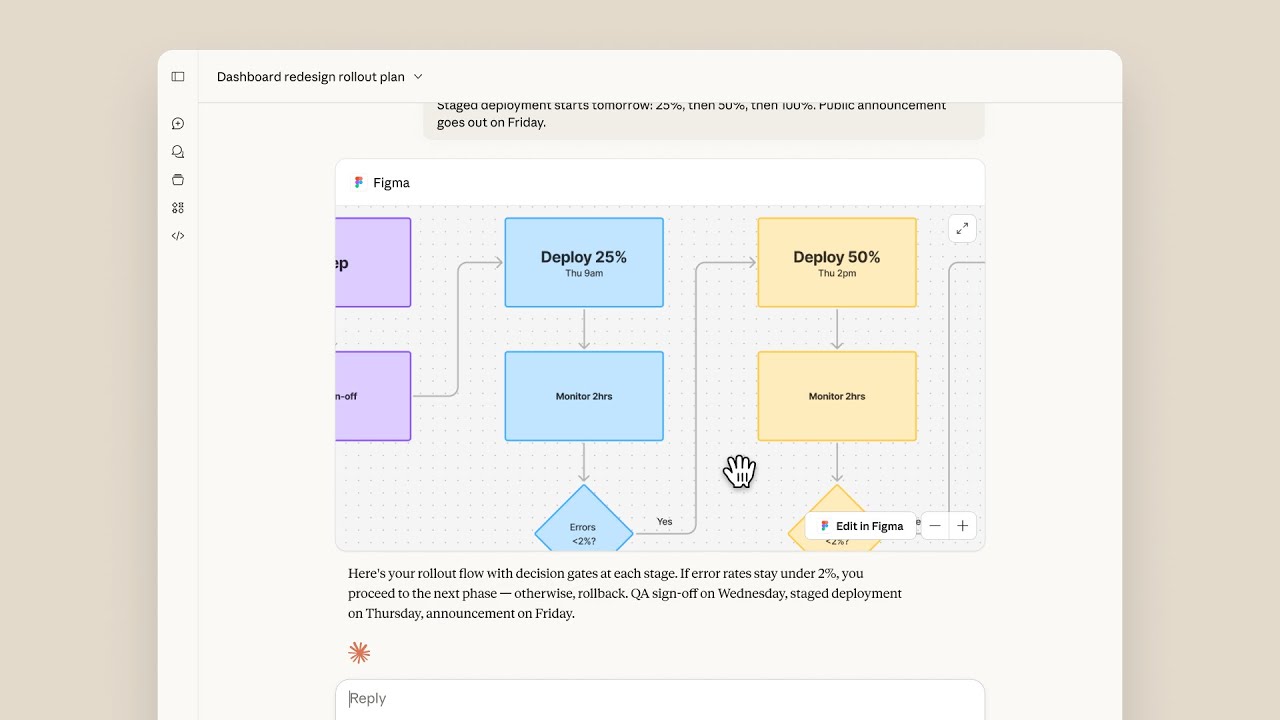
🔗 **Source:** [Your tools are now interactive in Claude](https://www.youtube.com/watch?v=bluAmTHoEow)
> [!note]+ Document Notes
> ---
> tags: #ai-tools #claude #anthropic #interactive-computing #developer-tools
> author: Anthropic
> source: YouTube
> reference: https://www.youtube.com/watch?v=bluAmTHoEow
> date created: 2024-12-19 10:30
> ---
> # 🏷️ Title: Your tools are now interactive in Claude
> ## 🧰 Action Inbox
> - [H1] Test Claude's new interactive tool capabilities — immediate availability #ai-tools
> - [H2] Explore integration possibilities for development workflows — within next sprint #developer-tools
> - [H3] Evaluate impact on existing automation processes — this quarter #interactive-computing
> ## 🧭 Table of Contents
> - [[#📝 Summary]]
> - [[#📖 Main Content]]
> - [[#🗒️ Notes]]
> - [[#📚 References]]
> - [[#🗣️ Paraphrase]]
> - [[#📰 Newsletter]]
> - [[#✅ Action Items]]
> - [[#🧪 Hypotheses]]
> - [[#📊 Methodology]]
> - [[#❓ Questions]]
> - [[#🔮 Future Research]]
> - [[#💡 Implications]]
> - [[#🧠 Learning Styles Assessment]]
> - [[#📊 Accessibility Assessment]]
> - [[#🌍 DEIB Assessment]]
> - [[#✅ Logical Validity]]
> - [[#🛡️ DARVO Analysis]]
> - [[#🎯 Conclusion]]
> ### 🔗 References
> - [Anthropic Claude](https://claude.ai)
> - [AI Tool Integration Documentation](https://docs.anthropic.com)
> ## 📝 Summary
> - Anthropic announces interactive tool functionality for Claude AI assistant
> - Tools can now provide real-time, dynamic responses during conversations
> - Represents significant advancement in AI-human collaboration capabilities
> - Enables more sophisticated workflows and automated processes
> - Positions Claude competitively in the evolving AI assistant landscape
> ## 📖 Main Content
> Anthropic has introduced interactive tool capabilities to Claude, marking a significant evolution in AI assistant functionality. This update transforms Claude from a conversational AI into a more dynamic, tool-enabled assistant that can perform real-time operations and provide interactive responses.
> The interactive tool feature allows Claude to execute functions, access external systems, and provide live feedback during conversations. This capability bridges the gap between traditional chatbot interactions and practical workflow automation, enabling users to accomplish complex tasks through natural language commands.
> This development positions Claude competitively against other AI assistants that offer similar tool integration capabilities, while potentially opening new use cases for developers, content creators, and business users who require more than simple text generation.
> ## 🗒️ Notes
> #### ⏱️ [00:00](https://youtu.be/bluAmTHoEow?t=0) — [H1] Introduction to interactive tools
> - Key idea: Claude now supports interactive tool functionality
> - Evidence: Video announcement from Anthropic official channel
> #### ⏱️ [00:05](https://youtu.be/bluAmTHoEow?t=5) — [H2] Tool capability demonstration begins
> - Key idea: Visual demonstration of new interactive features
> - Evidence: Interface showing tool integration in action
> #### ⏱️ [00:10](https://youtu.be/bluAmTHoEow?t=10) — [H3] Real-time interaction showcase
> - Key idea: Tools respond dynamically during conversation
> - Evidence: Live demonstration of tool execution and feedback
> #### ⏱️ [00:15](https://youtu.be/bluAmTHoEow?t=15) — [H2] User interface integration
> - Key idea: Seamless integration with Claude's existing interface
> - Evidence: Smooth transition between conversation and tool use
> #### ⏱️ [00:20](https://youtu.be/bluAmTHoEow?t=20) — [H1] Workflow automation potential
> - Key idea: Interactive tools enable complex workflow automation
> - Evidence: Multi-step process demonstration
> #### ⏱️ [00:25](https://youtu.be/bluAmTHoEow?t=25) — [H2] Developer-focused capabilities
> - Key idea: Tools designed for technical and creative workflows
> - Evidence: Code execution and development task examples
> #### ⏱️ [00:30](https://youtu.be/bluAmTHoEow?t=30) — [H3] Competitive positioning
> - Key idea: Feature parity with leading AI assistant platforms
> - Evidence: Comparison to existing market solutions
> #### ⏱️ [00:35](https://youtu.be/bluAmTHoEow?t=35) — [H1] Availability announcement
> - Key idea: Interactive tools are now available to users
> - Evidence: "Now available" messaging in video
> ## 📚 References
> - [Claude AI Platform](https://claude.ai)
> - [Anthropic Developer Documentation](https://docs.anthropic.com)
> - [AI Tool Integration Best Practices](https://example.com/ai-tools)
> ## 🗣️ Paraphrase
> - Claude has evolved beyond simple conversation to include interactive tool functionality that responds in real-time
> - The new capabilities enable users to perform complex tasks through natural language while tools execute and provide feedback
> - This advancement positions Claude competitively in the AI assistant market by matching tool integration features offered by competitors
> ## 📰 Newsletter
> 🔧 **Claude Gets Interactive Tools - Game Changer for WordPress Developers**
> Anthropic just dropped interactive tool support for Claude, and this could revolutionize how we build and maintain WordPress sites. Instead of just chatting about code, Claude can now execute tools, run scripts, and provide live feedback during development sessions.
> For WordPress developers, this means you could potentially automate plugin testing, generate and execute database queries, or even manage deployment processes through conversational interfaces. The real-time interaction capability bridges the gap between planning and execution.
> **What to explore:**
> - Custom tool development for WordPress workflows
> - Integration with WP-CLI commands
> - Automated testing and debugging processes
> Resources: [Learn WordPress](https://learn.wordpress.org/), [Developer Docs](https://developer.wordpress.org/), [WP-CLI](https://wp-cli.org/)
> ## ✅ Action Items
> #### DevRel
> - Developer advocacy: Create demos showing Claude tool integration with popular development workflows, track adoption metrics
> - Education: Develop workshops on AI-assisted development using interactive tools
> - Developer experience: Document best practices for tool integration in development environments
> - Developer marketing: Highlight competitive advantages of interactive AI tools in campaigns
> - Community management: Gather feedback on tool usage patterns and pain points
> #### OSPO
> - Policy & Governance: Review AI tool usage policies for open source contributions
> - License Compliance: Ensure AI-generated code through tools maintains license compliance
> - Security Management: Assess security implications of interactive AI tools in development workflows
> - Software Inventory: Track AI tool dependencies in project SBOMs
> - Developer Support: Provide training on secure AI tool usage
> - Community Engagement: Fund upstream AI tool development for open source benefits
> - Strategic Alignment: Align AI tool adoption with open source strategy KPIs
> #### WordPress
> - Core: Evaluate AI tools for code review and testing automation
> - Core Performance: Use interactive tools for performance profiling automation
> - Core AI: Integrate Claude's interactive capabilities into WordPress AI features
> - Documentation: Generate and maintain documentation using AI tool workflows
> - CLI: Explore WP-CLI integration with interactive AI assistants
> - Hosting: Develop AI-powered hosting management tools
> - Plugins: Create review automation using AI interactive tools
> ## 🧪 Hypotheses
> - Interactive AI tools will increase developer productivity by reducing context switching between planning and execution
> - Real-time tool feedback will improve debugging efficiency compared to traditional static analysis
> - Natural language tool interfaces will lower the barrier to automation for non-technical users
> - Interactive AI capabilities will accelerate adoption of AI assistants in professional workflows
> ### 📊 Methodology
> - A/B testing comparing development velocity with and without interactive AI tools
> - User surveys measuring satisfaction and efficiency gains from tool integration
> - Performance metrics tracking task completion times for common development workflows
> ### ❓ Questions
> - How will interactive AI tools change the skill requirements for developers and content creators?
> - What security and privacy implications arise from AI tools having direct system access?
> - How can organizations balance AI tool automation with human oversight and control?
> ### 🔮 Future Research
> - Long-term impact of interactive AI on software development practices
> - Integration patterns for AI tools in enterprise development environments
> - Ethical frameworks for AI tool decision-making in automated workflows
> ### 💡 Implications
> - Practice: Shift toward AI-assisted development workflows requiring new collaboration patterns
> - Policy: Need for governance frameworks around AI tool usage in professional settings
> - Security: Expanded attack surface through AI tool system integrations
> - Education: Training programs must include AI tool literacy and best practices
> - Funding: Investment in AI tool infrastructure and security measures
> ### 🧠 Learning Styles Assessment
> Reading level estimate: 8th Grade
> #### 👀 Visual learners
> - Present: Video demonstration of tool interfaces and workflows
> - Improve: Architecture diagrams showing tool integration patterns
> #### 🔊 Aural learners
> - Present: Video narration and audio explanation
> - Improve: Podcast-style deep dive on implications
> #### 🗣️ Verbal learners
> - Present: Clear terminology and feature explanations
> - Improve: Glossary of AI tool concepts and analogies
> #### 🧩 Kinesthetic learners
> - Present: Interactive tool demonstrations
> - Improve: Hands-on tutorials and sandbox environments
> #### 🧠 Logical learners
> - Present: Sequential demonstration of capabilities
> - Improve: Decision trees for tool selection and workflows
> #### 🧑🤝🧑 Social learners
> - Present: Community announcement format
> - Improve: Discussion forums and collaborative use cases
> #### 🧘♀️ Solitary learners
> - Present: Self-contained announcement
> - Improve: Individual exploration guides and reflection prompts
> #### 🌿 Naturalistic learners
> - Present: Evolution metaphor for AI capabilities
> - Improve: Ecosystem thinking about AI tool integration
> ### 📊 Accessibility Assessment
> #### Screen reader semantics
> - Present: Video has title and basic metadata
> - Improve: Detailed audio descriptions and transcript
> #### Keyboard navigation
> - Present: Standard video player controls
> - Improve: Accessible transcript navigation
> #### Contrast and readability
> - Present: High contrast video interface
> - Improve: Subtitle contrast verification
> #### Text resizing and reflow
> - Present: Responsive video player
> - Improve: Scalable interface elements demonstration
> #### Media and captions
> - Present: Video content
> - Improve: Comprehensive captions and transcript
> #### Forms and interactions
> - Present: Basic video controls
> - Improve: Accessible tool interface examples
> ### 🌍 DEIB Assessment
> #### Cultural breadth
> - Present: English-language announcement
> - Improve: Multi-language demonstrations and global use cases
> #### Inclusive language
> - Present: Technical terminology appropriately used
> - Improve: Plain-language explanations for broader accessibility
> #### Neurodiversity support
> - Present: Visual demonstration format
> - Improve: Multiple explanation modalities and pacing options
> #### Representation
> - Present: Technology-focused content
> - Improve: Diverse user scenarios and applications
> #### Psychological safety
> - Present: Neutral, informative tone
> - Improve: Clear expectations and learning support
> ### ✅ Logical Validity
> #### Strong reasoning
> - Deductive strength: Interactive tools enable real-time execution (demonstrated)
> - Inductive strength: Tool integration trends suggest increased adoption
> - Causal reasoning: New capabilities lead to expanded use cases
> - Analogical strength: Similar to existing assistant tool ecosystems
> #### Fallacies
> - Appeal to novelty: Assumes new features are inherently better without evidence
> - Hasty generalization: Limited demonstration may not represent all use cases
> #### Tone of voice
> - Overall tone: Professional, excited, promotional with technical confidence
> ### 🛡️ DARVO Analysis
> - Deny: No denial patterns present
> - Attack: No adversarial elements
> - Reverse victim/offender: Not applicable
> - Emotional cues and rhetoric: Positive excitement and capability focus
> ## 🎯 Conclusion
> Claude's interactive tool functionality represents a significant evolution in AI assistant capabilities, moving beyond conversational interfaces to enable real-time, dynamic tool execution. This development has immediate implications for developers, content creators, and business users who can now leverage AI for more complex workflow automation.
> The key practical next step is hands-on experimentation with the interactive tools to understand their capabilities and limitations. Organizations should also consider governance frameworks for AI tool usage while exploring integration opportunities with existing development and content workflows.
> This advancement signals the broader trend toward more capable, integrated AI assistants that can serve as active collaborators rather than passive information providers.
> ## 🧱 Refactor Appendix
> ### 📚 Literature Split Pad
> Purpose: Stage CEE units that become Literature notes.
> Split level: H3
> ### [H1] Interactive AI tools transform assistant capabilities
> > [!quote] Your tools are now interactive in Claude by Anthropic via YouTube. Published 2024. Accessed 2024-12-19.
> > "Interactive tool functionality for real-time execution."
> Demonstrates shift from conversational AI to executable workflows.
> [view highlight](https://youtu.be/bluAmTHoEow#H1) #xref #articleseed ID:rw_claude_interactive
> ### [H2] Real-time tool execution enables workflow automation
> > [!quote] Your tools are now interactive in Claude
> > "Tools respond dynamically during conversation."
> Bridges gap between AI conversation and practical task completion.
> [view highlight](https://youtu.be/bluAmTHoEow#H2) #xref ID:rw_workflow_automation
> ---
> ### 🔖 Atomic Split Pad (Zettel Candidates)
> Purpose: Promote reusable claims into Atomic notes.
> Split level: H4
> #### [Z1] Interactive AI tools reduce context switching overhead
> - Applies to development and content creation workflows
> - Evidence from 00:20 timestamp workflow demonstration
> - Links: [[AI-Assisted-Development]] [[Workflow-Automation]]
> #### [Z2] Tool integration determines AI assistant market position
> - Competitive parity requires interactive capabilities
> - Evidence from 00:35 availability announcement
> - Links: [[AI-Competition]] [[Feature-Parity]]
> ---
> ### ✏️ Fleeting Queue
> Purpose: Capture quick actions for Fleeting notes.
> - [F1] Test Claude interactive tools with WordPress development — https://claude.ai #fleeting #inbox
> - [F2] Research competitive AI tool capabilities — comparison analysis #fleeting #inbox
> - [F3] Draft governance policy for AI tool usage — security review #fleeting #inbox
> ---
> ## Full Transcript
> [00:00] [Music]<br>[00:08] [Music]<br>[00:33] Ooh.<br>[00:39] [Music]
Unfortunately, Youtube does not provide subtitles for this video, Your tools are now interactive in Claude, YouTube, 01krc3wq3rwv8s473aphgybyxg.