How GoDaddy uses AI to Troubleshoot Support tickets
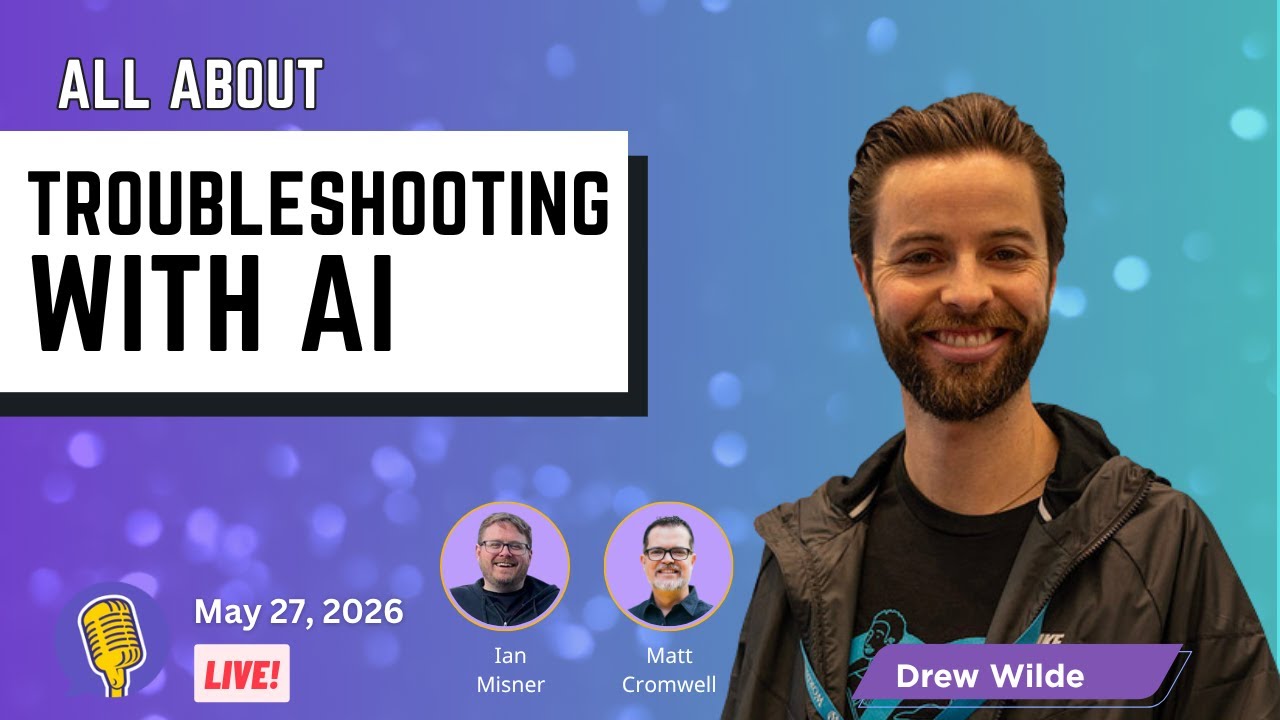
🔗 **Source:** [How GoDaddy uses AI to Troubleshoot Support tickets](https://www.youtube.com/watch?v=_Ms2UBp5Ecg&t=1s)
> [!note]+ Document Notes
> tags: [ai-automation, wordpress-hosting, customer-support, managed-wordpress, web-professional]
> author: [MISSING]
> source: YouTube
> reference: https://www.youtube.com/watch?v=_Ms2UBp5Ecg&t=1s
> date created: {{date:YYYY-MM-DD}} {{time:HH:mm}}
>
> # 🏷️ Title: How GoDaddy uses AI to Troubleshoot Support tickets
>
<!-- deep-read:sections start -->
## 🧭 Table of Contents
- [📝 Summary](#-summary)
- [📖 Main Content](#-main-content)
- [🗒️ Notes](#️-notes)
- [📚 References](#-references)
- [🗣️ Paraphrase](#️-paraphrase)
- [📰 Newsletter](#-newsletter)
- [✅ Action Items](#-action-items)
- [🧪 Hypotheses](#-hypotheses)
- [📊 Methodology](#-methodology)
- [❓ Questions](#-questions)
- [🔮 Future Research](#-future-research)
- [💡 Implications](#-implications)
- [🧠 Learning Styles Assessment](#-learning-styles-assessment)
- [📊 Accessibility Assessment](#-accessibility-assessment)
- [🌍 DEIB Assessment](#-deib-assessment)
- [✅ Logical Validity](#-logical-validity)
- [🛡️ DARVO Analysis](#-darvo-analysis)
- [🎯 Conclusion](#-conclusion)
## 📝 Summary
- GoDaddy developed an AI site troubleshooter for managed WordPress hosting to automatically detect and resolve downtime events
- The system reduces manual WordPress troubleshooting from 45+ minutes to seconds/minutes
- Primary value proposition targets web professionals managing multiple client sites who need immediate response to uptime issues
- AI agent uses SSH and WP-CLI access to implement remediation plans with safety guardrails including automatic rollback
- Early results show 10% reduction in downtime across 10,000 sites in pilot program
- System focuses specifically on uptime restoration, not comprehensive site functionality like checkout processes
## 📖 Main Content
### Context and Business Problem
Drew Wild, Product Manager for Managed WordPress hosting at GoDaddy, explains how the company built an AI-powered troubleshooting system to address WordPress site downtime at scale. With hundreds of thousands of WordPress sites hosted, even uncommon issues occur frequently enough to create significant support burden.
The core problem: traditional WordPress troubleshooting requires approximately 45 minutes minimum per incident when starting without context about the issue. This creates poor customer experience and high support costs.
### Target Customer and Job-to-be-Done
The system primarily serves web professionals managing multiple client sites. The key scenario: a web pro is on a sales call with a prospective client when they receive notification that an existing client's site is down. Rather than having to abandon the sales opportunity or leave a client site broken, the AI system detects, diagnoses, and fixes the issue automatically.
This reframes the value proposition from "AI troubleshooting tool" to "business continuity insurance" for web professionals.
### Technical Implementation
The AI agent integrates with GoDaddy's hosting infrastructure using:
- Server log analysis to identify root causes
- SSH and WP-CLI access for implementing fixes
- Recursive logic for creating multi-step remediation plans
- Safety guardrails including site backups and automatic rollback if fixes fail
- 200 response code verification before considering fixes successful
Common remediation actions include plugin deactivation, PHP version changes, and cache clearing. The system cannot perform DNS changes or other infrastructure modifications outside WordPress code.
### Customer Experience and Controls
Customers can choose between three interaction modes:
1. Manual approval required for each fix
2. One-click approval after seeing remediation plan
3. Fully automatic fixes with post-incident notification
The system provides detailed explanations of what was detected and what actions were taken, maintaining transparency throughout the process.
### Results and Scale
Initial deployment to 10,000 sites showed 10% reduction in downtime events. The system processes real downtime scenarios rather than simulated problems, providing measurable business impact for both GoDaddy and customers.
### 🗒️ Notes
#### ⏱️ [00:03:12](https://www.youtube.com/watch?v=_Ms2UBp5Ecg&t=192) Problem Definition and Scale
- WordPress troubleshooting without context requires minimum 45 minutes
- Hundreds of thousands of WordPress sites at GoDaddy scale
- Even rare issues become common at this volume
#### ⏱️ [00:08:30](https://www.youtube.com/watch?v=_Ms2UBp5Ecg&t=510) Web Professional Use Case
- Web pro scenario: on sales call when client site goes down
- Choice between abandoning sales opportunity or leaving client broken
- AI provides third option: automatic resolution with notification
#### ⏱️ [00:15:45](https://www.youtube.com/watch?v=_Ms2UBp5Ecg&t=945) Live Demo
- Fatal error plugin demonstration showing detection and remediation
- System identifies plugin causing undefined function error
- Automatic deactivation through WP-CLI restores site functionality
#### ⏱️ [00:22:10](https://www.youtube.com/watch?v=_Ms2UBp5Ecg&t=1330) Safety and Guardrails
- Site backups before any remediation attempts
- 200 response code verification after fixes
- Automatic rollback if fixes create new problems
- Limited scope: WordPress code only, no DNS or infrastructure changes
#### ⏱️ [00:28:40](https://www.youtube.com/watch?v=_Ms2UBp5Ecg&t=1720) Business Impact and Metrics
- 10% reduction in downtime across 10,000 site pilot
- Cost considerations include token usage for each remediation
- Value to customers outweighs operational costs
#### ⏱️ [00:35:20](https://www.youtube.com/watch?v=_Ms2UBp5Ecg&t=2120) Support Team Dynamics
- Some resistance from support agents due to workflow changes
- Concern about lost upsell opportunities during support calls
- Management emphasis on fixing issues first, then sales opportunities
## 📚 References
- [WP Product Talk Podcast](https://www.youtube.com/watch?v=_Ms2UBp5Ecg&t=1s)
- [Plugin Check for WordPress](https://wordpress.org/plugins/plugin-check/) - mentioned as potential integration
- [WP-CLI](https://wp-cli.org/) - command line tool used for remediation
- [WordCamp US 2025](https://us.wordcamp.org/2025/) - mentioned by Drew Wild
## 🗣️ Paraphrase
GoDaddy built an AI system that watches WordPress sites for problems and fixes them automatically. When a site breaks, the AI looks at server logs to figure out what went wrong, creates a plan to fix it, and then uses command-line tools to implement the solution. The main benefit is for web developers who manage multiple client sites - instead of dropping everything to fix a broken website, they get a text saying "we detected a problem and fixed it." The system includes safety features like backing up sites before making changes and rolling back if something goes wrong. In testing with 10,000 sites, it reduced downtime by 10%.
## 📰 Newsletter
**AI-Powered Site Healing: GoDaddy's Take on Automated WordPress Troubleshooting**
Ever wished your hosting provider could fix WordPress issues while you sleep? GoDaddy's new AI troubleshooter does exactly that. Their system monitors managed WordPress sites, automatically detects downtime events, and implements fixes using WP-CLI - all with proper safety guardrails.
The real win isn't just faster fixes (45 minutes down to seconds), but the peace of mind for web pros managing multiple sites. Imagine staying focused on that important client call instead of frantically troubleshooting a plugin conflict.
Early results show 10% fewer downtime events across their pilot program. While it can't fix everything (checkout flows, complex integrations), it handles the common culprits: plugin conflicts, PHP errors, and basic WordPress issues.
**Key takeaway for WordPress professionals:** This represents a shift from reactive support to proactive site health management. Consider how AI might augment your own client management workflows.
**Useful links:**
- [Plugin Check](https://wordpress.org/plugins/plugin-check/) for proactive issue detection
- [WP-CLI documentation](https://wp-cli.org/) for automation inspiration
- [Original discussion](https://www.youtube.com/watch?v=_Ms2UBp5Ecg&t=1s) for full technical details
## ✅ Action Items
#### DevRel
- Research WP-CLI automation patterns for common WordPress issues and document best practices
- Create educational content about WordPress troubleshooting workflows that could be AI-assisted
- Develop workshops on implementing safety guardrails in automated WordPress management
- Partner with hosting providers to understand AI integration opportunities for developer tools
#### WordPress
- **Core:** Evaluate Plugin Check integration opportunities for hosting providers and automated systems
- **Core Program Team:** Coordinate with hosting community on AI troubleshooting standards and best practices
- **CLI:** Document hosting-specific use cases and safety patterns for automated site management
- **Hosting:** Create guidelines for AI-powered hosting features and customer communication standards
- **Plugins:** Establish review criteria and guidelines for plugins designed to work with automated systems
- **Community:** Develop educational resources about AI-assisted site management for web professionals
#### Community
- **Maintainers:** Consider how AI systems might interact with plugin update and compatibility processes
- **Contributors:** Explore opportunities to improve WordPress core's diagnostic and self-healing capabilities
- **Sponsors:** Evaluate funding opportunities for AI safety and automation research in WordPress ecosystem
## 🧪 Hypotheses
- Automated WordPress troubleshooting reduces mean time to resolution by 90%+ for common plugin and PHP issues
- Web professionals value business continuity over technical control when managing client sites
- AI-powered hosting features create competitive differentiation in managed WordPress market
- Safety guardrails (backups, rollbacks, verification) are essential for customer trust in automated fixes
- Plugin-related issues represent the highest-value targets for automated remediation in WordPress hosting
- First-line support efficiency improves significantly when AI handles routine WordPress troubleshooting
### 📊 Methodology
- Controlled deployment measuring downtime duration and frequency across matched cohorts
- Customer satisfaction surveys comparing AI-assisted vs traditional support experiences
- Support ticket analysis to identify automation opportunities and success rates
- Technical analysis of WordPress error patterns to optimize AI training and remediation strategies
- Cost-benefit analysis comparing AI operational costs to support labor and customer churn costs
### ❓ Questions
- How does customer trust in automated fixes evolve over time with successful resolutions?
- What percentage of WordPress support issues can realistically be automated with current AI capabilities?
- How do hosting providers balance automation with maintaining human support expertise?
- What standards should exist for AI system transparency and explainability in hosting contexts?
- How might this approach extend to other content management systems beyond WordPress?
### 🔮 Future Research
- Integration patterns between AI troubleshooting and WordPress core health checks
- Customer communication strategies for automated system interventions
- Cross-hosting provider standards for AI-powered site management
- Privacy and security frameworks for AI systems with administrative access
- Metrics and KPIs for measuring AI system effectiveness in hosting environments
### 💡 Implications
- **Practice:** Web professionals can focus more on growth and less on reactive maintenance
- **Policy:** Need for standards around AI system access to customer websites and data
- **Security:** Automated systems require robust authentication and audit trails
- **Education:** Support teams need training on AI-assisted workflows and when to escalate
- **Funding:** Investment in AI infrastructure becomes competitive necessity for hosting providers
### 🧠 Learning Styles Assessment
Reading level: College level (15-16 years) - technical content with industry jargon but clear explanations
#### 👀 Visual learners
- Present: Demo video showing before/after states, dashboard screenshots, workflow diagrams
- Improve: System architecture diagrams, decision tree flowcharts, incident timeline visualizations
#### 🔊 Aural learners
- Present: Podcast format discussion with multiple speakers
- Improve: Audio-only version highlighting, narrated demo explanations, verbal case study walkthroughs
#### 🗣️ Verbal learners
- Present: Clear definitions of technical terms, analogies comparing to manual processes
- Improve: Glossary of AI and hosting terms, more business-context explanations, plain-language summaries
#### 🧩 Kinesthetic learners
- Present: Live demonstration with real WordPress site, hands-on troubleshooting example
- Improve: Interactive sandbox for testing scenarios, step-by-step setup guides, practice environments
#### 🧠 Logical learners
- Present: Clear problem → solution → results progression, quantified outcomes (10% improvement)
- Improve: Cost-benefit analysis tables, decision matrices for automation choices, logical troubleshooting flowcharts
#### 🧑🤝🧑 Social learners
- Present: Interview format with questions and discussion
- Improve: Community discussion prompts, peer comparison opportunities, collaborative troubleshooting scenarios
#### 🧘♀️ Solitary learners
- Present: Individual case study analysis, self-directed exploration of concepts
- Improve: Reflection questions about own hosting needs, self-assessment checklists, independent research prompts
#### 🌿 Naturalistic learners
- Present: Ecosystem thinking about WordPress community and hosting environment
- Improve: Sustainability implications of automation, environmental impact considerations, natural system analogies
### 📊 Accessibility Assessment
#### Screen reader semantics
- Present: Clear heading structure, descriptive timestamps
- Improve: Alt text for demo screenshots, table headers for data comparisons, ARIA labels for interactive elements
#### Keyboard navigation
- Present: Standard video controls accessible via keyboard
- Improve: Transcript navigation shortcuts, skip links for different topics, keyboard-accessible timeline scrubbing
#### Contrast and readability
- Present: Standard video player with adequate contrast
- Improve: High-contrast transcript option, larger text sizing options, better color coding for different speakers
#### Text resizing and reflow
- Present: Responsive transcript layout
- Improve: Zoom support up to 200%, text-only version availability, flexible column layouts
#### Media and captions
- Present: Full transcript provided
- Improve: Closed captions with speaker identification, downloadable transcript, audio descriptions for visual demos
#### Forms and interactions
- Present: Basic comment interaction
- Improve: Accessible form labels, clear error states, logical tab order
### 🌍 DEIB Assessment
#### Cultural breadth
- Present: US-focused hosting provider perspective
- Improve: International hosting considerations, multi-timezone support scenarios, global WordPress community examples
#### Inclusive language
- Present: Professional technical language, defined industry terms
- Improve: Plain-language alternatives for technical jargon, gender-neutral examples, accessibility-first framing
#### Neurodiversity support
- Present: Clear section breaks, consistent structure
- Improve: Content warnings for technical complexity, multiple format options, predictable navigation patterns
#### Representation
- Present: Technical discussion with male speakers
- Improve: Diverse perspectives on AI impact, varied business size examples, inclusive imagery choices
#### Psychological safety
- Present: Professional tone, collaborative discussion format
- Improve: Acknowledgment of AI anxiety concerns, clear escalation paths, transparent limitation discussions
### ✅ Logical Validity
#### Strong reasoning
- **Causal reasoning (00:08:30):** Clear cause-effect relationship between AI automation and business continuity for web professionals
- **Inductive reasoning (00:28:40):** 10,000 site pilot data supports broader applicability claims
- **Analogical reasoning (00:15:45):** Comparison to manual troubleshooting workflow helps explain AI value proposition
#### Fallacies
- **Hasty generalization:** Limited discussion of failure cases or scenarios where AI cannot help
- **Appeal to novelty:** Some emphasis on being "first" without fully addressing maturity concerns
- **Survivorship bias:** Focus on successful resolutions without detailed analysis of unsuccessful attempts
#### Tone of voice
- Professional and collaborative with technical expertise. Drew maintains measured confidence while acknowledging limitations. Discussion feels like peer-to-peer knowledge sharing rather than marketing pitch.
### 🛡️ DARVO Analysis
No DARVO patterns detected. Discussion focuses on technical implementation and business value without defensive rhetoric or blame-shifting dynamics.
## 🎯 Conclusion
GoDaddy's AI troubleshooting system demonstrates practical application of AI in managed hosting beyond content generation. The focus on specific, measurable business outcomes (45-minute resolution to seconds, 10% downtime reduction) provides a concrete model for AI implementation in WordPress ecosystem. Key success factors include proper safety guardrails, clear scope limitations, and customer choice in automation levels. This approach could influence broader hosting industry adoption of AI-powered site management tools.
For WordPress professionals, this represents a shift toward AI as operational partner rather than replacement tool, enabling focus on growth activities while maintaining site reliability through automated monitoring and remediation.
## 🔄 Refactor Appendix — How GoDaddy uses AI to Troubleshoot Support tickets
### 📚 Literature Atoms (H3)
#### Automated WordPress troubleshooting reduces resolution time from 45 minutes to seconds
> [!quote] ID:rw_transcript_001
> If you get a WordPress site in the door and you don't know why it's down and you don't have any information, that's about a 45 minute at a minimum time commitment to get to a point where you can say, "Oh, now I know I can get that site back up and live."
**Context & use**:
- Baseline measurement for manual WordPress troubleshooting without context
- Demonstrates quantifiable business case for automation investment
- Applies to any hosting provider dealing with WordPress support volume
**Tags**: #xref
**Highlight**: [view highlight](readwise://timestamp_192)
<!-- atomicity: 1 idea ✓ -->
#### Web professionals need business continuity during client emergencies more than technical control
> [!quote] ID:rw_transcript_002
> I'm a web pro. I'm on a customer call trying to get a new site built. It's a big monetization opportunity for me and my agency. I get a text message from a different client that the site's down. Do I leave the opportunity to grow the business in order to fix the current site?
**Context & use**:
- Core job-to-be-done framing that drove GoDaddy's AI troubleshooter design
- Illustrates priority conflict between reactive maintenance and proactive growth
- Applies broadly to service businesses managing multiple client relationships
**Tags**: #articleseed #xref
**Highlight**: [view highlight](readwise://timestamp_510)
<!-- atomicity: 1 idea ✓ -->
#### AI agent safety requires backup-fix-verify-rollback workflow for customer trust
> [!quote] ID:rw_transcript_003
> The guard rails are on the remediation plan. We take a backup of the site, we run our remediation plan, we confirm 200 response code or some kind of okay response back. If we don't get that, we revert back to the known broken. We don't leave new broken in place.
**Context & use**:
- Essential safety pattern for automated systems with administrative access
- Demonstrates responsible AI implementation with customer protection
- Transferable to any automated system making changes to production environments
**Tags**: #xref
**Highlight**: [view highlight](readwise://timestamp_945)
<!-- atomicity: 1 idea ✓ -->
### 🧠 Permanent Candidates (H4)
#### AI automation success requires matching customer job-to-be-done not feature capabilities
**Claim**: Successful AI implementation focuses on specific customer outcomes rather than showcasing AI capabilities.
**Evidence pointer**: [[#Web professionals need business continuity during client emergencies more than technical control]]
**Scope & conditions**: Applies when customers have competing priorities; breaks when technical features align with immediate needs
**Links**:
- [[Jobs-to-be-done framework]] — because extends core methodology to AI implementation
- [[Customer outcome metrics]] — because evidence-for business value measurement
<!-- atomicity: 1 idea ✓ -->
### ✏️ Fleeting Queue
- [F1] Research Plugin Check API integration for automated hosting systems — Drew mentioned this as potential enhancement #fleeting #inbox
- [F2] Explore WP-CLI automation patterns for common support scenarios #fleeting #inbox
### → Things 3
- [ ] Document AI safety guardrail patterns for WordPress automation systems — backup-fix-verify-rollback workflow #things
- [ ] Research hosting provider AI implementation standards and best practices #things
---
## Full Transcript
[00:01] Hey everybody, welcome welcome to<br>[00:03] another episode of WP product talk.<br>[00:05] Today we want to talk about the magic<br>[00:09] that we've all been promised. Um AI is<br>[00:12] supposed to solve things for us, right?<br>[00:14] Not just be like another tool that we<br>[00:15] tinker with and lose endless hours just<br>[00:18] being like, "Oh, how cool that it can<br>[00:19] respond to me." Uh we want it to<br>[00:21] actually like fix websites. Can it do<br>[00:24] that? We want it to actually like fix<br>[00:26] customer problems. Can it do that? Uh,<br>[00:29] we keep saying that it most likely can.<br>[00:31] Um, we know that it fixes things for us<br>[00:33] individually. Can it do that at scale?<br>[00:35] Can it do that at GoDaddy? Uh, we have a<br>[00:38] guest today who's going to talk with us<br>[00:40] all about that. So stay tuned.<br>[00:46] This is WP product talk. The place where<br>[00:50] every week we bring you insights,<br>[00:52] product marketing, business management<br>[00:54] and growth, customer experience, product<br>[00:57] development, and more. It's your go-to<br>[01:00] podcast for WordPress product owners by<br>[01:03] WordPress product owners. And now, enjoy<br>[01:07] the show.<br>[01:13] Hey everybody, I am Matt Cromwell,<br>[01:16] founder of Roots and Fruit.<br>[01:18] >> And I'm Ian Meisner with Kestrel.<br>[01:21] >> And before we get started, we're on a<br>[01:23] road to hit as many subscribers as we<br>[01:25] possibly can. We actually uh have been<br>[01:28] doing this for a little while, and you<br>[01:29] all have been great and helpful and<br>[01:31] amazing. Uh but the truth is uh the<br>[01:33] easiest way for you to help WP product<br>[01:35] talk to continue to bring this great<br>[01:38] excellent content for you is to hit<br>[01:40] subscribe or follow or subscribe or like<br>[01:44] or reshare or any of those social things<br>[01:47] on any of the platforms that we exist on<br>[01:49] today. It's free for you and it helps us<br>[01:51] out a ton.<br>[01:52] >> Yeah, actually go to the LinkedIn page<br>[01:54] and like that real quick actually<br>[01:56] specifically. Don't ask questions. That<br>[01:58] would be<br>[01:59] >> Yeah, huge thanks to Fremius though for<br>[02:01] being our growth partner on this. Um,<br>[02:04] you know, Fremia helps software makers<br>[02:06] grow, monetize and succeed. Merchant of<br>[02:08] record platform, so they handle<br>[02:10] everything, right? So check out payment,<br>[02:12] subscriptions, licensing, updates,<br>[02:14] global tax compliance. They let you<br>[02:16] build your product instead of building<br>[02:18] the way to sell your product.<br>[02:20] >> Cool. Cool. All right. Well, let's jump<br>[02:21] into the subject of AI support uh<br>[02:25] troubleshooting. For this, we invited<br>[02:28] Drew Wild from GoDaddy. And Drew, hey,<br>[02:32] welcome. Welcome. How are you doing?<br>[02:34] >> Doing very well. Thank you, Matt. Thank<br>[02:36] you, Ian, for having me.<br>[02:37] >> Absolutely. Can you uh introduce<br>[02:39] yourself to everybody for us?<br>[02:41] >> Absolutely. My name is Drew Wild. I am<br>[02:43] the product manager of record on manage<br>[02:46] hosting for WordPress at GoDaddy.<br>[02:48] Historically, I've also been at Blue<br>[02:50] Host doing similar things with shared<br>[02:52] hosting on the cPanel platform there.<br>[02:55] And yeah, been involved in the community<br>[02:57] now for WordPress<br>[02:59] uh for some time and I think probably<br>[03:02] coming up on 15 years, which is a long<br>[03:05] time for me, but certainly others have<br>[03:07] been been around longer, but I've been<br>[03:09] happy to be a part of the community. I'm<br>[03:11] repping I'm repping Word Camp US 2025.<br>[03:15] >> Yeah, probably the last time I saw<br>[03:17] anybody in person.<br>[03:19] Happy to be on here on the on the<br>[03:21] podcast today.<br>[03:22] >> Awesome.<br>[03:23] >> Yeah. Awesome. And uh thanks again for<br>[03:25] coming on. And for anyone who's watching<br>[03:26] live right now, YouTube, Twitter,<br>[03:28] wherever, uh leave comments, questions,<br>[03:30] feedback in the comment section here for<br>[03:32] Drew. We'll highlight them and you know<br>[03:34] add them as we discuss live on the show.<br>[03:37] >> Awesome. Well, let's talk about it. Um I<br>[03:40] am a support person and um have been<br>[03:43] chasing the dream of uh being able to<br>[03:46] see teams solve things with AI. Ian is a<br>[03:49] support person um who loves uh giving<br>[03:52] his team a hard time and running after<br>[03:54] them and seeing them do more. Uh Drew,<br>[03:57] tell us a little bit about your<br>[03:58] background um at GoDaddy and how you got<br>[04:01] yourself involved with this whole uh AI<br>[04:04] and support thing.<br>[04:06] >> Absolutely. So, when I first started out<br>[04:09] at Blue Host, I was on the phones. And<br>[04:11] when you're on the phones and you're<br>[04:12] talking to customers and, you know, at<br>[04:14] the time it was like, you know, you got<br>[04:16] a one-click WordPress install, people<br>[04:19] are calling because they've got issues<br>[04:20] with their WordPress sites. And so,<br>[04:23] that's always been something that<br>[04:25] anybody that's helped customers with<br>[04:27] their WordPress site, you kind of have<br>[04:28] your troubleshooting patterns. You kind<br>[04:30] of like kind of figure out what do you<br>[04:32] need in order to help triage the issues.<br>[04:34] you kind of learn what things are more<br>[04:36] common than not. As I came over to<br>[04:38] GoDaddy as a you know product manager on<br>[04:41] the manage hosting for WordPress product<br>[04:44] now you have that problem at scale. You<br>[04:46] just say okay great yeah we have this<br>[04:48] many hundred thousand sites how many are<br>[04:50] down at any given point in time and<br>[04:52] that's like a pain point as somebody who<br>[04:54] cares about the customer experience and<br>[04:57] cares about customers getting the value<br>[04:59] out of their product. You know, any<br>[05:01] downtime feels like it's it's just it<br>[05:04] just gets to me.<br>[05:05] >> Yeah.<br>[05:06] >> And I know Ian feels the same way. We<br>[05:08] shared we had some overlap time at Go,<br>[05:10] Daddy. And you know those you know just<br>[05:13] accepting any kind of fault in in in<br>[05:16] performance is it just<br>[05:18] >> it's something that we just want to kind<br>[05:20] of get rid of as as much as possible.<br>[05:22] >> Yeah.<br>[05:23] >> And we felt like AI was certainly the<br>[05:25] way to try to get to it more at scale.<br>[05:28] >> Yeah.<br>[05:29] >> Yeah. It's the the managed part, right?<br>[05:31] It's the you really<br>[05:32] >> the the commitment of what that is<br>[05:34] intended to mean and what I think that<br>[05:36] your team at GoDaddy uh has really been<br>[05:39] striving to make sure that that<br>[05:41] >> exactly<br>[05:41] >> means what people assume it means<br>[05:43] >> up to the standard.<br>[05:45] >> Nice. Yeah. I mean, I have always been<br>[05:48] excited about AI as a almost like a team<br>[05:52] member on the support team. Um, with the<br>[05:55] the hope and the dream that like we<br>[05:58] won't have to be having people staffing<br>[06:00] the inbox through the Wii hours of<br>[06:03] midnight to 6:00 a.m. all the time. Uh,<br>[06:07] because AI can help on those fronts. Um,<br>[06:09] was was that a little bit of the<br>[06:10] motivation, too?<br>[06:11] >> Certainly. Certainly. And you know, and<br>[06:14] and what the reality is and as we work<br>[06:16] with our support partners and like a lot<br>[06:18] of this comes through kind of our tier 2<br>[06:21] or some of our kind of like upper level<br>[06:24] support partners that are really like<br>[06:25] just really great WordPress minds,<br>[06:28] WordPress troubleshooting minds. It's<br>[06:30] not like we're trying to eliminate the<br>[06:33] the job function at all. It's but<br>[06:35] there's so many menial tasks, so many<br>[06:37] tiny things that take up time.<br>[06:39] >> Yeah. in that support process that we<br>[06:42] wanted to kind of get to and it's like<br>[06:44] we did some research, you know, as we're<br>[06:46] kind of building the business case for<br>[06:48] AI site troubleshooter for WordPress and<br>[06:51] and kind of we were, you know, looking<br>[06:53] at it and it's like you're kind of if<br>[06:54] you get a WordPress site in the door and<br>[06:57] you don't know why it's down and you<br>[06:59] don't have any information, that's about<br>[07:00] a 45 minute at a minimum<br>[07:02] >> time commitment to get to a point where<br>[07:05] you can say, "Oh, now I know I can get<br>[07:07] that site back up and live." And so that<br>[07:09] 45 minutes is either a really long<br>[07:11] painful phone call perhaps um or it's<br>[07:14] you know if if nobody notices even that<br>[07:16] could be you know that that downtime<br>[07:18] could stretch into you know a lot longer<br>[07:19] for a customer.<br>[07:21] >> Yeah absolutely. Um<br>[07:24] the I think there is sensitivity though<br>[07:26] around the concept for a lot of<br>[07:29] customers especially those that are you<br>[07:32] know brickandmortar business owners who<br>[07:35] aren't living their dayto-day in claude<br>[07:38] um and AI more and more just sounds like<br>[07:41] this like big brother situation um<br>[07:44] >> and the big bad wolf sometimes.<br>[07:46] >> Yeah. I'd love to hear a little bit<br>[07:48] about like what did you all do to<br>[07:51] navigate expectations or anxieties or<br>[07:55] fears that your customer base might have<br>[07:57] had around saying, "Hey, we're going to<br>[08:00] have AI check out your sites all the<br>[08:02] time, like how did that go?"<br>[08:05] >> Yeah. And I I'll I'll kind of dig into a<br>[08:07] little bit of that that kind of life<br>[08:09] cycle there because yeah, we originally<br>[08:12] we're this was our really our first<br>[08:15] agent build at GoDaddy. This was years<br>[08:18] ago that we started, you know, building<br>[08:20] this and we had just kind of come out of<br>[08:22] generative content and everybody was<br>[08:24] getting<br>[08:26] great blog posts written with AI and<br>[08:28] then there was kind of this point where<br>[08:29] it was like well okay we're kind of<br>[08:31] reaching the end of this rope but then<br>[08:33] this you know the agent mentality came<br>[08:35] on okay yeah we can actually have AI do<br>[08:37] things on behalf of a customer and so we<br>[08:40] jumped into it technology first really<br>[08:43] excited about what this technology could<br>[08:45] do and you know kind of had like a<br>[08:46] really kind<br>[08:48] cool opportunity, you know, being at<br>[08:50] GoDaddy, still being the first ones to<br>[08:52] kind of jump into this as an agent for<br>[08:54] the WordPress team. So, we're like,<br>[08:55] "Okay, great. This is really cool." Got<br>[08:57] a lot of WordPress sites. Big<br>[08:59] opportunity size for us here. WordPress<br>[09:01] sites can break in, I don't know how<br>[09:03] many ways, you know, we're still we<br>[09:05] still learn about the new ways that a<br>[09:07] break<br>[09:08] >> infinite number of ways. Drew.<br>[09:12] >> Exactly. And so we're like maybe we can<br>[09:14] start to know create an agent that can<br>[09:16] kind of decompose that a little bit. Um<br>[09:19] >> it's an interesting opportunity for<br>[09:20] GoDaddy in particular is like the weird<br>[09:22] thing like the uncommon things happen at<br>[09:24] scale right like you guys have so many<br>[09:26] sites that even things that a lot of the<br>[09:29] audience here might dismiss as like<br>[09:30] normal not that big deal you know you<br>[09:32] guys see it hundreds of times versus<br>[09:36] >> exactly<br>[09:36] >> one for most people. So<br>[09:38] >> yeah one in yeah like in your yeah in a<br>[09:40] lifetime. But yeah, we're seeing a lot<br>[09:42] of things across our all of our<br>[09:44] WordPress sites. Big big impact zone for<br>[09:48] us. So we we wanted to kind of get into<br>[09:51] that and as we were kind of like, okay,<br>[09:52] yeah, we're kind of like demoing this.<br>[09:54] We're testing this. Okay, now I'm<br>[09:55] starting to reach out to pros. I'm<br>[09:58] starting to reach out to people about,<br>[10:00] you know, what what this is offering,<br>[10:02] you know, kind I wanted to understand<br>[10:03] how pros are current, you know, what is<br>[10:05] all the workflows of a pro in order to<br>[10:07] troubleshoot a site. Okay, how can we<br>[10:09] train, you know, some some agent skills<br>[10:11] in order to do the same thing? So, we're<br>[10:13] kind of digging into that. And then<br>[10:14] obviously that kind of comes up about<br>[10:16] like, well, you know, what is what's the<br>[10:19] market opportunity for this?<br>[10:20] >> Yeah.<br>[10:21] >> You know, like how are we going to like<br>[10:22] I'm not you know, it's like okay, great.<br>[10:23] Yeah. It's like we AI troubleshooting<br>[10:26] right right on your side or you know, we<br>[10:27] say, "Hey, yeah, like GoDaddyy's always<br>[10:29] watching."<br>[10:30] >> Yeah.<br>[10:30] >> You're like, "Wait a second. That's not<br>[10:32] >> Yeah,<br>[10:33] >> that's not that's the thing that's going<br>[10:35] to resonate." I mean that does sound a<br>[10:37] little off but I mean sometimes the<br>[10:39] GoDaddy customer may not always be the<br>[10:41] typical WordPress customer also right<br>[10:43] like you get a lot of like main street<br>[10:44] businesses and like just<br>[10:47] >> outside of the community in that where I<br>[10:49] mean the value of just like like I mean<br>[10:52] tell me if I'm wrong but like a lot of<br>[10:54] those customers they don't necessarily<br>[10:55] care that it's WordPress they just want<br>[10:57] their thing to just keep working and do<br>[11:00] >> you know so you know if if you make it<br>[11:02] easier to keep that happening again it's<br>[11:04] there's like an efficient thing here,<br>[11:06] but also from like a managed hosting<br>[11:08] product, like you're uptime's a measure<br>[11:11] that you're paying attention to, right?<br>[11:13] >> And that's really kind of the the crux<br>[11:15] of it. It was like, well, if we're<br>[11:17] providing this value of something's<br>[11:20] broken on my site, I'm not not getting<br>[11:22] the site as I normally would expect.<br>[11:25] There's some kind of downtime event<br>[11:27] occurring. And so to frame it as a<br>[11:32] essentially an insurance policy for your<br>[11:33] site, hey like this AI site<br>[11:35] troubleshooter or this feature, we<br>[11:37] called it site uptime premium, you know,<br>[11:39] in certain contexts, which is means that<br>[11:42] not only are we watching your site<br>[11:43] uptime, but then when we detect an event<br>[11:46] like a downtime event, we can say, hey,<br>[11:49] we have the steps for you to fix it or<br>[11:52] we have a fix ready for you. You just<br>[11:54] got to click a button, we'll fix it. And<br>[11:55] maybe even if you want to and you trust<br>[11:56] us enough because we've done it for you<br>[11:58] a couple times by now, maybe we'll fix<br>[12:01] it and we'll just send you the email.<br>[12:03] Hey, we detected a downtime event. And<br>[12:04] then you get that second email just<br>[12:06] minutes later. Everything's back up and<br>[12:08] running.<br>[12:09] >> And so you have this sort of like<br>[12:10] default like it's a warning system, but<br>[12:13] there is an opt-in then for like just<br>[12:15] >> Absolutely. Yeah. So and and that's<br>[12:17] that's the case. And so we work with a<br>[12:19] lot of obviously mainstream businesses<br>[12:20] and a lot of pros like a lot of like web<br>[12:23] pros managing sites for their clients.<br>[12:27] And one of the great use cases we feel<br>[12:30] like was for this is like I'm a pro. I<br>[12:33] wrote on this whole like this whole<br>[12:35] story for the business case which was<br>[12:36] like I'm a business I'm I'm a web pro.<br>[12:39] I'm a I'm a WordPress pro and I'm and<br>[12:41] I'm I'm I'm on a customer call trying to<br>[12:43] get a new site built. It's a big big,<br>[12:46] you know, monetization opportunity for<br>[12:48] me and my agency. I get a text message<br>[12:51] from a different client that the site's<br>[12:53] down.<br>[12:54] >> What do I do?<br>[12:56] >> Do I leave the opportunity to grow the<br>[12:59] business in order to fix the current<br>[13:00] site? What can I do? And so, it's like<br>[13:02] this pain point of a pro that I kind of<br>[13:04] tried to illustrate talking with other<br>[13:06] people. I was like, this this resonates<br>[13:08] with with folks.<br>[13:10] And so then the the fix is, you know,<br>[13:13] with with Site Uptime Premium or the AI<br>[13:15] site troubleshooter, I'm on the phone<br>[13:17] call getting new business, everything's<br>[13:19] going great. I get a text message, not<br>[13:21] from my client that the site's down, but<br>[13:23] from GoDaddy saying, "We detected a<br>[13:25] downtime event and we fixed it." And<br>[13:28] it's like, "Okay, great. I read that<br>[13:29] message. I put it away. Maybe I just got<br>[13:31] on my watch. Okay, great. Yeah, I<br>[13:32] detected a downtime event. I fixed it.<br>[13:34] Maybe I'll go look at the remediation<br>[13:35] steps that it took and I figure out why<br>[13:37] it was like that in the future. But I<br>[13:39] can stay locked in on my new business<br>[13:41] opportunity as a web pro in order to<br>[13:44] keep my business growing, knowing that<br>[13:46] my current customers are being taken<br>[13:48] care of by monitors and agents that know<br>[13:50] what to do in certain cases with<br>[13:52] appropriate guard rails to drive the<br>[13:55] customer outcomes that they want, which<br>[13:57] are increased sign up time.<br>[14:01] There's a couple things there I really<br>[14:03] love that I want to highlight super<br>[14:05] quick. The way that you frame that um is<br>[14:09] something I think a lot of our folks<br>[14:11] really need to pick up on more and more.<br>[14:13] I've been talking about a lot lately.<br>[14:14] You frame that as what is the customer<br>[14:16] job to be done right then? Um and so<br>[14:19] many times we think of our products as<br>[14:22] tools or features um and we're like<br>[14:25] don't you want this feature? Don't you<br>[14:27] want this thing that we do?<br>[14:28] >> Um yeah. Yeah. And um instead of just<br>[14:32] like putting ourselves in the customer's<br>[14:33] shoe and being like, "What in the world<br>[14:34] are they actually just trying to<br>[14:36] accomplish, you know, it doesn't have<br>[14:38] anything to do with your product or your<br>[14:40] plugin, you know, they're on a call with<br>[14:42] another client. They're not even<br>[14:44] thinking about you, but then all of a<br>[14:45] sudden, you know, the website becomes a<br>[14:48] problem in one way or another." Um I<br>[14:50] love that. Um thinking about it in in<br>[14:52] that way in particular. The other one I<br>[14:54] love is a thing that I've talked to with<br>[14:56] a lot of folks about is folks who are<br>[14:59] trying to adopt AI as as a benefit in<br>[15:03] one way or another. Uh they keep saying<br>[15:05] like, well, what can AI do? How do I<br>[15:08] think about it? You're you're thinking<br>[15:10] specifically about a workflow that your<br>[15:14] team has been um doing all the time.<br>[15:17] like they constantly have been dealing<br>[15:19] with site uptime things and were<br>[15:22] previously doing them in very manual<br>[15:24] ways. um you just thought about like<br>[15:27] don't we think that AI can help us do<br>[15:29] that a lot faster and a lot better and<br>[15:32] actually make the load of the team um<br>[15:35] actually easier and lighter um actually<br>[15:38] get to resolution a lot quicker<br>[15:40] potentially um ideally hopefully<br>[15:45] >> that that kind of does lead me to a bit<br>[15:46] of a question there though which is like<br>[15:48] I mean a lot of the you know again at<br>[15:50] the scale of GoDaddy you have a top five<br>[15:52] like support drivers list and you always<br>[15:54] knew what those were and you know, you<br>[15:55] could just use code to solve them back<br>[15:58] before right now. Like what's the AI<br>[16:00] doing like at the scale of your company?<br>[16:03] Like for you as a product manager,<br>[16:05] what's the AI doing that you couldn't<br>[16:06] have done before? Like do you have any<br>[16:08] examples of like specific types of<br>[16:10] things?<br>[16:11] >> Yes.<br>[16:12] >> Fixes.<br>[16:13] >> And I I think that we you know there<br>[16:15] where this idea of like a the you know<br>[16:16] like a script could go out there and fix<br>[16:18] all the sites that have this plugin that<br>[16:20] broke in this way or we could Yeah. like<br>[16:23] and and those kinds of things like you<br>[16:25] know we certainly you know can do but<br>[16:27] now we kind of have<br>[16:30] one tool that we can kind of set along<br>[16:33] things and we can kind of train it to do<br>[16:34] additional things like it's not one<br>[16:36] thing forever but the the skills that we<br>[16:39] built into the AI troubleshooter kind of<br>[16:42] we start with like we start with the<br>[16:45] logs we start with the data on the site<br>[16:47] okay great we're your host we're your<br>[16:49] managed host you trust us enough to do<br>[16:52] that we understand that we get a lot of<br>[16:54] data in on every kind of site<br>[16:56] interaction. We start with that. We get<br>[16:58] all of the logs in and we feed that to<br>[17:00] the agent in order to create a<br>[17:02] remediation plan. And the remediation<br>[17:04] plan then is able to cycle through a few<br>[17:06] different kind of common use cases that<br>[17:08] we understand could be a problem with<br>[17:11] the site. And it kind of like has its<br>[17:12] kind of recursive logic in order to<br>[17:14] create a remediation plan that it has a<br>[17:17] high confidence in would restore site<br>[17:20] uptime. And after the site, you know,<br>[17:23] has the remediation plan, the option to<br>[17:27] kind of run an autofix or not kind of is<br>[17:29] is available. And kind of like to kind<br>[17:32] of answer the question about like, well,<br>[17:33] why don't we just kind of like we could<br>[17:35] fix it with code. We could do, you know,<br>[17:36] x, y, or z there. You know, the idea<br>[17:38] that we don't know why it might break in<br>[17:41] the future kind of helps us to say, hey,<br>[17:43] yeah, this is a sustainable platform for<br>[17:45] us to kind of build off of in the<br>[17:47] future. And it can actually help maybe<br>[17:50] inform us not reactively but<br>[17:53] proactively, hey, we're actually seeing<br>[17:55] more sites broken in this way or we're<br>[17:57] seeing these errors and our remediation<br>[17:59] plans are not fixing it in the way that<br>[18:01] we think it should. And then we can kind<br>[18:03] of go in there and invest in okay, what<br>[18:04] does a new agent skill or maybe we got<br>[18:06] to adjust a guard rail here or there or<br>[18:08] add additional functionality for the<br>[18:10] agent in order to kind of fix it. And so<br>[18:12] the way that we then apply the you know<br>[18:14] the fixes to the site is you know we use<br>[18:17] again we're your host we're your hosting<br>[18:19] provider. So we have SSH access and<br>[18:21] WPCLI access to the site and we can run<br>[18:25] the appropriate remediation steps<br>[18:28] necessary in order to you know to fix<br>[18:29] it. You know I've got a demo queued up<br>[18:31] that we can kind of take a look at where<br>[18:33] I<br>[18:33] >> Yeah.<br>[18:34] >> Yeah. I definitely would love to see a<br>[18:36] demo. I mean I got like five or six<br>[18:38] follow-up questions. I'm going to lead<br>[18:39] with Marcus' here though actually<br>[18:40] because<br>[18:42] >> it's very in line with where I'm<br>[18:43] thinking too. Uh so a site being back up<br>[18:47] may not mean that the store checkout's<br>[18:48] working again. I guess is an example,<br>[18:50] right? How do you confirm the agent<br>[18:52] actually fixed all the things instead of<br>[18:54] just the<br>[18:55] >> and to be quite honest it doesn't have<br>[18:57] all of that power yet. We don't give it<br>[18:58] access to fix everything on the site.<br>[19:01] We're actually looking at a few<br>[19:02] different tools. And so this particular<br>[19:04] site uptime, the AI site troubleshooter<br>[19:06] that we have is primarily focused on<br>[19:09] restoring site uptime. So we focus on<br>[19:12] downtime events and restoring site<br>[19:14] uptime. Again, Marcus, to your point,<br>[19:16] excellent point. Yeah, like that's not<br>[19:17] going to fix your your checkout or maybe<br>[19:19] I'm still getting like issues on, you<br>[19:22] know, visual aspects of the site. We<br>[19:25] might have to lean in on that. We don't<br>[19:26] have the agent fully built out to to do<br>[19:28] all that but totally agree that that's<br>[19:30] like another use case for us to dig into<br>[19:33] >> but ideally you know the fact that the<br>[19:35] agent is doing this work probably when<br>[19:38] the support team is occupied somewhere<br>[19:40] else you know um and then is able to<br>[19:44] bring up and say like oh this this uh<br>[19:47] this uptime issue happened I responded<br>[19:50] the customer said bring it back up for<br>[19:52] me I did it um here's the results. The<br>[19:56] support team maybe by that time I'd be<br>[19:58] able to like just at least quickly audit<br>[20:00] what's going on um and it expedites<br>[20:03] their uh their time essentially um<br>[20:06] ideally and they'd be able to actually<br>[20:07] check the checkout in a in a more human<br>[20:10] manual way which might be more effective<br>[20:12] actually<br>[20:13] >> and I mean it's it's sort of like a<br>[20:14] fancy logging layer of the remediation<br>[20:16] steps right and I think like actually<br>[20:18] before diving into too many more<br>[20:20] questions I would love to see that demo<br>[20:22] actually<br>[20:23] that might help contextualize<br>[20:25] this a little bit.<br>[20:27] >> I'm gonna show the manual remediation<br>[20:29] aspect because<br>[20:31] to be quite honest when it's like I<br>[20:33] we've struggled demoing this in the past<br>[20:35] in a couple different ways because it's<br>[20:37] like we're going to create downtime on a<br>[20:39] site. Create downtime. It's not Did you<br>[20:42] see it?<br>[20:45] >> Yeah. I mean, trying to do a demo of a<br>[20:47] memberships plugin, trust me, it's it<br>[20:49] hides stuff instead of displaying<br>[20:51] anything, right? So, yeah.<br>[20:53] >> Look, you can't see it. That's exactly<br>[20:55] what you're supposed to not see, right?<br>[20:57] >> You're going to see a little bit of like<br>[20:58] the GoDaddy back end. Like obviously<br>[21:00] that's not going to be like the customer<br>[21:02] experience, but I'm going to highlight a<br>[21:03] little bit about what it does and kind<br>[21:04] of show you, you know? Okay. Yeah, this<br>[21:06] part can be automated. Okay, I got two<br>[21:10] get to my<br>[21:12] tab here.<br>[21:14] Are we seeing my screen?<br>[21:16] >> Bringing it up right now. Here we go.<br>[21:20] Maybe zoom in a lot. Okay,<br>[21:23] >> you can.<br>[21:24] >> Uhhuh.<br>[21:26] Okay, great. You're seeing my WP admin?<br>[21:29] >> Yep.<br>[21:30] >> Okay, this is my WP admin for my Drew's<br>[21:33] Horse Petting website that I made with<br>[21:36] Arrow for WordPress, another word or uh<br>[21:38] agent<br>[21:40] uh AI product that we have.<br>[21:43] One plugin that I wrote for this site is<br>[21:45] a fatal error test plugin.<br>[21:47] >> I've done that. I've done that before.<br>[21:49] >> Yeah, exactly. So, I'm going to activate<br>[21:51] my fatal error test plugin and Okay.<br>[21:54] Wow. Okay. Now, I've got some kind of<br>[21:56] downtime event. Now, this is the back<br>[21:58] end now. Like, this is like as if I'm a<br>[22:01] a<br>[22:03] GoDaddy<br>[22:05] agent, right? I'm going to share it to a<br>[22:07] different tab here. And you're going to<br>[22:09] see that this is kind of like what we<br>[22:10] call your managed WordPress, like, oh,<br>[22:12] your site is live. Let me like refresh<br>[22:13] this. It's going to start to detect that<br>[22:16] maybe not everything's not okay with my<br>[22:18] site. This might take a second or two,<br>[22:21] but the idea is like, okay, a customer<br>[22:23] calls in, they got some kind of<br>[22:24] downtime. They've got their fatal error<br>[22:27] and then they've probably got some now<br>[22:30] idea that they should go in and talk to<br>[22:32] their site. Okay, great. AI site trouble<br>[22:34] says, "Hey, this site appears to be<br>[22:36] down." Okay, great. The our agent has<br>[22:40] already at this point in time created a<br>[22:42] troubleshooting plan or the site, you<br>[22:44] know, remediation plan. So, okay, great.<br>[22:47] Let's go ahead and click into it. Okay.<br>[22:49] Yeah. Okay. Now, it's going to go<br>[22:50] through the evidence. It's going through<br>[22:51] the logs. What happened on the site?<br>[22:54] What's going on here?<br>[22:55] >> I hope it says something like don't<br>[22:57] activate a plugin that says fatal error<br>[22:59] generator. Like, you dummy.<br>[23:02] >> That's what I would like it to say.<br>[23:04] >> Yeah. And you'll see it's like, yeah,<br>[23:06] once it kind of goes through and it<br>[23:07] learns why the site is broken, it'll be<br>[23:10] like we think it's this fatal site air.<br>[23:13] I mean, I would love to see how you guys<br>[23:15] do frame up problem plugins here. I<br>[23:18] mean, both on an individual I mean, as a<br>[23:20] team that sells plugins. I would love to<br>[23:23] know what one of the biggest hosts in<br>[23:24] the world are showing people about<br>[23:26] problems, you know.<br>[23:27] >> Yeah.<br>[23:27] >> Yes. So, it's like we identify a problem<br>[23:29] with the plugin and then Okay, great.<br>[23:32] So, it says, "Hey, here's Arrow's plan<br>[23:34] fix for your site. We got high<br>[23:36] confidence in this particular plan.<br>[23:38] Yeah, here's remediation plan caused by<br>[23:41] the fatal error plugin and it it's<br>[23:43] calling an undefined function. So, it's<br>[23:44] like that's what I wrote the plugin to<br>[23:46] do it. It it it deletes it. It's not<br>[23:49] even available on the WordPress.org. So,<br>[23:50] it's like trying to like reason with<br>[23:52] this. So, you can't update it because a<br>[23:55] lot of times we'll just say, "Hey, if we<br>[23:56] update it, will that fix it?" That's<br>[23:57] part of a remediation plan.<br>[23:59] >> And then it's like, "Okay, great. Cannot<br>[24:01] be reinstalled." Okay, the only thing<br>[24:02] that we really have is if you deactivate<br>[24:05] this plugin. And so, the remediation<br>[24:06] plan fairly simple at this point. Great.<br>[24:09] Okay, great. And then it's like, do you<br>[24:11] want us to do it? Now, this then goes<br>[24:13] out and and does the remediation plan. I<br>[24:15] will say that the guard rails are on the<br>[24:18] remediation plan. There's not like we<br>[24:21] take a backup of the site, we run our<br>[24:23] remediation plan, we confirm 200<br>[24:26] response code or some kind of like, you<br>[24:28] know, okay, great. Are we getting the<br>[24:29] the site response back a little before?<br>[24:31] If we don't get that, we revert back to<br>[24:33] the known broken. We don't leave new<br>[24:36] broken in place. So, we want to make<br>[24:37] sure that we're kind of doing our our<br>[24:40] part here. So, I'll go ahead and autofix<br>[24:43] at this point. And then<br>[24:46] we'll kind of run that. Great. It's<br>[24:48] queuing it up. Running the remediation<br>[24:50] plan. And again, this is the part that<br>[24:52] could be automated. You know, we have in<br>[24:54] the customer experience for the manage<br>[24:56] hosting for WordPress packages that you<br>[24:57] know have this particular premium site<br>[25:00] uptime auto site the the site<br>[25:04] troubleshooter. You can either say yes,<br>[25:06] I just want to see the remediation<br>[25:07] plans. Or you can say, yeah, and you can<br>[25:10] autofix it. If you want to click the<br>[25:11] button every time, we'll let you click<br>[25:13] the the button every time. But certainly<br>[25:16] something that you know that we want to<br>[25:17] make sure people have access to. So<br>[25:19] autofix in progress, deactivating my<br>[25:22] plug<br>[25:26] >> and most likely it's doing that through<br>[25:28] WP CLI.<br>[25:30] >> Yes. So obviously when we were like<br>[25:32] working on this site or on this product,<br>[25:34] it's like well okay great like we want<br>[25:36] to fix WordPress sites but the WordPress<br>[25:39] site is broken when we want to fix it.<br>[25:41] >> And so yeah we use SSH and the WP CLI<br>[25:46] kind of in order to insert the right<br>[25:48] fixes at any point in time. So that's<br>[25:51] why it's like really great. Hey, autofix<br>[25:54] complete successfully. Your issues have<br>[25:55] been resolved. Well, I say prove it.<br>[26:00] Hey, the site is back. And that's the<br>[26:03] ASI troubleshooter.<br>[26:05] >> We're We're still seeing the We're not<br>[26:07] seeing your WordPress site yet. There it<br>[26:08] is.<br>[26:08] >> And it's back.<br>[26:10] >> The the air is gone. I refreshed.<br>[26:13] >> Nice.<br>[26:15] >> That's the quick demo.<br>[26:17] >> I like it. We got some uh props here.<br>[26:19] Drew is a fantastic developer. Very<br>[26:21] exclusive plugin. I think that's one of<br>[26:23] those like, you know, it does what it<br>[26:25] says on the tin kind of reviews, right?<br>[26:29] It creates a fatal error just as<br>[26:31] intended.<br>[26:31] >> Probably probably not going to get it<br>[26:32] through the plug-in review. You know<br>[26:34] what I mean?<br>[26:35] >> Hey, I don't know why not. Like it says,<br>[26:37] it does exactly what it's supposed to<br>[26:38] do.<br>[26:39] >> I did a quick search and I don't see any<br>[26:41] on there actually. So<br>[26:43] >> maybe I could maybe Yeah, maybe I'll be<br>[26:45] friends.<br>[26:48] >> No, that's great. And like even the way<br>[26:50] that the AI uh presented the case, um I<br>[26:54] love that all those caveats. It's like,<br>[26:56] you know, we'd love you to be able to<br>[26:57] just do an update to the plugin, but<br>[26:59] that's not possible. Exactly.<br>[27:01] >> All that kind of thing. So,<br>[27:03] >> um,<br>[27:03] >> yeah. H how on the rails is that? Like<br>[27:06] how much are you trusting the LLM and<br>[27:08] how much like do we have just like a<br>[27:10] checklist running behind the scenes or<br>[27:12] is it sending it off to like claude chat<br>[27:15] GPT something to you know be creative<br>[27:18] about a<br>[27:19] >> there's some creativity in it. There's<br>[27:21] it's not it's not like a you can do<br>[27:24] plug-in deactivations and this and this<br>[27:26] and this and that. It's like but you<br>[27:28] could do a combo of those things and<br>[27:29] that's where a little bit of the agent<br>[27:30] kind of logic comes in because yes, we<br>[27:33] can't we don't give it like root access.<br>[27:36] It's like but and there's some things<br>[27:38] that it can't fix like um it can't fix<br>[27:40] your DNS for you. We're not going to<br>[27:41] make any kind of changes on that for<br>[27:43] your site. This is WordPress code<br>[27:45] specific.<br>[27:47] >> Yeah. And so it obviously has some power<br>[27:49] like okay yeah there's some of those<br>[27:50] kind of like PHP like we'll we'll let it<br>[27:53] change your PHP version<br>[27:56] but yeah like it's not going to be able<br>[27:58] to change any kind of records on on your<br>[28:00] site.<br>[28:01] >> Yeah.<br>[28:01] >> And and the guardrails are there to<br>[28:03] certainly you know help it but we we let<br>[28:06] we let it create a remediation plan that<br>[28:08] does have some elements of creativity or<br>[28:10] like comboing some of these things in<br>[28:12] order to restore site functionality.<br>[28:15] >> Yeah. Interesting. A couple more<br>[28:17] comments here. Um, not that one, sorry.<br>[28:20] Um, Nick Mclaclin is in the comments. He<br>[28:23] says, "Plugin check might be able to<br>[28:24] flag some issues there." That's an<br>[28:26] interesting one. I honestly have the way<br>[28:28] that that plug-in has been evolving<br>[28:30] recently, and the more and more<br>[28:32] significant and important it's become to<br>[28:34] WordPress.org as a whole, I've been<br>[28:36] curious whether or not hosts might<br>[28:38] leverage that. Um, it also has really<br>[28:40] good CLI support as well. Um, but do you<br>[28:44] have has that been discussed internally<br>[28:46] at all?<br>[28:47] >> Yeah, because plugins tend to be kind of<br>[28:49] what plugins and PHP issues end up being<br>[28:52] kind of like a majority of what we see<br>[28:54] that that we can remediate automatically<br>[28:57] fairly quickly for customers. So, I'm I<br>[28:59] will absolutely take that back to our<br>[29:01] our AI site troubleshooter team.<br>[29:04] >> Yeah.<br>[29:04] >> Help.<br>[29:05] >> Yeah.<br>[29:05] >> Help drive that that feature<br>[29:07] functionality a little bit.<br>[29:08] >> I mean, it doesn't surprise me plugins<br>[29:10] are one of the primary issues. That was<br>[29:11] one of my follow-up questions I<br>[29:12] mentioned earlier, right? Like anyone<br>[29:14] can add any code to any site. You got<br>[29:16] Main Street businesses, they have a<br>[29:17] problem, they Google it, they find<br>[29:19] whatever plugin, they install it. You<br>[29:21] know, you've got what billions across<br>[29:24] your manage platform of just random code<br>[29:27] running everywhere.<br>[29:28] >> That's a lot.<br>[29:29] >> So, I mean, it doesn't surprise me at<br>[29:31] all. Are you guys um tracking in any way<br>[29:34] like you know what plugins are<br>[29:36] >> Yeah.<br>[29:36] >> the most Yeah. Like you have sort of<br>[29:38] like the data.<br>[29:39] >> Yes. And that's and that's what's really<br>[29:40] I mean I find it to be really cool and<br>[29:42] fascinating at that at this scale we can<br>[29:45] learn from the data in that way and like<br>[29:48] and and LLM actually make that data<br>[29:50] pretty accessible in a in a lot of ways.<br>[29:52] >> Yeah.<br>[29:53] >> And so to say hey we can learn we're<br>[29:55] seeing issues from this kind of plugin.<br>[29:57] Now one of the push backs that we've<br>[30:00] gotten from this product you know and<br>[30:02] this is from a lot of like internal<br>[30:04] stakeholders. Hey are we investing in<br>[30:05] this? Why don't we just not allow<br>[30:06] customers to break their sites?<br>[30:10] I say that's a great idea. That's a<br>[30:11] great idea. And it's like we want to<br>[30:13] create an environment where customers<br>[30:14] can't break their site. Like obviously<br>[30:16] we want to do as much as possible there.<br>[30:18] But<br>[30:19] >> yeah,<br>[30:19] >> as a WordPress host, we don't want to<br>[30:22] just block plugins in order to fix our<br>[30:25] problems because then we're limiting<br>[30:28] the extensibility and the reason why a<br>[30:30] lot of people come to WordPress in the<br>[30:32] first place, which is<br>[30:33] >> either one they there's a lot of plugins<br>[30:35] and they're free and they're great, or<br>[30:36] maybe there's some kind of altruistic<br>[30:38] thing. They're like, "Hey, I actually<br>[30:39] want it to be open source and this is<br>[30:42] like the space that I feel like I can be<br>[30:44] online in a in a democratic way." And<br>[30:47] so, you know, for us to say, "Yeah, and<br>[30:48] like if you're on manage hosting for<br>[30:49] GoDaddy, like your plugin, it'll get<br>[30:52] blocked and it'll never get off that<br>[30:53] list." Like, no, we don't want that. We<br>[30:54] we work with plug-in developers in order<br>[30:56] to make sure it's like if we ever see<br>[30:58] any issues, great. Yeah. Let's let's<br>[30:59] let's jam on them. Let's fix them.<br>[31:02] >> Yeah.<br>[31:03] >> In order to kind of like get out of<br>[31:04] that. Very few times do we have to kind<br>[31:06] of resort to our our our block list in<br>[31:09] order to resolve those kinds of things.<br>[31:11] >> Yeah. Another good uh question from<br>[31:13] Marcus in the comments here. How<br>[31:15] granular are the autofix options? Like<br>[31:18] can I say go ahead and update plugins<br>[31:20] automatically but ask me to deactivate<br>[31:22] or delete anything for example like<br>[31:25] instead of just a button can you reply<br>[31:28] to the AI email and say go ahead but do<br>[31:32] X Y and Z or something like that. That's<br>[31:35] a future roadmap item for us because yes<br>[31:38] that that's absolutely something like<br>[31:39] that we're like okay yeah the<br>[31:41] granularity on some of those things make<br>[31:43] a lot of sense especially for that that<br>[31:45] pro use case.<br>[31:46] >> Yeah<br>[31:46] >> right now it's just kind of like all or<br>[31:48] nothing on the autofixes.<br>[31:50] >> Yeah<br>[31:51] >> certainly the direction that we would<br>[31:52] like to go to<br>[31:53] >> feels like it would have to be something<br>[31:55] like you reply to the email and then the<br>[31:57] AI replies back to the same email saying<br>[32:00] okay well here's the revised plan. Do<br>[32:01] you want that?<br>[32:02] >> Yeah.<br>[32:04] Yeah, that I mean that starts to be very<br>[32:06] very agentic at that stage. Um,<br>[32:10] >> which is<br>[32:11] >> like I wanted in my head it's always<br>[32:13] been this idea of like this is your kind<br>[32:16] of like your first line of defense as a<br>[32:18] web pro to issues that are coming up for<br>[32:21] your your customer sites. And I don't<br>[32:24] want it to just be like site downtime in<br>[32:26] the future. But yeah, like, hey, like my<br>[32:29] I'm working with a customer and the the<br>[32:31] spinner loads on their bookings page and<br>[32:34] it's like it doesn't go away. Like,<br>[32:35] okay, great. Like, I would love for this<br>[32:37] agent to be able to say, hey, like, give<br>[32:39] us an opinion on why that is. You know,<br>[32:41] it's like, oh, probably these cashing<br>[32:42] related issues. It could provide some<br>[32:45] really quality opinions on that. I just<br>[32:47] have always wanted it to kind of be that<br>[32:48] first line of defense. instead of email<br>[32:50] even just be like it pops open on your<br>[32:52] phone as like hey a conversation that<br>[32:54] you're that you're texting you're<br>[32:56] chatting with about okay yeah I got we<br>[32:58] detected an issue okay great what's your<br>[33:00] what's your plan or what's your idea of<br>[33:02] that hey can you go ahead and do that<br>[33:03] okay great next time that comes up just<br>[33:06] do that automatically<br>[33:08] >> and you already got my phone number<br>[33:09] somewhere in the account center right<br>[33:11] kind of<br>[33:14] >> yeah I mean I I do think this is very<br>[33:16] interesting and I actually really liked<br>[33:17] what you said about you not resorting to<br>[33:19] the block list, right? Because I mean<br>[33:21] the framing that I often use to pitch<br>[33:23] WordPress to people, especially in the<br>[33:25] e-commerce thing, is like, you know,<br>[33:27] it's it's not about what you can do<br>[33:28] today. It's about the fact that when you<br>[33:29] imagine the next thing, the answer is<br>[33:31] you can definitely do it. You don't have<br>[33:33] to have that question. Um, so I I think<br>[33:36] that's an interesting framing. Now, as<br>[33:38] far as your, you know, you you brought<br>[33:39] up like the web pros a few times though,<br>[33:42] right? So, are you building this<br>[33:43] primarily with like that proclient use<br>[33:45] case in mind?<br>[33:48] Certainly,<br>[33:50] you know, at the time that we started<br>[33:51] building it, that was like our<br>[33:55] motus operandi to like try to get<br>[33:58] features to this audience. And so we<br>[34:01] really saw you know when I wrote the use<br>[34:02] case in that in that voice of the you<br>[34:05] know the web pro and you know we wanted<br>[34:06] to demo it to you know different GoDaddy<br>[34:09] stakeholders in that way you know as as<br>[34:12] time has kind of gone on and as we've<br>[34:15] kind of like you know and as agentic<br>[34:17] builds have kind of like changed and you<br>[34:19] know kind of emerging trends with how<br>[34:21] people are kind of coming to manage<br>[34:23] hosting for WordPress or looking for<br>[34:24] different solutions to solve the same<br>[34:27] problem.<br>[34:29] You know, my my job to be done has<br>[34:31] certainly kind of narrowed back in on,<br>[34:34] well, how is this going to help somebody<br>[34:36] that just wants their site to work all<br>[34:38] of the time and they don't know how to,<br>[34:40] you know, troubleshoot a WordPress site?<br>[34:42] How can I make troubleshooting a<br>[34:43] WordPress site available to them without<br>[34:47] really kind of getting any kind of<br>[34:49] technical knowledge in, you know, into<br>[34:51] their into their workflow. So what where<br>[34:55] it started with the web pro primarily at<br>[34:57] the beginning, I've certainly shifted<br>[34:58] focus back onto that main street<br>[35:01] business.<br>[35:02] >> Yeah. As you guys also recently launched<br>[35:04] like arrow for WordPress, right? So like<br>[35:06] you know the site builder, you know,<br>[35:07] you're starting on the you buy a<br>[35:10] WordPress site, you're in an AI builder,<br>[35:12] you end up with a website. Feels like a<br>[35:14] user that starts there<br>[35:16] >> like they probably wouldn't,<br>[35:19] >> you know, be concerned with you having<br>[35:20] this like AI<br>[35:23] attention, right?<br>[35:25] >> Yeah.<br>[35:25] >> And and and more and more we're seeing<br>[35:27] more people kind of come in and want to<br>[35:29] like I guess that there's there's<br>[35:31] certainly still a a level of<br>[35:36] I'm not going to say distrust, but just<br>[35:37] like that like I don't know if this is<br>[35:39] going to do what I want it to, but there<br>[35:40] are there we're getting more and more<br>[35:42] people to be interested in trying<br>[35:45] >> AI tools in related to building their<br>[35:47] site. Yeah, I really feel like the the<br>[35:51] big value here, like if I'm pitching to<br>[35:54] my customer base, you know, I'm Go<br>[35:56] Eddie, I've got tens of thousands of<br>[35:59] managed WordPress customers, but like<br>[36:01] let's say I've got a thousand customers<br>[36:04] uh on hosting um and and they're all<br>[36:08] putting in tickets every day, more or<br>[36:10] less. If I can come to them and say,<br>[36:12] "Hey, if you opt into this service,<br>[36:14] you'll get uptime responses um uptime<br>[36:18] restoration responses in seconds<br>[36:21] basically or or a minute uh compared to<br>[36:25] 30 minutes, you know, um you know, a<br>[36:28] support team is trying to act as fast as<br>[36:30] it can possibly act, but especially in<br>[36:33] like, you know, the manage WordPress<br>[36:35] space, not the VPN space or VPS space,<br>[36:39] you know what I mean? not like the the<br>[36:41] top tier space. These folks are paying<br>[36:43] 30 40 bucks a month, not hundreds a<br>[36:45] month. You know, um you're going to<br>[36:47] respond in like 10 minutes, 15, 30<br>[36:50] minutes, an hour um to an uptime issue<br>[36:53] compared to the AI that can respond in<br>[36:55] minutes, you know. Um to me, it's it's<br>[36:58] it's about like if you really want this<br>[37:01] type of service, then you're gonna need<br>[37:04] the bots honestly um to get that that<br>[37:06] that that quickness. I don't know. Is<br>[37:09] that kind of the way you all think about<br>[37:11] it as well or how you pitch it to them?<br>[37:13] >> Certainly. I mean, that's that's that's<br>[37:15] part of the the the pitch for sure is<br>[37:18] like, "Hey, yeah, like we can get to it<br>[37:20] before you notice it." For us, we don't<br>[37:22] want clients to notice downtime, like<br>[37:24] our our customers to notice downtime and<br>[37:26] have to call support and say, "Hey,<br>[37:28] what's going on with my site?"<br>[37:29] >> Yeah.<br>[37:29] >> That's like now I'm<br>[37:31] >> that problem has now just become a<br>[37:33] bigger problem. And it's like, you know,<br>[37:34] now it enters our cost center.<br>[37:36] >> And as a web pro, okay, great. I don't<br>[37:38] want my clients letting me know that<br>[37:40] they have downtime. I would like to be<br>[37:41] the one to notice the downtime.<br>[37:43] >> Yeah.<br>[37:43] >> And then say, "Oh, ideally like maybe I<br>[37:45] don't even have to like contact them if<br>[37:46] it was a fix or just you're driving<br>[37:48] that, you know, that opportunity to say,<br>[37:50] hey, like, oh yeah, actually something<br>[37:51] broke on your site, but we fixed it."<br>[37:52] And that's that's the notification, not<br>[37:55] >> Yeah.<br>[37:57] >> call the site was down.<br>[37:58] >> What happens when the uptime issue is<br>[38:01] actually specifically hosting related?<br>[38:04] What happens under those circumstances?<br>[38:06] >> Yeah. when those are that's when it's<br>[38:08] like our system saying hey like great<br>[38:10] like the AI site troubleshooter is like<br>[38:11] letting us know like actually we have<br>[38:13] some kind of cell issue like that's not<br>[38:15] there's nothing on the the WordPress<br>[38:17] site that's down but we have downtime<br>[38:18] and that's when we're having our S sur<br>[38:20] team lean in immediately like that's<br>[38:22] like those are the you know and GoDaddy<br>[38:24] has a really strong site reliability<br>[38:28] muscle that fixes those issues very<br>[38:31] timely but yeah obviously it's like if<br>[38:33] we see that at scale like we're we're<br>[38:35] monitoring site time across our whole,<br>[38:38] you know, farm of sites when when those<br>[38:41] hosting things specific come up. Yeah.<br>[38:43] We<br>[38:44] >> What is that AI agent do under those<br>[38:46] circumstances? Is it like is it like<br>[38:48] triggered to be like, well, don't<br>[38:50] respond under those circumstances<br>[38:51] because we have a different system that<br>[38:53] does all of that.<br>[38:55] >> We the the site uptime will still notify<br>[38:57] saying, "Hey, like we're we're working<br>[38:58] on fixing your site." It's not going to<br>[39:00] send the hey, we fixed your site for<br>[39:02] you. Yeah.<br>[39:03] notification that you know in the ideal<br>[39:06] use case we get to send but we certainly<br>[39:09] let the customer know hey we're we're<br>[39:10] working on the issue we've identified it<br>[39:12] and you know we'll let you know when it<br>[39:14] is fixed and we obviously you know fix<br>[39:16] those in a you know timely manner we<br>[39:18] don't see a lot of those you know those<br>[39:19] those kind of<br>[39:20] >> bigger hosts<br>[39:22] >> I don't know why I'm like pitching for<br>[39:24] GoDaddy at this point but I will say in<br>[39:26] my time when I was there like the<br>[39:28] managed hosting team like their internal<br>[39:31] commitments to uptime were much much<br>[39:33] stricter than what's actually publicized<br>[39:35] >> and like it's taken pretty seriously<br>[39:38] also.<br>[39:39] >> Yes, we have. Yeah. And and I I will<br>[39:41] second obviously I'm I'm Yes. Like that<br>[39:45] is I've been very impressed with the<br>[39:48] level of care that our platform and our<br>[39:51] site reliability team take on our on our<br>[39:53] platform, which is why this was such<br>[39:55] like a companion opportunity because<br>[39:57] they can't fix those WordPress issues,<br>[40:00] you know, in the way that they want to.<br>[40:01] They're like, "Hey, we have this<br>[40:02] downtime on this, you know, like it<br>[40:04] drives them nuts."<br>[40:04] >> Well, that that's why a plug-in block<br>[40:06] list already exists basically, right?<br>[40:08] It's because that is like the that's the<br>[40:10] dumb tool that this replaces basically,<br>[40:13] right? It's like a a way to have a<br>[40:15] little bit of nuance automated into the<br>[40:17] machine be part of the product. And it<br>[40:19] sounds a lot like you're really kind of<br>[40:20] blending, you know, like the support<br>[40:22] part of the manage stack with the<br>[40:24] product piece and, you know, extending<br>[40:27] further to what people used to have to<br>[40:29] handle, which is exactly what AI is<br>[40:31] supposed to be doing, right? It's<br>[40:33] actually I'm I'm vaguely excited by what<br>[40:35] you're doing here mostly because it is I<br>[40:38] mean even in my own team much smaller<br>[40:41] obviously you know we got a a much much<br>[40:43] much smaller support volume but like we<br>[40:46] have AI run through literally every<br>[40:48] conversation we have notes before we get<br>[40:51] to them you know like we<br>[40:52] >> exactly<br>[40:53] >> usually it diagnosed the problem before<br>[40:55] a person even looked at it and you know<br>[40:57] I have this thing where it's like I'm<br>[40:59] not comfortable having it respond as a<br>[41:02] for whatever reason. But I mean, it<br>[41:05] could and it would be just just fine.<br>[41:09] I don't even know.<br>[41:13] I mean,<br>[41:15] I it's it's sort of like, you know, the<br>[41:17] more the the more you run through it,<br>[41:19] it's I can imagine how much more you<br>[41:21] could do with it even. And I guess maybe<br>[41:23] that's a question of like how easy is<br>[41:25] it? Is it just the product team that<br>[41:27] updates it? Like how do you get<br>[41:29] knowledge into this? And like is your<br>[41:31] support team able to respond quickly to<br>[41:34] like new issues or or whatever with it?<br>[41:36] You know,<br>[41:37] >> I think we have some room to improve on<br>[41:38] the feedback loops for sure,<br>[41:40] >> you know, and it kind of sits, you know,<br>[41:42] still in what it does for a time before<br>[41:44] we kind of lean back in and kind of make<br>[41:47] make some more improvements to it.<br>[41:49] >> Yeah.<br>[41:49] >> If we had some recursive agent build<br>[41:51] that like fed itself, I think that you'd<br>[41:54] be talking about, you know, something<br>[41:55] pretty special.<br>[41:56] >> Yeah.<br>[41:57] >> You often encounter technical<br>[42:00] difficulties when you're trying to build<br>[42:02] that kind of sophistication. That's what<br>[42:04] I wanted to get into a little bit before<br>[42:05] we get into our best advice section is<br>[42:07] is like we all like I said at the<br>[42:11] beginning we all have this hope in this<br>[42:12] dream that AI is going to solve problems<br>[42:15] for us um and people are solving a lot<br>[42:18] of things in general but can you go a<br>[42:21] little bit Drew into um like it's not as<br>[42:24] if you just turned this thing on like<br>[42:27] this is infrastructure that you built<br>[42:30] >> um and even like yes of course we have<br>[42:32] SSH We have WP CLI available. But this<br>[42:35] isn't like OpenC cloth for GoDaddy. You<br>[42:38] you don't just like connect something to<br>[42:41] all these different endpoints and now<br>[42:43] all of a sudden all these folks have<br>[42:45] this ability like this must have taken a<br>[42:47] lot of time and effort and engineering.<br>[42:50] Um and and this is a an infrastructure<br>[42:52] tool that you built over months, I'm<br>[42:55] assuming.<br>[42:56] >> Yes, absolutely. And and that and that's<br>[42:58] really Yeah. And it gets more<br>[42:59] complicated the more that you try to<br>[43:01] like really kind of hammer into it. Um,<br>[43:04] so I I will say<br>[43:07] that, you know, we were pretty early on<br>[43:09] trying to build this agent and, you<br>[43:11] know, we were, you know, we had to go<br>[43:12] through security review. You know, we're<br>[43:14] a publicly traded company. Like we have<br>[43:15] responsibilities in order to make sure<br>[43:17] that the data that we're operating with<br>[43:19] is is safe and used responsibly. And so<br>[43:22] to kind of go through all of this<br>[43:23] different certification on an agent in<br>[43:26] order to act on behalf of a customer on<br>[43:30] their live site like hey like this is<br>[43:32] something that we wanted to make sure<br>[43:33] that we got right and it certainly has<br>[43:37] quite a bit of structure to it and even<br>[43:39] on the data on the backend side of it to<br>[43:41] say okay great now what are we learning<br>[43:43] how are we surfacing that so there's a<br>[43:44] whole kind of like data instrumentation<br>[43:46] piece to our troubleshooter as well that<br>[43:48] we that we lean into but the Fact of the<br>[43:51] matter at the end of the day when we<br>[43:52] turn this site on we we originally kind<br>[43:54] of like you know we turn it on for<br>[43:56] 10,000 sites for the you know the<br>[43:58] package that that that we have for it<br>[44:01] those 10,000 sites over the course of<br>[44:04] time ex you know experience downtime<br>[44:07] events 10% less of the time which for me<br>[44:11] at scale massive number massive<br>[44:14] >> wuge huge<br>[44:15] >> so it's like<br>[44:17] then we can say okay yeah what does that<br>[44:18] downtime cost of our customer you know<br>[44:20] we can make you know, a different kind<br>[44:21] of business case from that. But we saw<br>[44:23] what we needed to in order to make sure<br>[44:25] that we understood that this was a<br>[44:27] valuable tool for customers that we can<br>[44:29] get it to. It's not free. Certainly not<br>[44:32] free because it's like every remediation<br>[44:33] plan<br>[44:35] >> tokenate, you know, token usage. Every<br>[44:37] site automation fix token usage. So it's<br>[44:40] like yeah like we have a cost associated<br>[44:42] with this but the value to the customers<br>[44:45] that either don't experience the<br>[44:47] downtime that they would have certainly<br>[44:49] that value to them is is worth that<br>[44:52] cost.<br>[44:52] >> Yeah. But also like I mean the the value<br>[44:55] of like your very frontline support<br>[44:56] agents being able to solve probably most<br>[44:59] issues with the click of a button. I<br>[45:01] don't I don't even know how you would<br>[45:02] measure that. Do you measure that<br>[45:05] actually? But I mean that's a huge<br>[45:07] number. Whatever that translates to<br>[45:09] though, I'm sure. Right.<br>[45:11] >> Yes.<br>[45:12] >> Let's uh let's do that super quick<br>[45:14] though. Also, um we we've talked about<br>[45:16] AI and support a couple times on this<br>[45:18] show and the subject that very often<br>[45:20] comes up is the sentiment around the<br>[45:22] support team themselves and whether or<br>[45:24] not they feel empowered by this tool or<br>[45:27] threatened by this tool. Um how are you<br>[45:30] all navigating that reality? It's a<br>[45:33] reality. Um, support agents legitimately<br>[45:36] feel threatened by AI for real reasons.<br>[45:40] Um, and there's a lot of folks who are<br>[45:42] also just like leveraging AI in really<br>[45:44] great ways to make their team feel more<br>[45:46] empowered. Um, it's a double-edged sword<br>[45:48] or or maybe it's just two different<br>[45:51] weapons. I'm not sure. I I want to add<br>[45:54] too before jumping in too much is like<br>[45:56] at the scale of GoDaddy, it stresses me<br>[45:57] out even because like ultimately an<br>[46:00] individual can do two, three, four times<br>[46:02] as much work in support now than they<br>[46:06] could like a year ago even, right? Like<br>[46:09] that's just objectively true. I mean,<br>[46:11] I'm happy to hear arguments if anyone<br>[46:13] thinks I'm wrong, but I mean, it's it's<br>[46:16] not even I mean, just at the scale<br>[46:19] you're dealing with, there's sort of a<br>[46:21] How do you feel about that? You know,<br>[46:24] >> it's certainly nuanced to be quite<br>[46:26] frank. Um, and GoDaddy has,<br>[46:30] you know, different, you know, as as<br>[46:32] things eb and flow,<br>[46:34] different ideas around how to provide<br>[46:36] the best<br>[46:38] WordPress support in the industry. It's<br>[46:40] like obviously we'd love to say we we do<br>[46:41] the best WordPress support, but however,<br>[46:43] at times when we're in different cycles<br>[46:45] of our es and flows,<br>[46:49] upsell opportunities are incredibly<br>[46:51] important to these sale<br>[46:53] >> to to the support reps that also have,<br>[46:56] >> you know, these these opportunities. And<br>[46:58] so<br>[47:00] the the nuance that I will say is we had<br>[47:03] troubles getting our care agents to<br>[47:06] click this remediation, you know, get a<br>[47:08] remediation plan, click to auto fix cuz<br>[47:13] once they have a workflow that they do<br>[47:14] and we had easier buttons in that in<br>[47:16] that interface, you know, I showed you<br>[47:18] quickly that there's like a few things<br>[47:20] like clear cache, there's a few things<br>[47:22] like reset and WP config and sometimes<br>[47:26] those will do it. Sometimes they won't.<br>[47:28] Uh, but those are easier buttons to<br>[47:30] click that were already in their<br>[47:31] workflow that, hey, no, we're actually<br>[47:34] trying to do a different kind of thing<br>[47:35] with WordPress. Like, this is more<br>[47:36] WordPress specific remediation. And<br>[47:38] they're like, h, maybe not my job. Uh,<br>[47:41] maybe not my job. When in reality, it's<br>[47:42] like, hey, like you could actually build<br>[47:45] a little bit of customer trust, you<br>[47:47] know, as as a part of your customer<br>[47:48] workflow and then kind of go into<br>[47:50] additional opportunities to help them<br>[47:52] grow their business.<br>[47:53] But yes,<br>[47:55] you know, certainly had some trouble<br>[47:57] getting them to to take it. I'd never<br>[48:00] heard specifically, hey, this is at risk<br>[48:03] of taking my job, but it's at risk of<br>[48:05] taking the time away from a conversation<br>[48:08] that could help make me more money as a<br>[48:10] rep on the phone.<br>[48:11] >> Yeah. And that was kind of what we<br>[48:13] combed more than, you know, like than<br>[48:16] than the other things<br>[48:17] >> which, you know, like that's the<br>[48:18] unfortunate truth sometimes. Like we're,<br>[48:21] >> you know, and we have leaders right now<br>[48:23] that we're like we if you come in on a<br>[48:25] WordPress call that is not a sale call,<br>[48:27] that is a WordPress support call. We fix<br>[48:30] their issues and then if we create that<br>[48:32] opportunity to have a sale environment,<br>[48:34] great. But we really want to hammer<br>[48:37] WordPress support first.<br>[48:39] That's where we're kind of at in our<br>[48:41] process.<br>[48:42] >> Great comment here also from Nick who's<br>[48:44] also at GoDaddy. Um in the comments<br>[48:46] here, our team who's separate from Drews<br>[48:49] is measuring first response resolution<br>[48:51] percent as a way to understand how our<br>[48:53] tooling is supporting our team. So<br>[48:56] essentially if uh AI is proving to be an<br>[49:00] effective and valuable tool to the<br>[49:02] support team then they should be able to<br>[49:04] measure that by seeing the first<br>[49:07] response resolution rate go up.<br>[49:10] >> Um which in a hosting environment I<br>[49:12] think that makes a lot of sense. In a<br>[49:14] support environment I think it makes<br>[49:15] less sense. I am highly skeptical of<br>[49:18] anybody who can resolve a a plug-in<br>[49:22] ticket on the first response. Yeah. um<br>[49:24] because there's just too much context<br>[49:26] that we don't have access to um to be<br>[49:29] able to to resolve things uh reasonably<br>[49:31] in the first response. But<br>[49:33] >> I would normally agree with the tool<br>[49:35] that Drew is demoing though, you do have<br>[49:37] access to 90% of what you need in that<br>[49:39] case actually. And<br>[49:40] >> it's like I I normally would fully<br>[49:43] agree. Um and I will say it's so it<br>[49:45] sounds like you know the framing that<br>[49:47] you kind of led led with on that<br>[49:48] question. It's like it's not even just<br>[49:50] the first response resolution rate like<br>[49:53] you're probably resolving more also<br>[49:56] because you know they're<br>[49:59] if you get them to use the button you<br>[50:01] know they're doing that and actually<br>[50:02] providing the service before attempting<br>[50:04] to move on to the next thing basically.<br>[50:08] So yeah,<br>[50:09] >> I want to jump into um best advice as we<br>[50:12] wrap things up. But before I do that, I<br>[50:14] want to give a shout out to the folks in<br>[50:16] the comments. Honestly, the comment<br>[50:18] section to me is one of the things from<br>[50:20] the beginning of the show that I always<br>[50:22] like I was I always thought like I want<br>[50:24] to make sure that we have live comments<br>[50:26] on the show. And the truth is we don't<br>[50:28] always have people who chime in. But<br>[50:30] today all of y'all who chimed in, thank<br>[50:32] you so much. You added to the<br>[50:34] conversation in meaningful ways and I<br>[50:36] appreciate it. So, shout out to to<br>[50:39] everybody out there. Um, we end every<br>[50:42] show, Drew, with our best advice, and<br>[50:44] I'm not sure how to position this one,<br>[50:46] honestly, because it's like, what's your<br>[50:49] best advice for people who want to build<br>[50:51] a giant agentic infrastructure for their<br>[50:53] plug-in teams? It's like that's not a<br>[50:55] thing.<br>[50:56] >> Um, I think in some ways it's like,<br>[50:58] what's our best advice for um solving<br>[51:02] customer problems with AI? That might be<br>[51:04] the best way to say it today. Um, so,<br>[51:07] uh, Ian, how about you first? What what<br>[51:09] do you think? What's your best advice<br>[51:10] for folks who want to use AI to solve<br>[51:12] customer problems?<br>[51:13] >> I mean, I still feel like I'm learning<br>[51:15] myself how to use it best. So I'm just<br>[51:16] going to share and maybe<br>[51:19] less framed as advice and more just what<br>[51:20] I'm up to which is we have a big we have<br>[51:23] a couple of skills in our team which you<br>[51:26] know running in claudin terminal when<br>[51:28] you do troubleshooting with the help of<br>[51:30] AI it actually at the end of a session<br>[51:32] it assesses what you corrected it and<br>[51:35] how you corrected it it pulls those out<br>[51:37] of the transcript and it actually<br>[51:39] creates updates to your various skills<br>[51:41] and you know your troubleshooting<br>[51:43] procedures for each thing and it's like<br>[51:46] internal documentation that we've always<br>[51:48] had except now it's this like living<br>[51:50] document that Claude's updating 30 40 50<br>[51:53] times a day and like our like<br>[51:57] translation to positive reviews out of<br>[51:59] support has never been better and we're<br>[52:02] probably spending less time than we ever<br>[52:05] have doing the work and I'm a little<br>[52:08] uncomfortable with it to be honest but<br>[52:10] it's just like the the proof and the<br>[52:12] values are just there so yeah it's just<br>[52:15] you<br>[52:16] whatever. Experiment broadly and be<br>[52:19] willing to trust the the machine a<br>[52:21] little bit more than you're comfortable<br>[52:23] with is my advice.<br>[52:25] >> So,<br>[52:25] >> I'll go next so that we save Drew the<br>[52:28] best for last. Um, honestly, if you're a<br>[52:32] product team, um, and you've got like<br>[52:34] five support agents, um, my advice is<br>[52:37] don't follow Drew's uh, path right now.<br>[52:41] You don't need to overengineer a giant<br>[52:43] agentic system when you're a team of<br>[52:45] five. Uh because you just don't have the<br>[52:48] volume. That's not like don't concern<br>[52:50] yourself with that. But I would spend<br>[52:52] real time doing what Ian was just<br>[52:54] talking about in terms of leveraging AI<br>[52:56] to empower your support team to do<br>[52:59] things faster. Uh I also been talking a<br>[53:02] lot with with Katie, another co-host,<br>[53:03] about her support team. she's trying to<br>[53:06] leverage AI tools to empower her support<br>[53:08] team to do more um not only in the queue<br>[53:11] but outside the queue as well. Uh your<br>[53:13] support team suddenly becomes like team<br>[53:16] members and assets that you can use<br>[53:17] throughout the whole business because<br>[53:19] honestly they should be freed up from<br>[53:22] the queue more than they typically have<br>[53:24] in the past. Um and but that doesn't<br>[53:26] mean that you start laying people off.<br>[53:28] That means you get to actually beef up<br>[53:30] the value and the output of your whole<br>[53:32] team and do more than you ever have done<br>[53:35] uh before. Um and I think that that's a<br>[53:37] meaningful impact on on the business<br>[53:39] overall. So thinking of AI as a new like<br>[53:44] power tool that lets you do more with<br>[53:46] with the same amount of resources that<br>[53:49] you have today. Um that's the way I'd<br>[53:51] think about it personally. So<br>[53:54] >> Drew, what's your best advice for our<br>[53:56] audience who wants to use AI?<br>[54:00] >> I think my best advice is to know what<br>[54:04] you want to accomplish. What's the<br>[54:06] outcome that you want to get out of the<br>[54:08] tool? So Ian, you mentioned like, hey,<br>[54:09] our our responses are, you know, the the<br>[54:12] review scores on our supports, like<br>[54:14] that's better than ever. you knew when<br>[54:17] you were going to be successful using AI<br>[54:20] to maybe drive an improvement in a<br>[54:21] process or something. And for us in this<br>[54:24] particular product, we knew that we<br>[54:26] wanted to, you know, at the beginning it<br>[54:27] just started off with the technology.<br>[54:29] It's like, okay, great. We can do this.<br>[54:30] We can do this. And it's like, okay, no,<br>[54:31] but what is the real customer outcome<br>[54:32] that we're going to get out of this is<br>[54:34] we wanted our sites to be up more. We<br>[54:37] wanted our sites that we host to have<br>[54:40] more site uptime. And so, we knew what<br>[54:42] we wanted to get out of it. And then we<br>[54:44] could drive towards that. And with the<br>[54:46] data that we got out of it, the learning<br>[54:48] from use cases, great. It was all in<br>[54:50] order to make sure that customers would<br>[54:52] experience less downtime for WordPress<br>[54:54] related issues. We knew we had an<br>[54:56] opportunity there because we had the<br>[54:59] data to support that. So for me, that's<br>[55:01] big. You can really drive a lot of<br>[55:03] impact. You don't know where you're<br>[55:06] going or the outcome that you want,<br>[55:08] might just end up doing some cool stuff<br>[55:10] with AI.<br>[55:11] >> Yep. Hi. Yeah. And I just gonna throw up<br>[55:14] Nick's comment quick, too, because I<br>[55:15] think it's sort of that wasn't what I<br>[55:17] fully thought I was saying, but I really<br>[55:19] like how you brought that home, Drew,<br>[55:20] which is the whole a lot of the signals<br>[55:22] I used to use to show poor quality. Like<br>[55:25] I don't a lot of my assumptions have to<br>[55:27] change. And I think having that core,<br>[55:30] this is like the primary metric, the<br>[55:32] primary and secondary metric, the<br>[55:33] measure of success that we care about.<br>[55:35] And just trust the tool to drive you<br>[55:38] towards it. I think that is probably<br>[55:40] Yeah, it's what you said, not what I<br>[55:42] said, but I I'm going to go back and<br>[55:43] change mine to yours. I like that.<br>[55:47] >> Nice. Cool. Cool. Folks, well, that is a<br>[55:51] wrap. Drew, thank you so much for being<br>[55:53] here and joining us today. Where can<br>[55:55] people find you online?<br>[55:57] >> Uh, you can find me on Twitter, Drew B<br>[56:00] Wild. Drew B Wild. That's a That's the<br>[56:02] That's a great one. Obviously, I also<br>[56:04] have LinkedIn. My name is actually James<br>[56:07] Andrew Wild and so people sometimes have<br>[56:09] a hard time finding me, but my parents<br>[56:12] always called me Drew, so I go by Drew.<br>[56:14] Um, yeah, Twitter and LinkedIn would be<br>[56:16] the best places.<br>[56:17] >> LinkedIn being so formal. Geez,<br>[56:20] >> I know it's like, but hey, Ian plugged<br>[56:23] LinkedIn at the beginning, so I said,<br>[56:24] well,<br>[56:24] >> while you're following Drew on LinkedIn,<br>[56:27] make sure to hit up the WordPress<br>[56:28] product talk, the WP product talk page.<br>[56:32] Like that, too. for reasons that do not<br>[56:34] bother with them at all. Just do it. And<br>[56:37] then if you're YouTube, wherever, hit<br>[56:39] subscribe there as well. It supports us<br>[56:41] here. And thanks again to Fremius for<br>[56:43] supporting WP Product Talk as well.<br>[56:46] >> Next week, we are on a Word Camp Europe<br>[56:49] hiatus. Next week is Word Camp Europe<br>[56:51] and we're taking two weeks off. Um, and<br>[56:53] we are in the meantime looking for new<br>[56:56] guests. So Drew, who would you<br>[56:59] recommend? Who should we have on the<br>[57:00] show for sure?<br>[57:02] That's a great question. I did not come<br>[57:04] come prepared with an answer for that.<br>[57:06] Um,<br>[57:08] man, that, you know, caught me off<br>[57:09] guard. I I certainly have very good<br>[57:12] friends like Mike Hansen.<br>[57:15] >> Yeah.<br>[57:16] >> Newfold Bluehost<br>[57:17] >> that is very involved in the in the<br>[57:20] future of<br>[57:23] >> WordPress, you know, on that side. That<br>[57:25] I I think would be a great<br>[57:26] >> That's a good one. Mike's great. We have<br>[57:28] not had Mike on the show yet, so<br>[57:30] >> Oh, yeah. He's and he's done it all.<br>[57:32] He's done it all.<br>[57:33] >> Yeah, that's true. True. Good one. And<br>[57:36] even, you know, a friendmy in the space<br>[57:37] for you. That's awesome.<br>[57:39] >> Exactly.<br>[57:40] Chats that we have still.<br>[57:43] >> All right, folks. Well, have a good one.<br>[57:45] Hope to see you at work camp Europe and<br>[57:47] uh we'll see you in two weeks. Have a<br>[57:49] good one. Thanks.
<!-- deep-read:sections end -->
## 📺 Video

## Highlights
- If you get a WordPress site in the door and you don't know why it's down and you don't have any information, that's about a 45 minute at a minimum time commitment to get to a point where you can say, "Oh, now I know I can get that site back up and live.
- Note: 📚 Automated WordPress troubleshooting reduces resolution time from 45 minutes to seconds · - Baseline measurement for manual WordPress troubleshooting without context - Demonstrates quantifiable business case for automation investment - Applies to any hosting provider dealing with WordPress support volume · #atom/literature/h1
- I'm a web pro. I'm on a customer call trying to get a new site built. It's a big monetization opportunity for me and my agency. I get a text message from a different client that the site's down. Do I leave the opportunity to grow the business in order to fix the current site?
- Note: 📚 Web professionals need business continuity during client emergencies more than technical control · - Core job-to-be-done framing that drove GoDaddy's AI troubleshooter design - Illustrates priority conflict between reactive maintenance and proactive growth - Applies broadly to service businesses managing multiple client relationships · #atom/literature/h2
- The guard rails are on the remediation plan. We take a backup of the site, we run our remediation plan, we confirm 200 response code or some kind of okay response back. If we don't get that, we revert back to the known broken. We don't leave new broken in place.
- Note: 📚 AI agent safety requires backup-fix-verify-rollback workflow for customer trust · - Essential safety pattern for automated systems with administrative access - Demonstrates responsible AI implementation with customer protection - Transferable to any automated system making changes to production environments · #atom/literature/h3
- AI automation success requires matching customer job-to-be-done not feature capabilities
- Note: [[Jobs-to-be-done framework]] — because extends core methodology to AI implementation · - [[Jobs-to-be-done framework]] — because extends core methodology to AI implementation · #atom/zettel/z1
- Research Plugin Check API integration for automated hosting systems — Drew mentioned this as potential enhancement
- Note: ✏️ Fleeting capture #atom/fleeting/f1
- Explore WP-CLI automation patterns for common support scenarios
- Note: ✏️ Fleeting capture #atom/fleeting/f2
- ** Limited discussion of failure cases or scenarios where AI cannot help
- Note: 🔍 Fallacy: Hasty Generalization #fallacy/hasty-generalization
---
# 📝 Full Notes (Deep-Read Analysis)
# 🏷️ Title: How GoDaddy uses AI to Troubleshoot Support tickets
## 🧭 Table of Contents
- [📝 Summary](#-summary)
- [📖 Main Content](#-main-content)
- [🗒️ Notes](#️-notes)
- [📚 References](#-references)
- [🗣️ Paraphrase](#️-paraphrase)
- [📰 Newsletter](#-newsletter)
- [✅ Action Items](#-action-items)
- [🧪 Hypotheses](#-hypotheses)
- [📊 Methodology](#-methodology)
- [❓ Questions](#-questions)
- [🔮 Future Research](#-future-research)
- [💡 Implications](#-implications)
- [🧠 Learning Styles Assessment](#-learning-styles-assessment)
- [📊 Accessibility Assessment](#-accessibility-assessment)
- [🌍 DEIB Assessment](#-deib-assessment)
- [✅ Logical Validity](#-logical-validity)
- [🛡️ DARVO Analysis](#-darvo-analysis)
- [🎯 Conclusion](#-conclusion)
## 📝 Summary
- GoDaddy developed an AI site troubleshooter for managed WordPress hosting to automatically detect and resolve downtime events
- The system reduces manual WordPress troubleshooting from 45+ minutes to seconds/minutes
- Primary value proposition targets web professionals managing multiple client sites who need immediate response to uptime issues
- AI agent uses SSH and WP-CLI access to implement remediation plans with safety guardrails including automatic rollback
- Early results show 10% reduction in downtime across 10,000 sites in pilot program
- System focuses specifically on uptime restoration, not comprehensive site functionality like checkout processes
## 📖 Main Content
### Context and Business Problem
Drew Wild, Product Manager for Managed WordPress hosting at GoDaddy, explains how the company built an AI-powered troubleshooting system to address WordPress site downtime at scale. With hundreds of thousands of WordPress sites hosted, even uncommon issues occur frequently enough to create significant support burden.
The core problem: traditional WordPress troubleshooting requires approximately 45 minutes minimum per incident when starting without context about the issue. This creates poor customer experience and high support costs.
### Target Customer and Job-to-be-Done
The system primarily serves web professionals managing multiple client sites. The key scenario: a web pro is on a sales call with a prospective client when they receive notification that an existing client's site is down. Rather than having to abandon the sales opportunity or leave a client site broken, the AI system detects, diagnoses, and fixes the issue automatically.
This reframes the value proposition from "AI troubleshooting tool" to "business continuity insurance" for web professionals.
### Technical Implementation
The AI agent integrates with GoDaddy's hosting infrastructure using:
- Server log analysis to identify root causes
- SSH and WP-CLI access for implementing fixes
- Recursive logic for creating multi-step remediation plans
- Safety guardrails including site backups and automatic rollback if fixes fail
- 200 response code verification before considering fixes successful
Common remediation actions include plugin deactivation, PHP version changes, and cache clearing. The system cannot perform DNS changes or other infrastructure modifications outside WordPress code.
### Customer Experience and Controls
Customers can choose between three interaction modes:
1. Manual approval required for each fix
2. One-click approval after seeing remediation plan
3. Fully automatic fixes with post-incident notification
The system provides detailed explanations of what was detected and what actions were taken, maintaining transparency throughout the process.
### Results and Scale
Initial deployment to 10,000 sites showed 10% reduction in downtime events. The system processes real downtime scenarios rather than simulated problems, providing measurable business impact for both GoDaddy and customers.
### 🗒️ Notes
#### ⏱️ [00:03:12](https://www.youtube.com/watch?v=_Ms2UBp5Ecg&t=192) Problem Definition and Scale
- WordPress troubleshooting without context requires minimum 45 minutes
- Hundreds of thousands of WordPress sites at GoDaddy scale
- Even rare issues become common at this volume
#### ⏱️ [00:08:30](https://www.youtube.com/watch?v=_Ms2UBp5Ecg&t=510) Web Professional Use Case
- Web pro scenario: on sales call when client site goes down
- Choice between abandoning sales opportunity or leaving client broken
- AI provides third option: automatic resolution with notification
#### ⏱️ [00:15:45](https://www.youtube.com/watch?v=_Ms2UBp5Ecg&t=945) Live Demo
- Fatal error plugin demonstration showing detection and remediation
- System identifies plugin causing undefined function error
- Automatic deactivation through WP-CLI restores site functionality
#### ⏱️ [00:22:10](https://www.youtube.com/watch?v=_Ms2UBp5Ecg&t=1330) Safety and Guardrails
- Site backups before any remediation attempts
- 200 response code verification after fixes
- Automatic rollback if fixes create new problems
- Limited scope: WordPress code only, no DNS or infrastructure changes
#### ⏱️ [00:28:40](https://www.youtube.com/watch?v=_Ms2UBp5Ecg&t=1720) Business Impact and Metrics
- 10% reduction in downtime across 10,000 site pilot
- Cost considerations include token usage for each remediation
- Value to customers outweighs operational costs
#### ⏱️ [00:35:20](https://www.youtube.com/watch?v=_Ms2UBp5Ecg&t=2120) Support Team Dynamics
- Some resistance from support agents due to workflow changes
- Concern about lost upsell opportunities during support calls
- Management emphasis on fixing issues first, then sales opportunities
## 📚 References
- [WP Product Talk Podcast](https://www.youtube.com/watch?v=_Ms2UBp5Ecg&t=1s)
- [Plugin Check for WordPress](https://wordpress.org/plugins/plugin-check/) - mentioned as potential integration
- [WP-CLI](https://wp-cli.org/) - command line tool used for remediation
- [WordCamp US 2025](https://us.wordcamp.org/2025/) - mentioned by Drew Wild
## 🗣️ Paraphrase
GoDaddy built an AI system that watches WordPress sites for problems and fixes them automatically. When a site breaks, the AI looks at server logs to figure out what went wrong, creates a plan to fix it, and then uses command-line tools to implement the solution. The main benefit is for web developers who manage multiple client sites - instead of dropping everything to fix a broken website, they get a text saying "we detected a problem and fixed it." The system includes safety features like backing up sites before making changes and rolling back if something goes wrong. In testing with 10,000 sites, it reduced downtime by 10%.
## 📰 Newsletter
**AI-Powered Site Healing: GoDaddy's Take on Automated WordPress Troubleshooting**
Ever wished your hosting provider could fix WordPress issues while you sleep? GoDaddy's new AI troubleshooter does exactly that. Their system monitors managed WordPress sites, automatically detects downtime events, and implements fixes using WP-CLI - all with proper safety guardrails.
The real win isn't just faster fixes (45 minutes down to seconds), but the peace of mind for web pros managing multiple sites. Imagine staying focused on that important client call instead of frantically troubleshooting a plugin conflict.
Early results show 10% fewer downtime events across their pilot program. While it can't fix everything (checkout flows, complex integrations), it handles the common culprits: plugin conflicts, PHP errors, and basic WordPress issues.
**Key takeaway for WordPress professionals:** This represents a shift from reactive support to proactive site health management. Consider how AI might augment your own client management workflows.
**Useful links:**
- [Plugin Check](https://wordpress.org/plugins/plugin-check/) for proactive issue detection
- [WP-CLI documentation](https://wp-cli.org/) for automation inspiration
- [Original discussion](https://www.youtube.com/watch?v=_Ms2UBp5Ecg&t=1s) for full technical details
## ✅ Action Items
#### DevRel
- Research WP-CLI automation patterns for common WordPress issues and document best practices
- Create educational content about WordPress troubleshooting workflows that could be AI-assisted
- Develop workshops on implementing safety guardrails in automated WordPress management
- Partner with hosting providers to understand AI integration opportunities for developer tools
#### WordPress
- **Core:** Evaluate Plugin Check integration opportunities for hosting providers and automated systems
- **Core Program Team:** Coordinate with hosting community on AI troubleshooting standards and best practices
- **CLI:** Document hosting-specific use cases and safety patterns for automated site management
- **Hosting:** Create guidelines for AI-powered hosting features and customer communication standards
- **Plugins:** Establish review criteria and guidelines for plugins designed to work with automated systems
- **Community:** Develop educational resources about AI-assisted site management for web professionals
#### Community
- **Maintainers:** Consider how AI systems might interact with plugin update and compatibility processes
- **Contributors:** Explore opportunities to improve WordPress core's diagnostic and self-healing capabilities
- **Sponsors:** Evaluate funding opportunities for AI safety and automation research in WordPress ecosystem
## 🧪 Hypotheses
- Automated WordPress troubleshooting reduces mean time to resolution by 90%+ for common plugin and PHP issues
- Web professionals value business continuity over technical control when managing client sites
- AI-powered hosting features create competitive differentiation in managed WordPress market
- Safety guardrails (backups, rollbacks, verification) are essential for customer trust in automated fixes
- Plugin-related issues represent the highest-value targets for automated remediation in WordPress hosting
- First-line support efficiency improves significantly when AI handles routine WordPress troubleshooting
### 📊 Methodology
- Controlled deployment measuring downtime duration and frequency across matched cohorts
- Customer satisfaction surveys comparing AI-assisted vs traditional support experiences
- Support ticket analysis to identify automation opportunities and success rates
- Technical analysis of WordPress error patterns to optimize AI training and remediation strategies
- Cost-benefit analysis comparing AI operational costs to support labor and customer churn costs
### ❓ Questions
- How does customer trust in automated fixes evolve over time with successful resolutions?
- What percentage of WordPress support issues can realistically be automated with current AI capabilities?
- How do hosting providers balance automation with maintaining human support expertise?
- What standards should exist for AI system transparency and explainability in hosting contexts?
- How might this approach extend to other content management systems beyond WordPress?
### 🔮 Future Research
- Integration patterns between AI troubleshooting and WordPress core health checks
- Customer communication strategies for automated system interventions
- Cross-hosting provider standards for AI-powered site management
- Privacy and security frameworks for AI systems with administrative access
- Metrics and KPIs for measuring AI system effectiveness in hosting environments
### 💡 Implications
- **Practice:** Web professionals can focus more on growth and less on reactive maintenance
- **Policy:** Need for standards around AI system access to customer websites and data
- **Security:** Automated systems require robust authentication and audit trails
- **Education:** Support teams need training on AI-assisted workflows and when to escalate
- **Funding:** Investment in AI infrastructure becomes competitive necessity for hosting providers
### 🧠 Learning Styles Assessment
Reading level: College level (15-16 years) - technical content with industry jargon but clear explanations
#### 👀 Visual learners
- Present: Demo video showing before/after states, dashboard screenshots, workflow diagrams
- Improve: System architecture diagrams, decision tree flowcharts, incident timeline visualizations
#### 🔊 Aural learners
- Present: Podcast format discussion with multiple speakers
- Improve: Audio-only version highlighting, narrated demo explanations, verbal case study walkthroughs
#### 🗣️ Verbal learners
- Present: Clear definitions of technical terms, analogies comparing to manual processes
- Improve: Glossary of AI and hosting terms, more business-context explanations, plain-language summaries
#### 🧩 Kinesthetic learners
- Present: Live demonstration with real WordPress site, hands-on troubleshooting example
- Improve: Interactive sandbox for testing scenarios, step-by-step setup guides, practice environments
#### 🧠 Logical learners
- Present: Clear problem → solution → results progression, quantified outcomes (10% improvement)
- Improve: Cost-benefit analysis tables, decision matrices for automation choices, logical troubleshooting flowcharts
#### 🧑🤝🧑 Social learners
- Present: Interview format with questions and discussion
- Improve: Community discussion prompts, peer comparison opportunities, collaborative troubleshooting scenarios
#### 🧘♀️ Solitary learners
- Present: Individual case study analysis, self-directed exploration of concepts
- Improve: Reflection questions about own hosting needs, self-assessment checklists, independent research prompts
#### 🌿 Naturalistic learners
- Present: Ecosystem thinking about WordPress community and hosting environment
- Improve: Sustainability implications of automation, environmental impact considerations, natural system analogies
### 📊 Accessibility Assessment
#### Screen reader semantics
- Present: Clear heading structure, descriptive timestamps
- Improve: Alt text for demo screenshots, table headers for data comparisons, ARIA labels for interactive elements
#### Keyboard navigation
- Present: Standard video controls accessible via keyboard
- Improve: Transcript navigation shortcuts, skip links for different topics, keyboard-accessible timeline scrubbing
#### Contrast and readability
- Present: Standard video player with adequate contrast
- Improve: High-contrast transcript option, larger text sizing options, better color coding for different speakers
#### Text resizing and reflow
- Present: Responsive transcript layout
- Improve: Zoom support up to 200%, text-only version availability, flexible column layouts
#### Media and captions
- Present: Full transcript provided
- Improve: Closed captions with speaker identification, downloadable transcript, audio descriptions for visual demos
#### Forms and interactions
- Present: Basic comment interaction
- Improve: Accessible form labels, clear error states, logical tab order
### 🌍 DEIB Assessment
#### Cultural breadth
- Present: US-focused hosting provider perspective
- Improve: International hosting considerations, multi-timezone support scenarios, global WordPress community examples
#### Inclusive language
- Present: Professional technical language, defined industry terms
- Improve: Plain-language alternatives for technical jargon, gender-neutral examples, accessibility-first framing
#### Neurodiversity support
- Present: Clear section breaks, consistent structure
- Improve: Content warnings for technical complexity, multiple format options, predictable navigation patterns
#### Representation
- Present: Technical discussion with male speakers
- Improve: Diverse perspectives on AI impact, varied business size examples, inclusive imagery choices
#### Psychological safety
- Present: Professional tone, collaborative discussion format
- Improve: Acknowledgment of AI anxiety concerns, clear escalation paths, transparent limitation discussions
### ✅ Logical Validity
#### Strong reasoning
- **Causal reasoning (00:08:30):** Clear cause-effect relationship between AI automation and business continuity for web professionals
- **Inductive reasoning (00:28:40):** 10,000 site pilot data supports broader applicability claims
- **Analogical reasoning (00:15:45):** Comparison to manual troubleshooting workflow helps explain AI value proposition
#### Fallacies
- **Hasty generalization:** Limited discussion of failure cases or scenarios where AI cannot help
- **Appeal to novelty:** Some emphasis on being "first" without fully addressing maturity concerns
- **Survivorship bias:** Focus on successful resolutions without detailed analysis of unsuccessful attempts
#### Tone of voice
- Professional and collaborative with technical expertise. Drew maintains measured confidence while acknowledging limitations. Discussion feels like peer-to-peer knowledge sharing rather than marketing pitch.
### 🛡️ DARVO Analysis
No DARVO patterns detected. Discussion focuses on technical implementation and business value without defensive rhetoric or blame-shifting dynamics.
## 🎯 Conclusion
GoDaddy's AI troubleshooting system demonstrates practical application of AI in managed hosting beyond content generation. The focus on specific, measurable business outcomes (45-minute resolution to seconds, 10% downtime reduction) provides a concrete model for AI implementation in WordPress ecosystem. Key success factors include proper safety guardrails, clear scope limitations, and customer choice in automation levels. This approach could influence broader hosting industry adoption of AI-powered site management tools.
For WordPress professionals, this represents a shift toward AI as operational partner rather than replacement tool, enabling focus on growth activities while maintaining site reliability through automated monitoring and remediation.
## 🔄 Refactor Appendix — How GoDaddy uses AI to Troubleshoot Support tickets
### 📚 Literature Atoms (H3)
#### Automated WordPress troubleshooting reduces resolution time from 45 minutes to seconds
> [!quote] ID:rw_transcript_001
> If you get a WordPress site in the door and you don't know why it's down and you don't have any information, that's about a 45 minute at a minimum time commitment to get to a point where you can say, "Oh, now I know I can get that site back up and live."
**Context & use**:
- Baseline measurement for manual WordPress troubleshooting without context
- Demonstrates quantifiable business case for automation investment
- Applies to any hosting provider dealing with WordPress support volume
**Tags**: #xref
**Highlight**: [view highlight](readwise://timestamp_192)
<!-- atomicity: 1 idea ✓ -->
#### Web professionals need business continuity during client emergencies more than technical control
> [!quote] ID:rw_transcript_002
> I'm a web pro. I'm on a customer call trying to get a new site built. It's a big monetization opportunity for me and my agency. I get a text message from a different client that the site's down. Do I leave the opportunity to grow the business in order to fix the current site?
**Context & use**:
- Core job-to-be-done framing that drove GoDaddy's AI troubleshooter design
- Illustrates priority conflict between reactive maintenance and proactive growth
- Applies broadly to service businesses managing multiple client relationships
**Tags**: #articleseed #xref
**Highlight**: [view highlight](readwise://timestamp_510)
<!-- atomicity: 1 idea ✓ -->
#### AI agent safety requires backup-fix-verify-rollback workflow for customer trust
> [!quote] ID:rw_transcript_003
> The guard rails are on the remediation plan. We take a backup of the site, we run our remediation plan, we confirm 200 response code or some kind of okay response back. If we don't get that, we revert back to the known broken. We don't leave new broken in place.
**Context & use**:
- Essential safety pattern for automated systems with administrative access
- Demonstrates responsible AI implementation with customer protection
- Transferable to any automated system making changes to production environments
**Tags**: #xref
**Highlight**: [view highlight](readwise://timestamp_945)
<!-- atomicity: 1 idea ✓ -->
### 🧠 Permanent Candidates (H4)
#### AI automation success requires matching customer job-to-be-done not feature capabilities
**Claim**: Successful AI implementation focuses on specific customer outcomes rather than showcasing AI capabilities.
**Evidence pointer**: [[#Web professionals need business continuity during client emergencies more than technical control]]
**Scope & conditions**: Applies when customers have competing priorities; breaks when technical features align with immediate needs
**Links**:
- [[Jobs-to-be-done framework]] — because extends core methodology to AI implementation
- [[Customer outcome metrics]] — because evidence-for business value measurement
<!-- atomicity: 1 idea ✓ -->
### ✏️ Fleeting Queue
- [F1] Research Plugin Check API integration for automated hosting systems — Drew mentioned this as potential enhancement #fleeting #inbox
- [F2] Explore WP-CLI automation patterns for common support scenarios #fleeting #inbox
### → Things 3
- [ ] Document AI safety guardrail patterns for WordPress automation systems — backup-fix-verify-rollback workflow #things
- [ ] Research hosting provider AI implementation standards and best practices #things
---
# 📄 Full Transcript
*Auto-generated from YouTube captions · timestamps roughly every 30 seconds · [watch on YouTube](https://www.youtube.com/watch?v=_Ms2UBp5Ecg)*
**[00:01]** Hey everybody, welcome welcome to another episode of WP product talk. Today we want to talk about the magic that we've all been promised. Um AI is supposed to solve things for us, right? Not just be like another tool that we tinker with and lose endless hours just being like, "Oh, how cool that it can respond to me." Uh we want it to actually like fix websites. Can it do that? We want it to actually like fix customer problems. Can it do that? Uh, we keep saying that it most likely can. Um, we know that it fixes things for us
**[00:33]** individually. Can it do that at scale? Can it do that at GoDaddy? Uh, we have a guest today who's going to talk with us all about that. So stay tuned. This is WP product talk. The place where every week we bring you insights, product marketing, business management and growth, customer experience, product development, and more. It's your go-to podcast for WordPress product owners by
**[01:03]** WordPress product owners. And now, enjoy the show. Hey everybody, I am Matt Cromwell, founder of Roots and Fruit. >> And I'm Ian Meisner with Kestrel. >> And before we get started, we're on a road to hit as many subscribers as we possibly can. We actually uh have been doing this for a little while, and you all have been great and helpful and amazing. Uh but the truth is uh the easiest way for you to help WP product
**[01:35]** talk to continue to bring this great excellent content for you is to hit subscribe or follow or subscribe or like or reshare or any of those social things on any of the platforms that we exist on today. It's free for you and it helps us out a ton. >> Yeah, actually go to the LinkedIn page and like that real quick actually specifically. Don't ask questions. That would be >> Yeah, huge thanks to Fremius though for being our growth partner on this. Um, you know, Fremia helps software makers
**[02:06]** grow, monetize and succeed. Merchant of record platform, so they handle everything, right? So check out payment, subscriptions, licensing, updates, global tax compliance. They let you build your product instead of building the way to sell your product. >> Cool. Cool. All right. Well, let's jump into the subject of AI support uh troubleshooting. For this, we invited Drew Wild from GoDaddy. And Drew, hey, welcome. Welcome. How are you doing? >> Doing very well. Thank you, Matt. Thank
**[02:36]** you, Ian, for having me. >> Absolutely. Can you uh introduce yourself to everybody for us? >> Absolutely. My name is Drew Wild. I am the product manager of record on manage hosting for WordPress at GoDaddy. Historically, I've also been at Blue Host doing similar things with shared hosting on the cPanel platform there. And yeah, been involved in the community now for WordPress uh for some time and I think probably coming up on 15 years, which is a long time for me, but certainly others have
**[03:07]** been been around longer, but I've been happy to be a part of the community. I'm repping I'm repping Word Camp US 2025. >> Yeah, probably the last time I saw anybody in person. Happy to be on here on the on the podcast today. >> Awesome. >> Yeah. Awesome. And uh thanks again for coming on. And for anyone who's watching live right now, YouTube, Twitter, wherever, uh leave comments, questions, feedback in the comment section here for Drew. We'll highlight them and you know add them as we discuss live on the show. >> Awesome. Well, let's talk about it. Um I
**[03:40]** am a support person and um have been chasing the dream of uh being able to see teams solve things with AI. Ian is a support person um who loves uh giving his team a hard time and running after them and seeing them do more. Uh Drew, tell us a little bit about your background um at GoDaddy and how you got yourself involved with this whole uh AI and support thing. >> Absolutely. So, when I first started out at Blue Host, I was on the phones. And
**[04:11]** when you're on the phones and you're talking to customers and, you know, at the time it was like, you know, you got a one-click WordPress install, people are calling because they've got issues with their WordPress sites. And so, that's always been something that anybody that's helped customers with their WordPress site, you kind of have your troubleshooting patterns. You kind of like kind of figure out what do you need in order to help triage the issues. you kind of learn what things are more common than not. As I came over to GoDaddy as a you know product manager on the manage hosting for WordPress product
**[04:44]** now you have that problem at scale. You just say okay great yeah we have this many hundred thousand sites how many are down at any given point in time and that's like a pain point as somebody who cares about the customer experience and cares about customers getting the value out of their product. You know, any downtime feels like it's it's just it just gets to me. >> Yeah. >> And I know Ian feels the same way. We shared we had some overlap time at Go, Daddy. And you know those you know just accepting any kind of fault in in in
**[05:16]** performance is it just >> it's something that we just want to kind of get rid of as as much as possible. >> Yeah. >> And we felt like AI was certainly the way to try to get to it more at scale. >> Yeah. It's the the managed part, right? It's the you really >> the the commitment of what that is intended to mean and what I think that your team at GoDaddy uh has really been striving to make sure that that >> exactly >> means what people assume it means >> up to the standard. >> Nice. Yeah. I mean, I have always been
**[05:48]** excited about AI as a almost like a team member on the support team. Um, with the the hope and the dream that like we won't have to be having people staffing the inbox through the Wii hours of midnight to 6:00 a.m. all the time. Uh, because AI can help on those fronts. Um, was was that a little bit of the motivation, too? >> Certainly. Certainly. And you know, and and what the reality is and as we work with our support partners and like a lot
**[06:18]** of this comes through kind of our tier 2 or some of our kind of like upper level support partners that are really like just really great WordPress minds, WordPress troubleshooting minds. It's not like we're trying to eliminate the the job function at all. It's but there's so many menial tasks, so many tiny things that take up time. >> Yeah. in that support process that we wanted to kind of get to and it's like we did some research, you know, as we're kind of building the business case for AI site troubleshooter for WordPress and
**[06:51]** and kind of we were, you know, looking at it and it's like you're kind of if you get a WordPress site in the door and you don't know why it's down and you don't have any information, that's about a 45 minute at a minimum >> time commitment to get to a point where you can say, "Oh, now I know I can get that site back up and live." And so that 45 minutes is either a really long painful phone call perhaps um or it's you know if if nobody notices even that could be you know that that downtime could stretch into you know a lot longer for a customer.
**[07:21]** >> Yeah absolutely. Um the I think there is sensitivity though around the concept for a lot of customers especially those that are you know brickandmortar business owners who aren't living their dayto-day in claude um and AI more and more just sounds like this like big brother situation um >> and the big bad wolf sometimes. >> Yeah. I'd love to hear a little bit about like what did you all do to navigate expectations or anxieties or
**[07:55]** fears that your customer base might have had around saying, "Hey, we're going to have AI check out your sites all the time, like how did that go?" >> Yeah. And I I'll I'll kind of dig into a little bit of that that kind of life cycle there because yeah, we originally we're this was our really our first agent build at GoDaddy. This was years ago that we started, you know, building this and we had just kind of come out of generative content and everybody was getting
**[08:26]** great blog posts written with AI and then there was kind of this point where it was like well okay we're kind of reaching the end of this rope but then this you know the agent mentality came on okay yeah we can actually have AI do things on behalf of a customer and so we jumped into it technology first really excited about what this technology could do and you know kind of had like a really kind cool opportunity, you know, being at GoDaddy, still being the first ones to kind of jump into this as an agent for the WordPress team. So, we're like, "Okay, great. This is really cool." Got
**[08:57]** a lot of WordPress sites. Big opportunity size for us here. WordPress sites can break in, I don't know how many ways, you know, we're still we still learn about the new ways that a break >> infinite number of ways. Drew. >> Exactly. And so we're like maybe we can start to know create an agent that can kind of decompose that a little bit. Um >> it's an interesting opportunity for GoDaddy in particular is like the weird thing like the uncommon things happen at scale right like you guys have so many sites that even things that a lot of the
**[09:29]** audience here might dismiss as like normal not that big deal you know you guys see it hundreds of times versus >> exactly >> one for most people. So >> yeah one in yeah like in your yeah in a lifetime. But yeah, we're seeing a lot of things across our all of our WordPress sites. Big big impact zone for us. So we we wanted to kind of get into that and as we were kind of like, okay, yeah, we're kind of like demoing this. We're testing this. Okay, now I'm starting to reach out to pros. I'm starting to reach out to people about,
**[10:00]** you know, what what this is offering, you know, kind I wanted to understand how pros are current, you know, what is all the workflows of a pro in order to troubleshoot a site. Okay, how can we train, you know, some some agent skills in order to do the same thing? So, we're kind of digging into that. And then obviously that kind of comes up about like, well, you know, what is what's the market opportunity for this? >> Yeah. >> You know, like how are we going to like I'm not you know, it's like okay, great. Yeah. It's like we AI troubleshooting right right on your side or you know, we say, "Hey, yeah, like GoDaddyy's always watching." >> Yeah.
**[10:30]** >> You're like, "Wait a second. That's not >> Yeah, >> that's not that's the thing that's going to resonate." I mean that does sound a little off but I mean sometimes the GoDaddy customer may not always be the typical WordPress customer also right like you get a lot of like main street businesses and like just >> outside of the community in that where I mean the value of just like like I mean tell me if I'm wrong but like a lot of those customers they don't necessarily care that it's WordPress they just want their thing to just keep working and do >> you know so you know if if you make it
**[11:02]** easier to keep that happening again it's there's like an efficient thing here, but also from like a managed hosting product, like you're uptime's a measure that you're paying attention to, right? >> And that's really kind of the the crux of it. It was like, well, if we're providing this value of something's broken on my site, I'm not not getting the site as I normally would expect. There's some kind of downtime event occurring. And so to frame it as a essentially an insurance policy for your
**[11:33]** site, hey like this AI site troubleshooter or this feature, we called it site uptime premium, you know, in certain contexts, which is means that not only are we watching your site uptime, but then when we detect an event like a downtime event, we can say, hey, we have the steps for you to fix it or we have a fix ready for you. You just got to click a button, we'll fix it. And maybe even if you want to and you trust us enough because we've done it for you a couple times by now, maybe we'll fix it and we'll just send you the email. Hey, we detected a downtime event. And
**[12:04]** then you get that second email just minutes later. Everything's back up and running. >> And so you have this sort of like default like it's a warning system, but there is an opt-in then for like just >> Absolutely. Yeah. So and and that's that's the case. And so we work with a lot of obviously mainstream businesses and a lot of pros like a lot of like web pros managing sites for their clients. And one of the great use cases we feel like was for this is like I'm a pro. I wrote on this whole like this whole
**[12:35]** story for the business case which was like I'm a business I'm I'm a web pro. I'm a I'm a WordPress pro and I'm and I'm I'm I'm on a customer call trying to get a new site built. It's a big big, you know, monetization opportunity for me and my agency. I get a text message from a different client that the site's down. >> What do I do? >> Do I leave the opportunity to grow the business in order to fix the current site? What can I do? And so, it's like this pain point of a pro that I kind of tried to illustrate talking with other
**[13:06]** people. I was like, this this resonates with with folks. And so then the the fix is, you know, with with Site Uptime Premium or the AI site troubleshooter, I'm on the phone call getting new business, everything's going great. I get a text message, not from my client that the site's down, but from GoDaddy saying, "We detected a downtime event and we fixed it." And it's like, "Okay, great. I read that message. I put it away. Maybe I just got on my watch. Okay, great. Yeah, I detected a downtime event. I fixed it. Maybe I'll go look at the remediation steps that it took and I figure out why
**[13:37]** it was like that in the future. But I can stay locked in on my new business opportunity as a web pro in order to keep my business growing, knowing that my current customers are being taken care of by monitors and agents that know what to do in certain cases with appropriate guard rails to drive the customer outcomes that they want, which are increased sign up time. There's a couple things there I really love that I want to highlight super quick. The way that you frame that um is
**[14:09]** something I think a lot of our folks really need to pick up on more and more. I've been talking about a lot lately. You frame that as what is the customer job to be done right then? Um and so many times we think of our products as tools or features um and we're like don't you want this feature? Don't you want this thing that we do? >> Um yeah. Yeah. And um instead of just like putting ourselves in the customer's shoe and being like, "What in the world are they actually just trying to accomplish, you know, it doesn't have anything to do with your product or your
**[14:40]** plugin, you know, they're on a call with another client. They're not even thinking about you, but then all of a sudden, you know, the website becomes a problem in one way or another." Um I love that. Um thinking about it in in that way in particular. The other one I love is a thing that I've talked to with a lot of folks about is folks who are trying to adopt AI as as a benefit in one way or another. Uh they keep saying like, well, what can AI do? How do I think about it? You're you're thinking
**[15:10]** specifically about a workflow that your team has been um doing all the time. like they constantly have been dealing with site uptime things and were previously doing them in very manual ways. um you just thought about like don't we think that AI can help us do that a lot faster and a lot better and actually make the load of the team um actually easier and lighter um actually get to resolution a lot quicker
**[15:40]** potentially um ideally hopefully >> that that kind of does lead me to a bit of a question there though which is like I mean a lot of the you know again at the scale of GoDaddy you have a top five like support drivers list and you always knew what those were and you know, you could just use code to solve them back before right now. Like what's the AI doing like at the scale of your company? Like for you as a product manager, what's the AI doing that you couldn't have done before? Like do you have any examples of like specific types of things?
**[16:11]** >> Yes. >> Fixes. >> And I I think that we you know there where this idea of like a the you know like a script could go out there and fix all the sites that have this plugin that broke in this way or we could Yeah. like and and those kinds of things like you know we certainly you know can do but now we kind of have one tool that we can kind of set along things and we can kind of train it to do additional things like it's not one thing forever but the the skills that we built into the AI troubleshooter kind of
**[16:42]** we start with like we start with the logs we start with the data on the site okay great we're your host we're your managed host you trust us enough to do that we understand that we get a lot of data in on every kind of site interaction. We start with that. We get all of the logs in and we feed that to the agent in order to create a remediation plan. And the remediation plan then is able to cycle through a few different kind of common use cases that we understand could be a problem with the site. And it kind of like has its
**[17:12]** kind of recursive logic in order to create a remediation plan that it has a high confidence in would restore site uptime. And after the site, you know, has the remediation plan, the option to kind of run an autofix or not kind of is is available. And kind of like to kind of answer the question about like, well, why don't we just kind of like we could fix it with code. We could do, you know, x, y, or z there. You know, the idea that we don't know why it might break in the future kind of helps us to say, hey,
**[17:43]** yeah, this is a sustainable platform for us to kind of build off of in the future. And it can actually help maybe inform us not reactively but proactively, hey, we're actually seeing more sites broken in this way or we're seeing these errors and our remediation plans are not fixing it in the way that we think it should. And then we can kind of go in there and invest in okay, what does a new agent skill or maybe we got to adjust a guard rail here or there or add additional functionality for the agent in order to kind of fix it. And so the way that we then apply the you know
**[18:14]** the fixes to the site is you know we use again we're your host we're your hosting provider. So we have SSH access and WPCLI access to the site and we can run the appropriate remediation steps necessary in order to you know to fix it. You know I've got a demo queued up that we can kind of take a look at where I >> Yeah. I definitely would love to see a demo. I mean I got like five or six follow-up questions. I'm going to lead with Marcus' here though actually because >> it's very in line with where I'm thinking too. Uh so a site being back up
**[18:47]** may not mean that the store checkout's working again. I guess is an example, right? How do you confirm the agent actually fixed all the things instead of just the >> and to be quite honest it doesn't have all of that power yet. We don't give it access to fix everything on the site. We're actually looking at a few different tools. And so this particular site uptime, the AI site troubleshooter that we have is primarily focused on restoring site uptime. So we focus on downtime events and restoring site uptime. Again, Marcus, to your point, excellent point. Yeah, like that's not
**[19:17]** going to fix your your checkout or maybe I'm still getting like issues on, you know, visual aspects of the site. We might have to lean in on that. We don't have the agent fully built out to to do all that but totally agree that that's like another use case for us to dig into >> but ideally you know the fact that the agent is doing this work probably when the support team is occupied somewhere else you know um and then is able to bring up and say like oh this this uh this uptime issue happened I responded
**[19:50]** the customer said bring it back up for me I did it um here's the results. The support team maybe by that time I'd be able to like just at least quickly audit what's going on um and it expedites their uh their time essentially um ideally and they'd be able to actually check the checkout in a in a more human manual way which might be more effective actually >> and I mean it's it's sort of like a fancy logging layer of the remediation steps right and I think like actually before diving into too many more questions I would love to see that demo
**[20:22]** actually that might help contextualize this a little bit. >> I'm gonna show the manual remediation aspect because to be quite honest when it's like I we've struggled demoing this in the past in a couple different ways because it's like we're going to create downtime on a site. Create downtime. It's not Did you see it? >> Yeah. I mean, trying to do a demo of a memberships plugin, trust me, it's it hides stuff instead of displaying anything, right? So, yeah.
**[20:53]** >> Look, you can't see it. That's exactly what you're supposed to not see, right? >> You're going to see a little bit of like the GoDaddy back end. Like obviously that's not going to be like the customer experience, but I'm going to highlight a little bit about what it does and kind of show you, you know? Okay. Yeah, this part can be automated. Okay, I got two get to my tab here. Are we seeing my screen? >> Bringing it up right now. Here we go. Maybe zoom in a lot. Okay, >> you can.
**[21:24]** >> Uhhuh. Okay, great. You're seeing my WP admin? >> Yep. >> Okay, this is my WP admin for my Drew's Horse Petting website that I made with Arrow for WordPress, another word or uh agent uh AI product that we have. One plugin that I wrote for this site is a fatal error test plugin. >> I've done that. I've done that before. >> Yeah, exactly. So, I'm going to activate my fatal error test plugin and Okay.
**[21:54]** Wow. Okay. Now, I've got some kind of downtime event. Now, this is the back end now. Like, this is like as if I'm a a GoDaddy agent, right? I'm going to share it to a different tab here. And you're going to see that this is kind of like what we call your managed WordPress, like, oh, your site is live. Let me like refresh this. It's going to start to detect that maybe not everything's not okay with my site. This might take a second or two, but the idea is like, okay, a customer calls in, they got some kind of downtime. They've got their fatal error
**[22:27]** and then they've probably got some now idea that they should go in and talk to their site. Okay, great. AI site trouble says, "Hey, this site appears to be down." Okay, great. The our agent has already at this point in time created a troubleshooting plan or the site, you know, remediation plan. So, okay, great. Let's go ahead and click into it. Okay. Yeah. Okay. Now, it's going to go through the evidence. It's going through the logs. What happened on the site? What's going on here? >> I hope it says something like don't activate a plugin that says fatal error
**[22:59]** generator. Like, you dummy. >> That's what I would like it to say. >> Yeah. And you'll see it's like, yeah, once it kind of goes through and it learns why the site is broken, it'll be like we think it's this fatal site air. I mean, I would love to see how you guys do frame up problem plugins here. I mean, both on an individual I mean, as a team that sells plugins. I would love to know what one of the biggest hosts in the world are showing people about problems, you know. >> Yeah. >> Yes. So, it's like we identify a problem
**[23:29]** with the plugin and then Okay, great. So, it says, "Hey, here's Arrow's plan fix for your site. We got high confidence in this particular plan. Yeah, here's remediation plan caused by the fatal error plugin and it it's calling an undefined function. So, it's like that's what I wrote the plugin to do it. It it it deletes it. It's not even available on the WordPress.org. So, it's like trying to like reason with this. So, you can't update it because a lot of times we'll just say, "Hey, if we update it, will that fix it?" That's part of a remediation plan. >> And then it's like, "Okay, great. Cannot
**[24:01]** be reinstalled." Okay, the only thing that we really have is if you deactivate this plugin. And so, the remediation plan fairly simple at this point. Great. Okay, great. And then it's like, do you want us to do it? Now, this then goes out and and does the remediation plan. I will say that the guard rails are on the remediation plan. There's not like we take a backup of the site, we run our remediation plan, we confirm 200 response code or some kind of like, you know, okay, great. Are we getting the the site response back a little before?
**[24:31]** If we don't get that, we revert back to the known broken. We don't leave new broken in place. So, we want to make sure that we're kind of doing our our part here. So, I'll go ahead and autofix at this point. And then we'll kind of run that. Great. It's queuing it up. Running the remediation plan. And again, this is the part that could be automated. You know, we have in the customer experience for the manage hosting for WordPress packages that you know have this particular premium site uptime auto site the the site
**[25:04]** troubleshooter. You can either say yes, I just want to see the remediation plans. Or you can say, yeah, and you can autofix it. If you want to click the button every time, we'll let you click the the button every time. But certainly something that you know that we want to make sure people have access to. So autofix in progress, deactivating my plug >> and most likely it's doing that through WP CLI. >> Yes. So obviously when we were like working on this site or on this product,
**[25:34]** it's like well okay great like we want to fix WordPress sites but the WordPress site is broken when we want to fix it. >> And so yeah we use SSH and the WP CLI kind of in order to insert the right fixes at any point in time. So that's why it's like really great. Hey, autofix complete successfully. Your issues have been resolved. Well, I say prove it. Hey, the site is back. And that's the ASI troubleshooter.
**[26:05]** >> We're We're still seeing the We're not seeing your WordPress site yet. There it is. >> And it's back. >> The the air is gone. I refreshed. >> Nice. >> That's the quick demo. >> I like it. We got some uh props here. Drew is a fantastic developer. Very exclusive plugin. I think that's one of those like, you know, it does what it says on the tin kind of reviews, right? It creates a fatal error just as intended. >> Probably probably not going to get it through the plug-in review. You know what I mean?
**[26:35]** >> Hey, I don't know why not. Like it says, it does exactly what it's supposed to do. >> I did a quick search and I don't see any on there actually. So >> maybe I could maybe Yeah, maybe I'll be friends. >> No, that's great. And like even the way that the AI uh presented the case, um I love that all those caveats. It's like, you know, we'd love you to be able to just do an update to the plugin, but that's not possible. Exactly. >> All that kind of thing. So, >> um, >> yeah. H how on the rails is that? Like
**[27:06]** how much are you trusting the LLM and how much like do we have just like a checklist running behind the scenes or is it sending it off to like claude chat GPT something to you know be creative about a >> there's some creativity in it. There's it's not it's not like a you can do plug-in deactivations and this and this and this and that. It's like but you could do a combo of those things and that's where a little bit of the agent kind of logic comes in because yes, we can't we don't give it like root access.
**[27:36]** It's like but and there's some things that it can't fix like um it can't fix your DNS for you. We're not going to make any kind of changes on that for your site. This is WordPress code specific. >> Yeah. And so it obviously has some power like okay yeah there's some of those kind of like PHP like we'll we'll let it change your PHP version but yeah like it's not going to be able to change any kind of records on on your site. >> Yeah. >> And and the guardrails are there to certainly you know help it but we we let we let it create a remediation plan that
**[28:08]** does have some elements of creativity or like comboing some of these things in order to restore site functionality. >> Yeah. Interesting. A couple more comments here. Um, not that one, sorry. Um, Nick Mclaclin is in the comments. He says, "Plugin check might be able to flag some issues there." That's an interesting one. I honestly have the way that that plug-in has been evolving recently, and the more and more significant and important it's become to WordPress.org as a whole, I've been curious whether or not hosts might leverage that. Um, it also has really
**[28:40]** good CLI support as well. Um, but do you have has that been discussed internally at all? >> Yeah, because plugins tend to be kind of what plugins and PHP issues end up being kind of like a majority of what we see that that we can remediate automatically fairly quickly for customers. So, I'm I will absolutely take that back to our our AI site troubleshooter team. >> Yeah. >> Help. >> Yeah. >> Help drive that that feature functionality a little bit. >> I mean, it doesn't surprise me plugins are one of the primary issues. That was
**[29:11]** one of my follow-up questions I mentioned earlier, right? Like anyone can add any code to any site. You got Main Street businesses, they have a problem, they Google it, they find whatever plugin, they install it. You know, you've got what billions across your manage platform of just random code running everywhere. >> That's a lot. >> So, I mean, it doesn't surprise me at all. Are you guys um tracking in any way like you know what plugins are >> Yeah. >> the most Yeah. Like you have sort of like the data. >> Yes. And that's and that's what's really I mean I find it to be really cool and
**[29:42]** fascinating at that at this scale we can learn from the data in that way and like and and LLM actually make that data pretty accessible in a in a lot of ways. >> Yeah. >> And so to say hey we can learn we're seeing issues from this kind of plugin. Now one of the push backs that we've gotten from this product you know and this is from a lot of like internal stakeholders. Hey are we investing in this? Why don't we just not allow customers to break their sites? I say that's a great idea. That's a great idea. And it's like we want to
**[30:13]** create an environment where customers can't break their site. Like obviously we want to do as much as possible there. But >> yeah, >> as a WordPress host, we don't want to just block plugins in order to fix our problems because then we're limiting the extensibility and the reason why a lot of people come to WordPress in the first place, which is >> either one they there's a lot of plugins and they're free and they're great, or maybe there's some kind of altruistic thing. They're like, "Hey, I actually want it to be open source and this is like the space that I feel like I can be
**[30:44]** online in a in a democratic way." And so, you know, for us to say, "Yeah, and like if you're on manage hosting for GoDaddy, like your plugin, it'll get blocked and it'll never get off that list." Like, no, we don't want that. We we work with plug-in developers in order to make sure it's like if we ever see any issues, great. Yeah. Let's let's let's jam on them. Let's fix them. >> Yeah. >> In order to kind of like get out of that. Very few times do we have to kind of resort to our our our block list in order to resolve those kinds of things. >> Yeah. Another good uh question from Marcus in the comments here. How
**[31:15]** granular are the autofix options? Like can I say go ahead and update plugins automatically but ask me to deactivate or delete anything for example like instead of just a button can you reply to the AI email and say go ahead but do X Y and Z or something like that. That's a future roadmap item for us because yes that that's absolutely something like that we're like okay yeah the granularity on some of those things make a lot of sense especially for that that pro use case.
**[31:46]** >> Yeah >> right now it's just kind of like all or nothing on the autofixes. >> Yeah >> certainly the direction that we would like to go to >> feels like it would have to be something like you reply to the email and then the AI replies back to the same email saying okay well here's the revised plan. Do you want that? >> Yeah. Yeah, that I mean that starts to be very very agentic at that stage. Um, >> which is >> like I wanted in my head it's always been this idea of like this is your kind
**[32:16]** of like your first line of defense as a web pro to issues that are coming up for your your customer sites. And I don't want it to just be like site downtime in the future. But yeah, like, hey, like my I'm working with a customer and the the spinner loads on their bookings page and it's like it doesn't go away. Like, okay, great. Like, I would love for this agent to be able to say, hey, like, give us an opinion on why that is. You know, it's like, oh, probably these cashing related issues. It could provide some really quality opinions on that. I just
**[32:47]** have always wanted it to kind of be that first line of defense. instead of email even just be like it pops open on your phone as like hey a conversation that you're that you're texting you're chatting with about okay yeah I got we detected an issue okay great what's your what's your plan or what's your idea of that hey can you go ahead and do that okay great next time that comes up just do that automatically >> and you already got my phone number somewhere in the account center right kind of >> yeah I mean I I do think this is very interesting and I actually really liked
**[33:17]** what you said about you not resorting to the block list, right? Because I mean the framing that I often use to pitch WordPress to people, especially in the e-commerce thing, is like, you know, it's it's not about what you can do today. It's about the fact that when you imagine the next thing, the answer is you can definitely do it. You don't have to have that question. Um, so I I think that's an interesting framing. Now, as far as your, you know, you you brought up like the web pros a few times though, right? So, are you building this primarily with like that proclient use case in mind?
**[33:48]** Certainly, you know, at the time that we started building it, that was like our motus operandi to like try to get features to this audience. And so we really saw you know when I wrote the use case in that in that voice of the you know the web pro and you know we wanted to demo it to you know different GoDaddy stakeholders in that way you know as as time has kind of gone on and as we've kind of like you know and as agentic builds have kind of like changed and you
**[34:19]** know kind of emerging trends with how people are kind of coming to manage hosting for WordPress or looking for different solutions to solve the same problem. You know, my my job to be done has certainly kind of narrowed back in on, well, how is this going to help somebody that just wants their site to work all of the time and they don't know how to, you know, troubleshoot a WordPress site? How can I make troubleshooting a WordPress site available to them without really kind of getting any kind of
**[34:49]** technical knowledge in, you know, into their into their workflow. So what where it started with the web pro primarily at the beginning, I've certainly shifted focus back onto that main street business. >> Yeah. As you guys also recently launched like arrow for WordPress, right? So like you know the site builder, you know, you're starting on the you buy a WordPress site, you're in an AI builder, you end up with a website. Feels like a user that starts there >> like they probably wouldn't, >> you know, be concerned with you having
**[35:20]** this like AI attention, right? >> Yeah. >> And and and more and more we're seeing more people kind of come in and want to like I guess that there's there's certainly still a a level of I'm not going to say distrust, but just like that like I don't know if this is going to do what I want it to, but there are there we're getting more and more people to be interested in trying >> AI tools in related to building their site. Yeah, I really feel like the the
**[35:51]** big value here, like if I'm pitching to my customer base, you know, I'm Go Eddie, I've got tens of thousands of managed WordPress customers, but like let's say I've got a thousand customers uh on hosting um and and they're all putting in tickets every day, more or less. If I can come to them and say, "Hey, if you opt into this service, you'll get uptime responses um uptime restoration responses in seconds
**[36:21]** basically or or a minute uh compared to 30 minutes, you know, um you know, a support team is trying to act as fast as it can possibly act, but especially in like, you know, the manage WordPress space, not the VPN space or VPS space, you know what I mean? not like the the top tier space. These folks are paying 30 40 bucks a month, not hundreds a month. You know, um you're going to respond in like 10 minutes, 15, 30 minutes, an hour um to an uptime issue
**[36:53]** compared to the AI that can respond in minutes, you know. Um to me, it's it's it's about like if you really want this type of service, then you're gonna need the bots honestly um to get that that that that quickness. I don't know. Is that kind of the way you all think about it as well or how you pitch it to them? >> Certainly. I mean, that's that's that's part of the the the pitch for sure is like, "Hey, yeah, like we can get to it before you notice it." For us, we don't want clients to notice downtime, like
**[37:24]** our our customers to notice downtime and have to call support and say, "Hey, what's going on with my site?" >> Yeah. >> That's like now I'm >> that problem has now just become a bigger problem. And it's like, you know, now it enters our cost center. >> And as a web pro, okay, great. I don't want my clients letting me know that they have downtime. I would like to be the one to notice the downtime. >> Yeah. >> And then say, "Oh, ideally like maybe I don't even have to like contact them if it was a fix or just you're driving that, you know, that opportunity to say, hey, like, oh yeah, actually something broke on your site, but we fixed it." And that's that's the notification, not
**[37:55]** >> Yeah. >> call the site was down. >> What happens when the uptime issue is actually specifically hosting related? What happens under those circumstances? >> Yeah. when those are that's when it's like our system saying hey like great like the AI site troubleshooter is like letting us know like actually we have some kind of cell issue like that's not there's nothing on the the WordPress site that's down but we have downtime and that's when we're having our S sur team lean in immediately like that's like those are the you know and GoDaddy has a really strong site reliability
**[38:28]** muscle that fixes those issues very timely but yeah obviously it's like if we see that at scale like we're we're monitoring site time across our whole, you know, farm of sites when when those hosting things specific come up. Yeah. We >> What is that AI agent do under those circumstances? Is it like is it like triggered to be like, well, don't respond under those circumstances because we have a different system that does all of that. >> We the the site uptime will still notify saying, "Hey, like we're we're working
**[38:58]** on fixing your site." It's not going to send the hey, we fixed your site for you. Yeah. notification that you know in the ideal use case we get to send but we certainly let the customer know hey we're we're working on the issue we've identified it and you know we'll let you know when it is fixed and we obviously you know fix those in a you know timely manner we don't see a lot of those you know those those kind of >> bigger hosts >> I don't know why I'm like pitching for GoDaddy at this point but I will say in my time when I was there like the managed hosting team like their internal
**[39:31]** commitments to uptime were much much stricter than what's actually publicized >> and like it's taken pretty seriously also. >> Yes, we have. Yeah. And and I I will second obviously I'm I'm Yes. Like that is I've been very impressed with the level of care that our platform and our site reliability team take on our on our platform, which is why this was such like a companion opportunity because they can't fix those WordPress issues, you know, in the way that they want to.
**[40:01]** They're like, "Hey, we have this downtime on this, you know, like it drives them nuts." >> Well, that that's why a plug-in block list already exists basically, right? It's because that is like the that's the dumb tool that this replaces basically, right? It's like a a way to have a little bit of nuance automated into the machine be part of the product. And it sounds a lot like you're really kind of blending, you know, like the support part of the manage stack with the product piece and, you know, extending further to what people used to have to handle, which is exactly what AI is supposed to be doing, right? It's
**[40:33]** actually I'm I'm vaguely excited by what you're doing here mostly because it is I mean even in my own team much smaller obviously you know we got a a much much much smaller support volume but like we have AI run through literally every conversation we have notes before we get to them you know like we >> exactly >> usually it diagnosed the problem before a person even looked at it and you know I have this thing where it's like I'm not comfortable having it respond as a for whatever reason. But I mean, it
**[41:05]** could and it would be just just fine. I don't even know. I mean, I it's it's sort of like, you know, the more the the more you run through it, it's I can imagine how much more you could do with it even. And I guess maybe that's a question of like how easy is it? Is it just the product team that updates it? Like how do you get knowledge into this? And like is your support team able to respond quickly to like new issues or or whatever with it?
**[41:36]** You know, >> I think we have some room to improve on the feedback loops for sure, >> you know, and it kind of sits, you know, still in what it does for a time before we kind of lean back in and kind of make make some more improvements to it. >> Yeah. >> If we had some recursive agent build that like fed itself, I think that you'd be talking about, you know, something pretty special. >> Yeah. >> You often encounter technical difficulties when you're trying to build that kind of sophistication. That's what I wanted to get into a little bit before we get into our best advice section is
**[42:07]** is like we all like I said at the beginning we all have this hope in this dream that AI is going to solve problems for us um and people are solving a lot of things in general but can you go a little bit Drew into um like it's not as if you just turned this thing on like this is infrastructure that you built >> um and even like yes of course we have SSH We have WP CLI available. But this isn't like OpenC cloth for GoDaddy. You
**[42:38]** you don't just like connect something to all these different endpoints and now all of a sudden all these folks have this ability like this must have taken a lot of time and effort and engineering. Um and and this is a an infrastructure tool that you built over months, I'm assuming. >> Yes, absolutely. And and that and that's really Yeah. And it gets more complicated the more that you try to like really kind of hammer into it. Um, so I I will say that, you know, we were pretty early on
**[43:09]** trying to build this agent and, you know, we were, you know, we had to go through security review. You know, we're a publicly traded company. Like we have responsibilities in order to make sure that the data that we're operating with is is safe and used responsibly. And so to kind of go through all of this different certification on an agent in order to act on behalf of a customer on their live site like hey like this is something that we wanted to make sure that we got right and it certainly has quite a bit of structure to it and even
**[43:39]** on the data on the backend side of it to say okay great now what are we learning how are we surfacing that so there's a whole kind of like data instrumentation piece to our troubleshooter as well that we that we lean into but the Fact of the matter at the end of the day when we turn this site on we we originally kind of like you know we turn it on for 10,000 sites for the you know the package that that that we have for it those 10,000 sites over the course of time ex you know experience downtime events 10% less of the time which for me
**[44:11]** at scale massive number massive >> wuge huge >> so it's like then we can say okay yeah what does that downtime cost of our customer you know we can make you know, a different kind of business case from that. But we saw what we needed to in order to make sure that we understood that this was a valuable tool for customers that we can get it to. It's not free. Certainly not free because it's like every remediation plan >> tokenate, you know, token usage. Every site automation fix token usage. So it's like yeah like we have a cost associated
**[44:42]** with this but the value to the customers that either don't experience the downtime that they would have certainly that value to them is is worth that cost. >> Yeah. But also like I mean the the value of like your very frontline support agents being able to solve probably most issues with the click of a button. I don't I don't even know how you would measure that. Do you measure that actually? But I mean that's a huge number. Whatever that translates to though, I'm sure. Right. >> Yes.
**[45:12]** >> Let's uh let's do that super quick though. Also, um we we've talked about AI and support a couple times on this show and the subject that very often comes up is the sentiment around the support team themselves and whether or not they feel empowered by this tool or threatened by this tool. Um how are you all navigating that reality? It's a reality. Um, support agents legitimately feel threatened by AI for real reasons. Um, and there's a lot of folks who are
**[45:42]** also just like leveraging AI in really great ways to make their team feel more empowered. Um, it's a double-edged sword or or maybe it's just two different weapons. I'm not sure. I I want to add too before jumping in too much is like at the scale of GoDaddy, it stresses me out even because like ultimately an individual can do two, three, four times as much work in support now than they could like a year ago even, right? Like that's just objectively true. I mean, I'm happy to hear arguments if anyone
**[46:13]** thinks I'm wrong, but I mean, it's it's not even I mean, just at the scale you're dealing with, there's sort of a How do you feel about that? You know, >> it's certainly nuanced to be quite frank. Um, and GoDaddy has, you know, different, you know, as as things eb and flow, different ideas around how to provide the best WordPress support in the industry. It's like obviously we'd love to say we we do the best WordPress support, but however, at times when we're in different cycles
**[46:45]** of our es and flows, upsell opportunities are incredibly important to these sale >> to to the support reps that also have, >> you know, these these opportunities. And so the the nuance that I will say is we had troubles getting our care agents to click this remediation, you know, get a remediation plan, click to auto fix cuz once they have a workflow that they do and we had easier buttons in that in
**[47:16]** that interface, you know, I showed you quickly that there's like a few things like clear cache, there's a few things like reset and WP config and sometimes those will do it. Sometimes they won't. Uh, but those are easier buttons to click that were already in their workflow that, hey, no, we're actually trying to do a different kind of thing with WordPress. Like, this is more WordPress specific remediation. And they're like, h, maybe not my job. Uh, maybe not my job. When in reality, it's like, hey, like you could actually build a little bit of customer trust, you
**[47:47]** know, as as a part of your customer workflow and then kind of go into additional opportunities to help them grow their business. But yes, you know, certainly had some trouble getting them to to take it. I'd never heard specifically, hey, this is at risk of taking my job, but it's at risk of taking the time away from a conversation that could help make me more money as a rep on the phone. >> Yeah. And that was kind of what we combed more than, you know, like than than the other things
**[48:17]** >> which, you know, like that's the unfortunate truth sometimes. Like we're, >> you know, and we have leaders right now that we're like we if you come in on a WordPress call that is not a sale call, that is a WordPress support call. We fix their issues and then if we create that opportunity to have a sale environment, great. But we really want to hammer WordPress support first. That's where we're kind of at in our process. >> Great comment here also from Nick who's also at GoDaddy. Um in the comments here, our team who's separate from Drews
**[48:49]** is measuring first response resolution percent as a way to understand how our tooling is supporting our team. So essentially if uh AI is proving to be an effective and valuable tool to the support team then they should be able to measure that by seeing the first response resolution rate go up. >> Um which in a hosting environment I think that makes a lot of sense. In a support environment I think it makes less sense. I am highly skeptical of anybody who can resolve a a plug-in
**[49:22]** ticket on the first response. Yeah. um because there's just too much context that we don't have access to um to be able to to resolve things uh reasonably in the first response. But >> I would normally agree with the tool that Drew is demoing though, you do have access to 90% of what you need in that case actually. And >> it's like I I normally would fully agree. Um and I will say it's so it sounds like you know the framing that you kind of led led with on that question. It's like it's not even just the first response resolution rate like
**[49:53]** you're probably resolving more also because you know they're if you get them to use the button you know they're doing that and actually providing the service before attempting to move on to the next thing basically. So yeah, >> I want to jump into um best advice as we wrap things up. But before I do that, I want to give a shout out to the folks in the comments. Honestly, the comment section to me is one of the things from the beginning of the show that I always like I was I always thought like I want
**[50:24]** to make sure that we have live comments on the show. And the truth is we don't always have people who chime in. But today all of y'all who chimed in, thank you so much. You added to the conversation in meaningful ways and I appreciate it. So, shout out to to everybody out there. Um, we end every show, Drew, with our best advice, and I'm not sure how to position this one, honestly, because it's like, what's your best advice for people who want to build a giant agentic infrastructure for their plug-in teams? It's like that's not a
**[50:55]** thing. >> Um, I think in some ways it's like, what's our best advice for um solving customer problems with AI? That might be the best way to say it today. Um, so, uh, Ian, how about you first? What what do you think? What's your best advice for folks who want to use AI to solve customer problems? >> I mean, I still feel like I'm learning myself how to use it best. So I'm just going to share and maybe less framed as advice and more just what I'm up to which is we have a big we have a couple of skills in our team which you
**[51:26]** know running in claudin terminal when you do troubleshooting with the help of AI it actually at the end of a session it assesses what you corrected it and how you corrected it it pulls those out of the transcript and it actually creates updates to your various skills and you know your troubleshooting procedures for each thing and it's like internal documentation that we've always had except now it's this like living document that Claude's updating 30 40 50 times a day and like our like
**[51:57]** translation to positive reviews out of support has never been better and we're probably spending less time than we ever have doing the work and I'm a little uncomfortable with it to be honest but it's just like the the proof and the values are just there so yeah it's just you whatever. Experiment broadly and be willing to trust the the machine a little bit more than you're comfortable with is my advice. >> So, >> I'll go next so that we save Drew the
**[52:28]** best for last. Um, honestly, if you're a product team, um, and you've got like five support agents, um, my advice is don't follow Drew's uh, path right now. You don't need to overengineer a giant agentic system when you're a team of five. Uh because you just don't have the volume. That's not like don't concern yourself with that. But I would spend real time doing what Ian was just talking about in terms of leveraging AI to empower your support team to do
**[52:59]** things faster. Uh I also been talking a lot with with Katie, another co-host, about her support team. she's trying to leverage AI tools to empower her support team to do more um not only in the queue but outside the queue as well. Uh your support team suddenly becomes like team members and assets that you can use throughout the whole business because honestly they should be freed up from the queue more than they typically have in the past. Um and but that doesn't mean that you start laying people off. That means you get to actually beef up
**[53:30]** the value and the output of your whole team and do more than you ever have done uh before. Um and I think that that's a meaningful impact on on the business overall. So thinking of AI as a new like power tool that lets you do more with with the same amount of resources that you have today. Um that's the way I'd think about it personally. So >> Drew, what's your best advice for our audience who wants to use AI? >> I think my best advice is to know what
**[54:04]** you want to accomplish. What's the outcome that you want to get out of the tool? So Ian, you mentioned like, hey, our our responses are, you know, the the review scores on our supports, like that's better than ever. you knew when you were going to be successful using AI to maybe drive an improvement in a process or something. And for us in this particular product, we knew that we wanted to, you know, at the beginning it just started off with the technology. It's like, okay, great. We can do this. We can do this. And it's like, okay, no, but what is the real customer outcome that we're going to get out of this is
**[54:34]** we wanted our sites to be up more. We wanted our sites that we host to have more site uptime. And so, we knew what we wanted to get out of it. And then we could drive towards that. And with the data that we got out of it, the learning from use cases, great. It was all in order to make sure that customers would experience less downtime for WordPress related issues. We knew we had an opportunity there because we had the data to support that. So for me, that's big. You can really drive a lot of impact. You don't know where you're
**[55:06]** going or the outcome that you want, might just end up doing some cool stuff with AI. >> Yep. Hi. Yeah. And I just gonna throw up Nick's comment quick, too, because I think it's sort of that wasn't what I fully thought I was saying, but I really like how you brought that home, Drew, which is the whole a lot of the signals I used to use to show poor quality. Like I don't a lot of my assumptions have to change. And I think having that core, this is like the primary metric, the primary and secondary metric, the measure of success that we care about. And just trust the tool to drive you
**[55:38]** towards it. I think that is probably Yeah, it's what you said, not what I said, but I I'm going to go back and change mine to yours. I like that. >> Nice. Cool. Cool. Folks, well, that is a wrap. Drew, thank you so much for being here and joining us today. Where can people find you online? >> Uh, you can find me on Twitter, Drew B Wild. Drew B Wild. That's a That's the That's a great one. Obviously, I also have LinkedIn. My name is actually James Andrew Wild and so people sometimes have
**[56:09]** a hard time finding me, but my parents always called me Drew, so I go by Drew. Um, yeah, Twitter and LinkedIn would be the best places. >> LinkedIn being so formal. Geez, >> I know it's like, but hey, Ian plugged LinkedIn at the beginning, so I said, well, >> while you're following Drew on LinkedIn, make sure to hit up the WordPress product talk, the WP product talk page. Like that, too. for reasons that do not bother with them at all. Just do it. And then if you're YouTube, wherever, hit subscribe there as well. It supports us
**[56:41]** here. And thanks again to Fremius for supporting WP Product Talk as well. >> Next week, we are on a Word Camp Europe hiatus. Next week is Word Camp Europe and we're taking two weeks off. Um, and we are in the meantime looking for new guests. So Drew, who would you recommend? Who should we have on the show for sure? That's a great question. I did not come come prepared with an answer for that. Um, man, that, you know, caught me off guard. I I certainly have very good
**[57:12]** friends like Mike Hansen. >> Yeah. >> Newfold Bluehost >> that is very involved in the in the future of >> WordPress, you know, on that side. That I I think would be a great >> That's a good one. Mike's great. We have not had Mike on the show yet, so >> Oh, yeah. He's and he's done it all. He's done it all. >> Yeah, that's true. True. Good one. And even, you know, a friendmy in the space for you. That's awesome. >> Exactly. Chats that we have still.
**[57:43]** >> All right, folks. Well, have a good one. Hope to see you at work camp Europe and uh we'll see you in two weeks. Have a good one. Thanks.